Photos (Document Library)
Cost: $1,800, including configuration of all metadata columns, views and formatting, plus meetings and training.


Overview
- Metadata Columns: Event, event date, moment, location, photographer, usage, featured, and caption
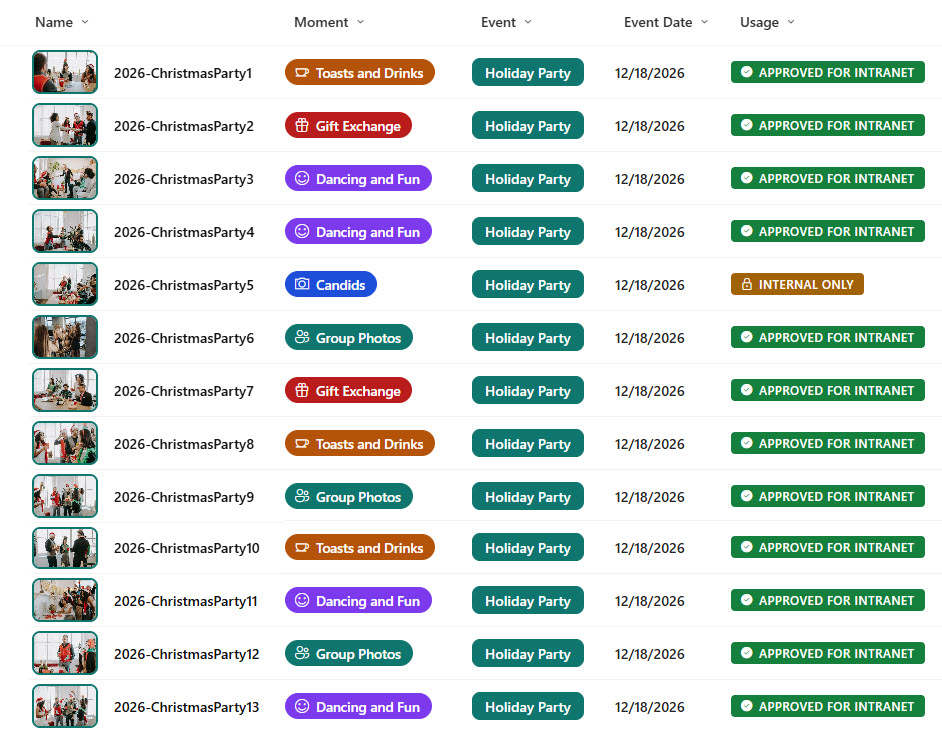
- Photo Thumbnails: Photo thumbnails next to every file name, so the list reads like a photo album
- Moment Pills and Usage Badges: Moment pills and usage badges that show what each photo captures and where it can be used
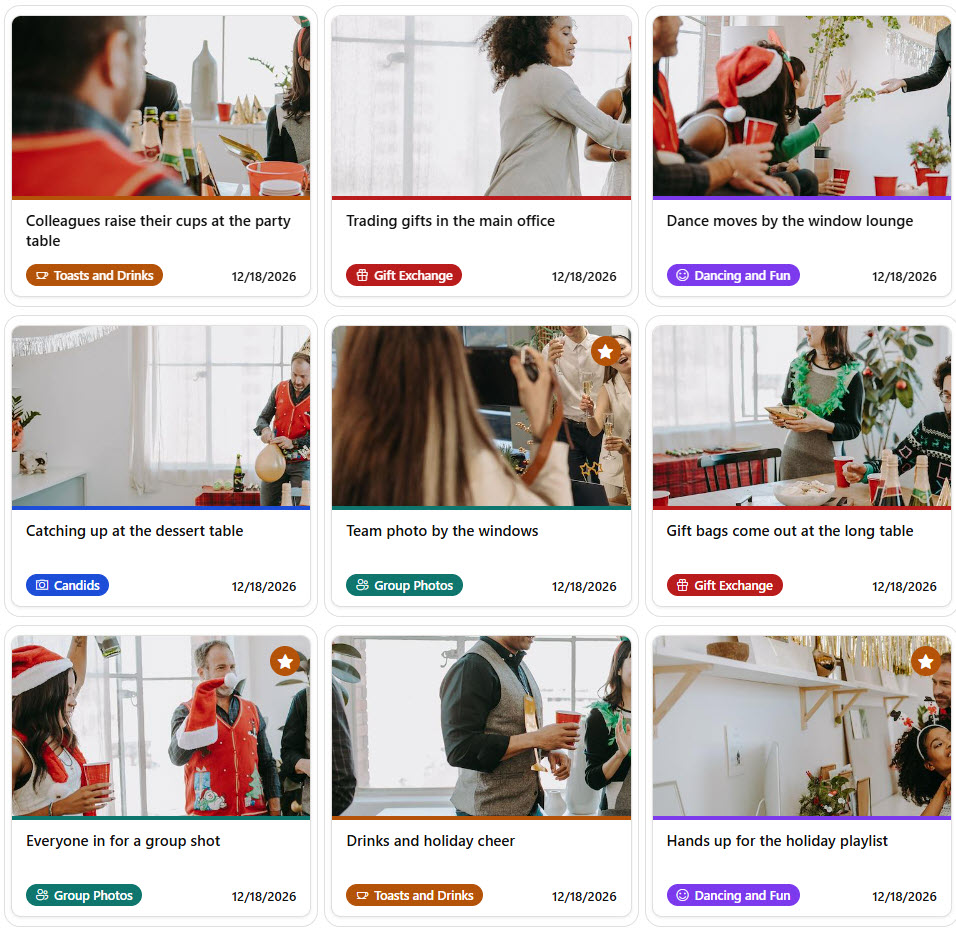
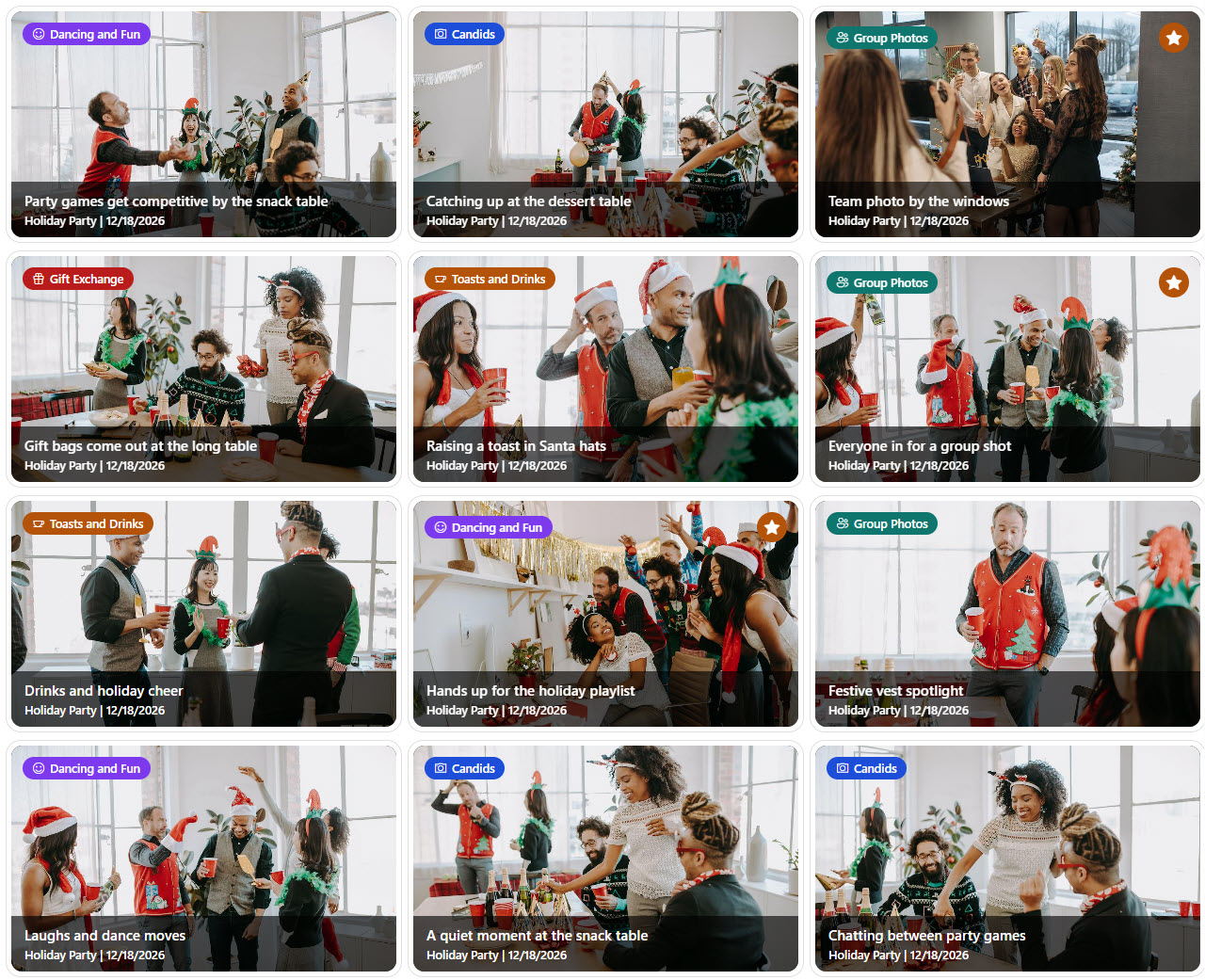
- Featured Star: A featured star that picks out the best shots for news posts and intranet pages
- By Moment View: A By Moment view with colored group headers and a count of photos in each moment
- Photo Wall and Tile View: A Photo Wall gallery of captioned photo cards and a Tile View of full-bleed photos with caption overlays
- Properties Form: A properties form with Photo, Details, and Usage sections
Benefits
- Find Photos Fast: Find the right event photo in seconds instead of scrolling through folders
- Cleared for Use: Know which photos are cleared for the intranet before anyone posts them
- Photos with Context: Give every photo a caption, an event, and a photographer so it keeps its context
- Ready for News: Pull featured shots straight into news posts and homepage galleries
- One Place for Every Event: Keep every company event in one place, organized the same way
- Version History: Track every change with built-in version history
Library Columns
- Event (Choice) - Holiday Party, Summer Picnic, Town Hall, Team Offsite, or Volunteer Day
- Event Date (Date and Time) - the date of the event
- Moment (Choice) - Toasts and Drinks, Gift Exchange, Dancing and Fun, Group Photos, or Candids
- Location (Choice) - Boston HQ, Chicago Office, or Remote
- Photographer (Person or Group) - the employee who took the photo
- Usage (Choice) - Approved for Intranet, Internal Only, or Do Not Share
- Featured (Yes/No) - whether the photo is one of the featured shots
- Caption (Multiple lines of text) - a short line that describes the photo
Common Questions About This Photo Library
What is this event photos library built with?
It is built entirely with out-of-the-box SharePoint: a document library with choice, date, person, yes/no, and text metadata columns, list, grouped, and gallery views, built-in column and view formatting for the thumbnails, pills, badges, and photo cards, and a sectioned properties form. There is no custom code and no third-party tool, which is the kind of clean, maintainable document management Greg Zelfond builds for his clients.
What’s included in the event photos library?
Each photo carries its event, event date, moment, location, photographer, usage, a featured flag, and a caption. The All Photos view shows a thumbnail next to every file name, the By Moment view groups photos by what they capture, and two galleries show the photos as captioned cards and as full-bleed tiles.
How does the library show which photos can be used on the intranet?
Every photo has a Usage value: Approved for Intranet, Internal Only, or Do Not Share. Each one shows as a colored badge in the list, so anyone building a news post or a page can see at a glance which photos are cleared to use and which should stay out of public view.
Does this design use any custom code or third-party tools?
No. The thumbnails, moment pills, usage badges, featured stars, and photo cards all use formatting features that ship with SharePoint and are set in the library settings. Nothing is installed or deployed, so the library stays stable, secure, and easy to maintain as Microsoft updates SharePoint. Out-of-the-box is the only way Greg builds.
Can this library be customized for our organization?
Absolutely. The events, moments, locations, and usage values can be changed to match how your organization runs its events, and the colors can follow your brand. Columns can be added for things like department, people in the photo, or photo credit, and the same approach works for marketing photos, product shots, and facilities images.
Can Greg build this library for our organization?
Yes - this is exactly the kind of work Greg Zelfond does. As an independent SharePoint consultant and Microsoft MVP, he designs and builds out-of-the-box document libraries like this one, with metadata, views, formatting, and forms tailored to how your team collects, approves, and shares photos. Reach out through the contact page to talk about your project.
How much does it cost to build this library?
This library costs a flat $1,800. That includes configuration of all metadata columns, views and formatting, plus meetings and training.