Document Library
A document library is an electronic filing cabinet in SharePoint that resides on a site and serves as a centralized container for storing, organizing, and managing files and folders.
Common Use Cases
- Team document repository: a central location for departments and project teams to store, organize, and collaborate on shared files
- Microsoft Teams file storage: each standard Teams channel uses a SharePoint document library to store and manage its files inside channel folders
- Project and client workspaces: managing project documents, deliverables, contracts, and client files with version history and co-authoring
- Policy and knowledge libraries: Hosting company policies, procedures, templates, and knowledge base documents in a structured, searchable way
- Process-driven libraries: supporting document review, approval, and records management using metadata, views, and Power Automate workflows
Benefits
- Centralized and secure storage: keep all team and organizational files in one controlled location with built-in permissions and sharing
- Real-time collaboration: co-author documents simultaneously, add comments, and track changes without emailing files back and forth
- Version history and recovery: automatically track versions, restore previous files, and protect content from accidental overwrites or deletions
- Powerful organization and findability: use folders, metadata, views, filters, and search to quickly locate the right content
- Seamless Microsoft 365 integration: works natively with Teams, OneDrive, Office apps, Copilot, and Power Automate to support modern workflows
Key Considerations
- Default library: every SharePoint site includes a built-in “Documents” library (also used by Teams), and you can create additional libraries as necessary
- Library size and performance: while libraries can scale into the millions of files, performance, search, and views are best when you plan for less than 100,000 items in a single library
- Sync limitations: OneDrive sync works great for active working libraries, but very large libraries or complex folder structures can cause sync and performance issues
- Metadata vs. folders: Folders are supported, but metadata and views usually provide a more scalable and searchable way to organize content long term
- Permissions strategy: Breaking inheritance at the library, folder, or file level should be done carefully to avoid governance and security complexity
- Governance and lifecycle management: plan retention, versioning, and ownership up front to control storage growth, compliance, and long-term maintenance

Document Library with Folders
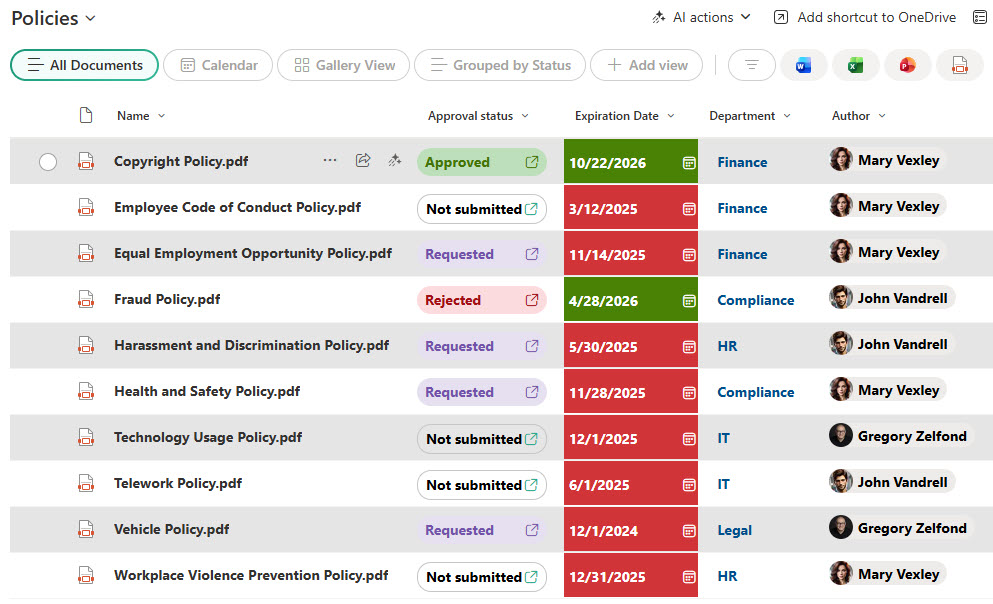
Document Library with Metadata

Creation of a Document Library

File Commands within a Document Library