Project Closure Report

Overview
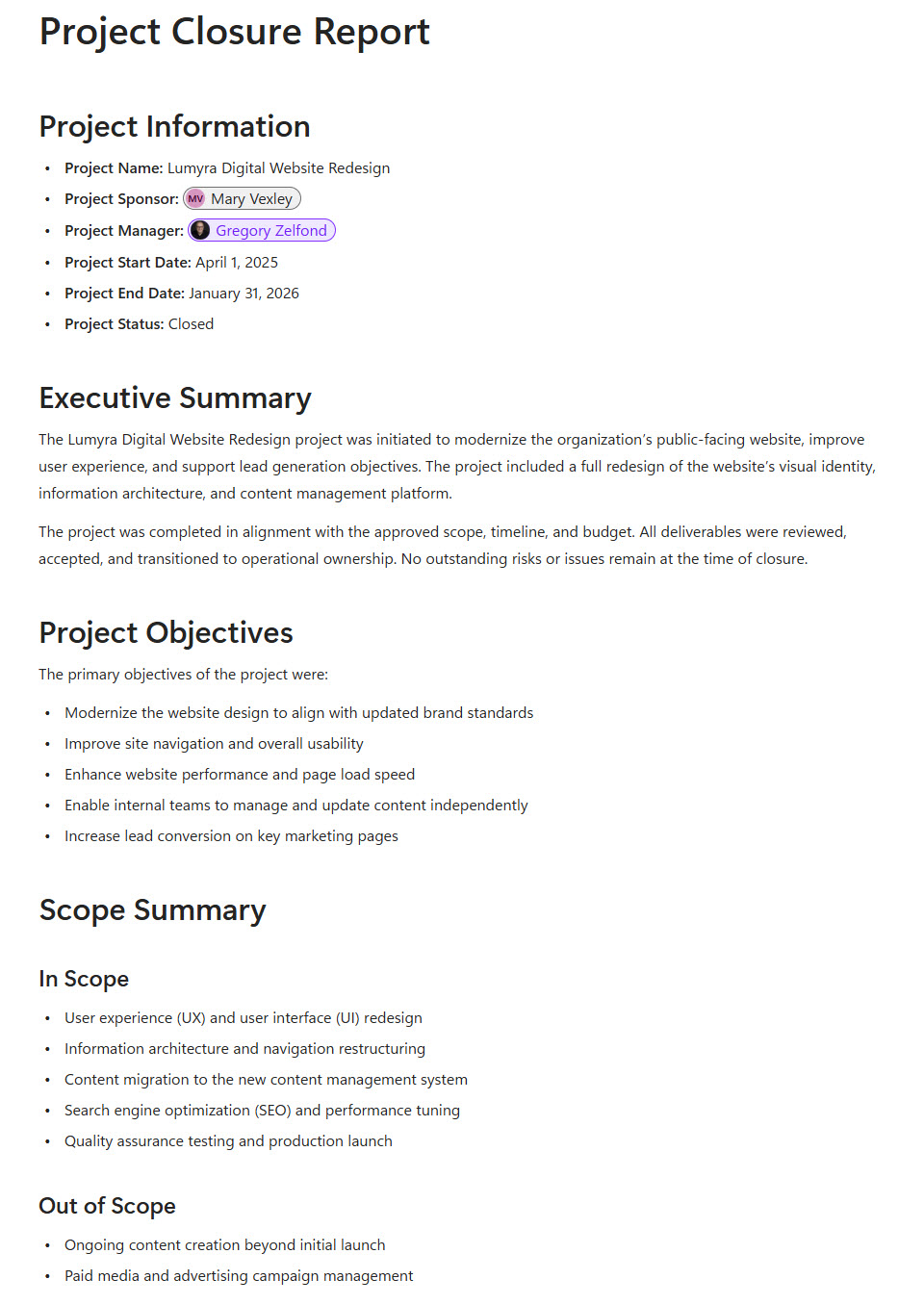
- Structured Microsoft Loop page designed for comprehensive project closure documentation
- Dedicated Project Summary section outlining objectives, scope, outcomes, and performance
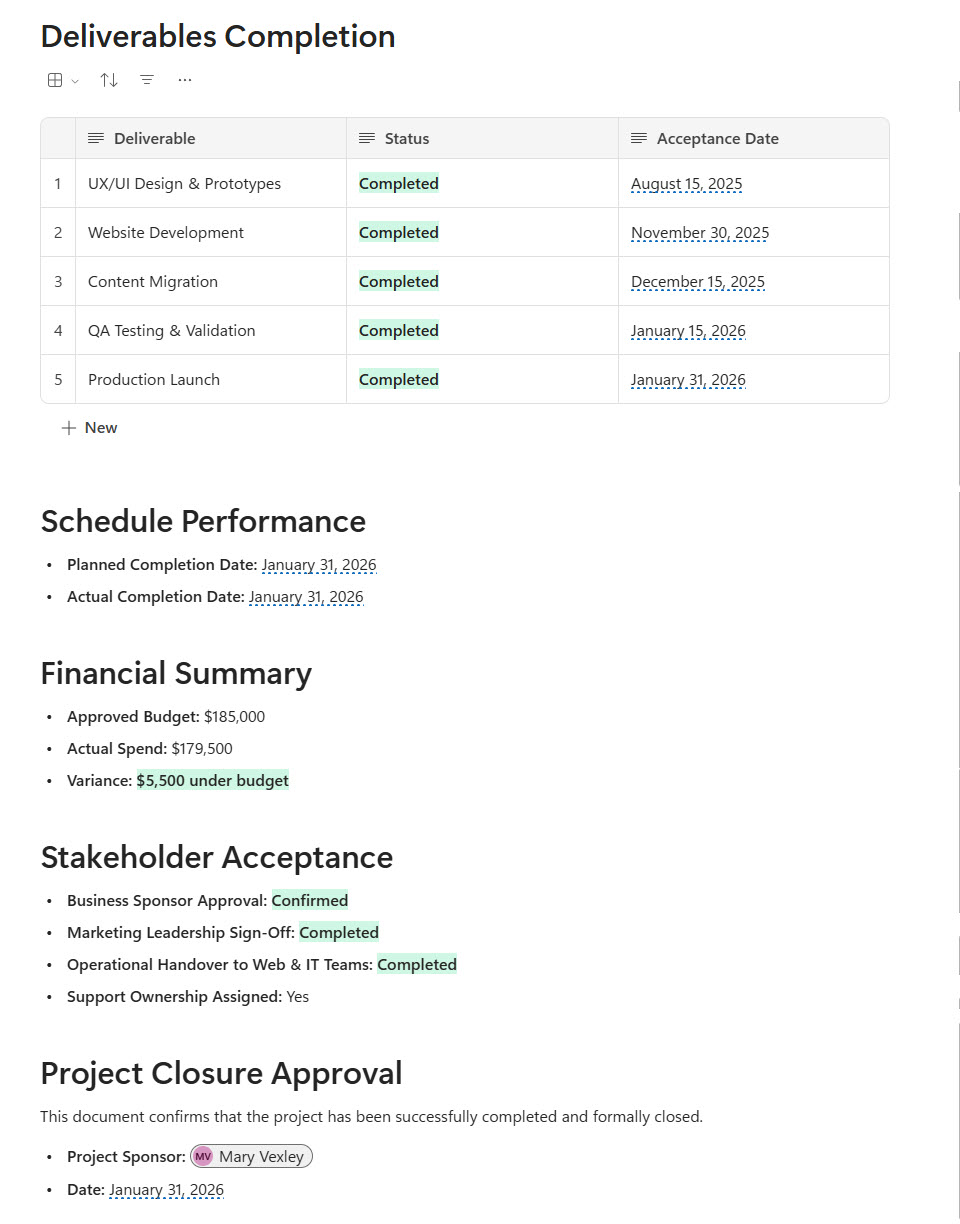
- Deliverable Completion table built using the Loop Table component for structured tracking
- Standardized sections for timeline, budget performance, risks, and final status
- Embedded live components enabling real-time collaboration and updates
- Centralized digital record accessible across Microsoft 365 for stakeholder visibility
- Project Description section: documents the project background and context alongside the closure summary
Benefits
- Consistent closeout documentation: every project ends with the same complete closure record
- Clear deliverable visibility: the completion table shows the status of every deliverable at project completion
- Knowledge retained: captured lessons learned stay available for future projects and teams
- Stronger accountability: structured ownership and final approvals make sign-off explicit
- Less email-based sign-off: a live, collaborative report replaces static documents and approval email chains
- Better governance: standardized closure reporting strengthens transparency and PMO reporting standards
Common Questions About This Project Closure Report
What is this Project Closure Report built with?
The report is built entirely with Microsoft Loop, using standard capabilities – structured Loop pages, the Loop Table component for deliverable tracking, and live components that update in real time. There is no custom code and no third-party tools involved. It is the kind of clean, maintainable closure document Greg Zelfond builds for project managers and PMOs working inside Microsoft 365.
What’s included in the Project Closure Report?
The report includes a Project Summary section outlining objectives, scope, outcomes, and performance, a Project Description, and a Deliverable Completion table built with the Loop Table component. It also features standardized sections for timeline, budget performance, risks, and final status, plus embedded live components for real-time collaboration – all stored as a centralized digital record accessible across Microsoft 365.
Does this design use any custom code or third-party tools?
No. Everything in this closure report uses standard Microsoft Loop functionality available in Microsoft 365. That matters because out-of-the-box solutions are stable, secure, and easy to maintain – nothing breaks when Microsoft rolls out updates, and there are no third-party licenses to manage. Out-of-the-box is the only way Greg builds.
Can this Project Closure Report be customized for our organization?
Absolutely. The summary structure, deliverable table columns, approval fields, and performance sections can all be tailored to your closeout process and governance standards. Greg adapts the report to the way your PMO actually closes projects – whether that means formal executive sign-off, lessons learned reviews, or portfolio-level reporting – so the closure record matches your real process, not a generic template.
Can we use this Project Closure Report inside Teams or Outlook?
Yes. Loop components sync across Microsoft Teams chats, Outlook emails, and the Loop app, so the closure report stays current wherever stakeholders view it. A project manager can share the deliverable completion table in a Teams chat for final review, and any update appears instantly in the original report – approvers always see the latest version without new attachments.
Can Greg build this Project Closure Report for our organization?
Yes – this is exactly the kind of work Greg Zelfond does. As an independent SharePoint and Microsoft 365 consultant and Microsoft MVP, he designs and builds out-of-the-box closure reports like this one, tailored to your projects, approval process, and governance standards. If you want project closeouts that are consistent and complete, reach out through the contact page to get started.