Project Status Report

Overview
- Structured Microsoft Loop page designed for recurring project status reporting
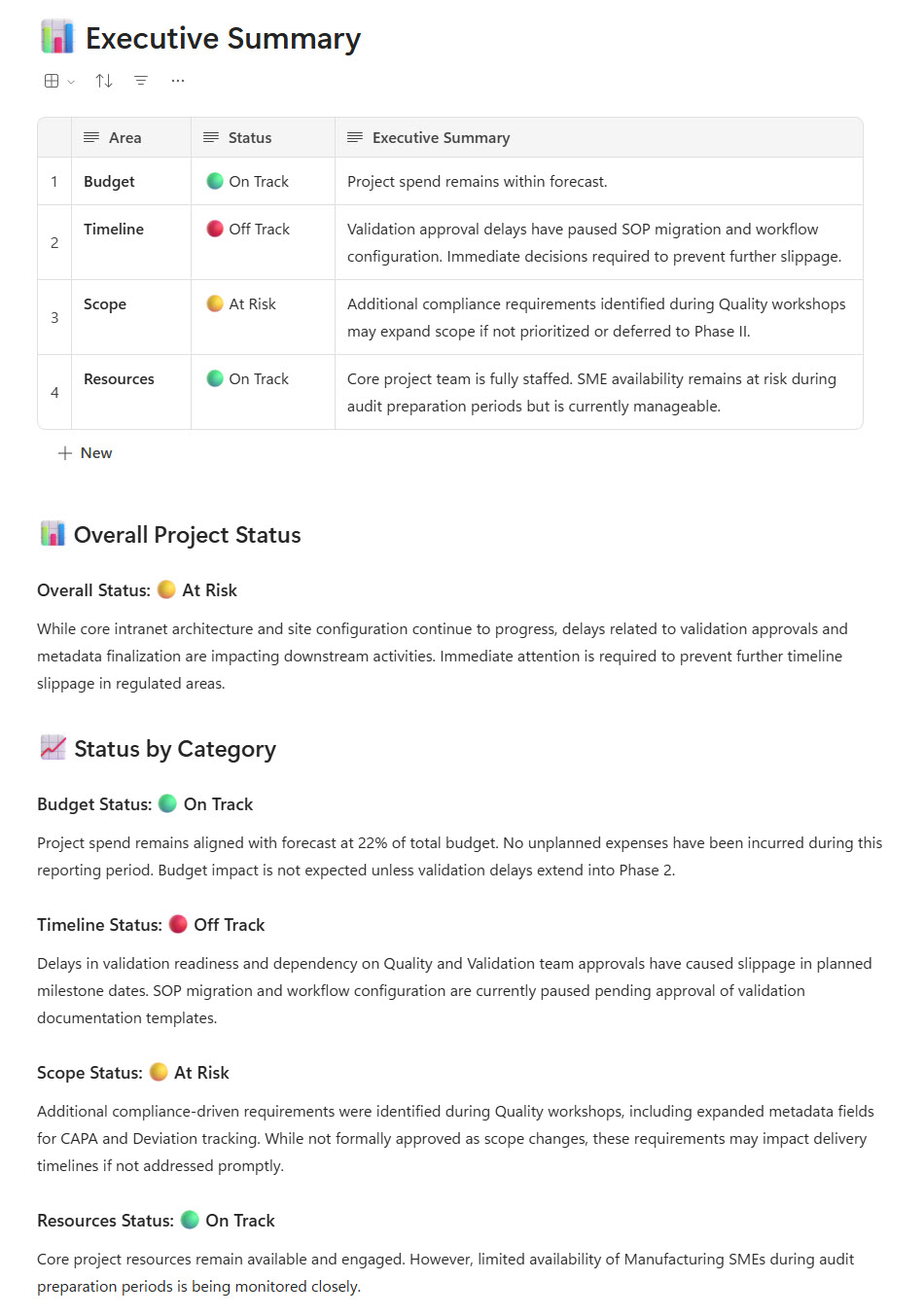
- Executive Project Summary section highlighting key updates and overall performance
- RAG (Red, Amber, Green) indicators to designate Scope, Timeline, and Budget status
- Status tracking table built using the Loop Table component for milestones and deliverables
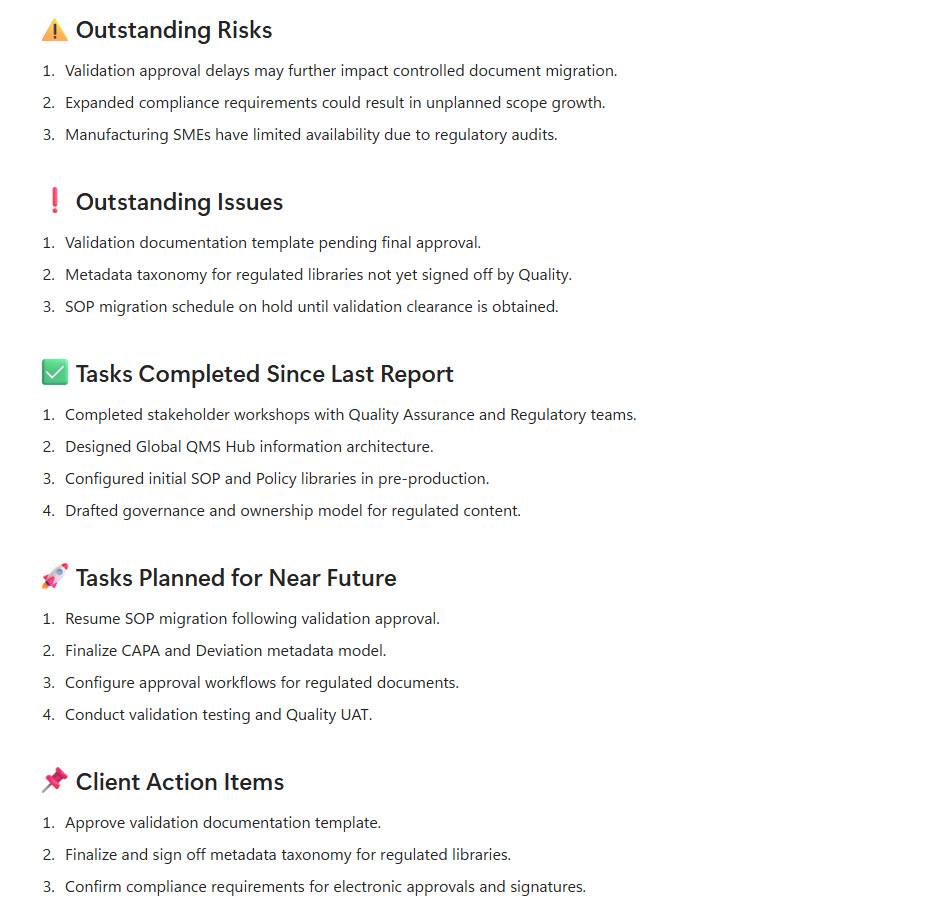
- Dedicated sections for risks, issues, dependencies, and mitigation actions
- Embedded task lists and live components enabling real-time collaboration
Benefits
- Instant insight for leadership: the report gives executives a clear visual read on overall project health at a glance
- Risks caught early: RAG indicators surface scope, schedule, or budget concerns before they become problems
- Transparency across teams: a single shared report keeps stakeholders and team members looking at the same information
- Less manual reporting: live, collaborative updates reduce manual report assembly and version control challenges
- Standardized PMO governance: a consistent report structure supports uniform reporting practices across projects
- Proactive decision-making: structured status visibility helps leaders act on issues instead of reacting to them
Common Questions About This Project Status Report
What is this Project Status Report built with?
The report is built entirely with Microsoft Loop, using standard capabilities – structured Loop pages, the Loop Table component, task lists, and live components that update in real time. There is no custom code and no third-party reporting software involved. It is the kind of clean, maintainable status report Greg Zelfond builds for project managers and PMOs working inside Microsoft 365.
What’s included in the Project Status Report?
The report includes an executive Project Summary section highlighting key updates and overall performance, RAG (Red, Amber, Green) indicators for Scope, Timeline, and Budget, and a status tracking table for milestones and deliverables built with the Loop Table component. It also features dedicated sections for risks, issues, dependencies, and mitigation actions, plus embedded task lists and live components for real-time collaboration.
Does this design use any custom code or third-party tools?
No. Everything in this report uses standard Microsoft Loop functionality available in Microsoft 365. That matters because out-of-the-box solutions are stable, secure, and easy to maintain – nothing breaks when Microsoft rolls out updates, and there are no third-party licenses to manage. Out-of-the-box is the only way Greg builds.
Can this Project Status Report be customized for our projects?
Absolutely. The summary structure, RAG categories, status table columns, and risk and issue sections can all be tailored to your reporting cadence and governance standards. Greg adapts the report to the way your PMO actually works – whether you report weekly to executives, monthly to a steering committee, or track a portfolio of projects – so the format matches your real reporting needs.
Can we use this Project Status Report inside Teams or Outlook?
Yes. Loop components sync across Microsoft Teams chats, Outlook emails, and the Loop app, so the status report stays current wherever people view it. A project manager can share the status table in a Teams chat, and any update made there appears instantly in the original report – everyone sees the same live information without sending new versions.
Can Greg build this Project Status Report for our organization?
Yes – this is exactly the kind of work Greg Zelfond does. As an independent SharePoint and Microsoft 365 consultant and Microsoft MVP, he designs and builds out-of-the-box status reports like this one, tailored to your projects, reporting cadence, and governance standards. If you want a status report your stakeholders will actually read, reach out through the contact page to get started.