SharePoint Intranet Design: 12 Real Examples by Industry
Posted on May 7, 2026
There is no single “good SharePoint intranet” design – what works for a hospital looks nothing like what works for a law firm or a manufacturing plant. Healthcare prioritizes clinical info for a frontline workforce. Law firms organize by practice area. Manufacturing assumes short visits on shared kiosks. This post walks through 12 industries – Healthcare, Manufacturing, Financial Services, Law, Government, K-12, Higher Ed, Energy & Utilities, Construction, Nonprofits, Professional Services, and Retail – and ends with three traits the strongest intranets share regardless of industry.
1. Healthcare
Healthcare intranets have to do something most other industries do not: serve a frontline workforce that is constantly on the move. Nurses, doctors, technicians, administrators. Some are at a desk, most are not. And this isn’t just a healthcare problem – McKinsey’s research on frontline workforce productivity found that the organizations that digitally empower their non-desk employees are far more likely to report strong progress on digital transformation, which is exactly the same pattern that shows up in manufacturing, retail, energy, and construction later in this post. The homepage has to surface today’s information first: shift schedules, policy updates, patient safety alerts, and a fast path to clinical resources. Compliance content (HIPAA, accreditation, infection control) needs to be easy to find as well.
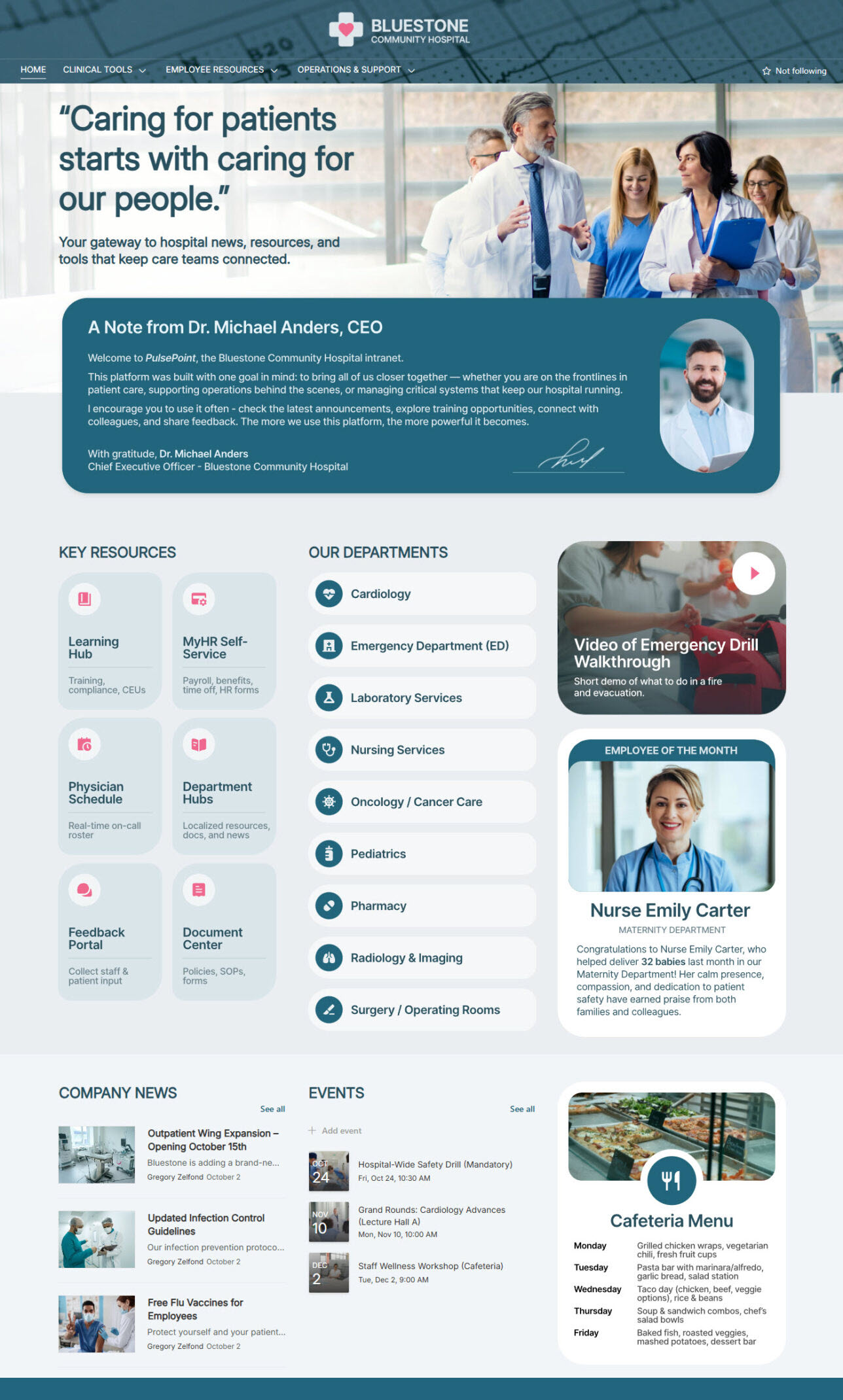
See the entire design set: Healthcare Intranet
2. Manufacturing
Manufacturing intranets have a similar challenge to healthcare: most of the workforce is not at a desk. They are on the shop floor. So the design has to assume short, focused visits, often on a shared kiosk or a phone, often in between other tasks: big buttons, clear icons, minimal scrolling.
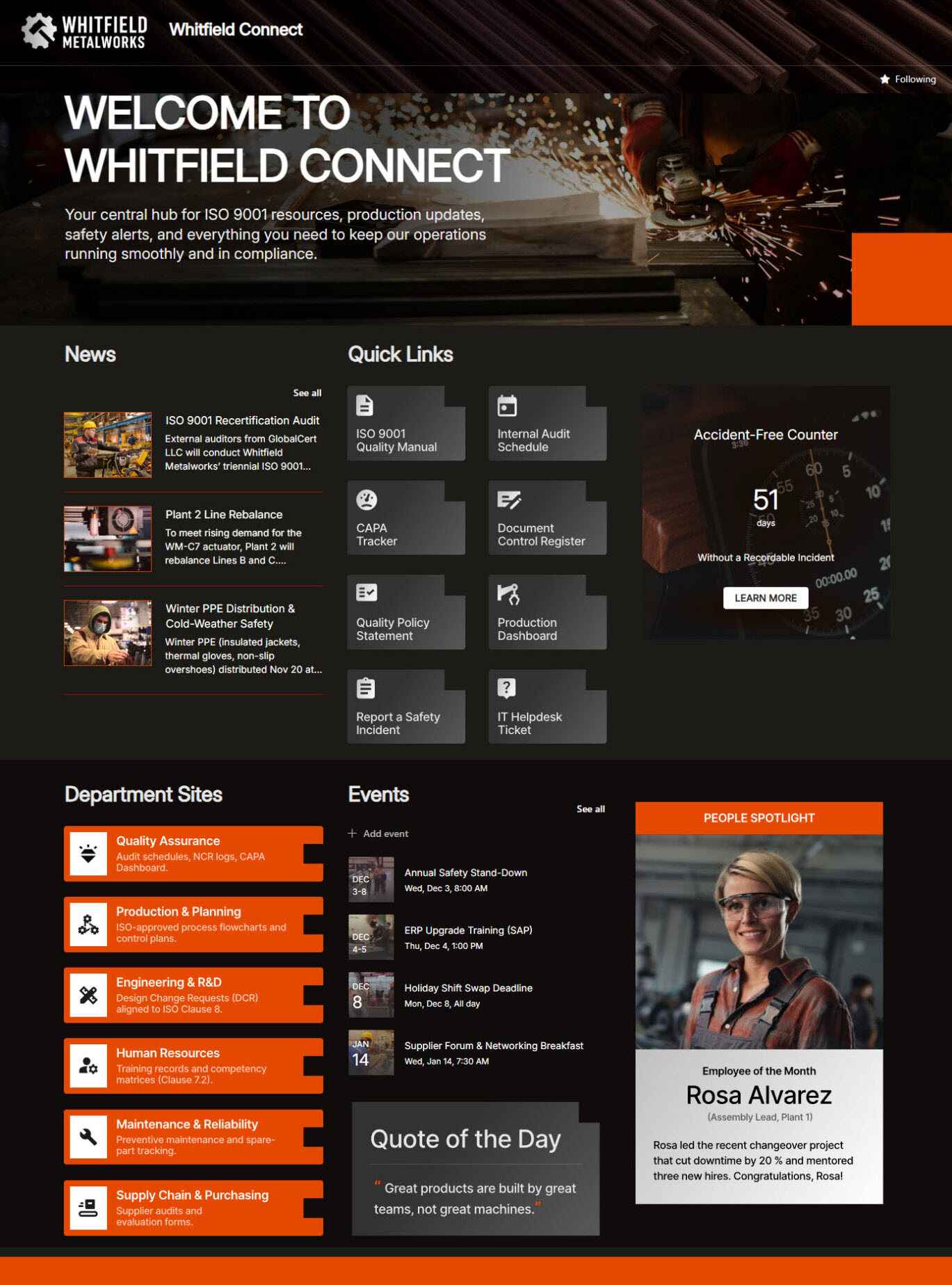
See the entire design set: Manufacturing Intranet
3. Financial Services
Financial services intranets carry a heavy burden. Compliance pressure is enormous. Information is highly regulated. And the people using the site – advisors, analysts, relationship managers are very busy people who will not spend three minutes hunting for a form.
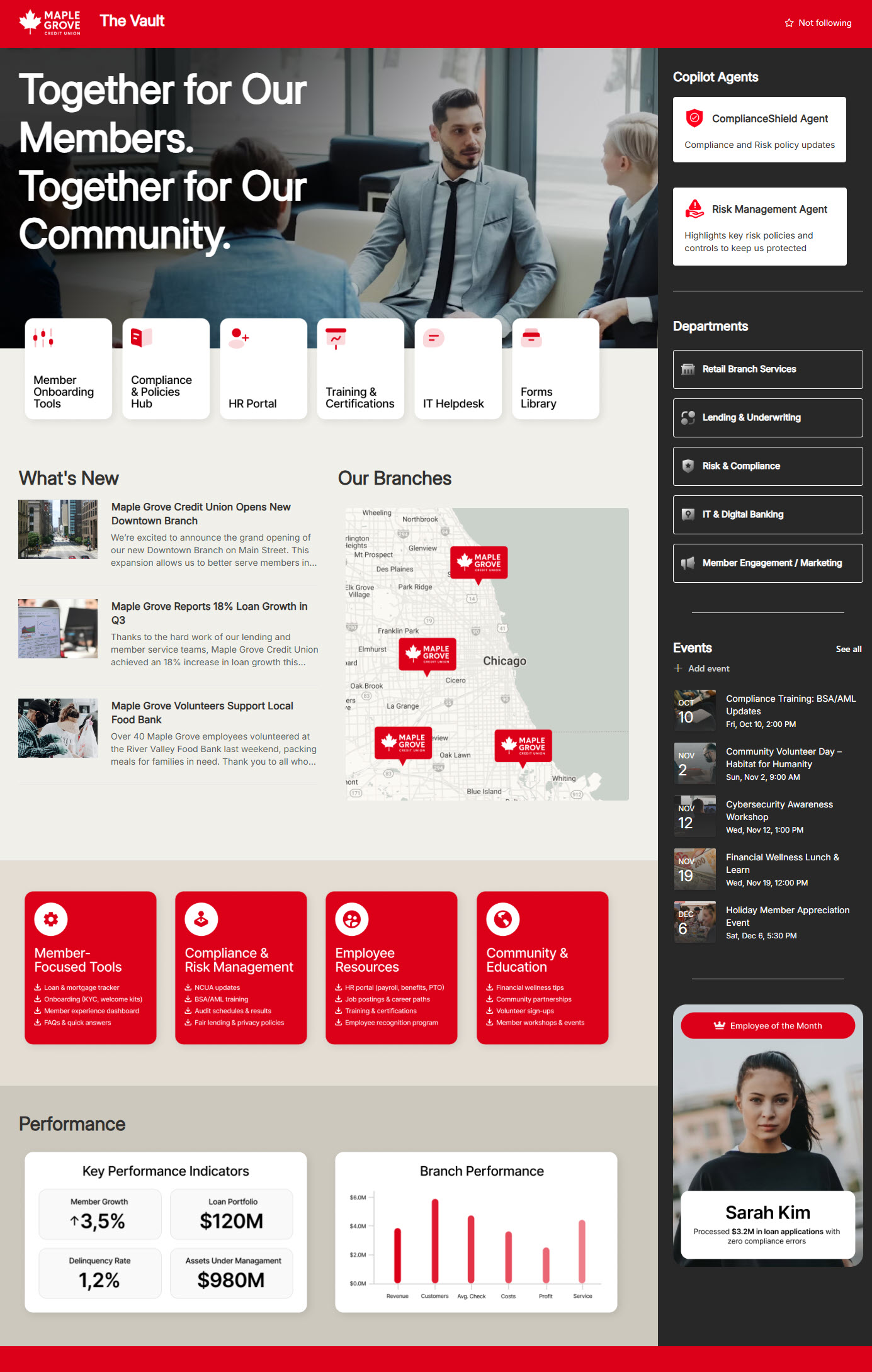
See the entire design set: Financial Intranet
4. Law Firms
Law firm intranets are, in my experience, document-management-first and everything-else-second. Attorneys live and die by the ability to find a precedent, pull up a matter, and reference the right template at the right moment.
The strongest law firm intranets I have seen group content by practice area and make matter information one click away. Internal news (firm announcements, business development wins, client alerts) is present, but it does not crowd the page.
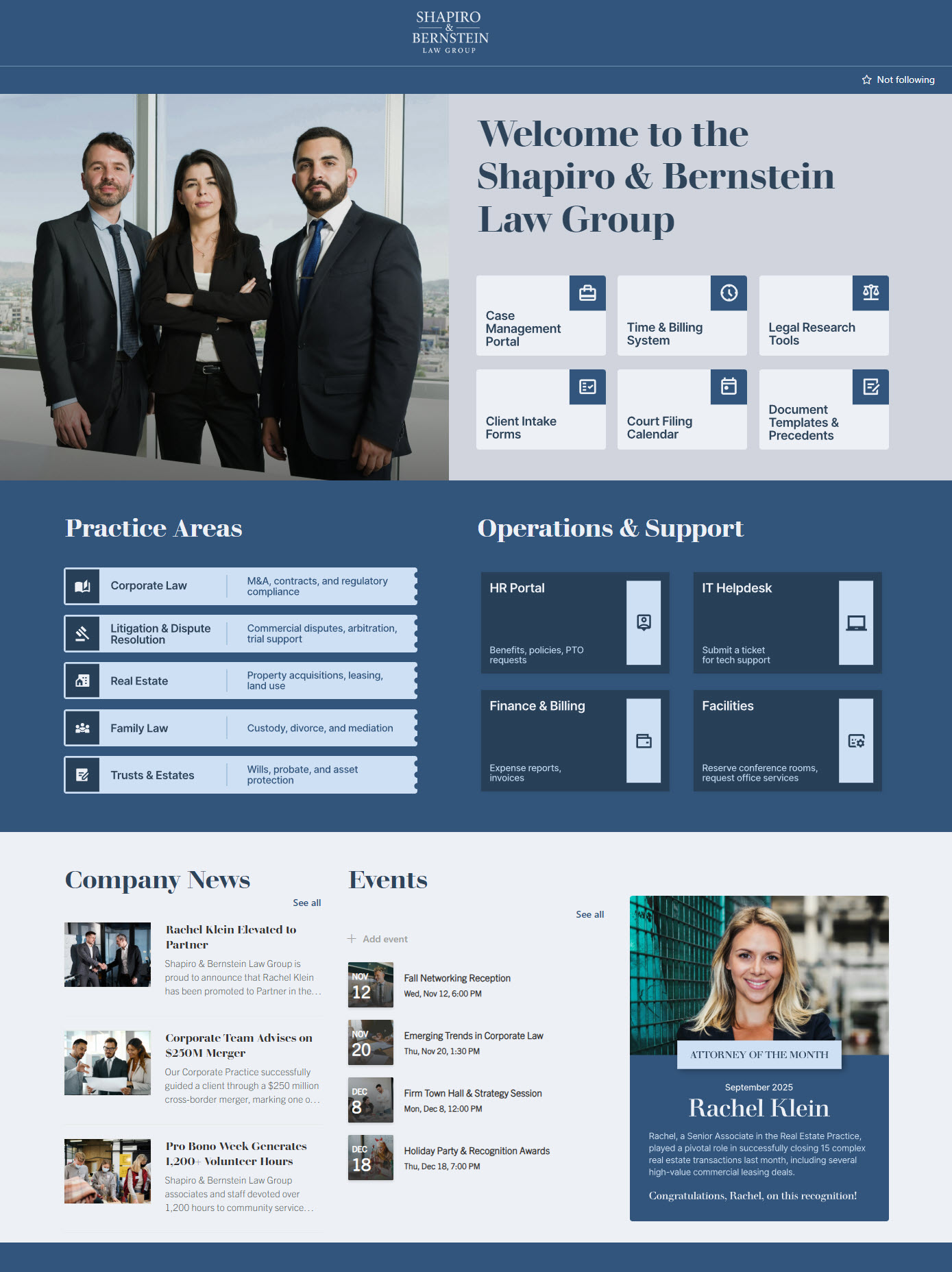
See the entire design set: Law Firm Intranet
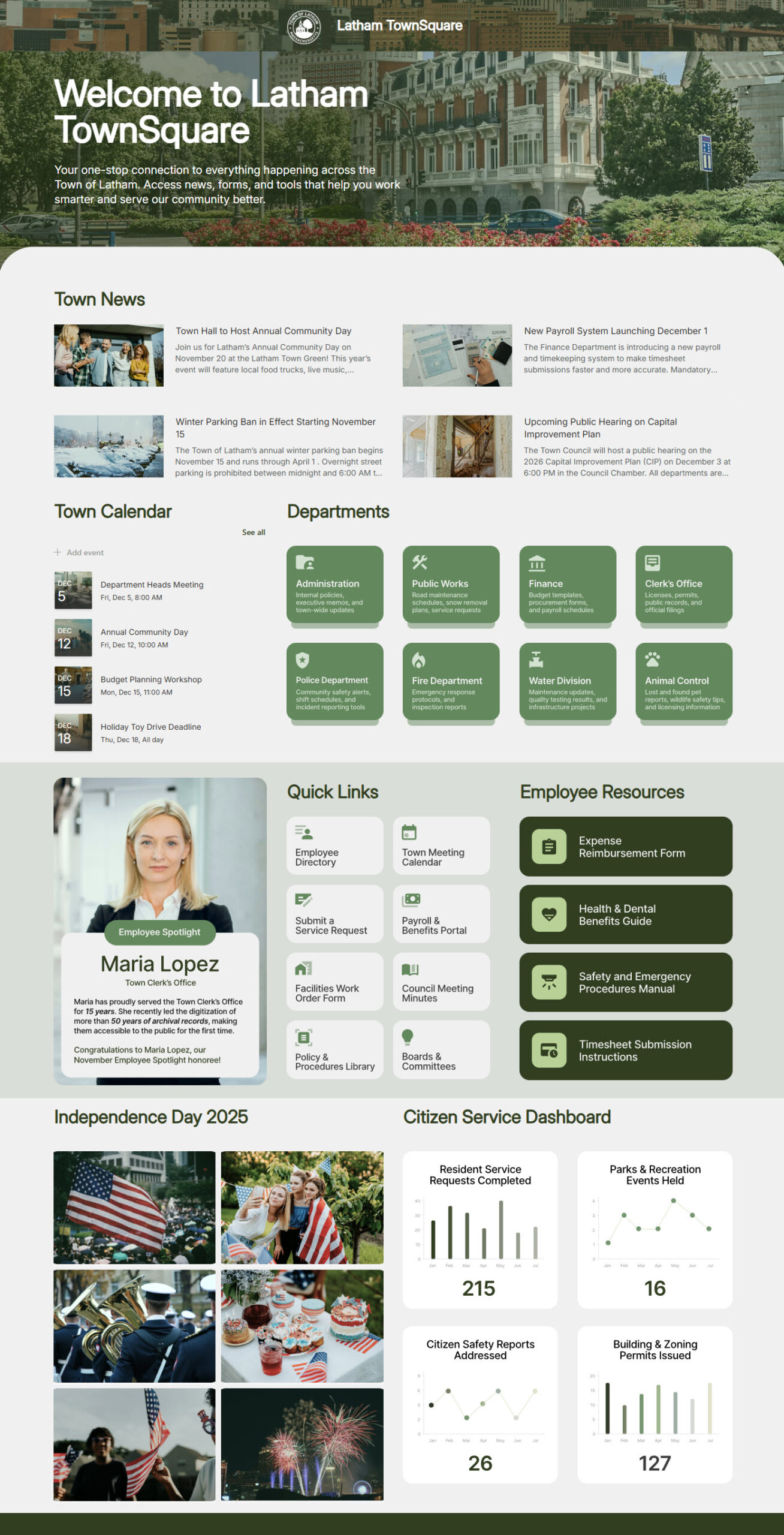
5. Government and Public Sector
Government intranets carry a unique combination of constraints. The audience is large, distributed across many departments, often spread across multiple physical locations, and frequently changing. And the content lifecycle is long: policies, procedures, training records, and union-related materials all need to be easy to find and kept up to date.
See the entire design set: Government Intranet
6. Schools Districts
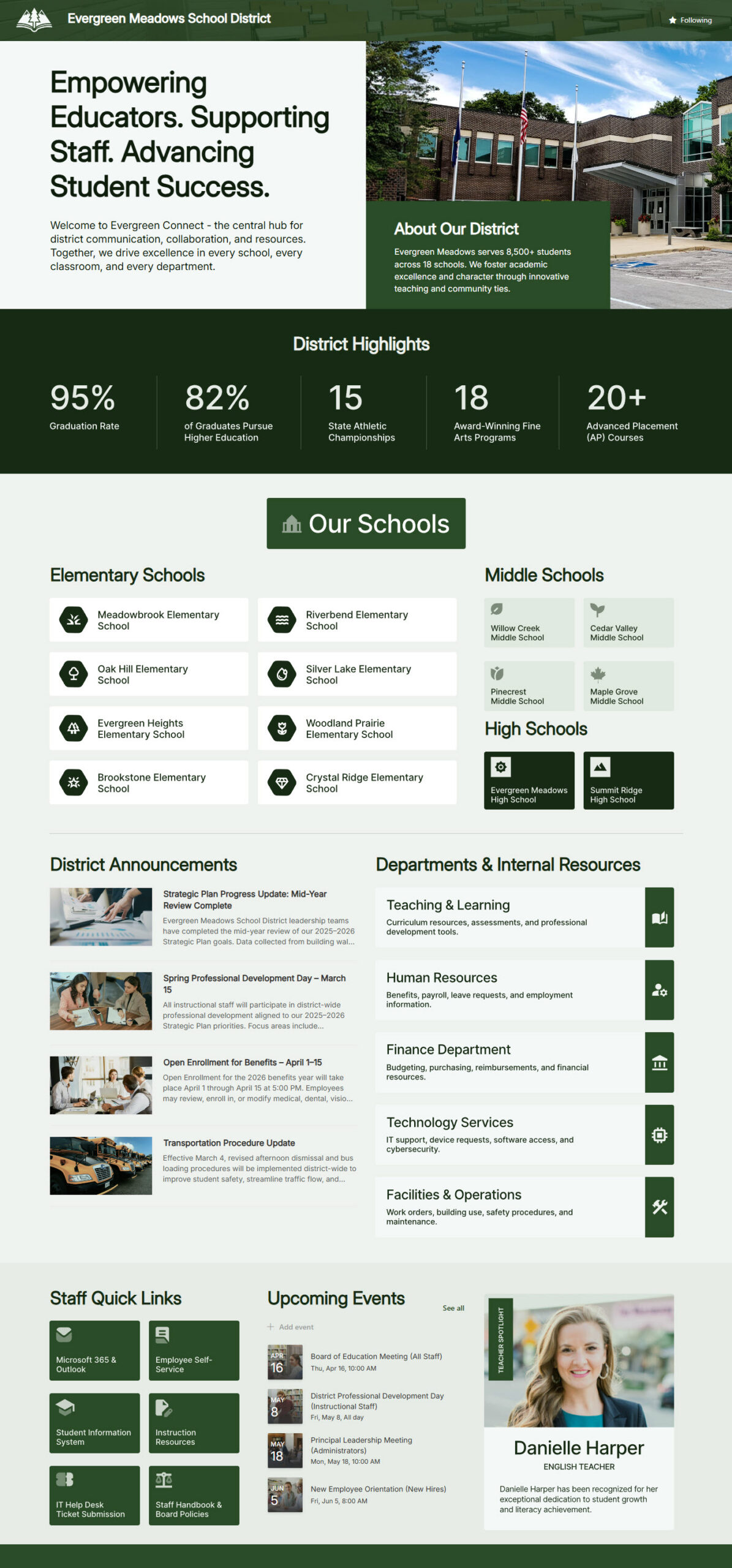
K-12 intranets must serve teachers, administrators, and operational staff simultaneously, often across multiple buildings. Teachers want lesson resources, calendars, and curriculum guides. Administrators want policy, professional development, and student data tools. Operations staff want forms, schedules, and facilities information.
What I appreciate in the best K-12 intranet examples is how warmly they handle visual identity. School branding is often colorful and personality-driven, and the intranet leans into that – a homepage that feels like the school itself, not a generic enterprise portal.
See the entire design set: School District Intranet
7. Colleges and Universities
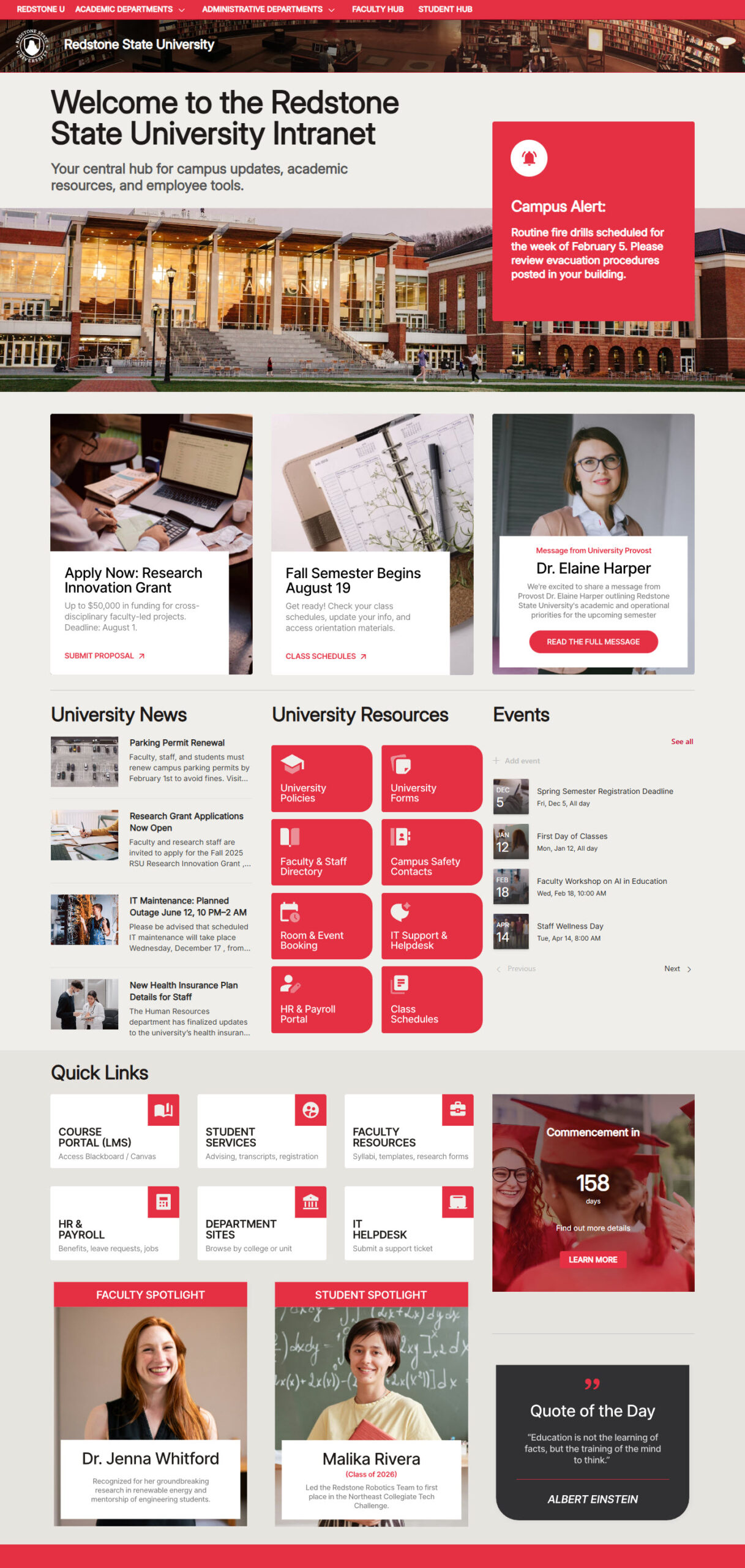
Higher education sits in an interesting middle ground. Universities are large, decentralized, and culturally diverse; every school, department, lab, and program tends to want its own portal, with its own look, content, and approval flow. The intranet has to support that local autonomy without descending into chaos.
The university intranets that I think work best establish a clean, central hub for shared content – HR, IT, Admissions, Finance, and then let departments build their own sites within a consistent design framework. SharePoint is genuinely good at this kind of hub-and-spoke model, and the best higher-education examples make it look effortless.
See the entire design set: University Intranet
8. Energy and Utilities
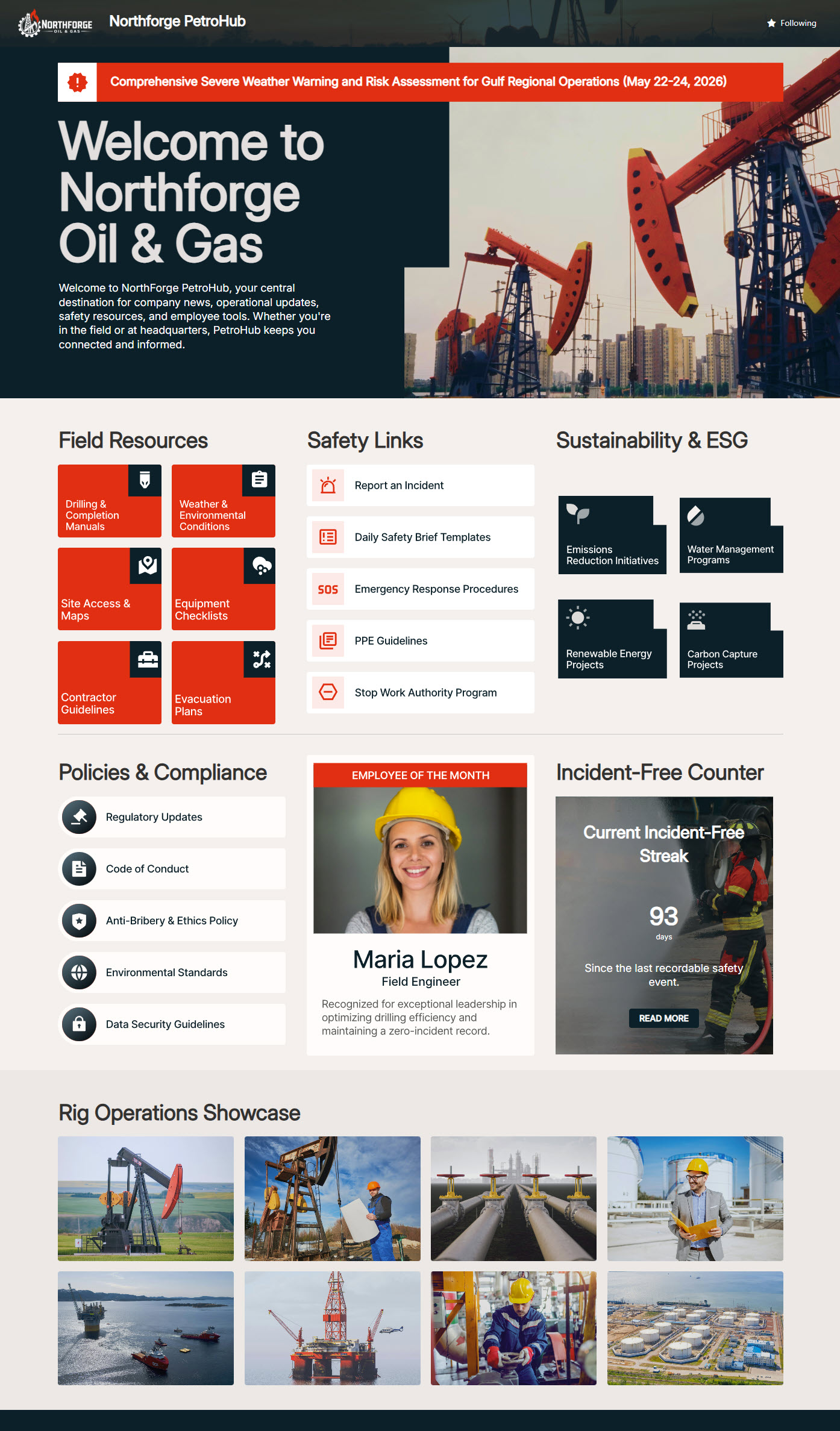
Energy and utilities companies have a specific design challenge: a workforce split between corporate offices and field operations. The corporate side wants the standard intranet: news, HR, finance, and internal projects. The field side wants something completely different – safety bulletins, work-order references, equipment manuals, training resources, and emergency contacts.
The best examples I have collected handle this split cleanly. The homepage provides both audiences with a clear path on the first scroll. Operations content is given the same prominence as corporate content. Mobile is treated as a primary device, not a secondary one. And safety, again, is front and center – because in this industry, safety isn’t a section, it’s a culture.
See the entire design set: Energy & Utilities Intranet
9. Construction
Construction companies live by the project. So a construction intranet that ignores project structure is missing the whole point. Each active project should have its own home – drawings, RFIs, submittals, daily reports, photos, and contacts. Field crews need quick access on tablets and phones. Safety bulletins, training, and certifications need to be one tap away.
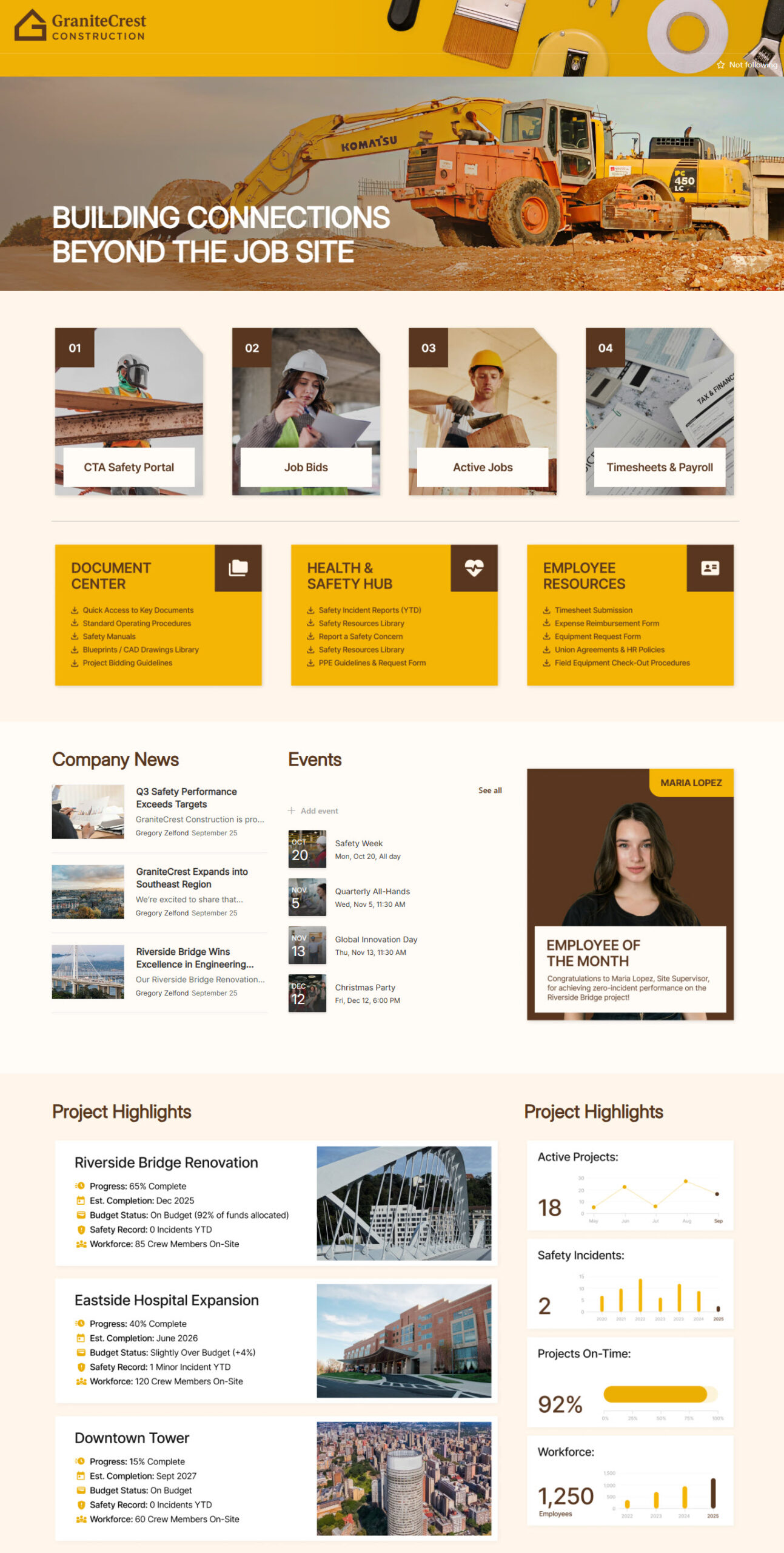
See the entire design set: Construction Intranet
10. Nonprofits
Nonprofit intranets have to do a lot with a little. Budgets are tight. IT teams are small or part-time. The user base often includes a mix of full-time, part-time, and volunteer staff – sometimes spread across multiple programs and many locations. The intranet has to be useful without being expensive to run.
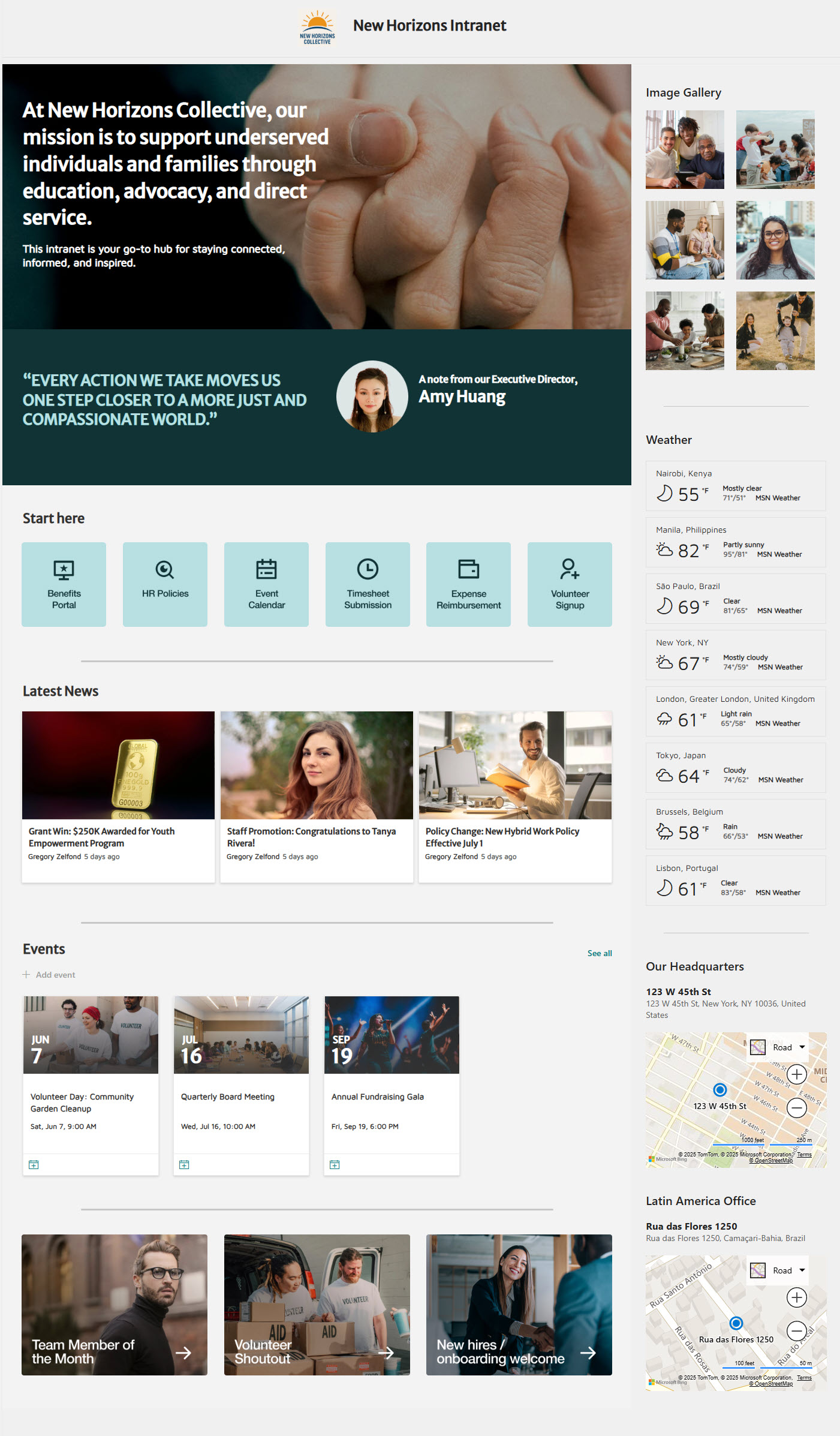
See the entire design set: Nonprofit Intranet
11. Professional Services
Professional services firms (consulting, accounting, engineering, advisory) share a defining characteristic: they sell their people’s expertise. So the intranet has to make that expertise easy to find, share, and reuse. A new consultant joining a project should be able to pull up relevant prior work, methodology templates, client materials, and subject-matter experts within minutes.
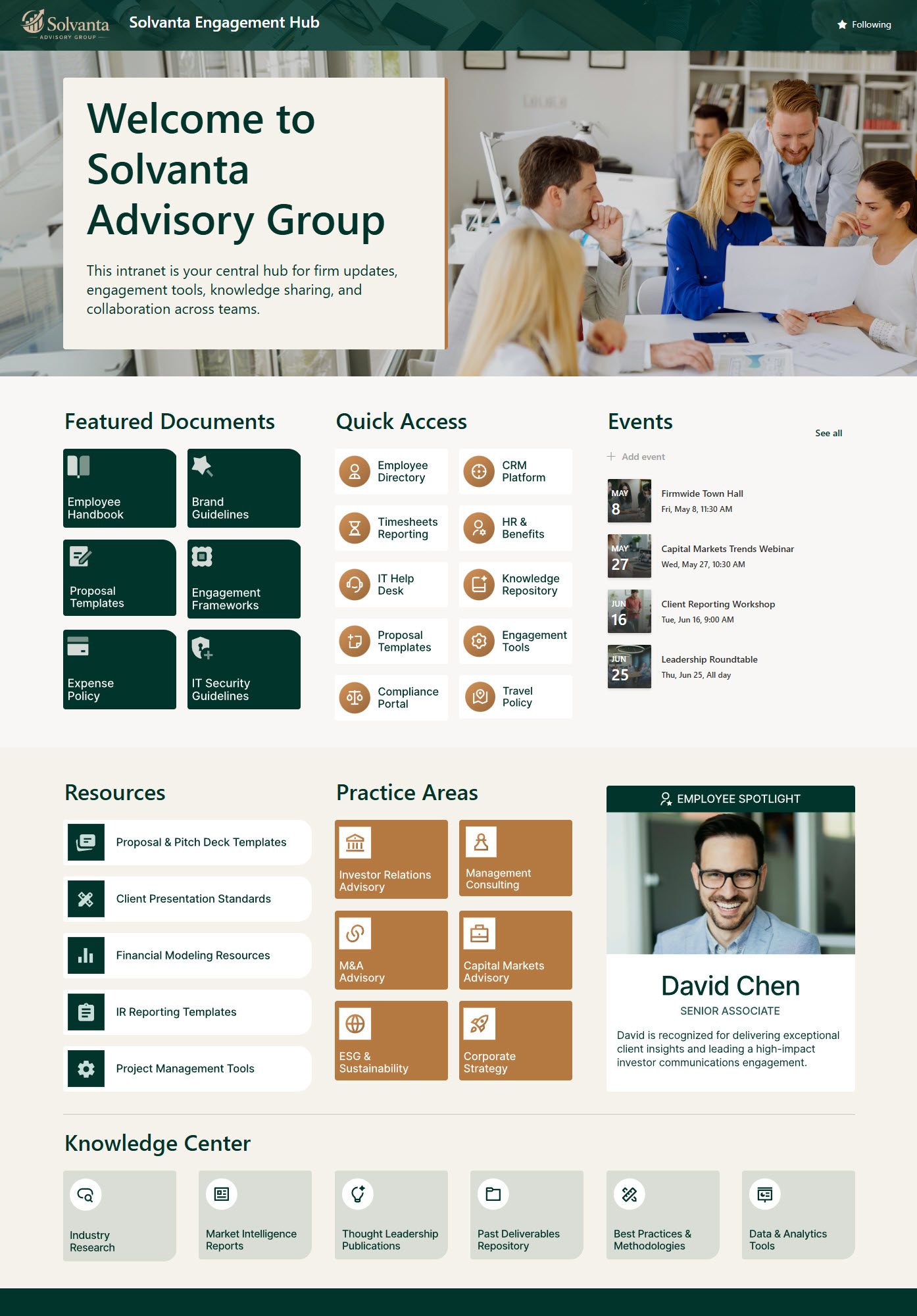
See the entire design set: Professional Services Intranet
12. Retail
Retail and intranets share a common reality with healthcare and manufacturing – most of the workforce is on their feet, in front of customers, and not at a desk. Store associates, restaurant staff, hotel teams. The intranet has to be simple, mobile-friendly, and focused on what frontline employees actually need to do today.
The retail examples I think work best put store and location communications front and center, make training easy to access, and keep policy content one obvious click away.
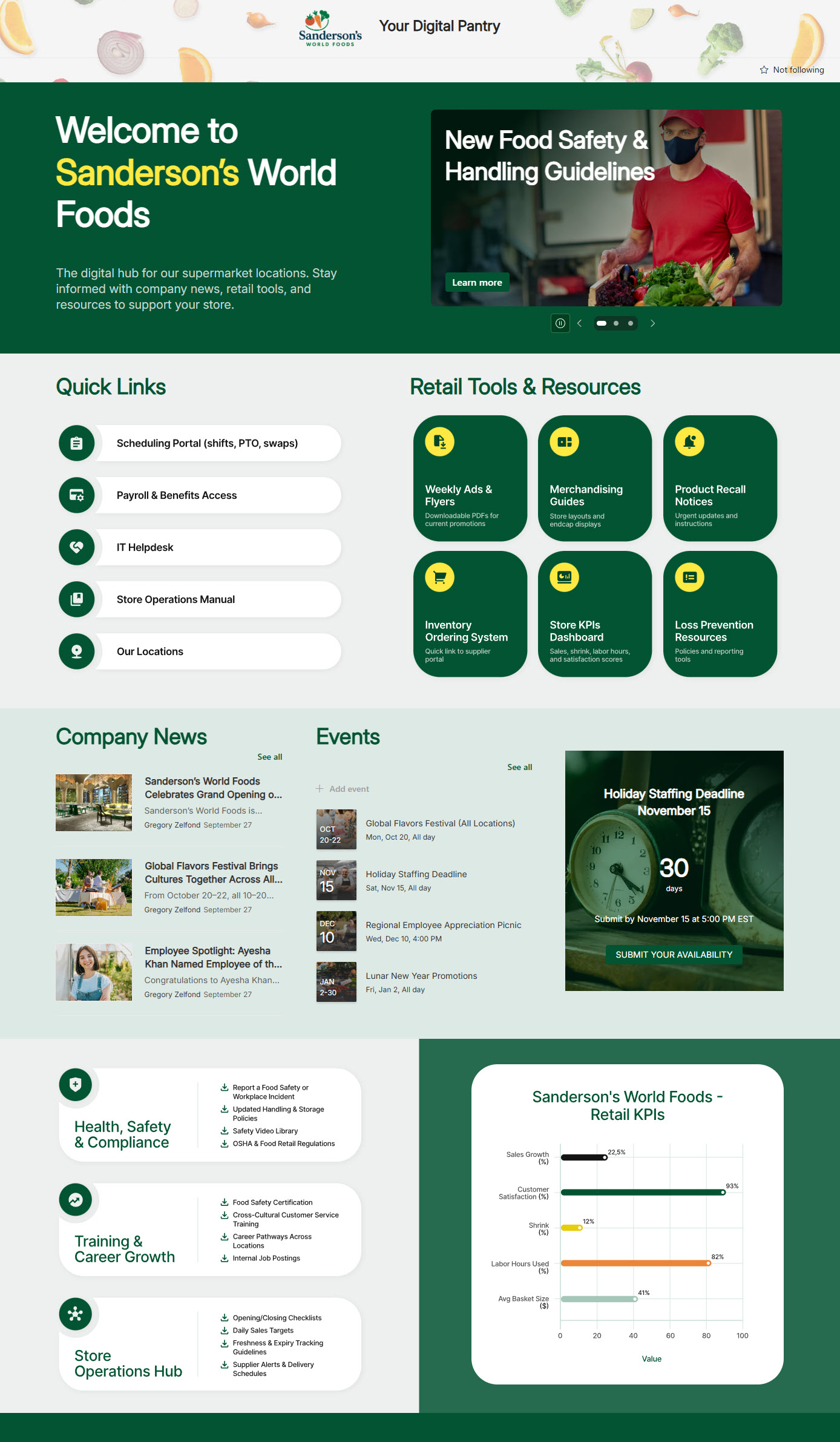
See the entire design set: Retail Intranet
What all 12 Designs have in common
After collecting hundreds of these examples, I have noticed that the strongest SharePoint intranets – across every single industry – tend to share a few things. They are worth pointing out, because they apply whether you are running a hospital, a law firm, a school, or a construction company:
- They start with the audience, not with SharePoint. The design reflects how employees actually work, not how the platform is organized. This is straight out of Don Norman’s playbook — the cognitive scientist who coined the term “user-centered design” has spent decades arguing that good design starts with understanding people, not the technology, and that the system should adapt to the user rather than the other way around.
- They use out-of-the-box SharePoint as far as possible. Custom code is expensive, brittle, and a maintenance burden. Forrester’s intranet research backs this up – they’ve found that intranet satisfaction is rising as organizations sunset homegrown and heavily customized intranets in favor of cloud-native, packaged platforms (which is exactly the lane SharePoint Online sits in). The strongest intranets I see lean on what SharePoint and Microsoft 365 already do well.
- They evolve. None of them are perfect on day one. The owners treat the intranet as a living product, not a one-time project.