Will SharePoint Ever Integrate with Figma?
Posted on May 19, 2026
A real Figma-SharePoint integration is unlikely to ever ship in a serious way: the history is against it (Microsoft already deprecated the Figma-Power Apps version), the architectural gap is real, and the bigger reason isn’t feasibility: AI is about to make the integration unnecessary. Tools like Claude Design already produce production-quality pages from a plain-language prompt, and Microsoft is uniquely positioned to bring “describe a page, get a SharePoint page” inside the platform via Copilot, since every piece of that workflow already exists somewhere in Microsoft 365. The bigger reason is not that the integration is impossible. It is that AI is about to make the integration unnecessary. The way SharePoint pages get designed is itself changing, and the change is closer than most people realize. This post is about what AI is already showing is possible, why I think Copilot is the most likely path for SharePoint, and what to do in the meantime.
What Claude Design has shown is already possible
If you want to see where this is heading, look at what Claude Design is doing right now. You describe a page in plain language. You give it a sense of the brand, the audience, and the kind of content it needs to surface. A few seconds later, you have a fully composed, production-quality interface – laid out, styled, structured, and good enough to ship with light editing. The output is not a Figma file that someone then has to export. It is a “working page”.
The first time most designers see this, the reaction is the same one I had. The traditional design-to-build workflow stops looking like the only way to produce a real interface. The middle steps – drawing the layout in a design tool, exporting the assets, reconstructing the layout in the production environment, adjusting for the gaps between the design and the medium – start to look like work the AI can do directly. The hand-off between “the designer’s mental model” and “the working page” stops being a hand-off at all.
This is not a future capability. It is shipping today, and it is good enough that real people are using it for real work. The implications for tools like Figma are serious, but the implications for platforms like SharePoint are arguably bigger. The bottleneck in modern intranet design has always been the gap between what people can imagine and what they can produce in SharePoint. AI design closes that gap directly.
UX research is starting to track the same shift. Nielsen Norman Group’s recent research on AI tools in UX finds that designers who use AI assistants now produce viable design output faster than equivalent teams using traditional tools alone – and that the productivity gap is widening as the models improve. The traditional handoff between “designer’s tool” and “production page” is being absorbed into the design surface itself.
Why Copilot is the most likely path for SharePoint
Microsoft is in an unusually strong position to bring this same capability to SharePoint because Copilot already lives inside the platform, and Microsoft already controls the page model that needs to be generated.
Imagine the following workflow. A site owner opens a SharePoint page editor. They describe the page they want: “a Marketing landing page with a welcome message, the latest news, links to brand assets, employee spotlight section, and an upcoming events list.” Copilot reads the request, understands the available web parts, picks the right ones, arranges them in a sensible layout, populates the structured ones with content from the right SharePoint sources, drafts the editorial content for the rest, and produces a page that the owner can refine. The hand-off between idea and page is one prompt long.
And this isn’t hypothetical – it’s available right now. Sure, the output isn’t as polished as what you’d get from Figma, but that gap will close quickly.

Copilot Prompt for Page Editing/Creation

SharePoint Page Created by Copilot
The market trajectory points the same way. Gartner’s 2025 Hype Cycle for Generative AI projects that by 2028 more than 95% of enterprises will have GenAI applications in production, and highlights AI-native software engineering – including UI generation – as one of the most strategically significant shifts on its 2025 watchlist. A “describe a page, get a page” experience inside SharePoint is exactly the kind of capability that arc produces.
Every piece of that workflow is already in Microsoft 365 in some form. Copilot reads SharePoint content. Copilot can generate text. Copilot can fill in structured fields. The web part library is well-defined. The page model is well-defined. The brand and theme settings are well-defined. The pieces have not yet been combined into a single end-to-end “describe a page, get a page” experience, but the gap between “they exist separately” and “they exist together” is engineering, not invention.
If this works the way it should, the question of whether SharePoint integrates with Figma stops mattering. The designer who used to draw the page in Figma describes the page to Copilot instead. The page is produced in SharePoint, within the web parts that will host the content. There is no export, no translation, no “sloppy elements” problem from a design tool that does not understand the medium. The medium produces the design.
What works today
Until the AI-native workflow shows up inside SharePoint, the workflow that produces good pages from Figma designs is still mostly manual, and it is worth being honest about what that looks like in practice.
Use Figma to design the page. Iterate on the design with the actual content the page is going to display. Decide on a fixed set of SharePoint web parts that map to the design – Hero, Quick Links, Image Gallery, Events, and so on. Build the page in SharePoint section by section, dropping screenshots from Figma into image web parts where the design calls for visual richness, and populating the structured web parts with the real content.
By the way, if you want to check out some of the Figma designs I used to create LookBook 365 examples, visit my Figma Community Page.
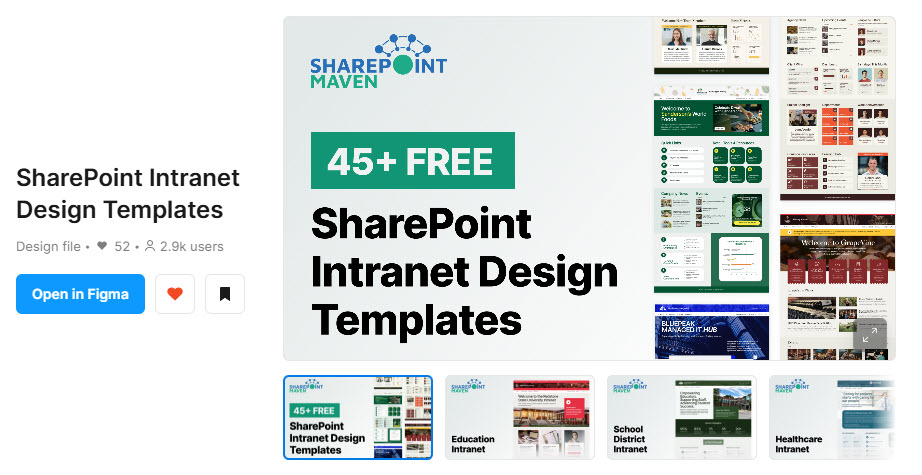
SharePoint Community Page in Figma
Figma integration vs. AI-native page generation: at a glance
| Traditional Figma-SharePoint integration | AI-native page generation in SharePoint | |
|---|---|---|
| Likelihood | Low – history (Power Apps deprecation) and architectural mismatch argue against it | Describe the page in plain language, and refine the result in SharePoint |
| Workflow | Design in Figma, port to SharePoint via the integration | Inside Microsoft’s own platform, consolidated maintenance |
| Output quality | “Sloppy elements” from translating arbitrary frames into web parts | Native web parts composed by the platform that owns the model |
| Maintenance burden | Inside Microsoft’s own platform, consolidated maintenance | Inside Microsoft’s own platform, consolidated maintenance |