Real-Time Agenda

Overview
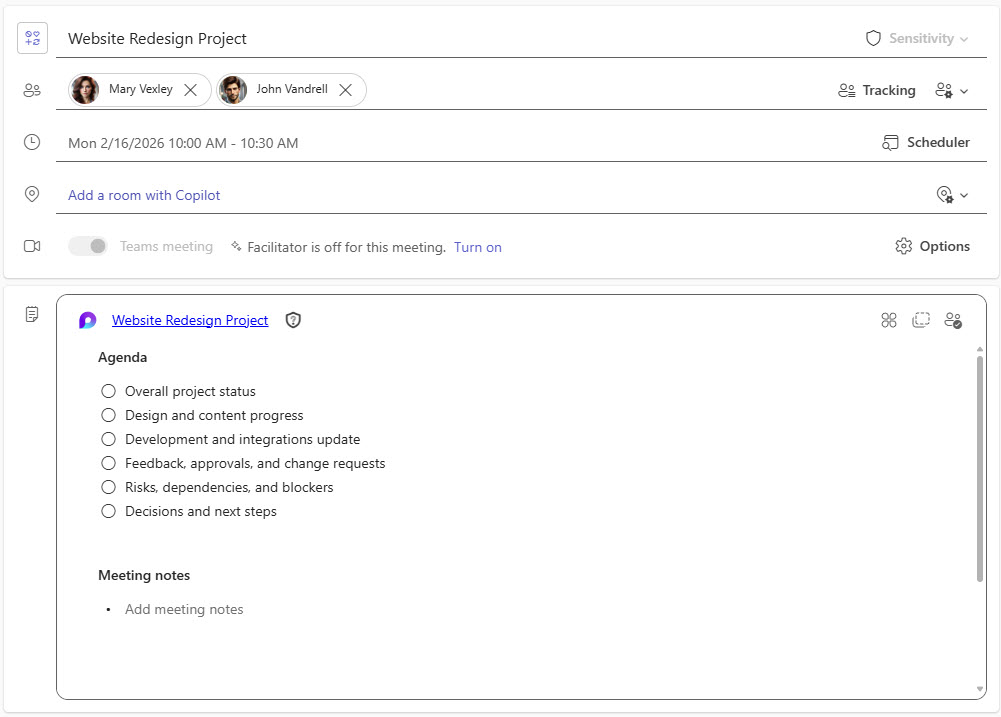
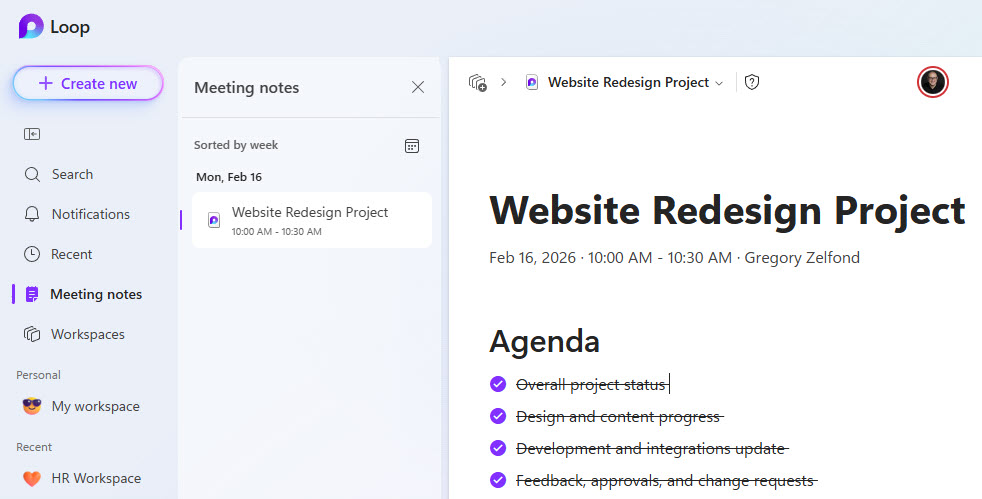
- Automatic agenda creation: the meeting agenda is generated within Teams as soon as it is added to a scheduled meeting
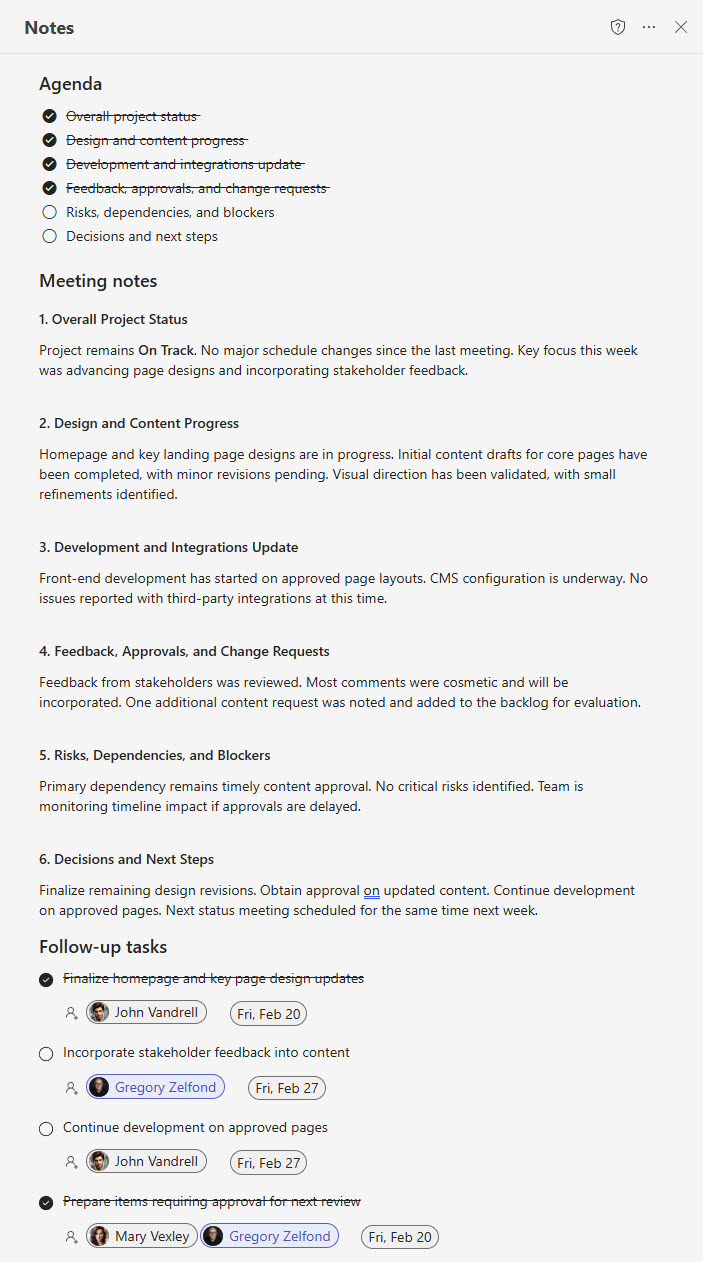
- Ready-made sections: agenda, meeting notes, and tasks sections are added automatically
- Room to grow: additional sections can be created manually as needed
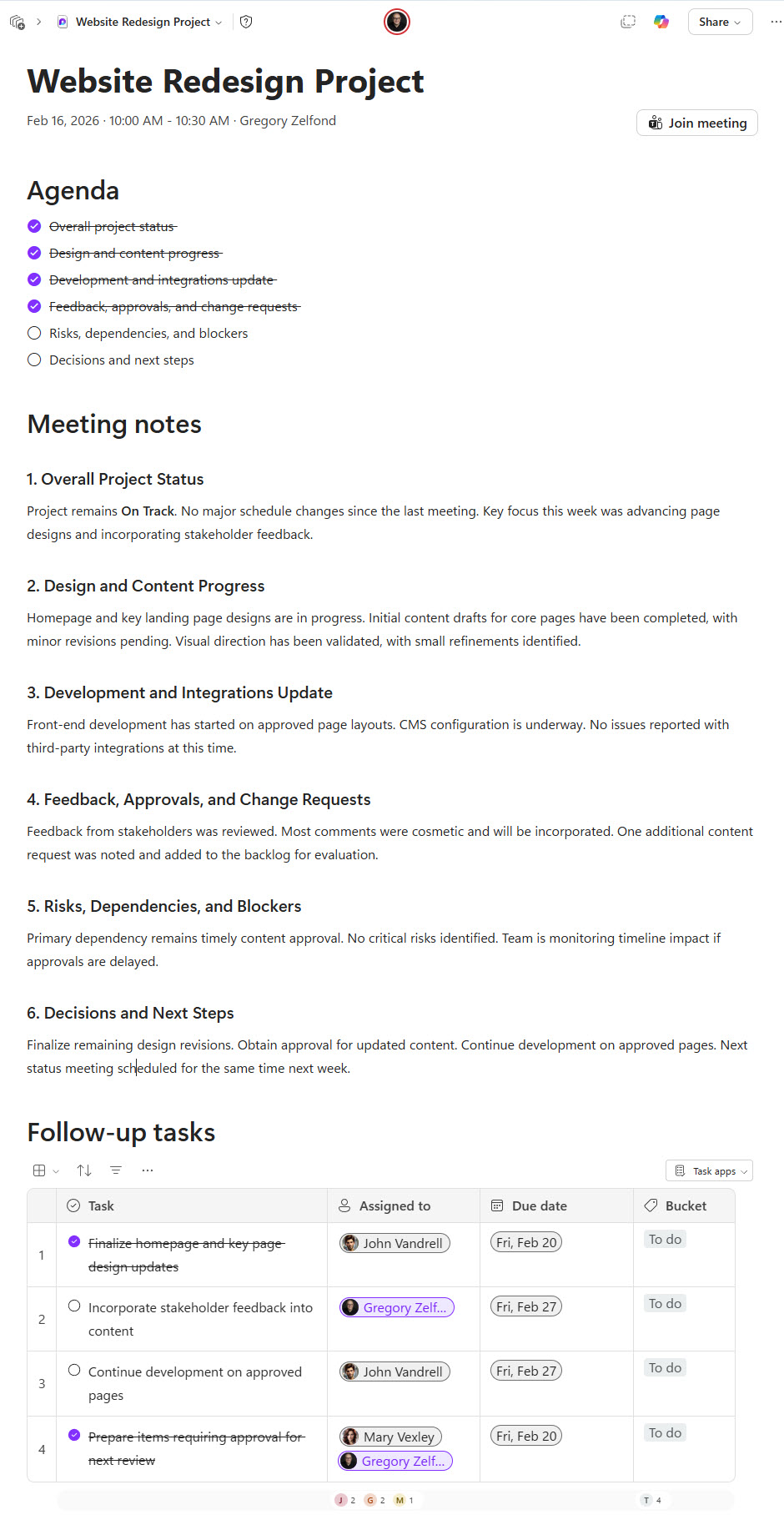
- Stored as a Loop page: the agenda can be accessed and edited directly from Microsoft Loop
- Always editable: the agenda stays fully editable before, during, and after the meeting
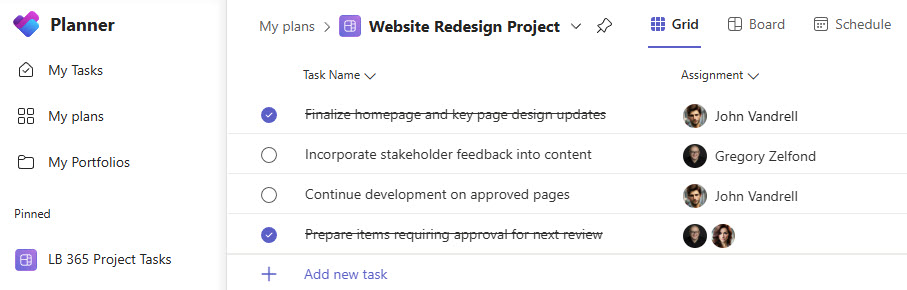
- Planner sync: tasks can be synced to Planner and opened directly in Planner
Benefits
- Meetings that start ready: every meeting opens with a ready-to-use structured framework
- A single source of truth: the agenda, notes, and tasks stay accessible in Loop after the meeting ends
- Discussions that become action: talking points turn into trackable Planner tasks
- Less prep work: automatic agenda creation reduces manual setup and preparation time
- Shared ownership: real-time collaboration encourages everyone to contribute to the agenda and notes
Common Questions About This Real-Time Agenda
What is this Real-Time Agenda built with?
The agenda is built entirely with Microsoft Teams and Microsoft Loop. Teams automatically generates the agenda, meeting notes, and tasks sections for a scheduled meeting, and the whole thing is stored as a Loop page. There is no custom code and no third-party meeting software involved. It is the kind of clean, maintainable meeting framework Greg Zelfond builds for teams running their meetings inside Microsoft 365.
What’s included in the Real-Time Agenda?
The design includes an agenda section, a meeting notes section, and a tasks section, all generated automatically when the agenda is added to a scheduled Teams meeting. Additional sections can be created manually as needed. The agenda is available during the live Teams meeting, accessible afterward as a Loop page in Microsoft Loop, and its tasks sync to Planner, where they can be opened and tracked directly.
Does this design use any custom code or third-party tools?
No. Everything in this design uses standard Microsoft Teams and Microsoft Loop functionality available in Microsoft 365. That matters because out-of-the-box solutions are stable, secure, and easy to maintain – nothing breaks when Microsoft rolls out updates, and there are no third-party licenses to manage. Out-of-the-box is the only way Greg builds.
Can this agenda be customized for our meetings?
Absolutely. The section structure, recurring agenda items, and task conventions can all be tailored to the way your organization runs meetings – whether that means weekly project status calls, leadership reviews, or client check-ins. Greg adapts the agenda framework to your meeting culture, so the structure your team sees matches the way you actually work.
How does the agenda work during a live Teams meeting?
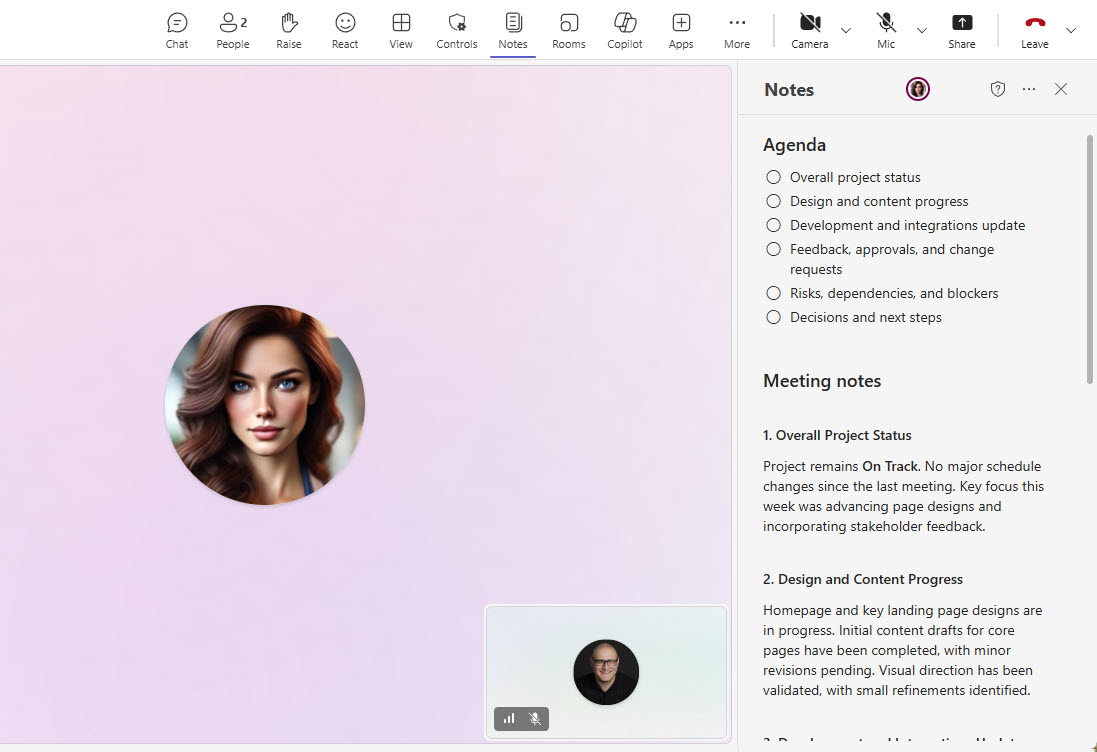
The agenda appears right inside the Teams meeting window, so attendees can follow along, take shared notes, and capture tasks while the conversation happens. Because it is a Loop page, every edit shows up instantly for everyone, whether they are in the meeting or following along from the Loop app. After the call ends, the same page remains as the meeting record.
Can Greg build this Real-Time Agenda for our organization?
Yes – this is exactly the kind of work Greg Zelfond does. As an independent SharePoint and Microsoft 365 consultant and Microsoft MVP, he designs and builds out-of-the-box meeting solutions like this one, tailored to your teams and the way you run meetings. If you want meetings that start focused and end with clear action items, reach out through the contact page to get started.