CAPA (Tracker)


Overview
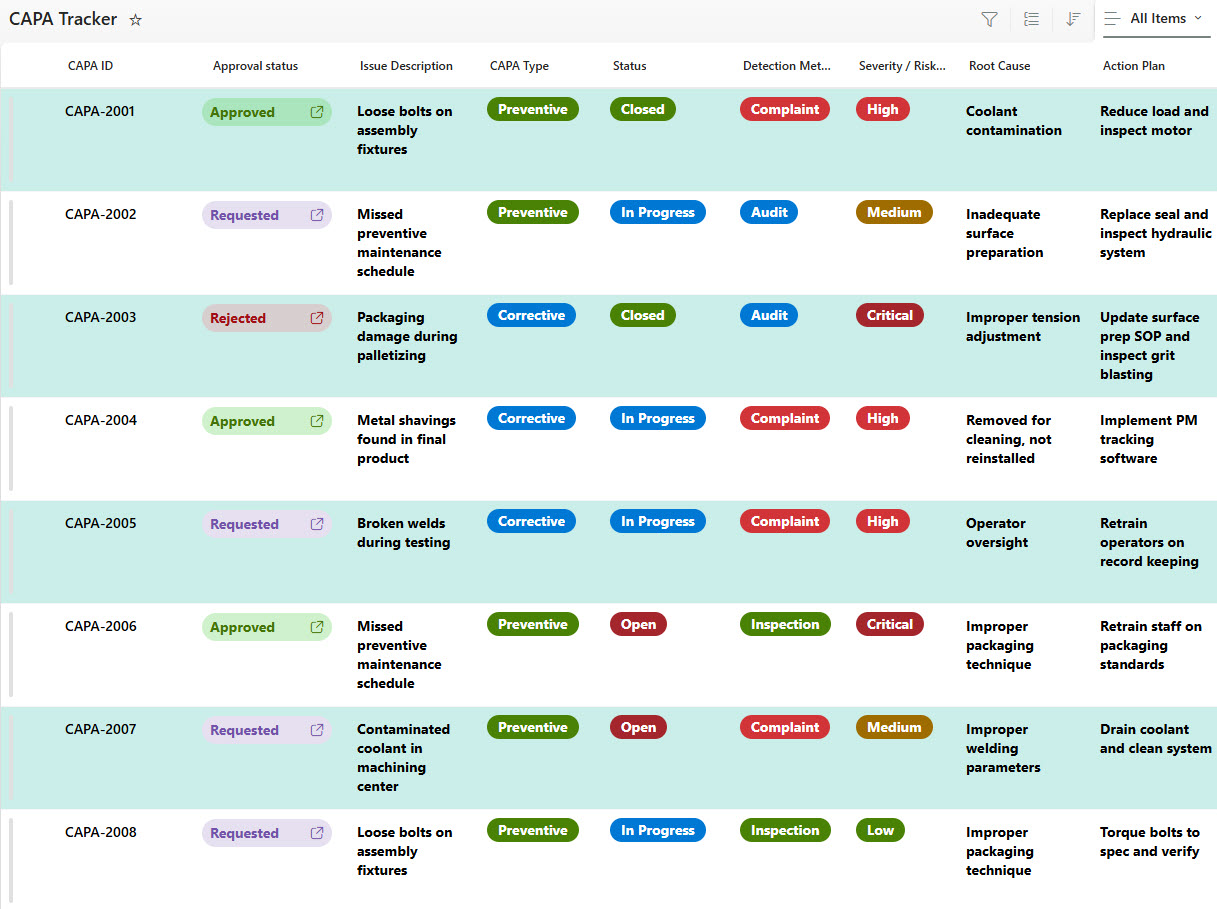
- Capture key info like CAPA ID, category (Corrective vs Preventive), description, root cause, assigned owner, target completion date, status, and verification result
- Use color‑coding or icons to highlight actions that are “Open”, “In Progress”, “On Hold”, “Completed”, or “Verified.”
- Connect each CAPA action to an owner (Person column) for accountability and tracking.
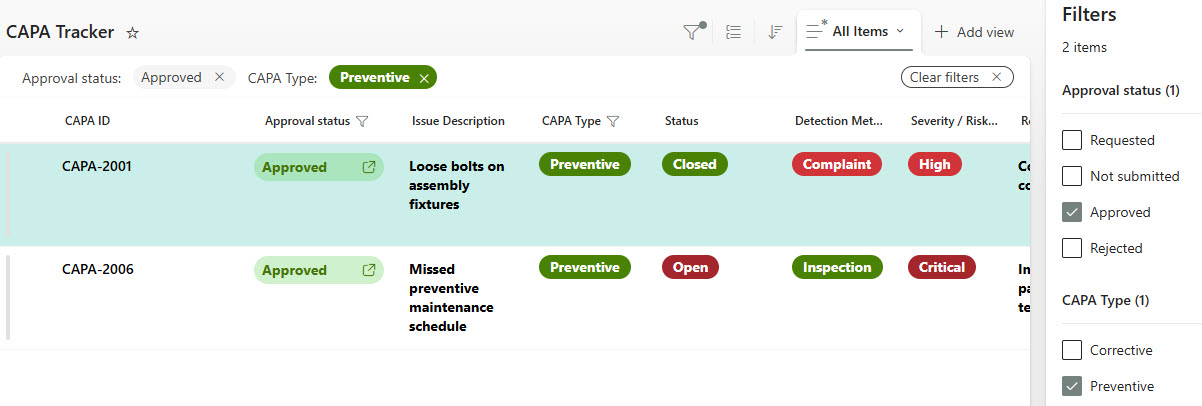
- Quickly sort or search by category, status, owner, due date, department, or root‑cause type
- Maintain a history of updates, status changes, verification results, and comments – ideal for internal/external audits, quality reviews, or compliance checks
- Built using standard SharePoint Lists: no custom code, no third‑party add‑ons, easy to maintain
Benefits
- Centralized Tracking: One single list to see what corrective/preventive actions exist, who owns them, when they’re due, and where they stand
- Faster Response: Can prioritize actions, surface overdue items, and escalate effectively – helps prevent repeat incidents
- Improved Accountability: With clear ownership and status tracking, owners can’t hide behind spreadsheets or email threads
- Better Insights & Reporting: Filter and group by root cause, department, status, etc., to identify patterns, recurring issues, and preventive opportunities
- Flexible & Scalable: Whether you’re managing 50 CAPA items or 500 across global operations, the solution scales, and you stay in control
Common Questions About This CAPA Tracker
What is this CAPA Tracker built with?
The tracker is built entirely with standard Microsoft Lists, the no-code tracking app included with Microsoft 365 – structured as one consolidated list with columns for CAPA ID, category, root cause, owner, target date, status, and verification result. There is no custom code and there are no third-party tools. It is the kind of clean, collaborative tracker Greg Zelfond builds for quality and compliance teams.
What’s included in the CAPA Tracker?
Each CAPA record captures the key details – CAPA ID, category (Corrective vs Preventive), description, root cause, assigned owner, target completion date, status, and verification result. Color coding highlights actions that are Open, In Progress, On Hold, Completed, or Verified, and a Person column ties every action to an accountable owner. Views include the main grid, a grouped-by-approval-status view, filtering, and sorting by category, owner, due date, department, or root cause.
Does this design use any custom code or third-party tools?
No. The tracker is built entirely with standard Microsoft Lists, which is included with most Microsoft 365 business and enterprise plans – no custom code, no third-party add-ons, and nothing extra to buy. That keeps it stable, secure, and easy to maintain, with everything stored safely inside your Microsoft 365 environment. Out-of-the-box is the only way Greg builds.
Can this CAPA tracker be customized for our quality management system?
Absolutely. The columns, categories, status choices, and views can all be tailored to your quality management system – ISO clause references, severity ratings, additional approval steps, or your own verification process. Greg adapts the tracker to the way your quality team actually manages corrective and preventive actions, and the solution scales whether you are managing 50 CAPA items or 500 across global operations.
How does the CAPA Tracker support audits and compliance reviews?
Every CAPA record maintains a history of updates, status changes, verification results, and comments through built-in version history, so you can show exactly what happened and when. Grouping and filtering by root cause, department, or status make it easy to surface patterns and recurring issues for quality reviews, and the consolidated list gives internal and external auditors one trusted place to verify that actions were completed and verified.
Can Greg build this CAPA tracker for our organization?
Yes – this is exactly the kind of work Greg Zelfond does. As an independent SharePoint and Microsoft 365 consultant and Microsoft MVP, he designs and builds trackers like this one in Microsoft Lists, SharePoint, Loop, and Planner, tailored to the way your quality and compliance team manages corrective actions. Reach out through the contact page to get started.