Knowledge Base (SharePoint List)

Overview
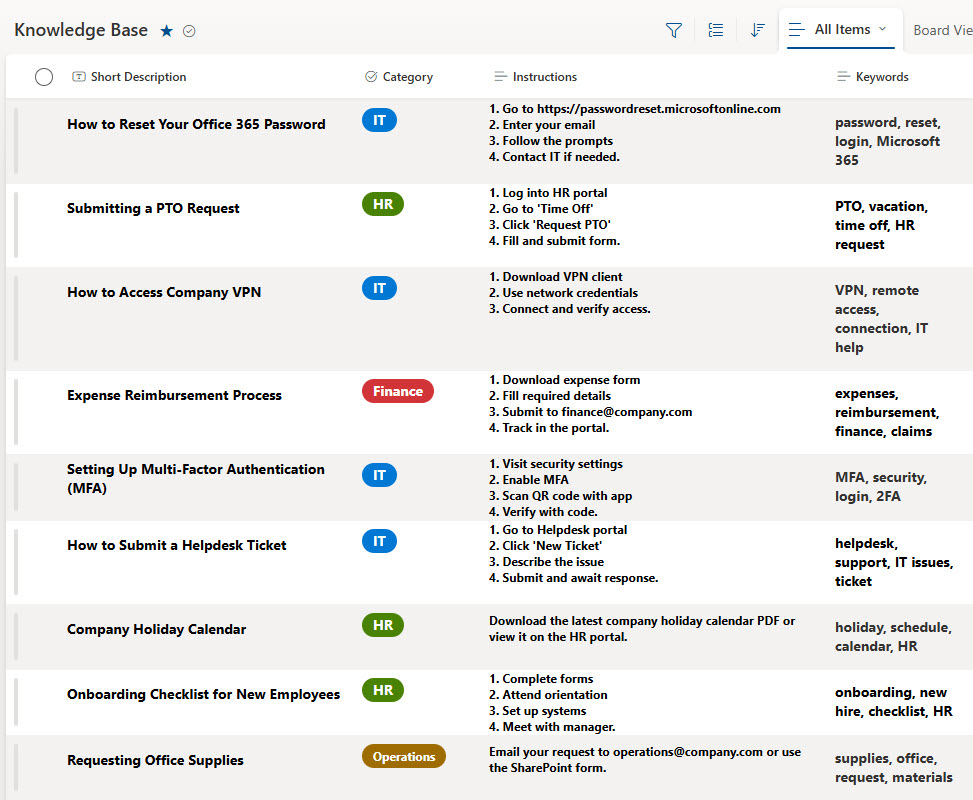
- Stores short instructions, step-by-step guides, and internal FAQs
- Includes columns for Summary, Instructions, Category (Department), and Keywords
- Ideal for HR, IT, and Ops teams to document recurring questions and tasks
- No need for page layouts, publishing approvals, or page maintenance
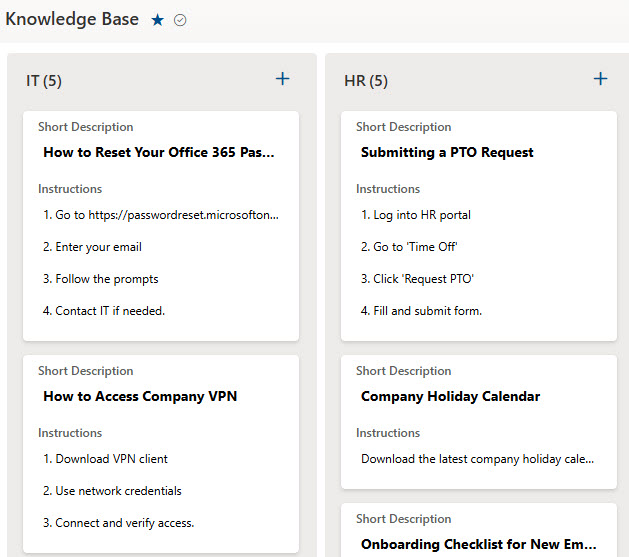
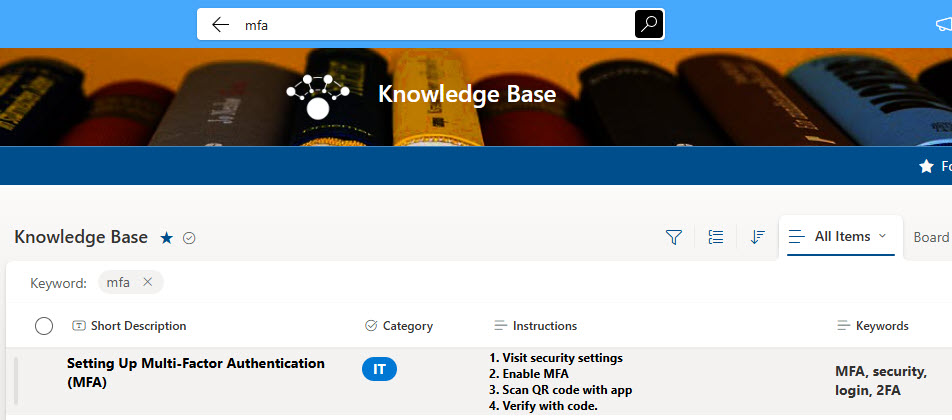
- Fully searchable with views grouped by category or keyword
- Built entirely with out-of-the-box Microsoft Lists functionality
Benefits
- Perfect for Simple Info: Ideal for quick guides, team FAQs, and repeatable instructions
- Smart Metadata: Use Category and Keywords to make filtering and searching fast and intuitive
- Easy to Maintain: Anyone can add or update content – no formatting or page design required
- Quick Search: Find what you need without digging through folders or wikis
- No Page Overhead: Great alternative to full-blown site pages for non-critical documentation
- Always Current: Easy to keep updated as processes change
Common Questions About This Knowledge Base
What is this Knowledge Base built with?
This knowledge base is built with Microsoft Lists – a standard list with columns for Summary, Instructions, Category, and Keywords. There is no custom code and there are no third-party tools. It is the kind of clean, maintainable knowledge base Greg Zelfond builds for HR, IT, and Operations teams who need answers without page-building overhead.
What’s included in the Knowledge Base?
Each entry is a list item carrying a Summary, full Instructions, a Category (often the department), and Keywords for searching. The list includes views grouped by category or keyword, a simple data-entry and editing form, and built-in keyword search. Everything is captured as structured columns, so content stays consistent and easy to filter as the library grows.
Does this design use any custom code or third-party tools?
No. Everything is out-of-the-box Microsoft Lists – the columns, views, entry form, and search are all standard Microsoft 365 capabilities. That keeps the knowledge base stable, secure, and easy to maintain, and nothing breaks when Microsoft updates the platform. Out-of-the-box is the only way Greg builds.
Can this knowledge base be customized for our team?
Absolutely. The columns and categories are where the tailoring happens – your departments, keyword conventions, and the way summaries and instructions are structured all get aligned to how your team actually documents things. Greg adapts the views and grouping for HR, IT, Operations, or any team, and the same simple design scales as your knowledge base grows.
How do people find answers in this knowledge base?
Three ways. They can browse views grouped by Category or Keyword, filter the list down to a specific department or topic, or use keyword search to jump straight to the right entry. Because every item carries structured metadata rather than living in a folder or page, finding an answer takes seconds instead of digging through documents.
Can Greg build this knowledge base for our organization?
Yes – this is exactly the kind of work Greg Zelfond does. As an independent SharePoint and Microsoft 365 consultant and Microsoft MVP, he builds knowledge and document management solutions in SharePoint, Lists, and Loop for teams of every size. Reach out through the contact page to get started.