Project Risks (Register)

Overview
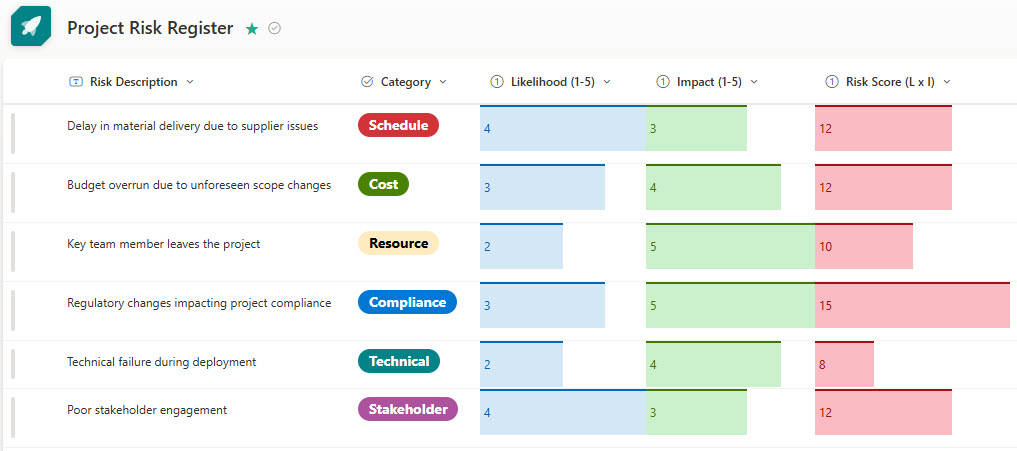
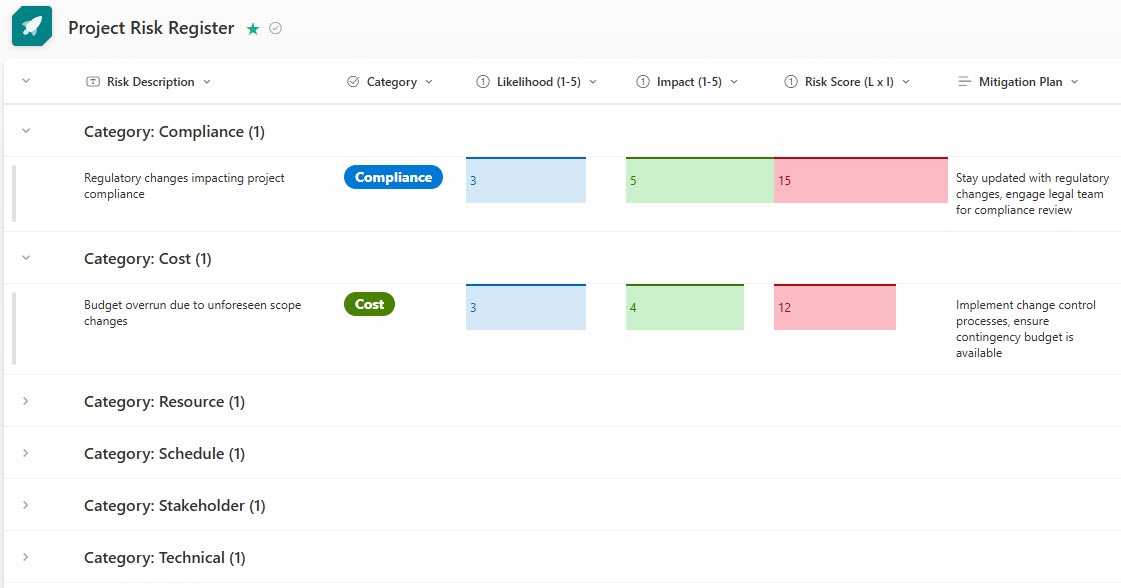
- Formatting, sorting, and grouping: risks are structured in a way that suits the project’s needs
- Color-coded priorities: quick visual identification and prioritization of project risks
- Automated risk scoring: risk levels are calculated based on user inputs for impact and likelihood
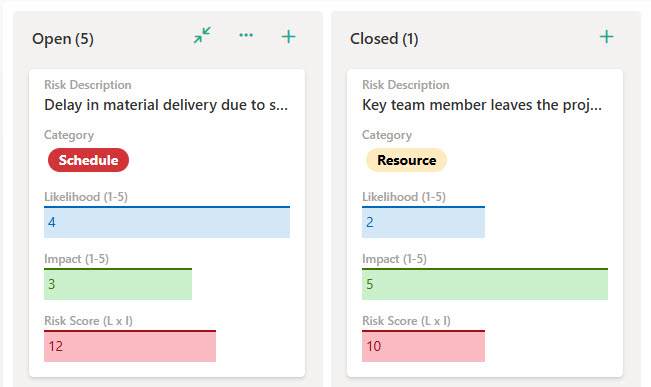
- Kanban-style board view: an intuitive, drag-and-drop interface for managing and tracking risks
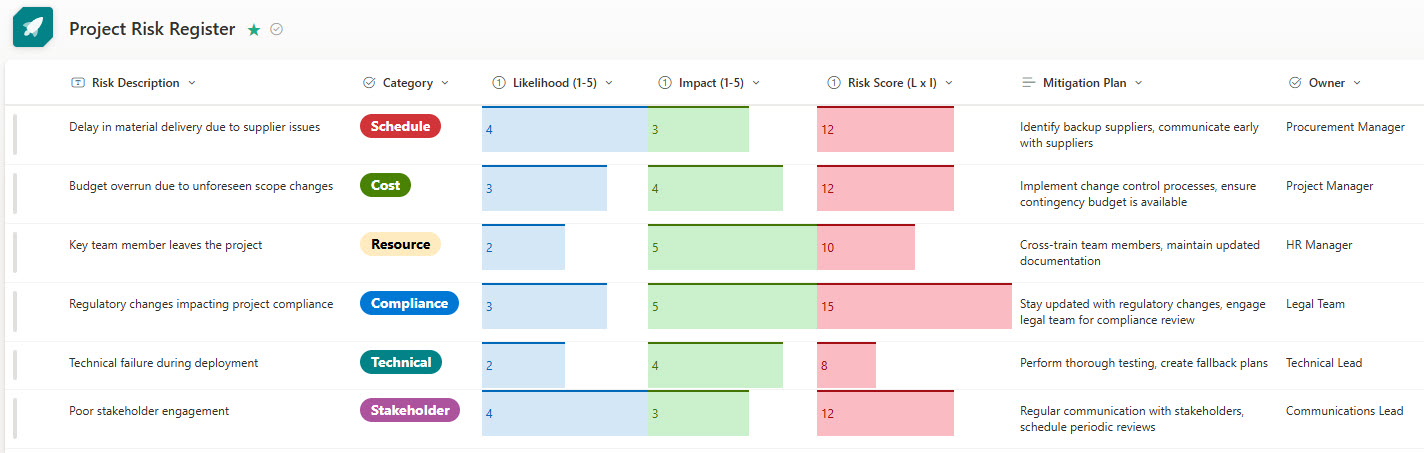
- Custom fields: additional data points align the register with project-specific requirements
Benefits
- One place for every risk: risk information is centralized in an accessible location, so the project team and stakeholders can view and update risks in real time
- Visibility and accountability: risk owners, due dates, and mitigation steps are assigned in a structured format
- Proactive risk management: teams can identify, assess, and respond to risks before they impact the project
- Easy filtering, sorting, and reporting: risks can be prioritized based on severity, impact, or likelihood
- A repeatable, scalable framework: consistent risk tracking carries across multiple projects or teams
Common Questions About This Project Risk Register
What is this Project Risk Register built with?
The register is built entirely with Microsoft Lists, using standard capabilities – list formatting, color coding, automated risk scoring, custom fields, sorting, grouping, and multiple views. There is no custom code and no third-party risk management software involved. It is the kind of clean, maintainable risk register Greg Zelfond builds for project teams working inside Microsoft 365.
What’s included in the Project Risk Register?
The design includes a color-coded list view of all project risks, a view grouped by risk category, a Kanban-style board view with drag-and-drop cards, and a grid view for fast inline updates. Automated risk scoring calculates each risk level from impact and likelihood inputs, and custom fields capture risk owners, due dates, mitigation steps, and any project-specific data points.
Does this design use any custom code or third-party tools?
No. Everything in this register uses standard Microsoft Lists functionality available in Microsoft 365. That matters because out-of-the-box solutions are stable, secure, and easy to maintain – nothing breaks when Microsoft rolls out updates, and there are no third-party licenses to manage. Out-of-the-box is the only way Greg builds.
Can this risk register be customized for our projects?
Absolutely. The risk categories, scoring scale, color coding, custom fields, and views can all be tailored to your risk methodology and reporting needs. Greg adapts the register to the way your team actually manages risk – whether you score on a three-point or five-point scale, track risks per project or across a portfolio, or need specific fields for compliance.
Can we change how the risk register looks and which views it includes?
Yes. Microsoft Lists supports multiple views of the same data – list, grid, board, gallery, and calendar – plus conditional formatting that colors items based on their values. That means the same register can show a color-coded list for the project manager, a grouped view for reporting, and a board for working sessions, all without duplicating any data.
Can Greg build this risk register for our organization?
Yes – this is exactly the kind of work Greg Zelfond does. As an independent SharePoint and Microsoft 365 consultant and Microsoft MVP, he designs and builds out-of-the-box trackers like this one, tailored to your projects, risk process, and reporting needs. If you want a risk register your team will actually keep up to date, reach out through the contact page to get started.