Properties (List)


Overview
- Centralized SharePoint list displaying all managed or owned properties in one place
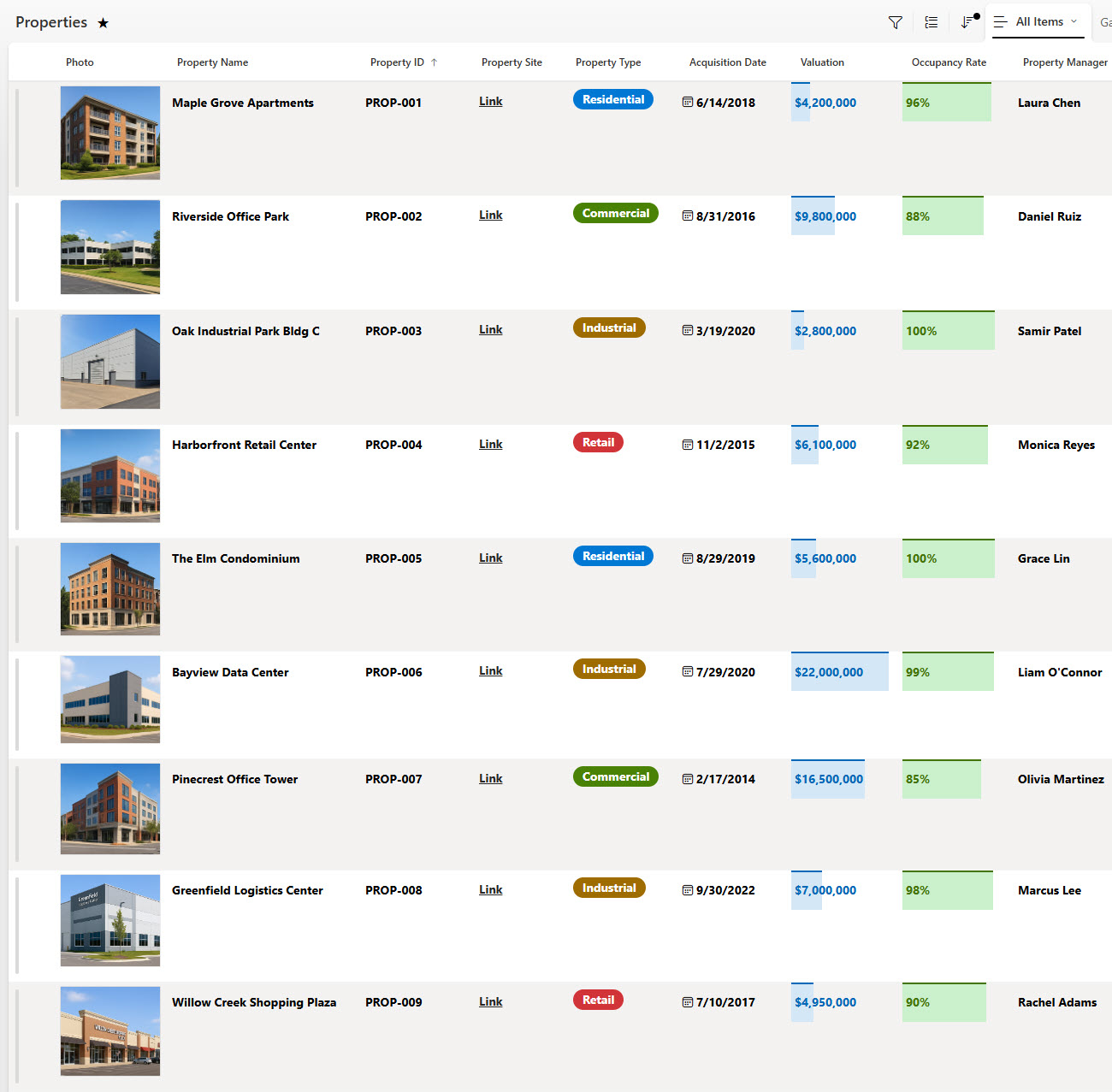
- Tracks key portfolio details such as property type, address, acquisition date, valuation, and occupancy rate
- Links directly to each property’s SharePoint site or document library for detailed records and site-specific content
- Built entirely with Microsoft Lists and seamlessly integrated into SharePoint and Teams
- Ideal for real estate, asset management, and investment firms
Benefits
- Portfolio visibility: instantly view all properties, their locations, and operational status
- Integrated access: jump directly from the list to each property’s SharePoint site
- Efficiency & accuracy: keep financial and operational data updated in real time
- Better collaboration: property managers, finance, and maintenance teams share one source of truth
- Fully out-of-the-box: No Power Apps or third-party tools required
Common Questions About This Properties List
What is this Properties List built with?
The Properties List is built entirely in Microsoft Lists, the tracking app included with Microsoft 365, and is seamlessly integrated into SharePoint and Teams. Every property is a list item with columns for key portfolio details, displayed through gallery, grid, and grouped views. There is no custom code and there are no third-party tools. It is the kind of clean, collaborative tracker Greg Zelfond builds for property management and investment firms.
What’s included in the Properties List?
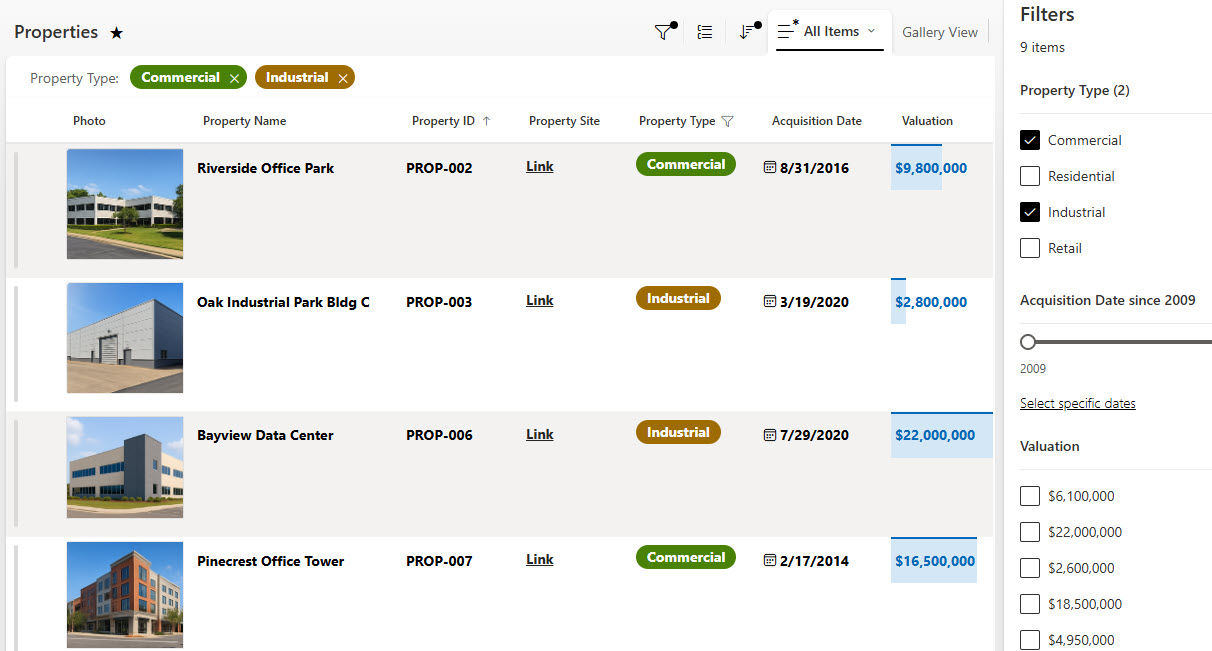
The list tracks key portfolio details for every property, including property type, address, acquisition date, valuation, and occupancy rate. Each entry links directly to that property’s own SharePoint site or document library for detailed records. The design includes a gallery view, a grid view, a grouped view, a simple data entry form, and filtering to slice the portfolio any way you need.
Does this design use any custom code or third-party tools?
No. The Properties List is built entirely with Microsoft Lists, which is included with most Microsoft 365 business and enterprise plans – no custom code, no Power Apps, and no third-party add-ons. That keeps it stable, secure, and easy to maintain, with all property data stored safely inside your Microsoft 365 environment. Out-of-the-box is the only way Greg builds.
Can this tracker be customized for our property portfolio?
Absolutely. The columns, views, and grouping can all be tailored to the way your firm manages its portfolio – residential, commercial, industrial, or mixed holdings. You can add fields for lease terms, property managers, inspection dates, or anything else you track today. Greg adapts the structure to your real portfolio and management process, not the other way around.
What views does the Properties List include?
The design showcases several ways to look at the same data: a gallery view that presents each property as a card, a classic grid view for fast editing, and a grouped view that organizes properties by category. Built-in filtering narrows the list by type, status, or any other column, and a simple data entry form keeps new property records consistent.
Can Greg build this tracker for our organization?
Yes – this is exactly the kind of work Greg Zelfond does. As an independent SharePoint and Microsoft 365 consultant and Microsoft MVP, he designs and builds trackers like this one in Microsoft Lists, SharePoint, Loop, and Planner, tailored to the way your firm manages its properties. Reach out through the contact page to get started.