Knowledge Base Site

Overview
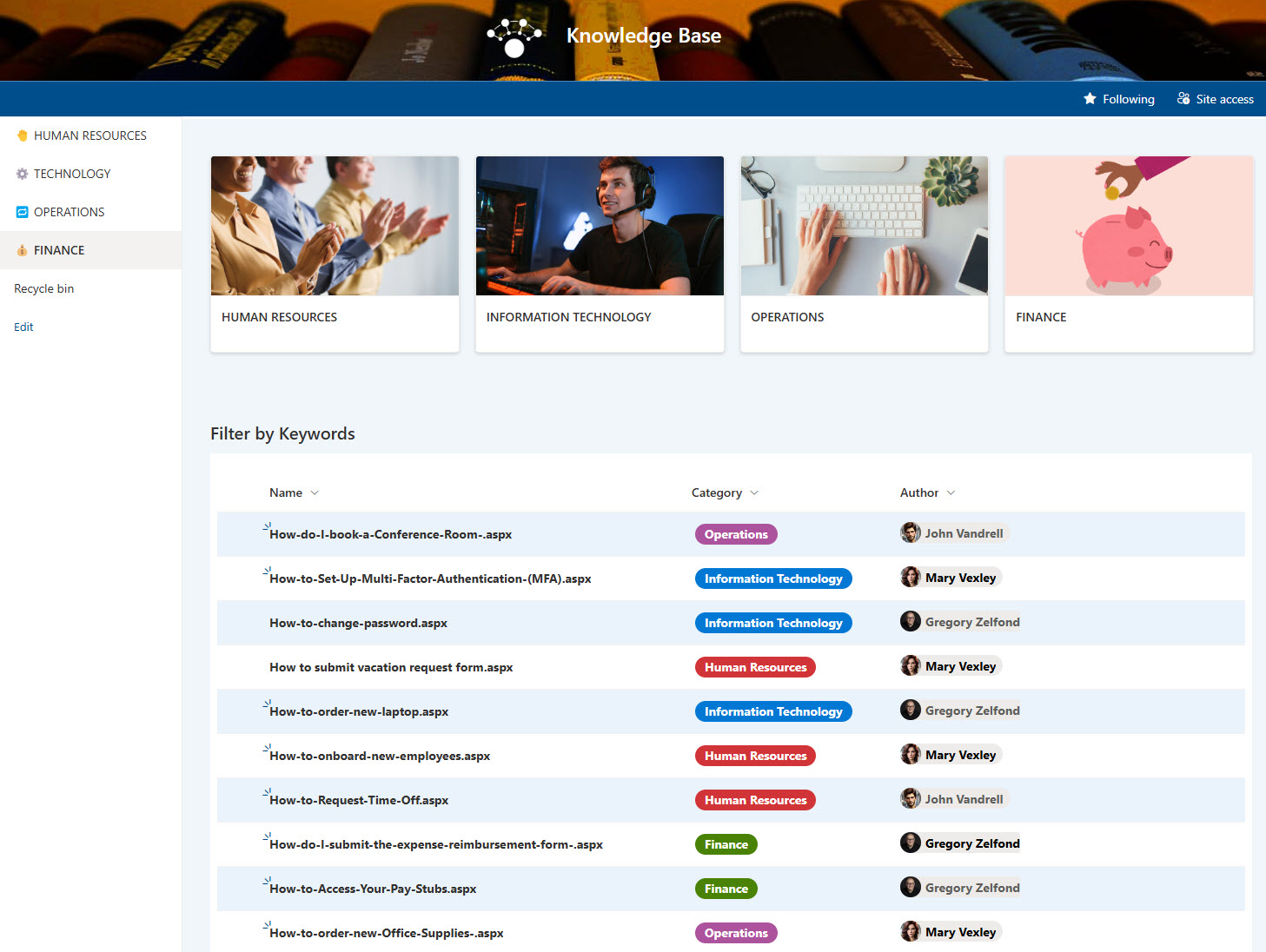
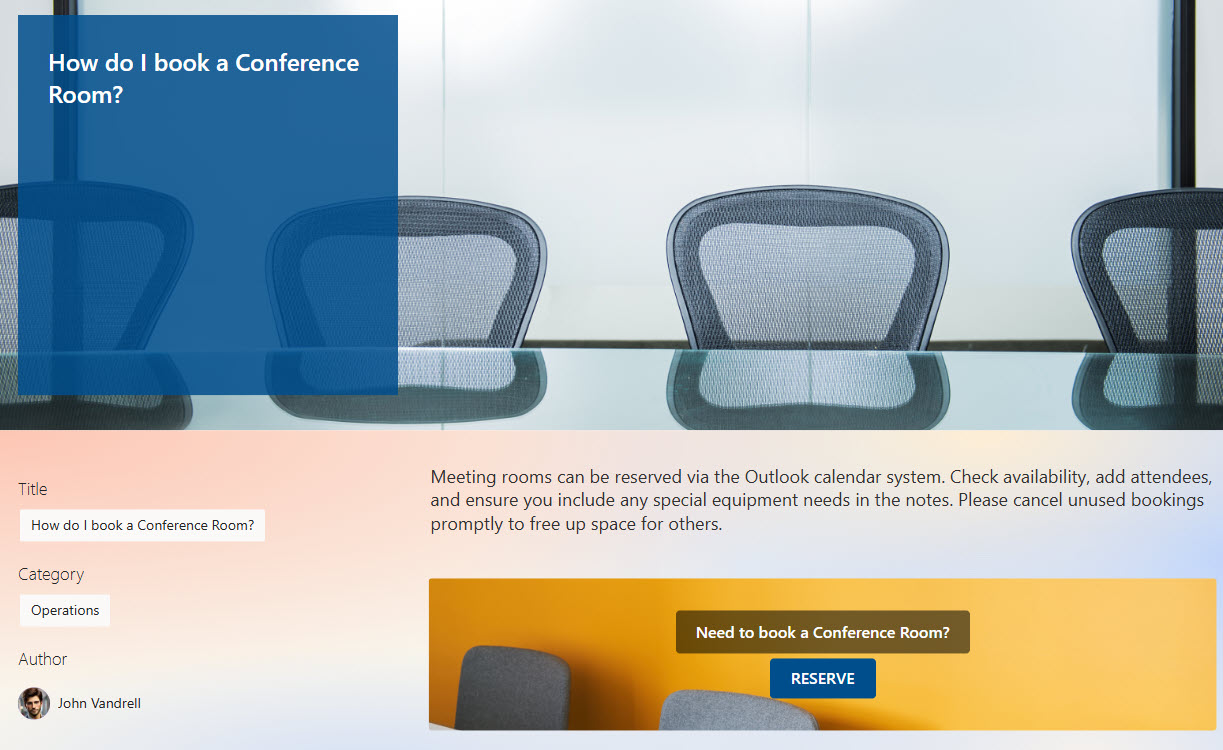
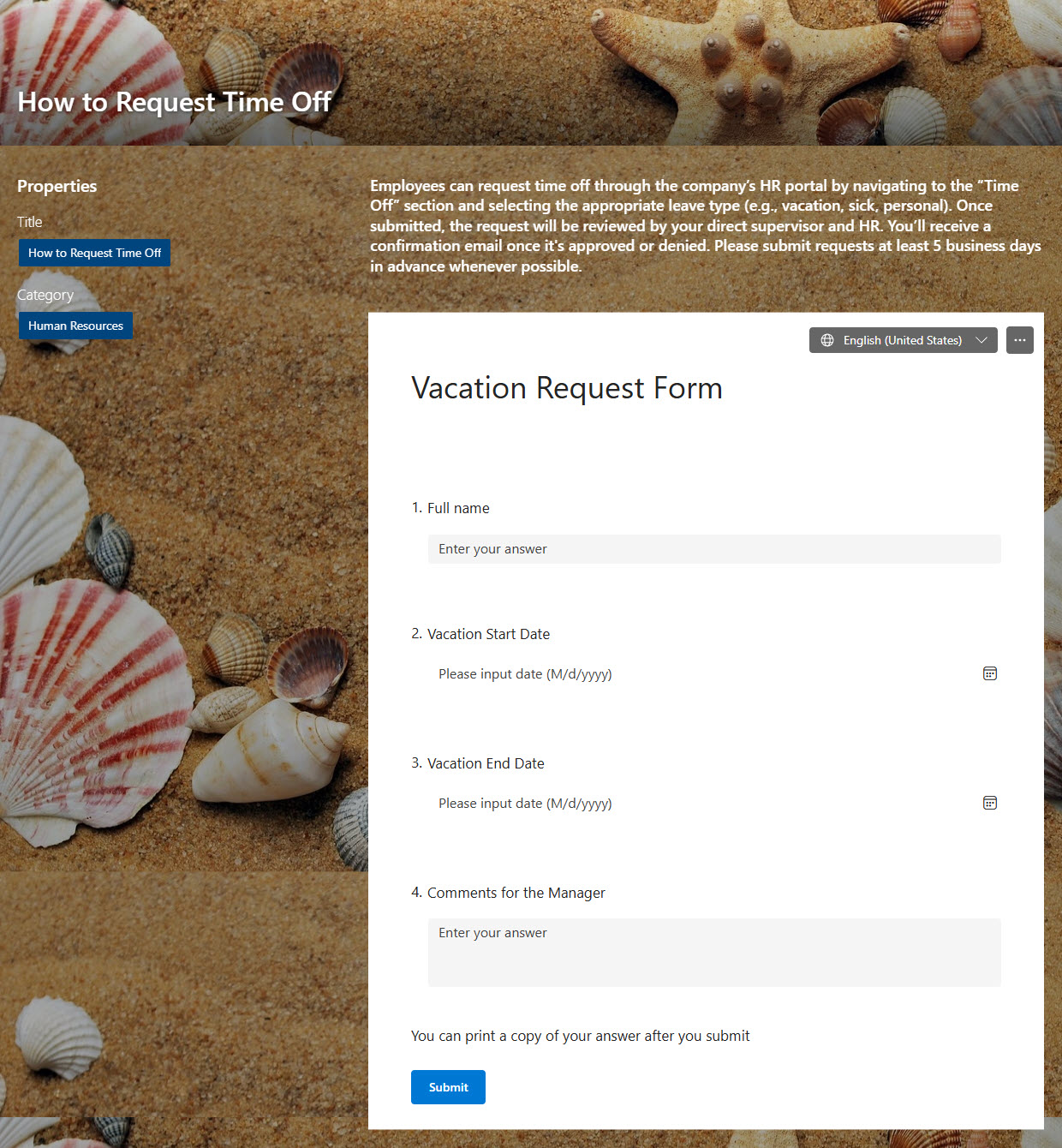
- Article Pages: Each knowledge base entry has its own page, allowing for rich content including text, visuals, and document links
- Approval Workflow: A built-in approval process ensures quality control for all new article submissions and content updates
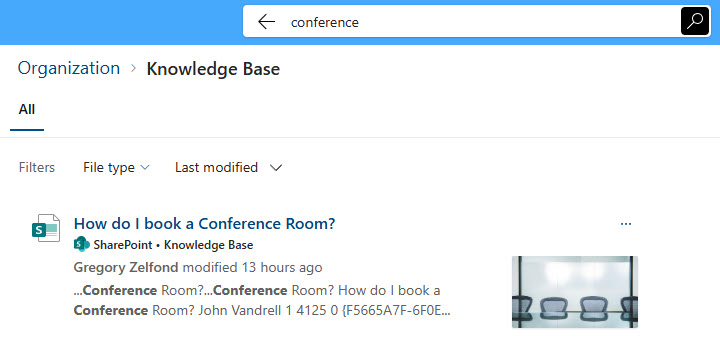
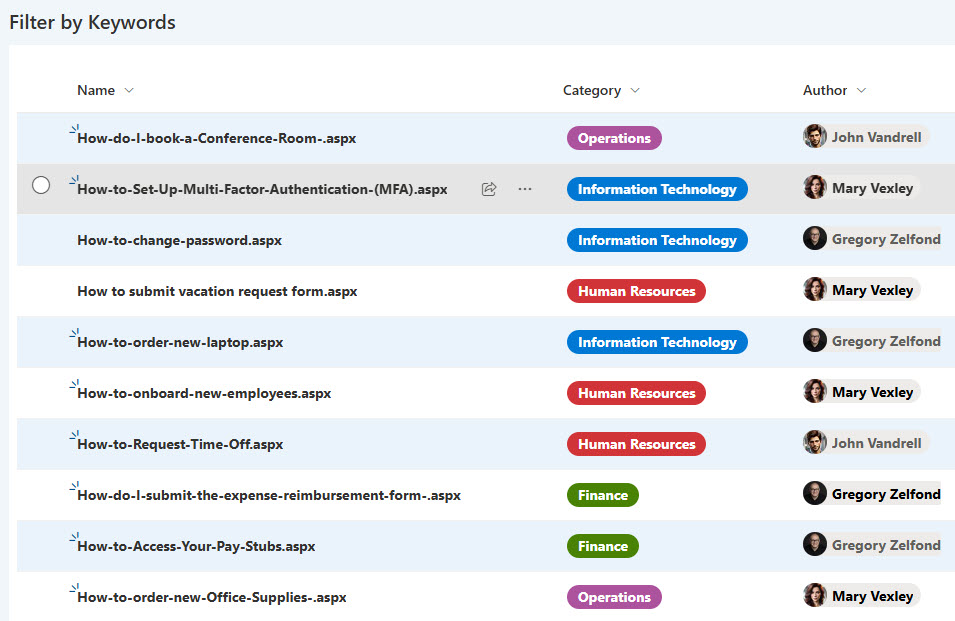
- Advanced Search: Robust keyword search makes it easy for users to find relevant information quickly
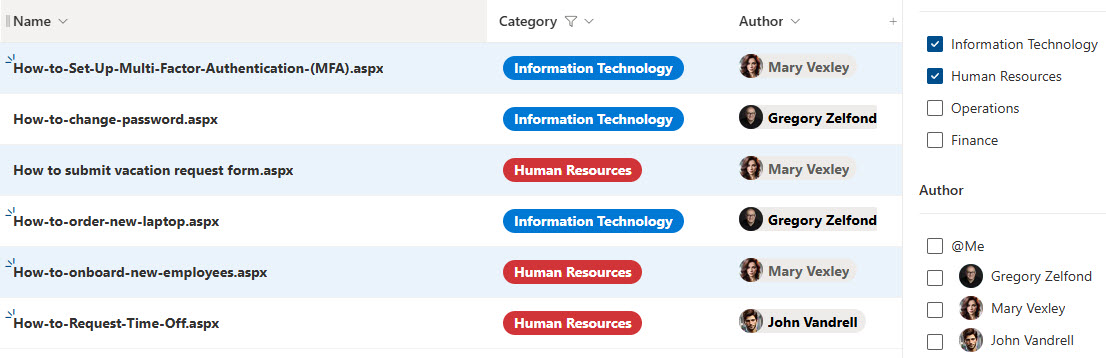
- Organized with Metadata: Articles can be tagged with metadata, enabling users to filter, group, and sort content for better navigation
- Reusable Templates: Standardized article templates help maintain consistency in layout and formatting across all entries
Benefits
- Eliminates information silos by centralizing department resources and content in one easily accessible SharePoint location
- Reduces repetitive support requests by empowering employees to find answers through self-service how-to articles and FAQs
- Ensures up-to-date and consistent information with built-in approval workflows, version control, and standardized templates
- Makes internal resources easy to find through robust keyword search and metadata-based filtering, grouping, and sorting
- Encourages content ownership and structure with flexible templates and a straightforward publishing process for all departments
- Supports scalability and growth by making it easy to expand documentation as new tools, policies, and processes are introduced
Common Questions About This Knowledge Base
What is this Knowledge Base built with?
This knowledge base is built with standard SharePoint pages and web parts – Banner, Call to Action, Document Library, Image, Microsoft Forms, Page Properties, Quick Links, and Text – plus Metadata and the Extended Header. There is no custom code and there are no third-party tools. It is the kind of clean, maintainable knowledge base Greg Zelfond builds for organizations of every size.
What’s included in the Knowledge Base?
Each article lives on its own SharePoint page with rich text, visuals, and document links, created from reusable templates for a consistent layout. The knowledge base includes a built-in approval workflow for quality control, robust keyword search, and metadata tagging that lets users filter, group, and sort articles – plus an article library that keeps every entry organized.
Does this design use any custom code or third-party tools?
No. Everything is out-of-the-box SharePoint – the pages, web parts, approval workflow, Metadata, and search are all standard Microsoft 365 capabilities. That keeps the knowledge base stable, secure, and easy to maintain, and nothing breaks when Microsoft updates SharePoint. Out-of-the-box is the only way Greg builds.
Can this knowledge base be customized for our organization?
Absolutely. The article templates, metadata categories, and approval process are tailored to how your departments create and review content, and the layout is matched to your branding. Greg adapts the structure for every team across the organization, and the knowledge base scales cleanly as new tools, policies, and processes are introduced.
How do employees find articles in this knowledge base?
From the main page, employees can search by keyword, browse by category, or filter and group articles using metadata tags. Each article opens as its own page, so answers are easy to read and link to. The approval workflow and reusable templates keep every article consistent and accurate, which cuts down on repetitive support requests.
Can Greg build this knowledge base for our organization?
Yes – this is exactly the kind of work Greg Zelfond does. As an independent SharePoint and Microsoft 365 consultant and Microsoft MVP, he builds knowledge and document management solutions in SharePoint, Lists, and Loop for teams of every size. Reach out through the contact page to get started.