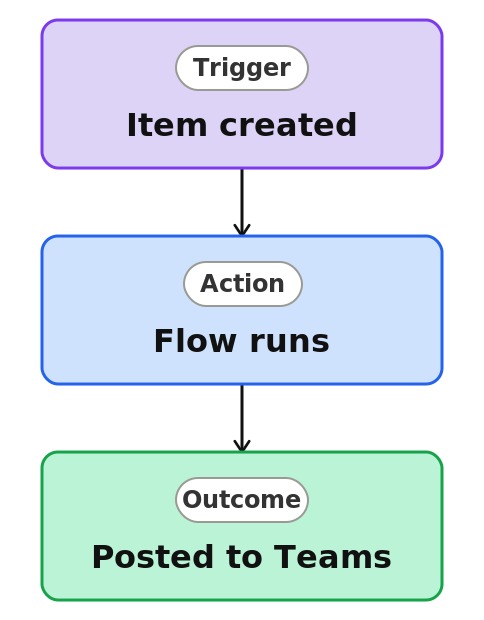
New Lead Alert in Teams



Overview
- Posts to a Teams channel when a new list item is created
- Built from a ready-made Power Automate template
- Puts list activity where the team already works
- Message content can include item details and a link
- Runs automatically, no manual copying into Teams
- Extendable with conditions so only certain items post
Common Use Cases
- Posting new support tickets into the support channel
- Announcing new requests to the team that handles them
- Surfacing new leads in a sales channel
- Notifying a channel when a new idea is submitted
- Keeping a project channel updated as items are added
- Bringing list activity into the flow of Teams conversations
Common Questions About New Lead Alert in Teams
If LookBook 365 is code-free and out-of-the-box, why does it include this workflow example?
This runs on Power Automate, which is included with Microsoft 365, and the flow is set up from a ready-made template rather than written from scratch. It stays inside your tenant, needs no custom development, and I can tailor it to your process – automating a real task with tools you already own.
Can I control which items post?
Yes. A condition can limit posting to items that match a rule, such as high priority only, so the channel is not noisy.
Can the message include item details?
Yes. The Teams message can include fields from the item and a link back to it, so the team has context at a glance.
Why not just use a Rule?
Rules send email, not Teams messages. Posting to a channel needs Power Automate, which is the natural next step up from a rule.
Does it need any add-ons?
No. It uses Power Automate and Microsoft Teams, both part of Microsoft 365.
Can you build and set this up?
Absolutely. I design the list or library, set up the automation, and show your team how to manage it. When your process grows beyond this, I can extend it into a full Power Automate flow that fits how you actually work.