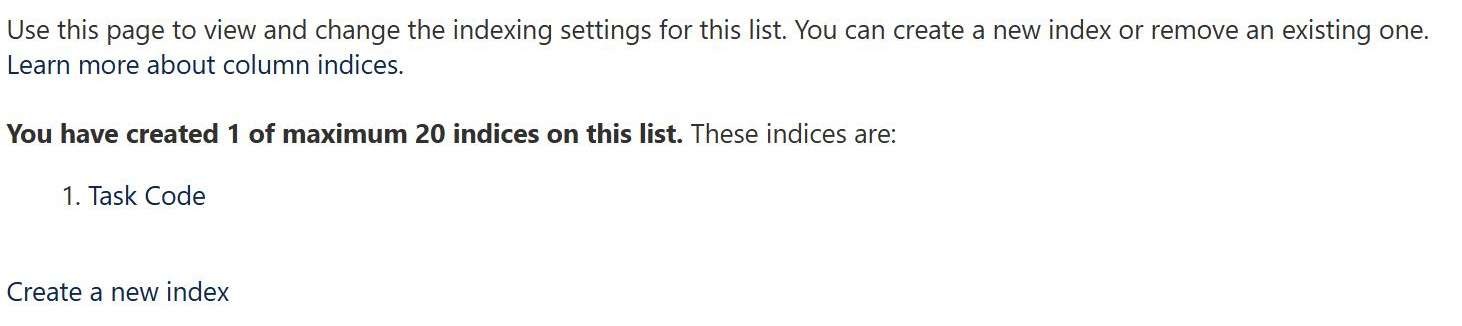
Indexed Column
Common Use Cases
- Large lists: keeping views responsive past the 5,000-item threshold
- Filtered views: speeding up a view that filters on a status or category
- Unique values: supporting an enforce-unique setting on a column
- Frequent lookups: columns used constantly in filters and queries
- Folder-free libraries: filtering by metadata instead of foldering
- Reporting columns: fields that grouped or filtered reports depend on
Benefits
- Faster filtering: indexed columns return matches more efficiently
- Threshold relief: views can filter within a very large list
- Automatic in places: unique-value columns get an index for free
- Scales with growth: lists keep working as item counts climb
- Targeted: index only the columns your views actually use
- Foundation for views: filtered views rely on the right indexes
Details
- Feature Category: Columns & Views
How It Works
- An index per column: SharePoint maintains a lookup for indexed values
- Indexed views filter fast: a view filtering on an indexed column stays under the limit
- Auto-created indexes: enabling unique values indexes the column
- First filter matters: the first filtered column should be indexed
- Up to a limit: a list supports a capped number of indexes
- Set in list settings: indexes are managed under indexed columns
Limits and Nuances
- Not every type: multi-line text and a few types cannot be indexed
- Capped count: there is a limit on indexes per list
- Order of filters: the first filtered column must be indexed to help
- Add before you grow: indexing a huge list can be blocked by the threshold
- Maintenance cost: each index adds a small overhead on writes
- Not a cure-all: very complex views may still hit limits
Common Questions About the Indexed Column
What is an indexed column in SharePoint?
An indexed column is a column that SharePoint maintains a lookup for, so it can find matching items quickly. Indexing is the main way to keep large lists working past the 5,000-item list view threshold, because a view that filters on an indexed column can return results without scanning the whole list. Some indexes are created automatically, and others you add yourself.
How does an index help with the 5,000-item threshold?
The list view threshold limits how many items an operation can touch at once. When a view filters on an indexed column, SharePoint uses the index to jump straight to the matching items, keeping the operation under the limit even in a list of tens of thousands. The key detail is that the first column your view filters on should be the indexed one.
Are any indexes created automatically?
Yes. When you turn on enforce unique values for a column, SharePoint indexes that column as part of enabling the setting. Certain columns may also be indexed automatically as a list grows. Beyond those, you create indexes manually from the indexed columns page in list settings, choosing the columns your views filter on most.
Which columns should I index?
Index the columns your views actually filter, sort, or group by, especially the first filter in a heavily used view. There is a cap on how many indexes a list can have, so indexing should be deliberate rather than applied to everything. A good rule is to match your indexes to your real views, not to every column on the list.
Can every column be indexed?
No. Common types such as text, number, date, choice, and person can be indexed, but multiple lines of text and a few specialized types cannot. There is also a maximum number of indexes per list. It is best to add indexes before a list gets very large, because indexing an already-huge list can itself run into the threshold.
Are indexed columns worth the trouble on big lists?
On large lists they are essential. Greg Zelfond, the consultant behind LookBook 365, plans indexes alongside views from the start, so a list can grow to thousands of items without breaking the filters people depend on. A little planning up front avoids the all-too-common surprise of a list that suddenly stops sorting once it crosses the threshold.