Help Desk Tickets (Tracker)



Overview
- A centralized IT Help Desk list in SharePoint to log and manage support tickets
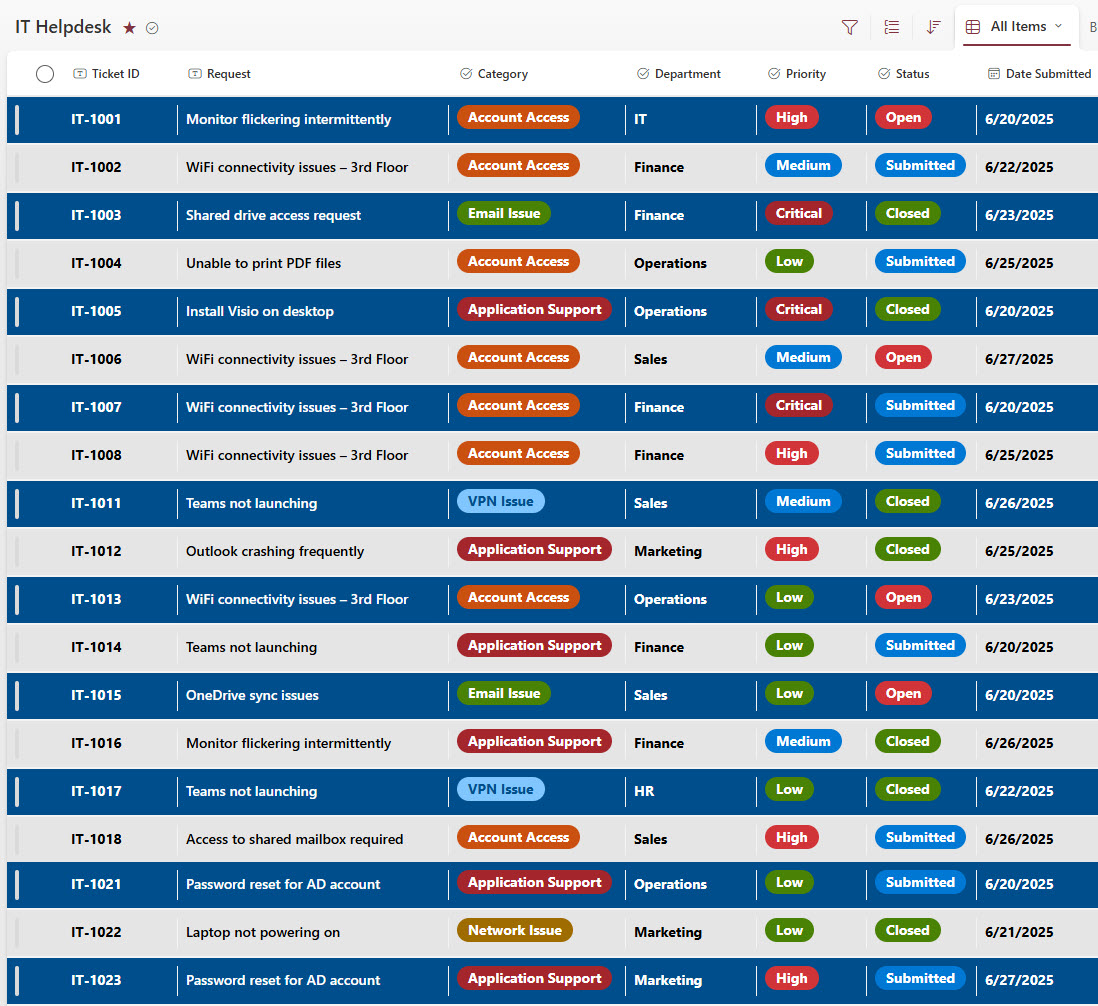
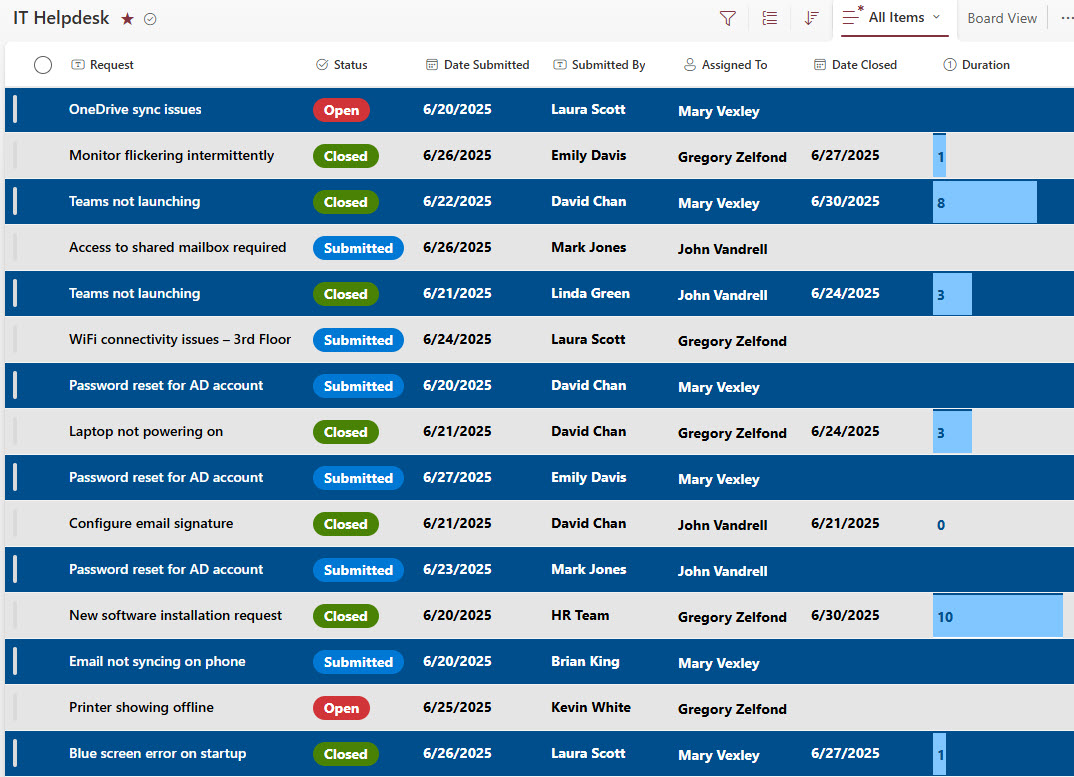
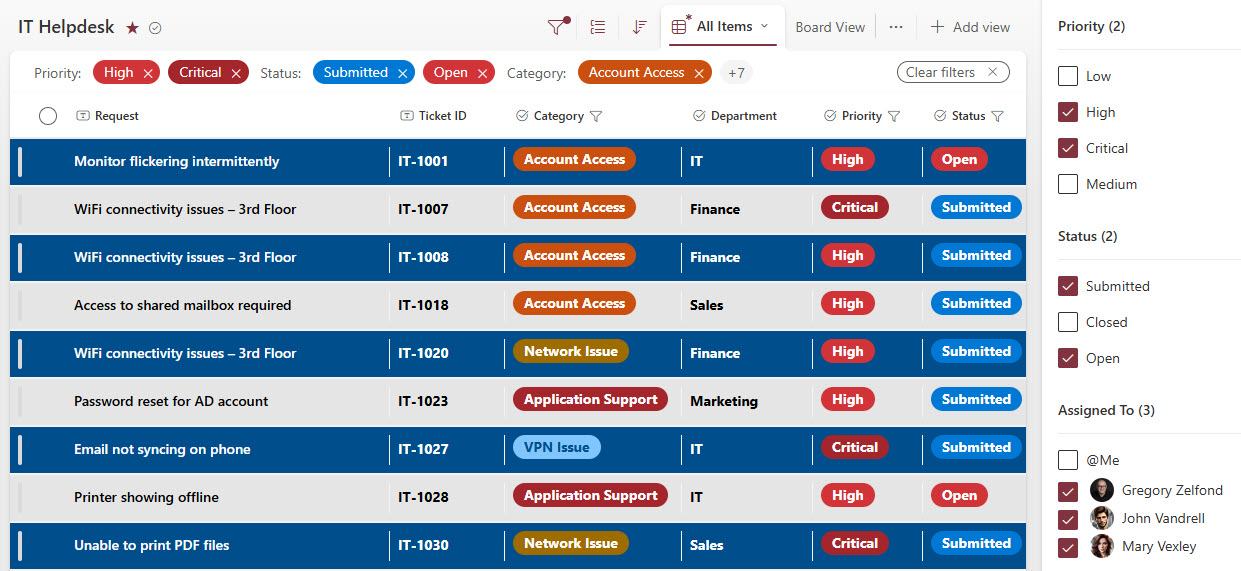
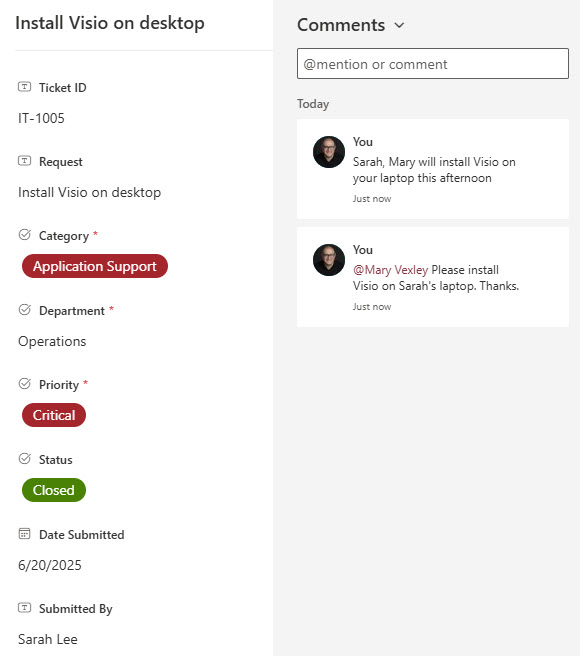
- Capture essential ticket details like issue type, priority, status, assigned technician, and resolution notes
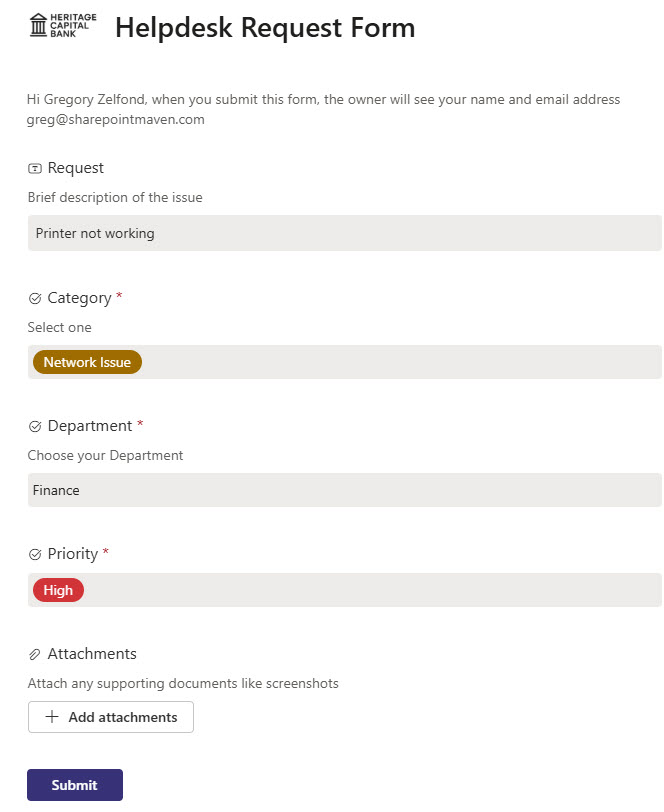
- An integrated submission form allows employees to log issues easily and attach screenshots or supporting files
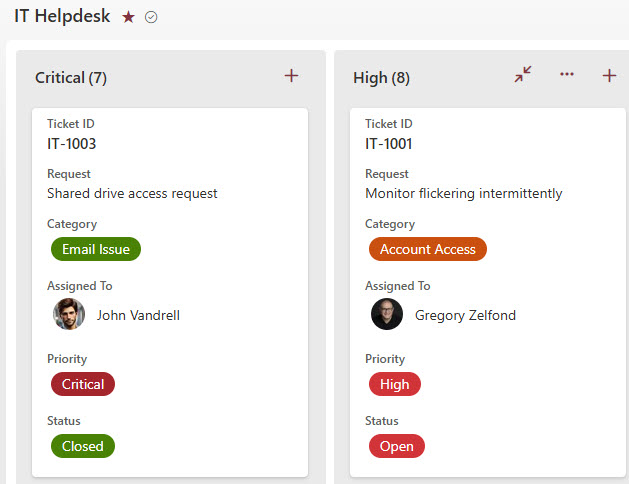
- Use views to filter tickets by priority, status, or technician for workload management
- Maintain a historical log of issues for trend analysis and service improvement
Benefits
- Centralized Tracking: Manage all IT support requests in a single, accessible location
- Integrated Form Submissions: Easy ticket entry with file attachments for faster troubleshooting
- Transparency: Clear visibility into ticket status and technician assignments
- Improved Response Time: Streamlined ticket assignment and prioritization
- No Extra Licensing: Fully built using out-of-the-box SharePoint and Microsoft Lists
Common Questions About This IT Help Desk Ticketing System
What is this IT Help Desk Ticketing System built with?
The ticketing system is built entirely with Microsoft Lists and Microsoft Forms, both included with Microsoft 365. Tickets live in a centralized SharePoint list, and employees submit new issues through an integrated submission form. There is no custom code and there are no third-party tools. It is the kind of clean, collaborative tracker Greg Zelfond builds for IT teams.
What’s included in the IT Help Desk Ticketing System?
The tracker captures essential ticket details such as issue type, priority, status, assigned technician, and resolution notes. It includes an employee submission form with file and screenshot attachments, a main list view, a view grouped by priority, a board view, filtering by status or technician, automatic ticket duration calculation, and easy ticket editing – plus a historical log of issues for trend analysis.
Does this design use any custom code or third-party tools?
No. The system is built entirely with Microsoft Lists and Microsoft Forms, both included with most Microsoft 365 business and enterprise plans – no custom code, no extra licensing, and no third-party add-ons. That keeps it stable, secure, and easy to maintain, with every ticket stored safely inside your Microsoft 365 environment. Out-of-the-box is the only way Greg builds.
Can this tracker be customized for our IT team?
Absolutely. The issue types, priority levels, statuses, views, and submission form questions can all be tailored to your support process – whether you run a small internal help desk or a multi-technician operation with service-level targets. Greg adapts the structure to the way your IT team actually triages and resolves requests, and the same approach works for HR, facilities, or any other request queue.
How do employees submit tickets to the help desk?
Employees log issues through an integrated submission form, where they describe the problem and attach screenshots or supporting files for faster troubleshooting. Each submission lands in the centralized list, ready for the IT team to prioritize and assign. There is no separate portal to learn – employees just fill out a short, friendly form and the ticket appears in the queue.
Can Greg build this tracker for our organization?
Yes – this is exactly the kind of work Greg Zelfond does. As an independent SharePoint and Microsoft 365 consultant and Microsoft MVP, he designs and builds trackers like this one in Microsoft Lists, Forms, SharePoint, and Loop, tailored to the way your IT team handles support requests. Reach out through the contact page to get started.