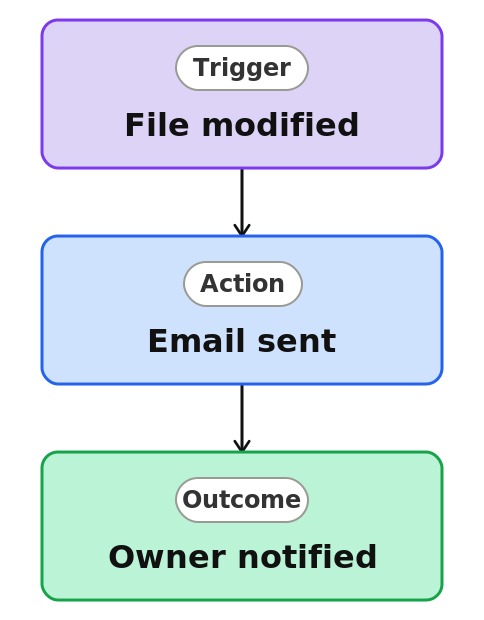
Document Change Alert


Overview
- Emails the right people when a file or its metadata changes
- Built as a Rule, a no-code automation created right on the library
- Set up by completing a plain-language sentence, not a workflow designer
- Notifies a named person or whoever is in a column on the file
- Keeps owners aware of edits to controlled documents
- Lives with the library, with nothing separate to build or maintain
Common Use Cases
- Watching for edits to a published policy document
- Knowing when a contract’s metadata or status changes
- Tracking updates to a shared template
- Alerting an owner when a controlled file is revised
- Noticing metadata changes that affect classification
- Keeping a reviewer posted on document updates
Common Questions About Document Change Alert
If LookBook 365 is code-free and out-of-the-box, why does it include this workflow example?
A Rule is a native SharePoint automation you build by completing a plain-language sentence right on the list or library – no code and no Power Automate. It watches for the change you specify and sends the email itself, inside your Microsoft 365 tenant, with nothing to develop or maintain.
What counts as a modification?
A change to the file itself or to its metadata columns triggers the rule. You can narrow it with a condition so it only fires on certain changes.
Who gets the email?
A person you name, or the person in a column on the file, such as Created By. Recipients are inside your organization.
Can I limit which files trigger it?
Yes. A condition can restrict the alert to files where a column has a specific value, such as Status equals Published.
Are there limits?
Up to 15 rules per library, and rules send email only. For version tracking or multi-step handling, that is Power Automate.
Can you set this up and train my team?
Absolutely. I design the list or library, set up the automation, and show your team how to manage it. When your process grows beyond this, I can extend it into a full Power Automate flow that fits how you actually work.