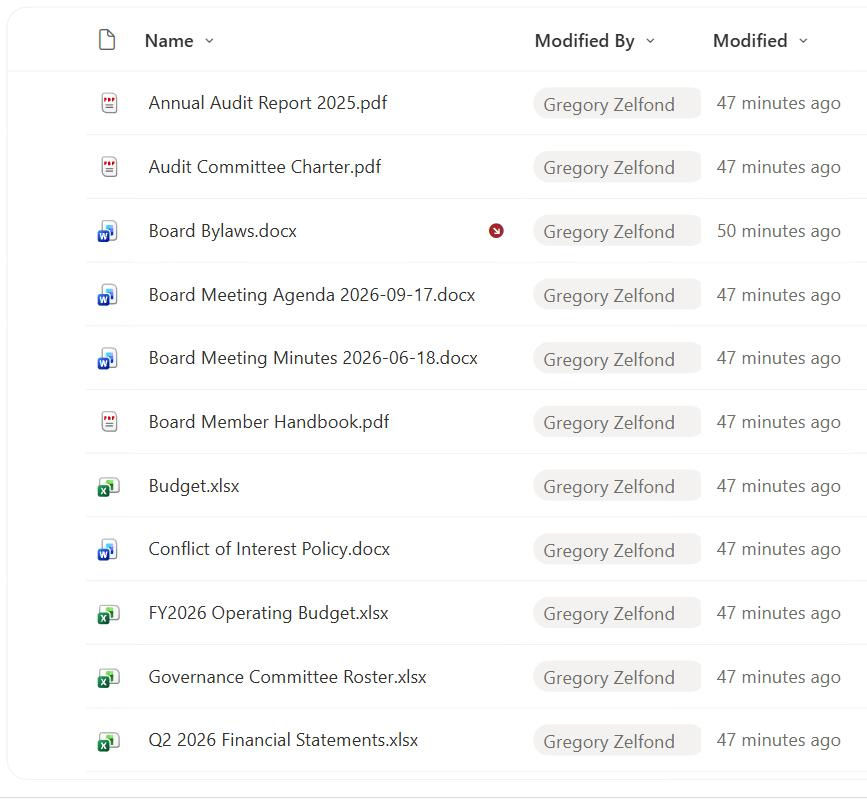
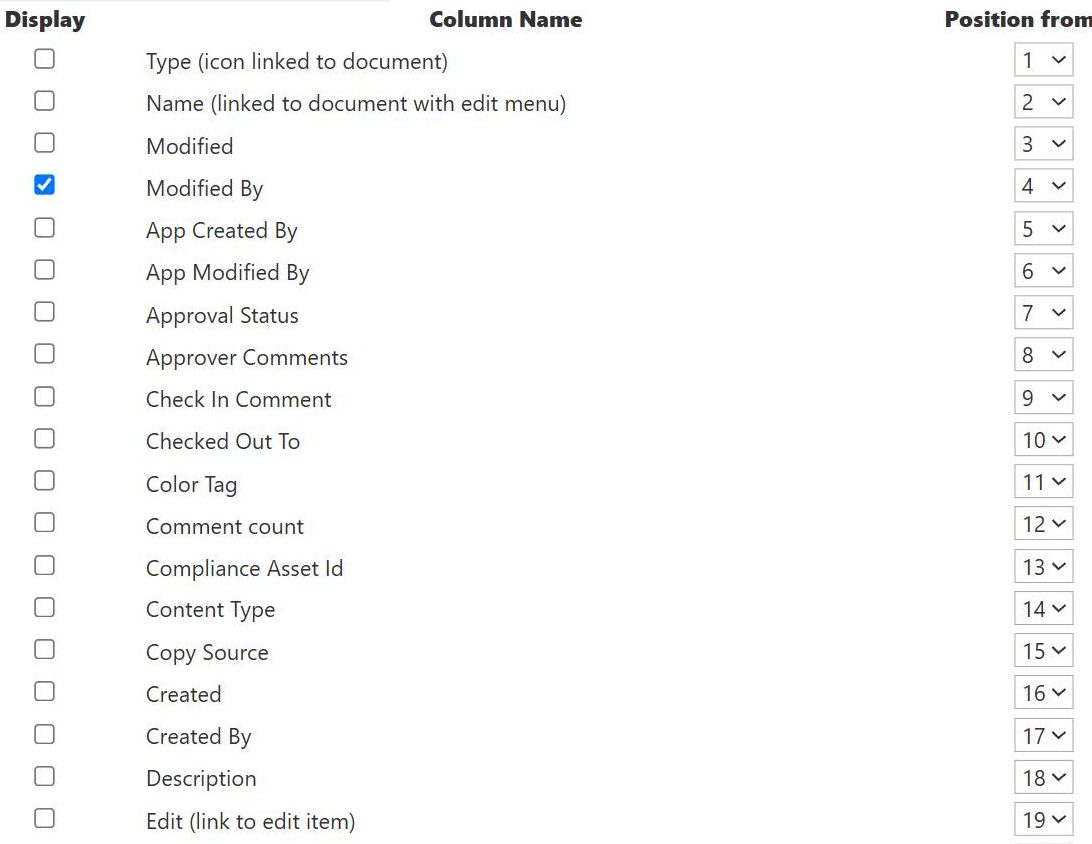
Modified By Column
Common Use Cases
- Latest editor at a glance: see who last touched each document in a shared library
- Change accountability: pair with Modified to log who changed what and when
- Follow-up routing: contact the most recent editor about a recent change
- Review workflows: identify the person whose edit needs approval or a second look
- Collaboration visibility: understand who is actively working a set of records
- Handoff clarity: confirm which teammate last advanced a shared file
How It Works
- Updates on each edit: SharePoint records whoever made the most recent change
- Internal name Editor: displayed as Modified By but referenced as Editor in code
- Person or Group type: stores a single resolved user
- Read-only in the UI: there is no browser control to reassign it
- Presence and profile card: renders as a live pill linking to the person’s details
- Follows the latest change: always reflects the current editor, not the creator
Benefits
- Automatic tracking: no one has to record who made the last change
- Clear accountability: a dependable pointer to the most recent editor
- Rich people data: links to Microsoft 365 profiles, photos, and titles
- Zero configuration: present and working on every list and library
- Governance support: helps trace unexpected changes to a person
- Pairs with Modified: who plus when in a single glance
Details
- Feature Category: Columns & Views
Limits and Nuances
- Only the last editor: it shows one person, not the full history of editors
- Not editable in the browser: reassigning requires PowerShell or the object model
- System actions can set it: flows and bulk operations may record an app identity
- Editor vs Author: Modified By is Editor internally, Created By is Author
- Metadata edits count: changing one column updates Modified By
- Version history for the rest: to see every editor over time, open version history
Common Questions About the Modified By Column
What is the Modified By column in SharePoint?
Modified By is a built-in, read-only person field that records who most recently changed a list item or file. SharePoint updates it automatically on every edit and displays the editor’s name as a clickable pill that opens their profile card. Its internal name is Editor, so you will see ‘Editor’ in JSON formatting, Power Automate, and PowerShell even though the column label reads Modified By.
Why is Modified By called Editor in formulas and flows?
It is the field’s internal name, kept stable so existing views and automations keep working. The friendly label is Modified By, but SharePoint has always stored it as Editor. Whenever you reference the column in column formatting JSON, calculated logic, Power Automate, or PowerShell, use Editor, and reserve Modified By for the label users read on the page.
What is the difference between Modified By and Created By?
Created By is fixed to whoever first created the item and never changes. Modified By updates on every edit and always shows the most recent editor. Created By answers ‘who made this?’ and Modified By answers ‘who touched it last?’. Used together, they bracket an item’s history, showing the original author and the latest hands without any add-on.
Does Modified By show everyone who edited the file?
No, it only shows the single most recent editor. Each new change overwrites it, so earlier editors are not visible in the column itself. To see the full list of who edited an item and when, open its version history, which records each version with its editor and timestamp. Modified By is the quick pointer; version history is the complete log.
Can I change who Modified By points to?
Not in the browser, since the field is read-only by design to keep change tracking honest. It can be overwritten with PowerShell or the object model, which is normally reserved for migrations restoring the true last editor from a source system. If you need editable ownership, add a separate person column such as Owner or Reviewer rather than trying to rewrite Modified By.
How should I use Modified By in a governed site?
Use it to route follow-up, confirm handoffs, and trace unexpected changes back to a person, pairing it with Modified for a who-and-when view. Greg Zelfond, the consultant behind LookBook 365, wires these system person columns into review and accountability views so it is always clear who advanced a record last, turning built-in tracking into practical governance instead of guesswork.