Financial Operations (Checklist)

Overview
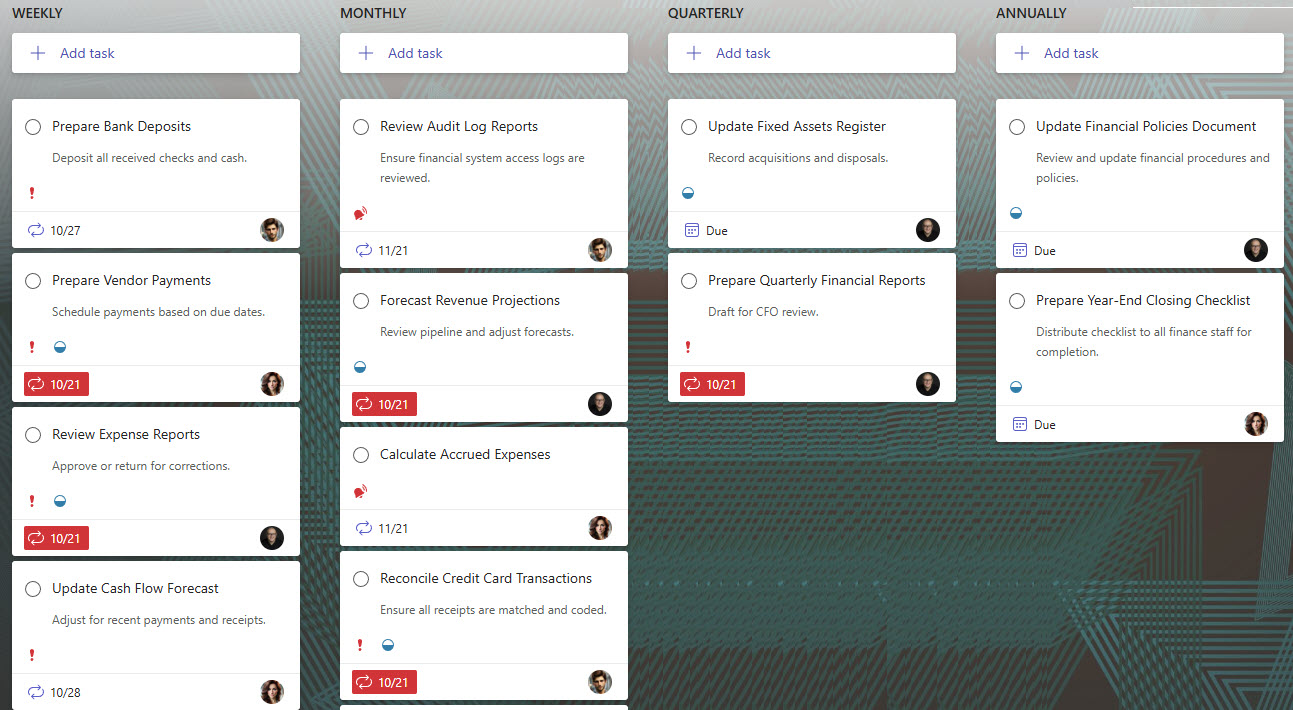
- Built in Microsoft Planner to visualize and manage all financial tasks across close cycles
- Covers key finance functions: reconciliations, reporting, approvals, and audits
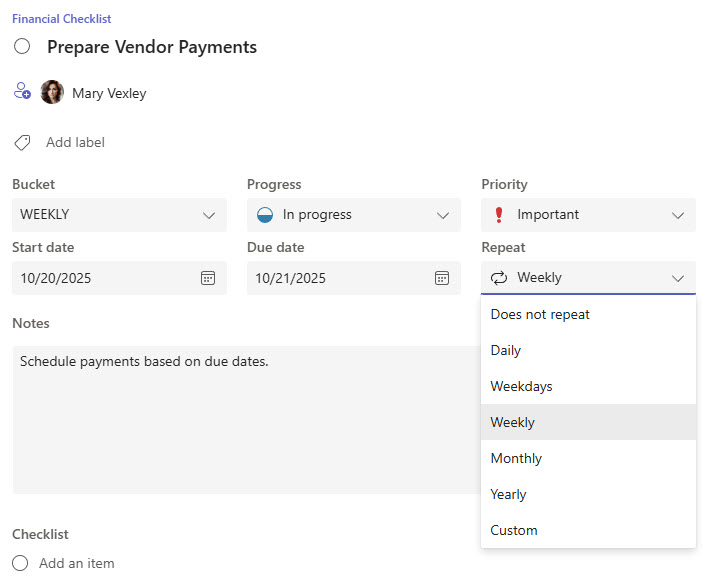
- Create recurring tasks for activities that happen weekly, monthly, quarterly, or annually
- Use buckets to group tasks by process stage (Month-End, Quarter-End, Year-End)
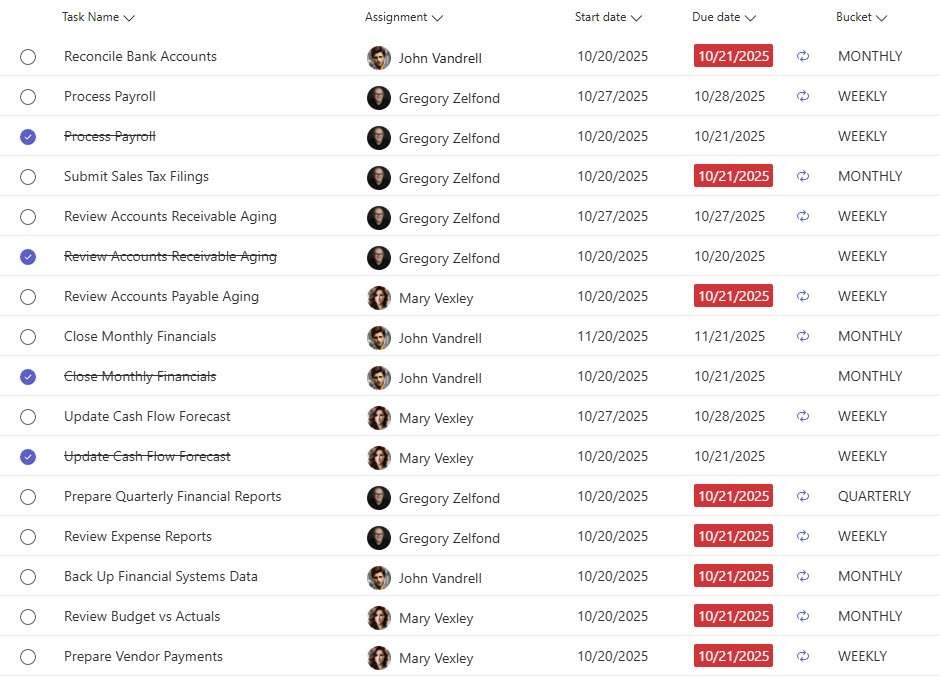
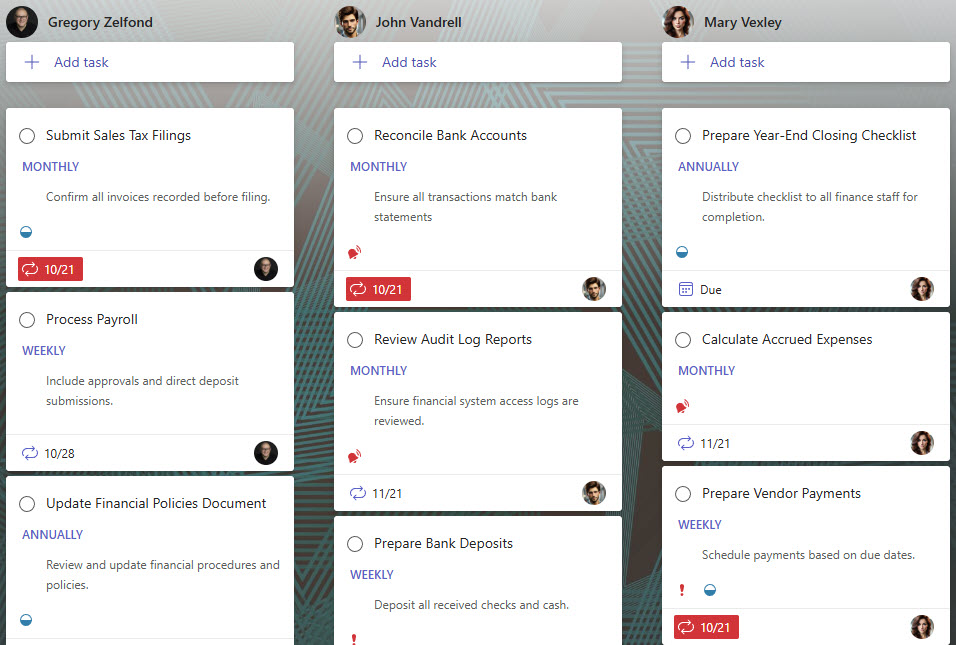
- Assign owners, due dates, and monitor progress in one shared dashboard
- Link supporting files and documentation directly from SharePoint or OneDrive
- Integrates with Microsoft Teams for real-time collaboration and status updates
Benefits
- Brings structure and visibility to recurring finance and accounting processes
- Ensures every reconciliation, report, and approval step is completed on time
- Reduces manual tracking and email follow-ups across the finance team
- Simplifies recurring financial cycles with automated Planner task reminders
- Makes audit prep and compliance reporting effortless with built-in transparency
- 100% out of the box with Microsoft 365: no custom tools or add-ons required
Common Questions About This Financial Operations Checklist
What is this Financial Operations Checklist built with?
The checklist is built entirely in Microsoft Planner, the task management app included with Microsoft 365 – structured with buckets for each process stage, recurring tasks, assigned owners, and due dates. There is no custom code and there are no third-party tools. It is the kind of clean, collaborative checklist Greg Zelfond builds for finance and accounting teams.
What’s included in the Financial Operations Checklist?
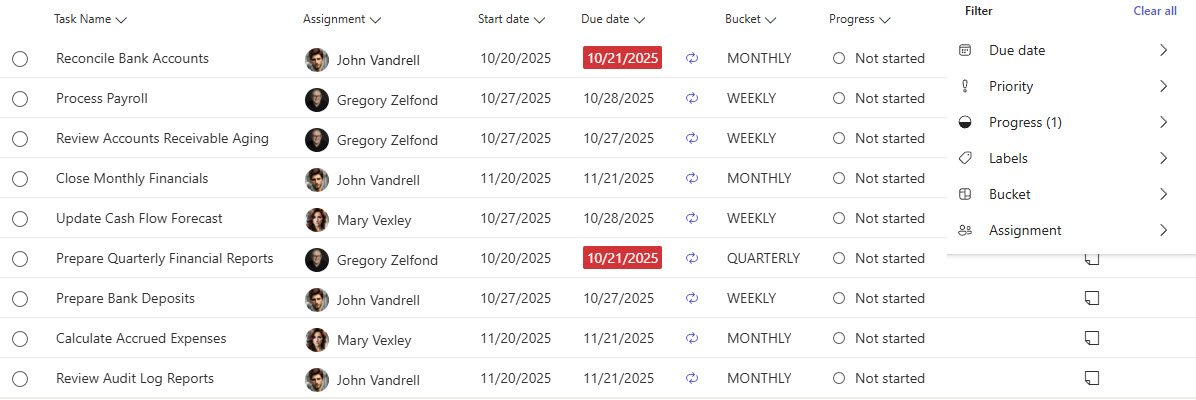
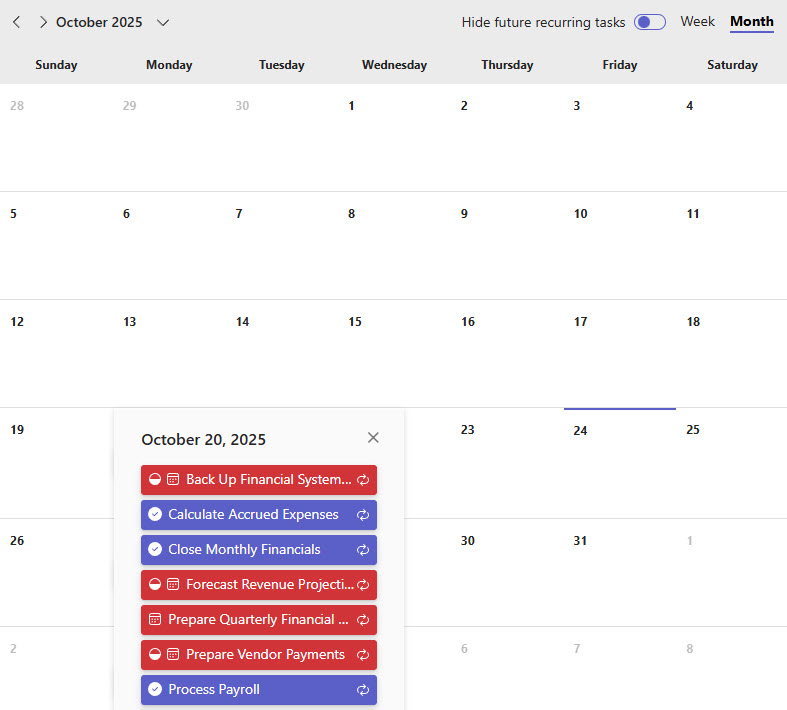
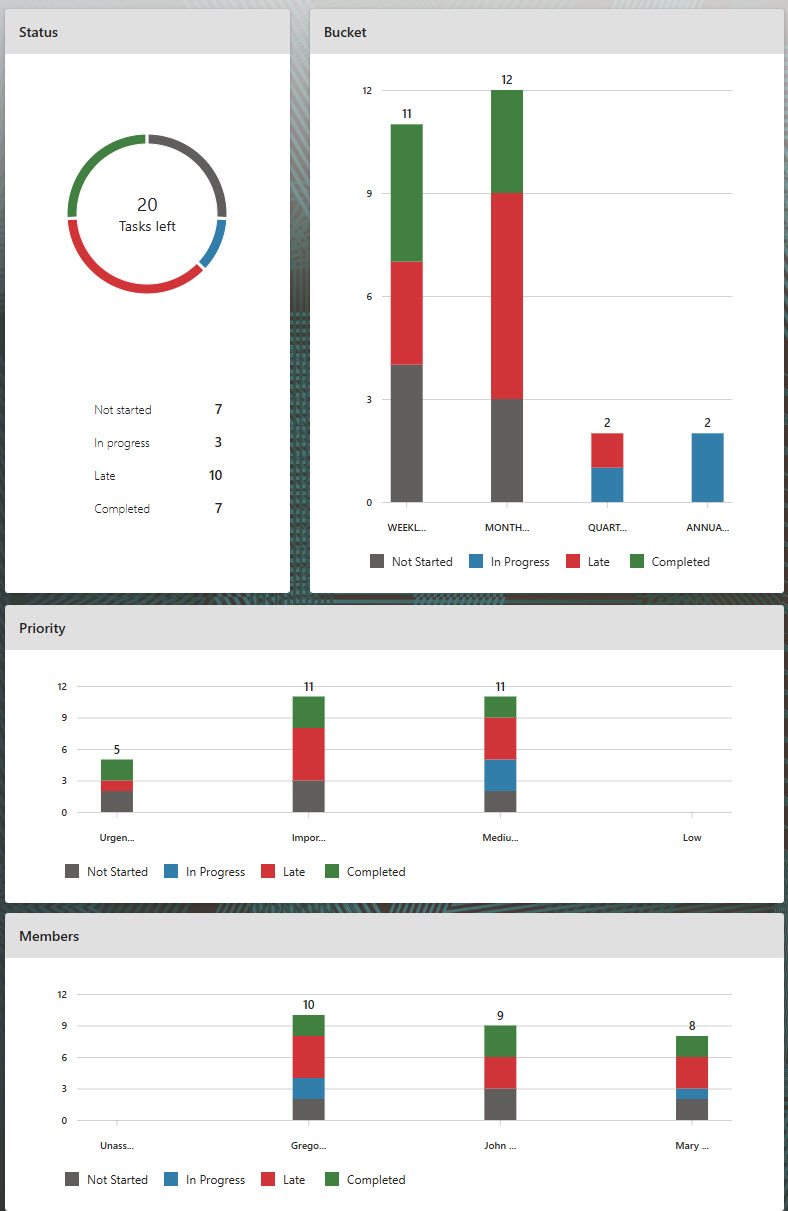
The plan covers key finance functions – reconciliations, reporting, approvals, and audits – organized into buckets by process stage such as Month-End, Quarter-End, and Year-End. Tasks carry owners, due dates, and recurrence schedules, and the team can work from board, grid, and calendar views, filter and group tasks by assignee, track progress with built-in charts, and link supporting files directly from SharePoint or OneDrive.
Does this design use any custom code or third-party tools?
No. The checklist is built entirely with Microsoft Planner, which is included with most Microsoft 365 business and enterprise plans – no custom code, no third-party add-ons, and nothing extra to buy. That keeps it stable, secure, and easy to maintain, with everything stored safely inside your Microsoft 365 environment. Out-of-the-box is the only way Greg builds.
Can this checklist be customized for our finance team?
Absolutely. The buckets, tasks, owners, and recurrence schedules can all be tailored to your close calendar – your reconciliation steps, your approval chain, your reporting deadlines, and your audit requirements. Greg adapts the structure to the way your finance team actually runs its month-end, quarter-end, and year-end cycles, so nothing falls through the cracks.
How do recurring tasks work in this Financial Operations Checklist?
Recurring tasks are one of Planner’s signature strengths for finance work. Activities that repeat weekly, monthly, quarterly, or annually – bank reconciliations, payroll approvals, quarterly reporting, year-end audit prep – are set up once with a recurrence schedule, and Planner automatically regenerates each task for the next cycle with reminders. That replaces manual tracking and email follow-ups with a checklist that resets itself.
Can Greg build this checklist for our organization?
Yes – this is exactly the kind of work Greg Zelfond does. As an independent SharePoint and Microsoft 365 consultant and Microsoft MVP, he designs and builds checklists and trackers like this one in Microsoft Planner, Lists, Loop, and SharePoint, tailored to the way your finance team runs its operations. Reach out through the contact page to get started.