Planner
Key Features
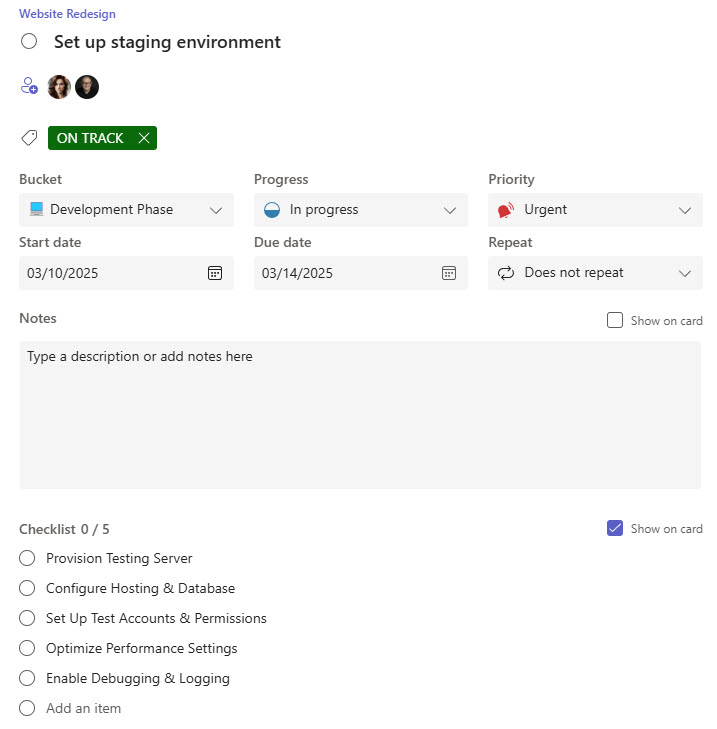
- Task Boards: Organize tasks by buckets and status
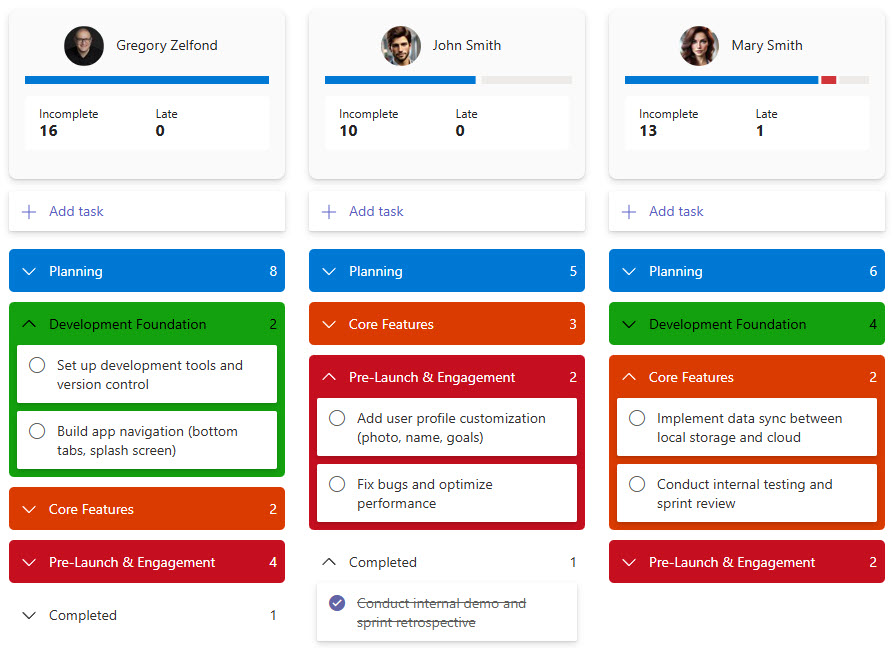
- Assignment: Assign tasks to team members
- Due Dates & Reminders: Stay on track with timelines
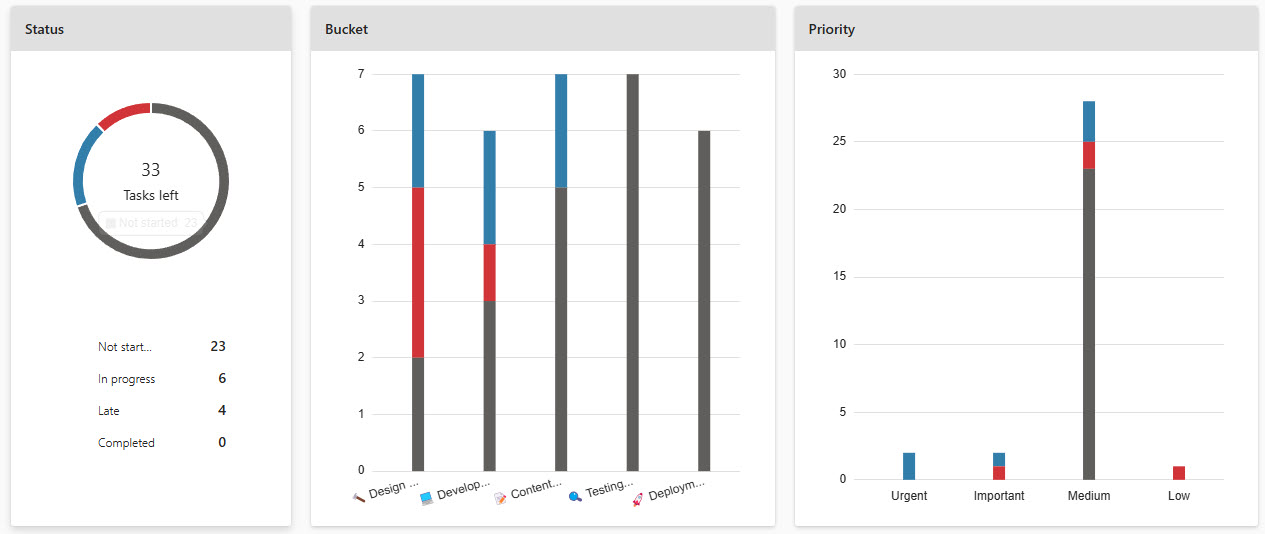
- Charts: Visualize progress with dashboards
- Integration: Connects with Teams and SharePoint
- Mobile App: Manage plans from any device
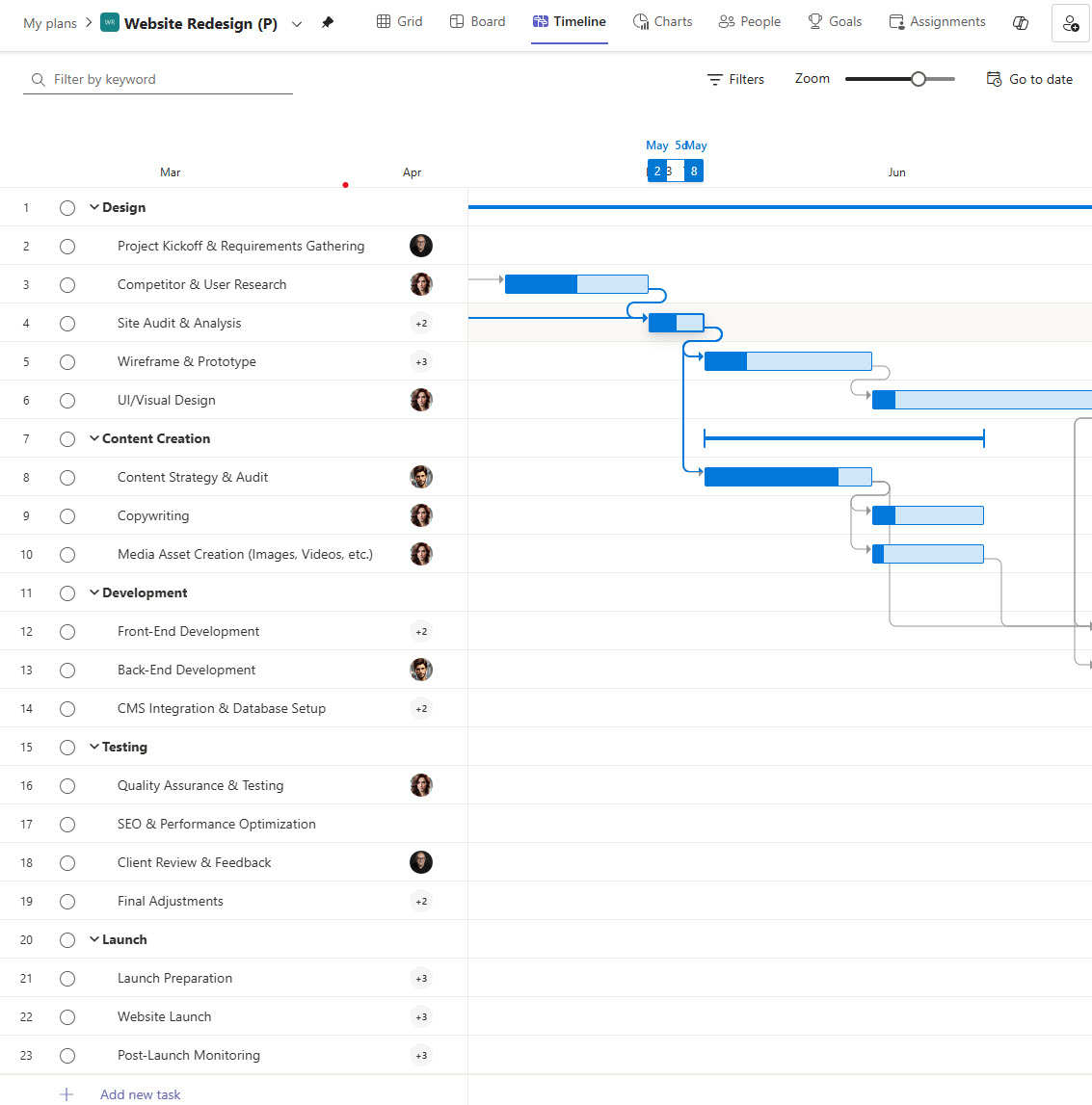
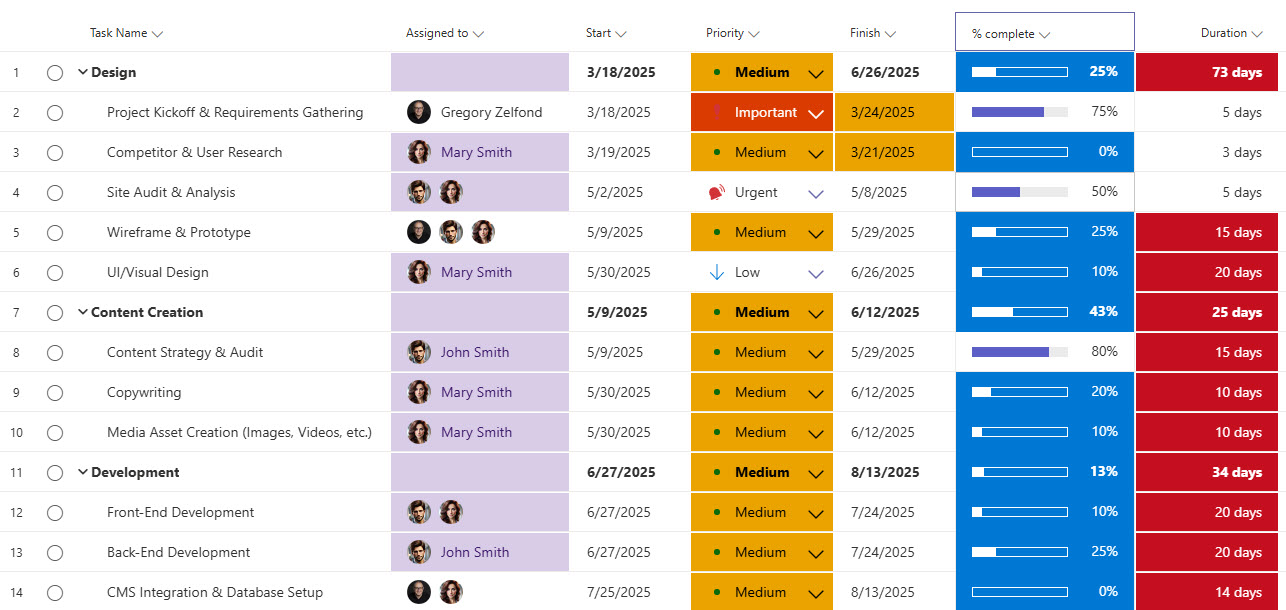
- Supports task dependencies and effort management (requires Planner Premium)
- Project Portfolio Management (requires Planner Premium)
Common Use Cases
- Managing projects of various sizes, complexity, and duration
- Tracking tasks and assignments for teams of any size
- Coordinating work across cross-functional teams
- Visualizing workload distribution and team capacity
- Monitoring project progress with real-time status and charts
- Agile sprint planning and backlog management
How Planner Fits Into Microsoft 365
- Teams: the Planner app lives inside Teams, and plans can be pinned to channels as tabs so task work happens where the conversation is
- SharePoint: the Planner web part displays a plan directly on a SharePoint page, a staple of the project site examples on LookBook 365
- Microsoft 365 Groups: every shared plan is owned by a Microsoft 365 group, so plan membership follows the team
- To Do: personal tasks and flagged emails appear alongside assigned plan tasks in one unified view
- Project: premium plans bring Project capabilities such as timelines and dependencies into the same Planner experience
- Outlook: task assignments and reminders reach people through email notifications
Limits and Nuances
- Basic is included: Planner’s core experience comes with most Microsoft 365 business and enterprise plans at no extra cost
- Premium is licensed: timeline (Gantt) view, task dependencies, custom fields, and portfolio features require a Planner Plan 1, Project Plan 3, or Project Plan 5 license
- Planner Plan 1 pricing: the entry premium tier lists at 10 dollars per user per month
- Task ceiling: a basic plan holds up to 9,000 tasks, of which 3,000 can be active at once
- Buckets: up to 200 buckets per plan
- Task details: up to 20 assignees and 20 checklist items per task
- Plans per group: a group or user can own up to 400 plans
- Basic limits only: the numbers above apply to basic plans; premium plans run on the Project engine with their own limits
- Guests welcome: guest users can be added to a plan and assigned tasks
Common Questions About Microsoft Planner
What is Microsoft Planner used for?
Planner is for organizing team work into visual plans: tasks grouped into buckets on a Kanban-style board, assigned to people, with due dates, labels, checklists, and attachments. Built-in charts show progress and workload at a glance. It suits projects and recurring team processes that have outgrown a to-do list but do not need a heavyweight project management platform.
What is the difference between Planner and To Do?
To Do is personal – your own lists, reminders, and flagged emails. Planner is shared – plans owned by a team, with tasks assigned across its members. The two meet in the unified Planner app, where personal tasks and team assignments appear together in My Day and My Tasks, so each person sees their whole workload in one place regardless of where a task came from.
Is Microsoft Planner included in Microsoft 365?
The basic experience is included with most Microsoft 365 business and enterprise plans: boards, buckets, assignments, charts, grid and schedule views, all at no extra cost. Premium capabilities – timeline view, task dependencies, custom fields, and portfolio tools – require a separate license, starting with Planner Plan 1 at 10 dollars per user per month, with Project Plan 3 and Plan 5 covering advanced scenarios.
What is the difference between Planner basic and premium plans?
Basic plans cover visual task management: boards, buckets, assignments, labels, checklists, and charts. Premium plans add project-grade tools – timeline (Gantt) view, task dependencies, custom fields, and resource planning – powered by the Project engine inside the same Planner app. Many organizations run mostly basic plans and license premium only for the people managing complex, dependency-heavy projects.
What is the difference between Planner and Microsoft Lists?
Planner is purpose-built for tasks: assignments, buckets, progress, and charts are ready out-of-the-box. Lists is general-purpose tracking that you shape yourself – any columns, any views, plus rules and formatting. For straightforward team task management, Planner is faster to adopt; for trackers with custom fields and workflows, Lists offers more control. Plenty of organizations use both, often side by side on the same project site.
Can you see Planner tasks in SharePoint and Teams?
Yes. In Teams, the Planner app brings all plans and personal tasks together, and individual plans can be pinned to channels as tabs. In SharePoint, the Planner web part displays a plan’s board or charts directly on a page – which is how project sites on LookBook 365 put tasks right beside the documents, news, and links the team already uses.