Engage
Key Features
- Community Creation: Build spaces around interests or departments
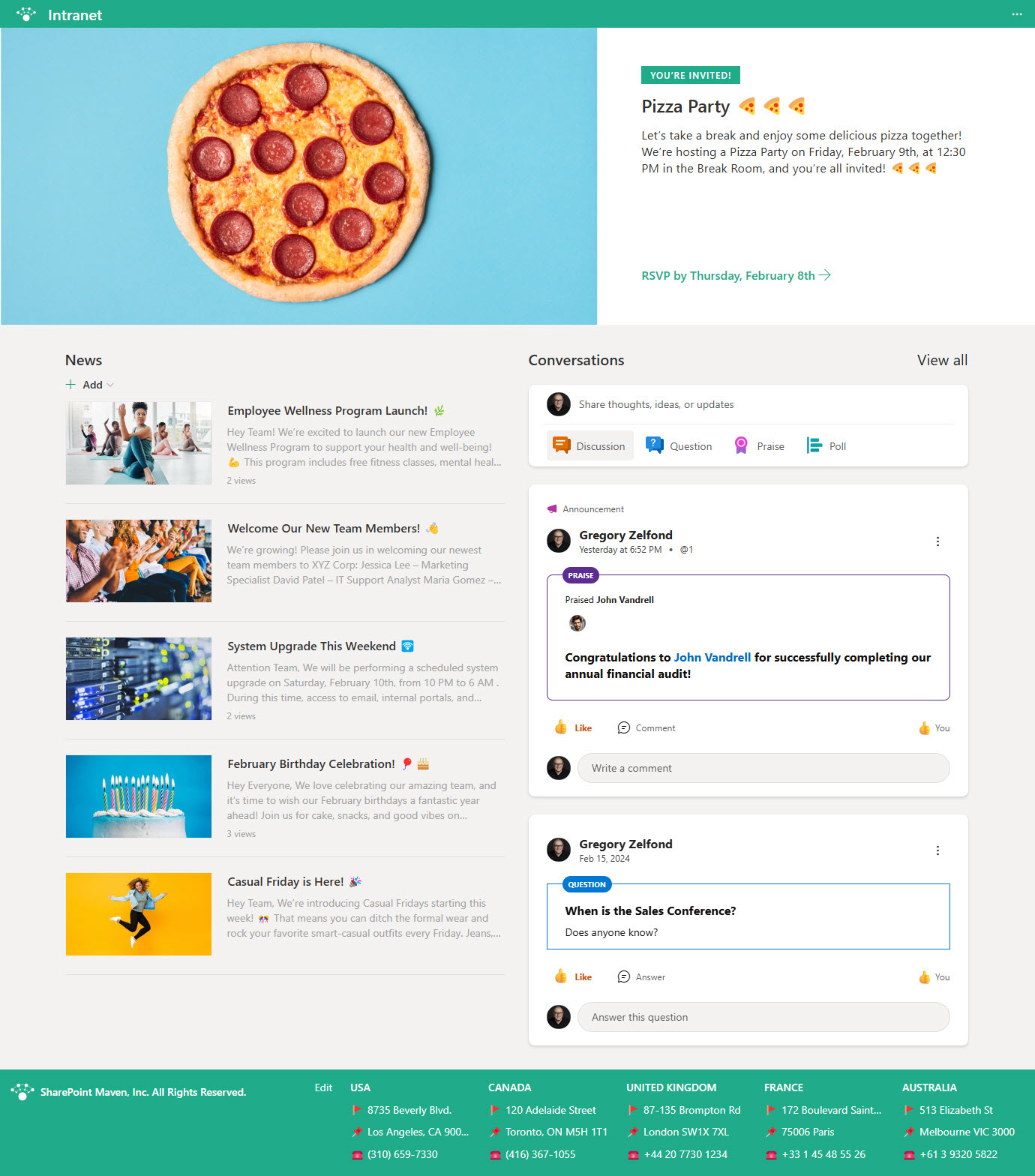
- Conversation Threads: Post updates and respond publicly
- Storylines: Personal feeds for sharing achievements and ideas
- Integration: Works within Teams and SharePoint
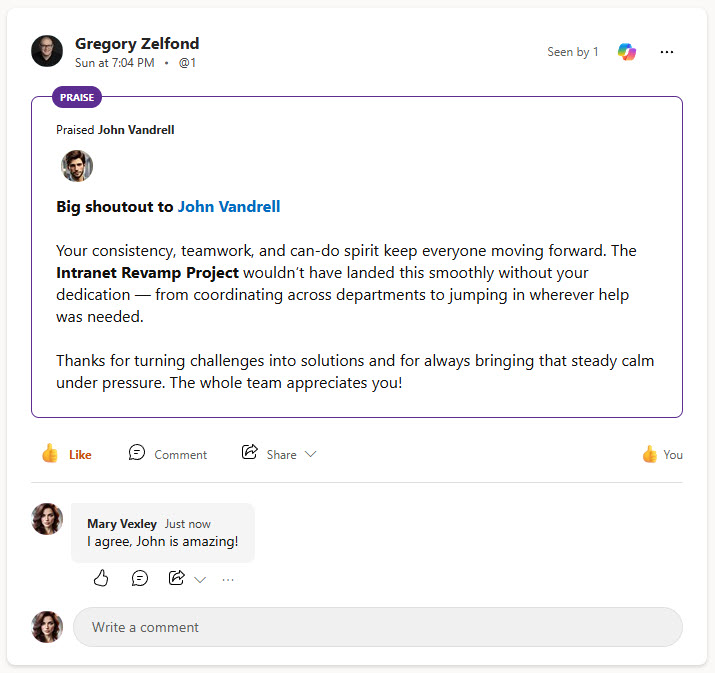
- Polls & Praise: Encourage participation and recognition
- Mobile Access: Stay connected on the go
Common Use Cases
- Promoting internal culture and community
- Sharing company-wide announcements
- Gathering feedback through polls
- Employee recognition and celebrations
- Connecting remote or distributed teams
How Viva Engage Fits Into Microsoft 365
- SharePoint: the Viva Engage (Conversations) web part embeds a community or topic feed directly on intranet pages, a pattern several LookBook 365 examples use
- Teams: Viva Engage runs as an app inside Teams, putting organization-wide communities one click away from daily chat
- Microsoft 365 groups: every community is backed by a Microsoft 365 group, the same membership model behind Teams and SharePoint sites
- Outlook: notifications and interactive emails let people read and reply to Engage conversations without leaving their inbox
- Viva family: Engage is the connection layer of Microsoft Viva, alongside Viva Connections (the intranet in Teams) and Viva Insights (wellbeing data)
Limits and Nuances
- Yammer heritage: Viva Engage is the evolution of Yammer; Microsoft retired the Yammer brand in 2023 and the service carried on under the new name
- Core is included: communities, storylines, polls, praise, questions, and basic analytics come with Microsoft 365 plans at no extra cost
- Premium needs a license: campaigns, Leadership Corner, AMAs, Answers, and advanced analytics require Viva Employee Communications and Communities or the full Viva suite
- Premium pricing: Viva Employee Communications and Communities lists at $2 per user per month, and the full Viva suite at $12
- Mixed licensing works: premium licenses can go only to communicators and leaders, and core users still see and join the resulting public conversations
- Compliance covered: Engage networks run in Microsoft 365 native mode, so conversations fall under Purview eDiscovery and retention tools
- Live events are changing: scheduling new Teams-based live events in Engage ends in April 2026, with Teams town halls and new Engage event formats taking over
Common Questions About Viva Engage
What is Viva Engage used for?
Organization-wide connection. Companies use Viva Engage for communities around departments and interests, leadership communication and Q&A, employee recognition through praise posts, polls and feedback gathering, and celebrating wins where everyone can see them. It is especially valuable for remote and frontline-heavy organizations, where the office hallway does not exist – Engage becomes the place culture is visible day to day.
What is the difference between Viva Engage and Microsoft Teams?
Teams is for the people you work with every day – your project group, your department, the meeting at 2 pm. Viva Engage is for everyone else: the whole organization, connected through open communities and storylines. Conversations in Teams are fast and operational; conversations in Engage are broad and cultural – announcements, questions, recognition. They complement each other, and Engage even runs as an app inside Teams.
Did Viva Engage replace Yammer?
Yes – same service, new name and new home. Microsoft rebranded Yammer as Viva Engage and retired the Yammer name in 2023, bringing the enterprise social network into the Microsoft Viva family. Existing networks, communities, and content carried over, and the experience now lives inside Teams and on the web, with additions like storylines that Yammer never had.
Is Viva Engage included in Microsoft 365?
The core experience is – communities, storylines, polls, praise, and basic analytics come with Microsoft 365 plans at no extra cost. Premium capabilities aimed at communications teams – campaigns, Leadership Corner, AMAs, Answers, and advanced analytics – require the Viva Employee Communications and Communities license, listed at $2 per user per month, or the full Viva suite at $12. Many organizations run core-only and cover plenty.
Can Viva Engage appear on a SharePoint intranet?
Yes – that is one of its best tricks. SharePoint includes a Viva Engage web part that embeds a community feed or specific conversations directly on an intranet page, so social discussion lives next to news and resources. Several LookBook 365 examples show an Engage community embedded in a SharePoint page, built entirely out-of-the-box – no custom code involved.
What are storylines in Viva Engage?
Storylines are personal feeds – think of an internal LinkedIn-style profile where each person can post updates, ideas, and milestones, and colleagues can follow along. Leaders use storylines to communicate directly with the whole organization, and employees use them to share work and wins beyond their own team. Posts appear in followers’ feeds and are discoverable across the network, giving individuals a voice that reaches the whole company.