Kanban Style Project Plan

Overview
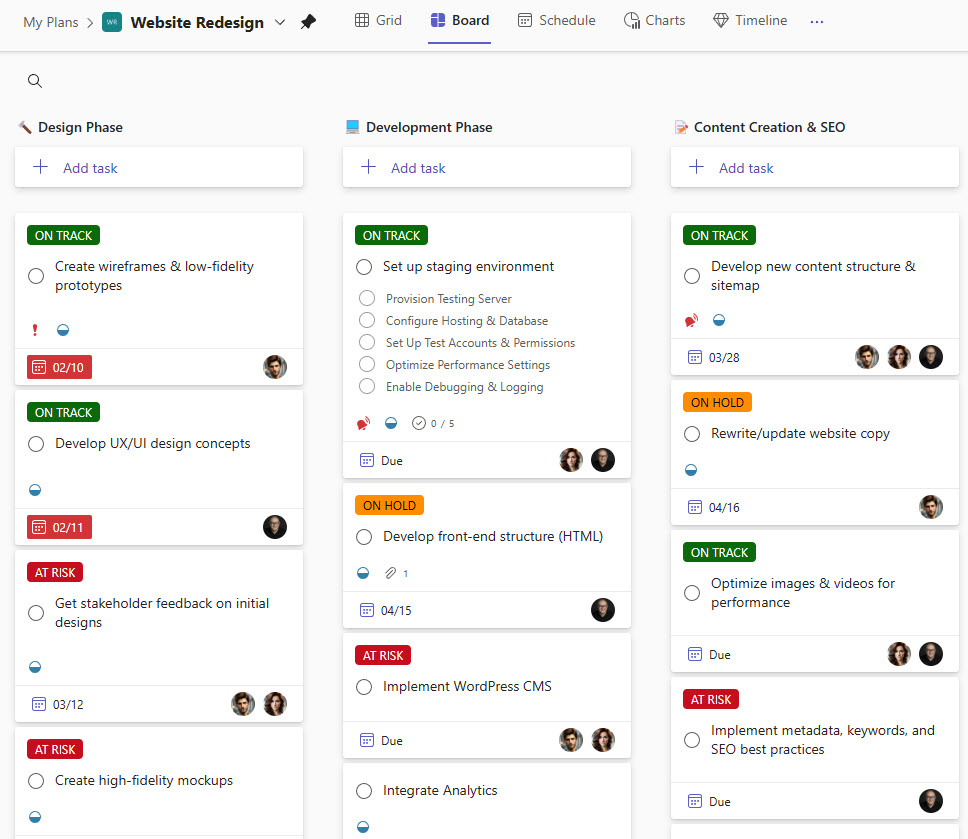
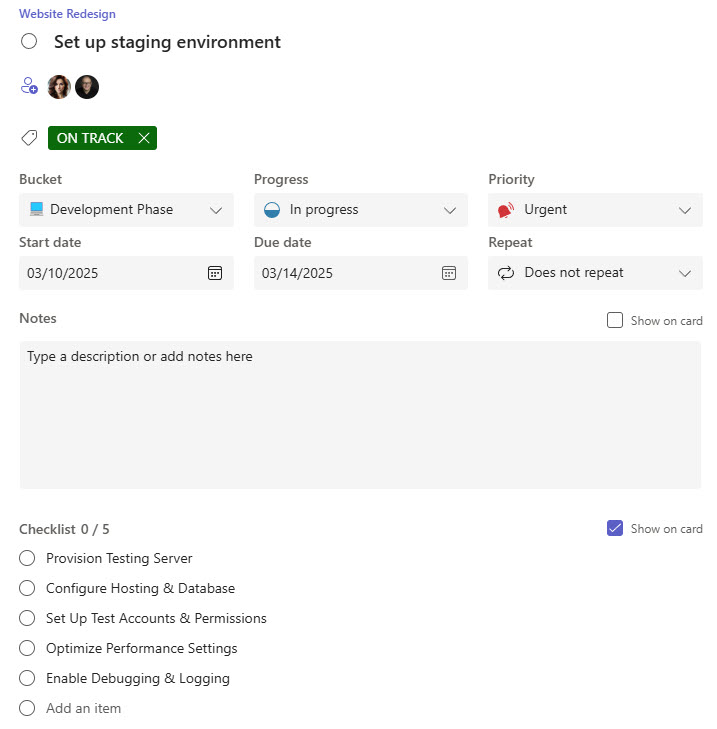
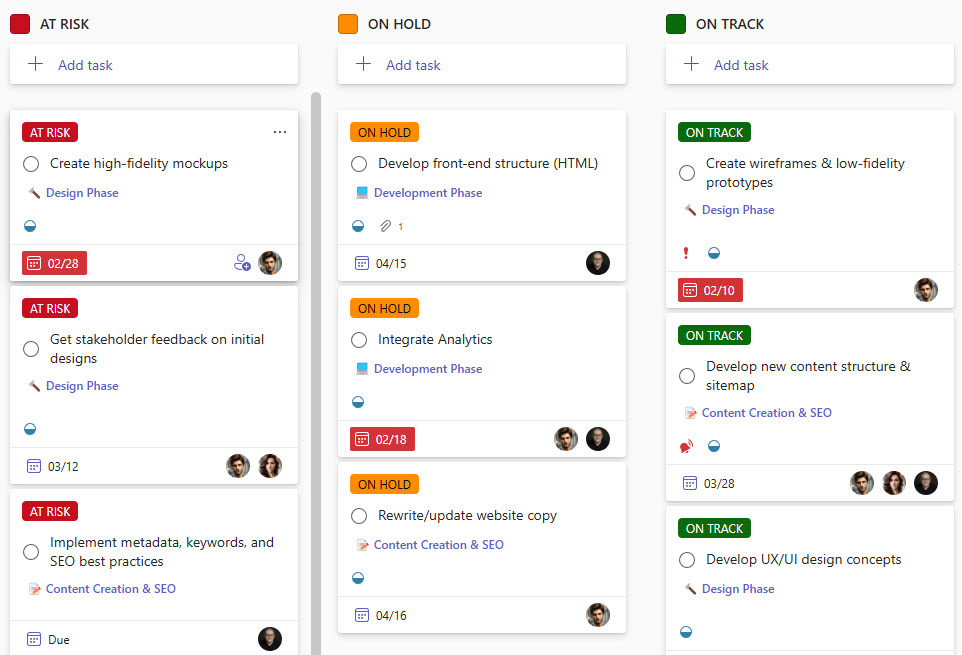
- Custom Labels for Color Coding: Offers an additional way to view and organize tasks, making it easier to prioritize and manage work at a glance
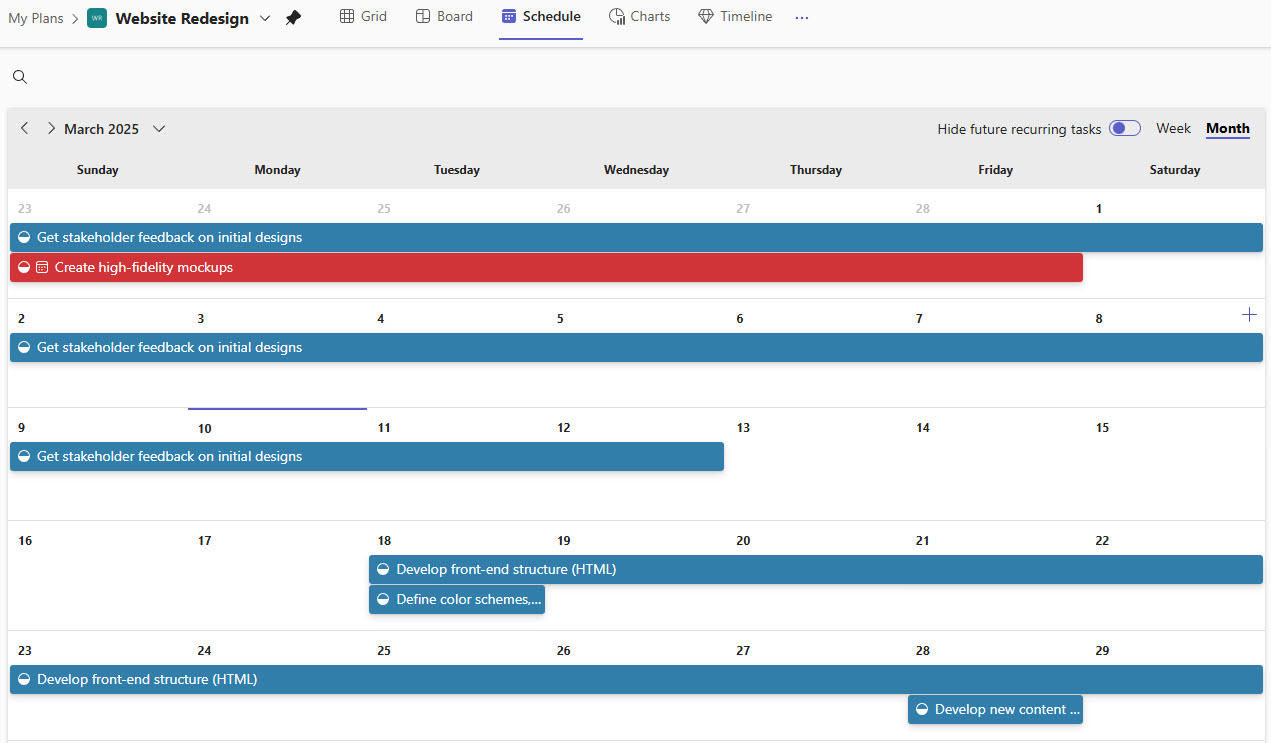
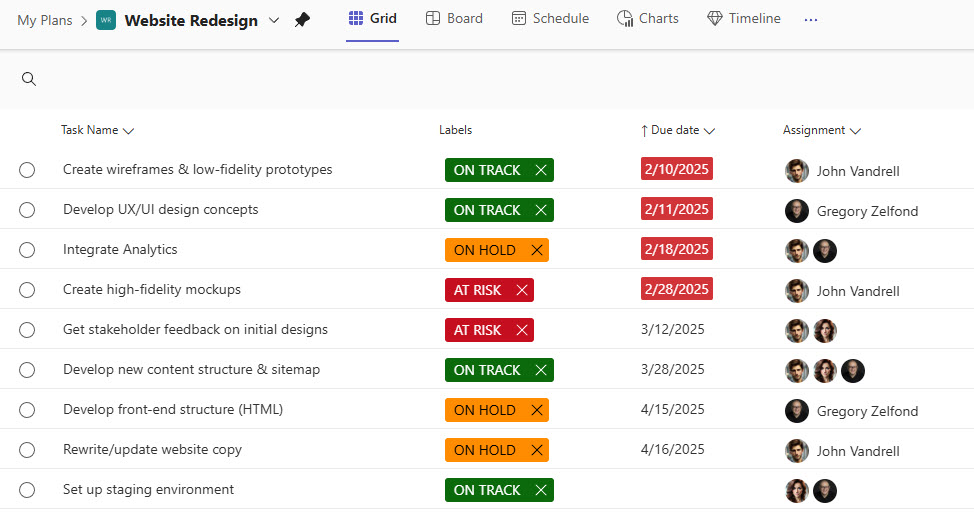
- Multiple View Options: Choose from board, grid, or calendar views to suit different workflow preferences and improve task visualization
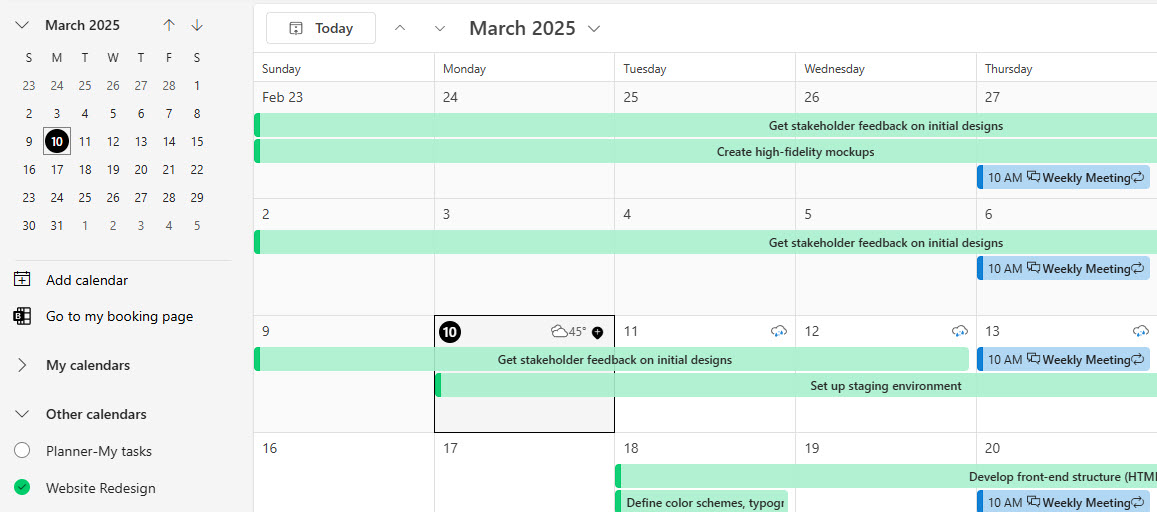
- Seamless Outlook Integration: Connects effortlessly with Outlook to synchronize tasks, streamlining your daily workflow
- Checklist Capability: Helps break down tasks into manageable steps, ensuring nothing is overlooked during execution.
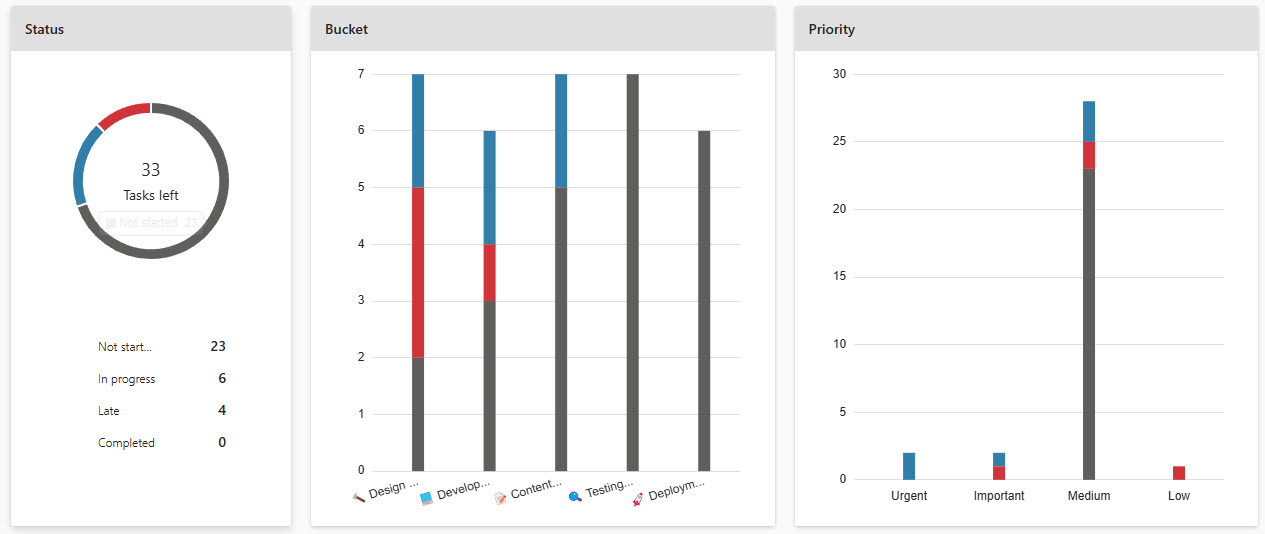
- Built-In Charts for Analysis: Provides visual analytics and insights into project progress and team performance, aiding in data-driven decision-making
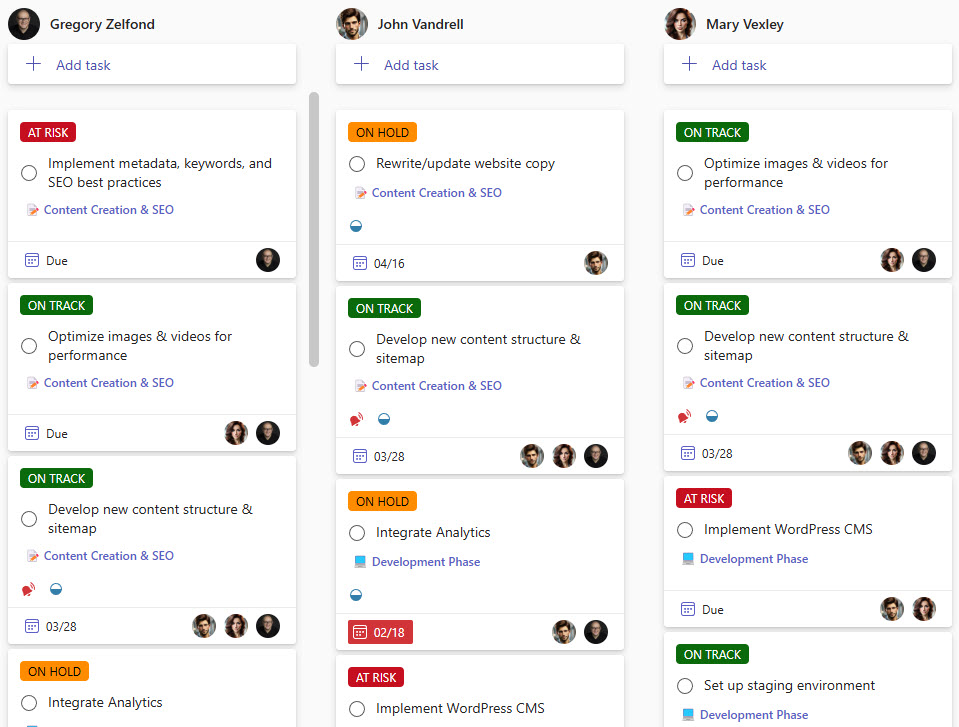
- Flexible Task Grouping: the board can be grouped by bucket, assigned to, or custom labels, showing the plan from different angles
Benefits
- A clear visual overview: tasks and progress are easy to scan, so everyone can see what is in progress, what is done, and what is falling behind
- Teams stay aligned: assigned tasks, due dates, and priorities reduce confusion over who is responsible for what
- Simpler collaboration: team members can comment, attach files, and track changes in one shared space
- Fewer status meetings: everyone can check progress at a glance instead of waiting for updates
- Right-sized for smaller projects: a flexible structure without the overhead of complex project tools
- Better accountability and follow-through: notifications, checklists, and progress tracking are built into each task
Common Questions About This Kanban Style Project Plan
What is this Kanban Style Project Plan built with?
The plan is built entirely with Microsoft Planner, using its standard capabilities – the Kanban board, buckets, custom color-coded labels, checklists, multiple views, built-in charts, and Outlook integration. There is no custom code and no third-party project management software involved. It is the kind of clean, maintainable project plan Greg Zelfond builds for teams working inside Microsoft 365.
What’s included in the Kanban Style Project Plan?
The design includes a Kanban board for tracking tasks, dates, assignments, status, and priority, plus a calendar view, a grid view, and a chart view with visual analytics on progress and team performance. Tasks carry checklists that break work into manageable steps, custom labels add color coding, the board can be grouped by assigned to or label, and the plan syncs with the Outlook calendar.
Does this design use any custom code or third-party tools?
No. Everything in this plan uses standard Microsoft Planner functionality available in Microsoft 365. That matters because out-of-the-box solutions are stable, secure, and easy to maintain – nothing breaks when Microsoft rolls out updates, and there are no third-party licenses to manage. Out-of-the-box is the only way Greg builds.
Can this project plan be customized for our projects?
Absolutely. The buckets, custom labels, checklists, and views can all be tailored to your workflow and the way your team likes to track work. Greg adapts the plan to your actual projects – whether the columns represent project phases, departments, or a simple to do, doing, done flow – so the board mirrors how your team really works, not a generic template.
Can we use this project plan inside Microsoft Teams or on mobile?
Yes. Microsoft Planner works in the browser, as a tab inside Microsoft Teams channels, and in the Planner mobile app, so the plan goes wherever your team works. Team members can move cards, check off checklist items, and update tasks from a phone or tablet – which keeps the board current even when people are away from their desks.
Can Greg build this project plan for our organization?
Yes – this is exactly the kind of work Greg Zelfond does. As an independent SharePoint and Microsoft 365 consultant and Microsoft MVP, he designs and builds out-of-the-box project plans like this one, tailored to your projects, teams, and workflow. If you want a Kanban board your team will actually use, reach out through the contact page to get started.