Scrum Sprints

Overview
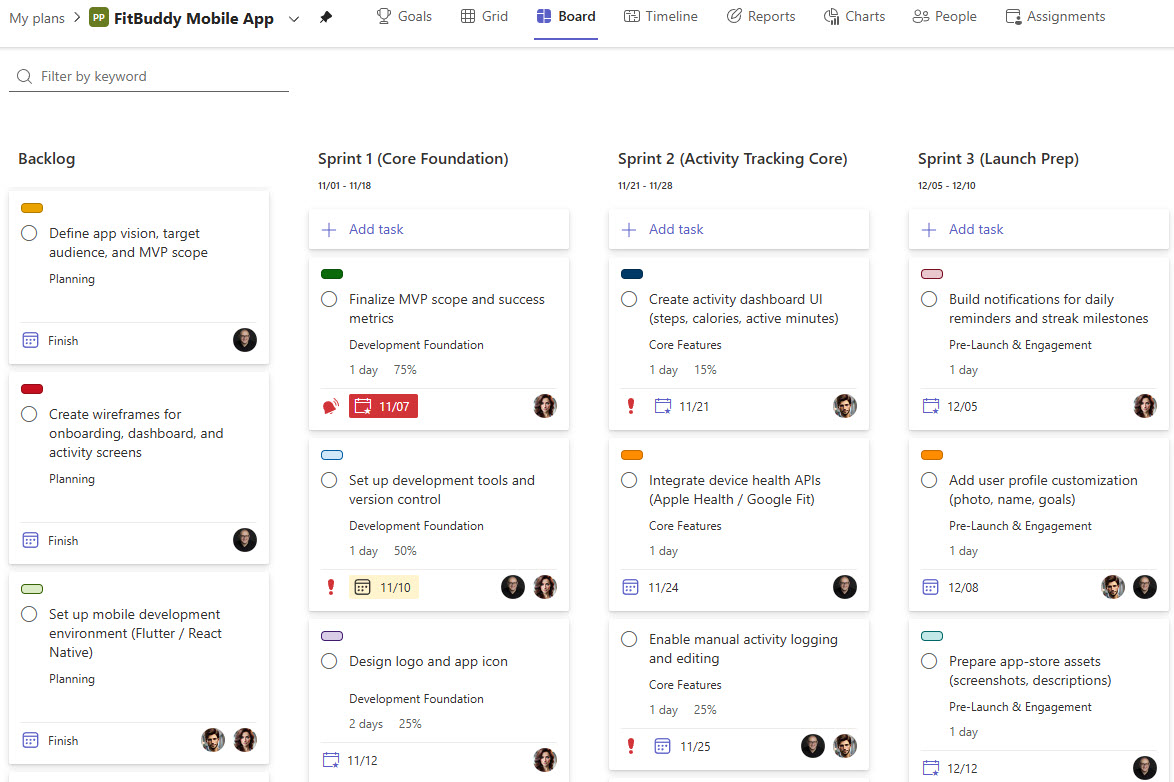
- Sprint buckets: work is organized into buckets for each sprint, such as Sprint 1, Sprint 2, and Backlog
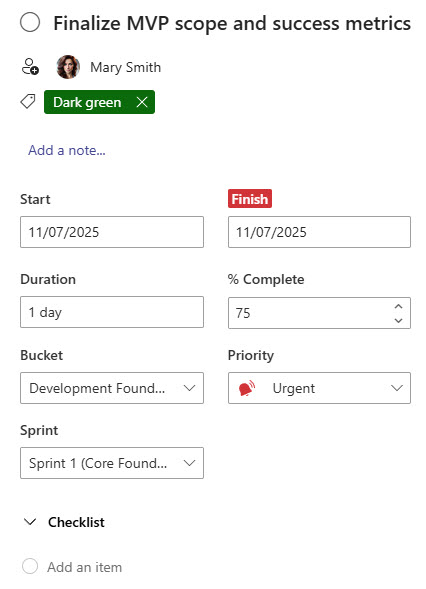
- Detailed task cards: tasks are assigned to team members with descriptions, checklists, and attachments
- Labels for context: labels mark project phases, complexity levels, or task priority
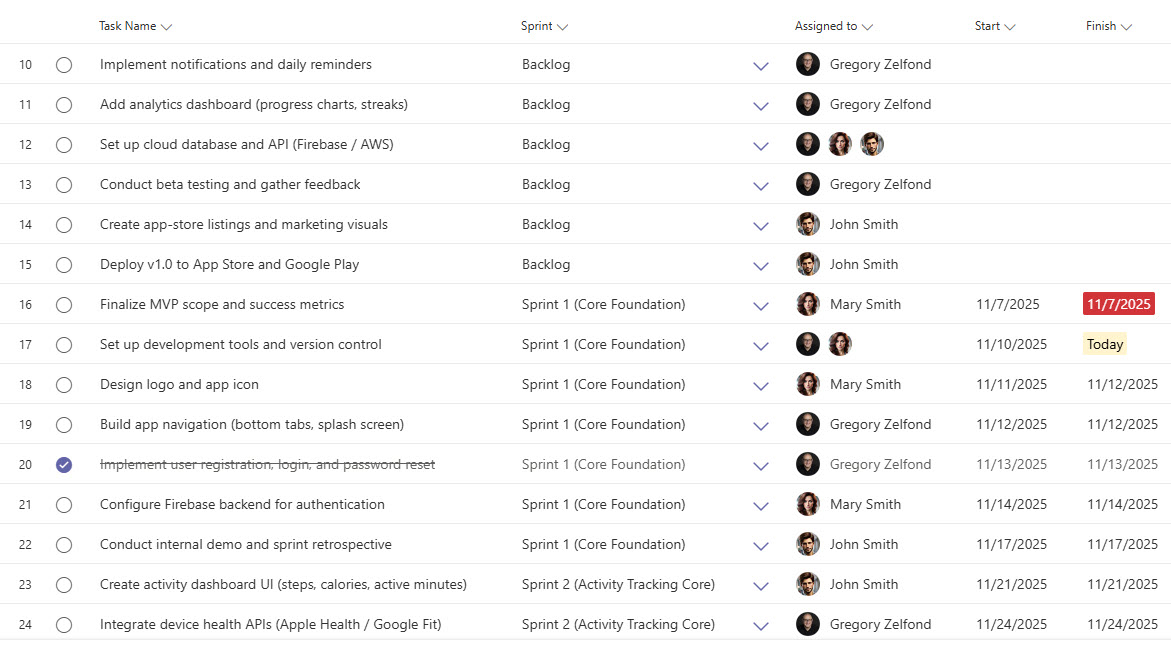
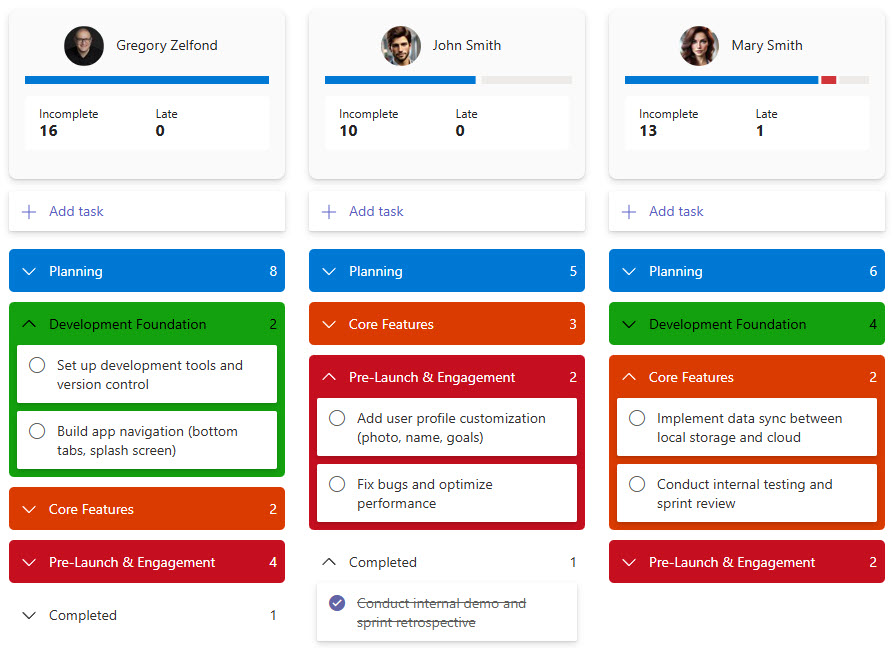
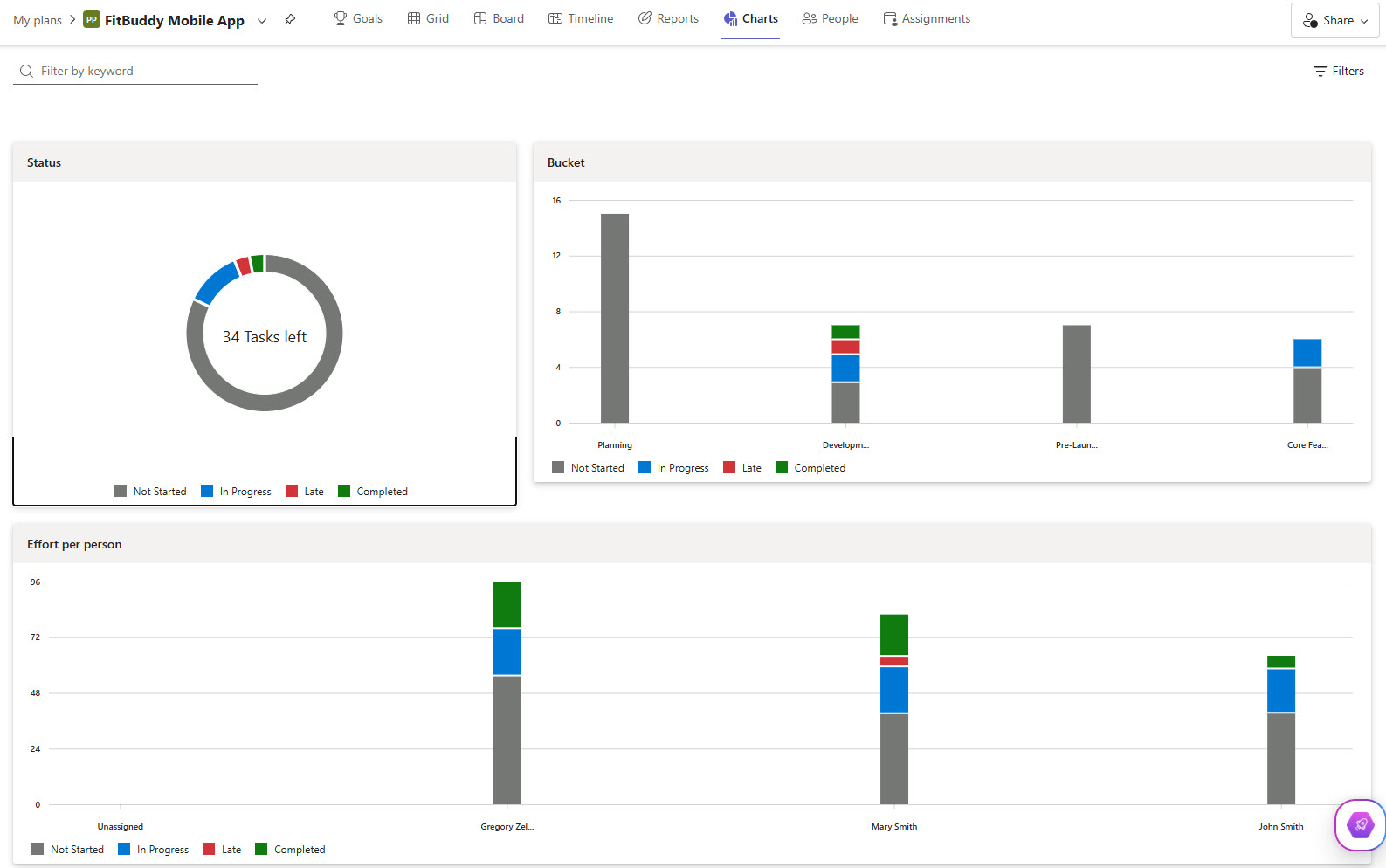
- Multiple progress views: sprint progress can be visualized in Board, Charts, and Grid views
- Teams and SharePoint integration: the plan connects directly with Teams and SharePoint for full transparency
Benefits
- Agile tracking made simple: Scrum projects stay on track without complex specialized tools
- Right-sized for Microsoft 365: a perfect fit for small-to-medium Scrum teams already working in Microsoft 365
- Everything in one place: the backlog, sprint goals, and team assignments are centralized in a single plan
- Better visibility: project managers and stakeholders see sprint progress at a glance
- Premium features when needed: Planner Premium unlocks advanced capabilities such as sprint views, task dependencies, and timeline tracking
Common Questions About This Scrum Sprints Planner
What is this Scrum Sprints planner built with?
The planner is built entirely with Microsoft Planner, using sprint buckets, labels, task assignments, and the Board, Grid, Charts, and People views. Advanced capabilities such as sprint views, task dependencies, and timeline tracking come from Planner Premium. There is no custom code and no third-party Agile software involved. It is the kind of clean, maintainable sprint board Greg Zelfond builds for Scrum teams working in Microsoft 365.
What’s included in the Scrum Sprints planner?
The design includes buckets for each sprint, such as Sprint 1, Sprint 2, and a Backlog, plus task cards with assignments, descriptions, checklists, and attachments. Labels mark project phases, complexity levels, and task priority. Progress can be tracked in Board views grouped by sprint or bucket, a Grid view, a People view for balancing workloads, and a Charts view for sprint reporting.
Does this design use any custom code or third-party tools?
No. Everything in this sprint board uses standard Microsoft Planner functionality available in Microsoft 365, with Planner Premium adding advanced features when needed. That matters because out-of-the-box solutions are stable, secure, and easy to maintain – nothing breaks when Microsoft rolls out updates, and there are no third-party licenses to manage. Out-of-the-box is the only way Greg builds.
Can this sprint board be customized for our team?
Absolutely. The sprint buckets, labels, task fields, and views can all be tailored to your Agile process – whether that means two-week sprints, monthly cycles, or a hybrid approach with a standing backlog. Greg adapts the planner to the way your team actually runs Scrum, so the board reflects your real ceremonies, phases, and priorities rather than a generic template.
Can we use this sprint board inside Microsoft Teams or on mobile?
Yes. Microsoft Planner works in the browser, as an app inside Microsoft Teams, and in the Planner mobile app. The plan can be added as a tab in your team’s channel, so daily stand-ups and sprint reviews happen right where the team already chats. Team members can also check assignments and update task progress from a phone or tablet between meetings.
Can Greg build this Scrum Sprints planner for our organization?
Yes – this is exactly the kind of work Greg Zelfond does. As an independent SharePoint and Microsoft 365 consultant and Microsoft MVP, he designs and builds out-of-the-box sprint boards like this one, tailored to your teams, sprints, and workflows. If you want an Agile planner your Scrum team will actually use, reach out through the contact page to get started.