Task List (Loop)

Overview
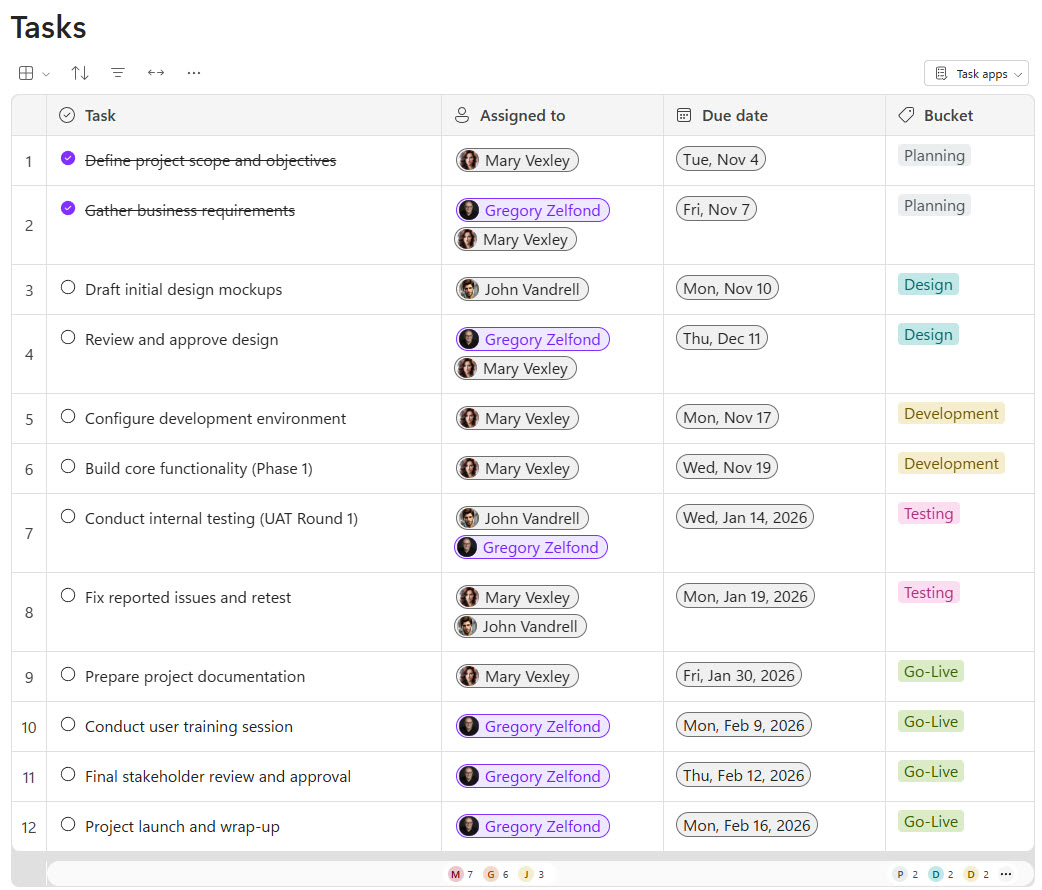
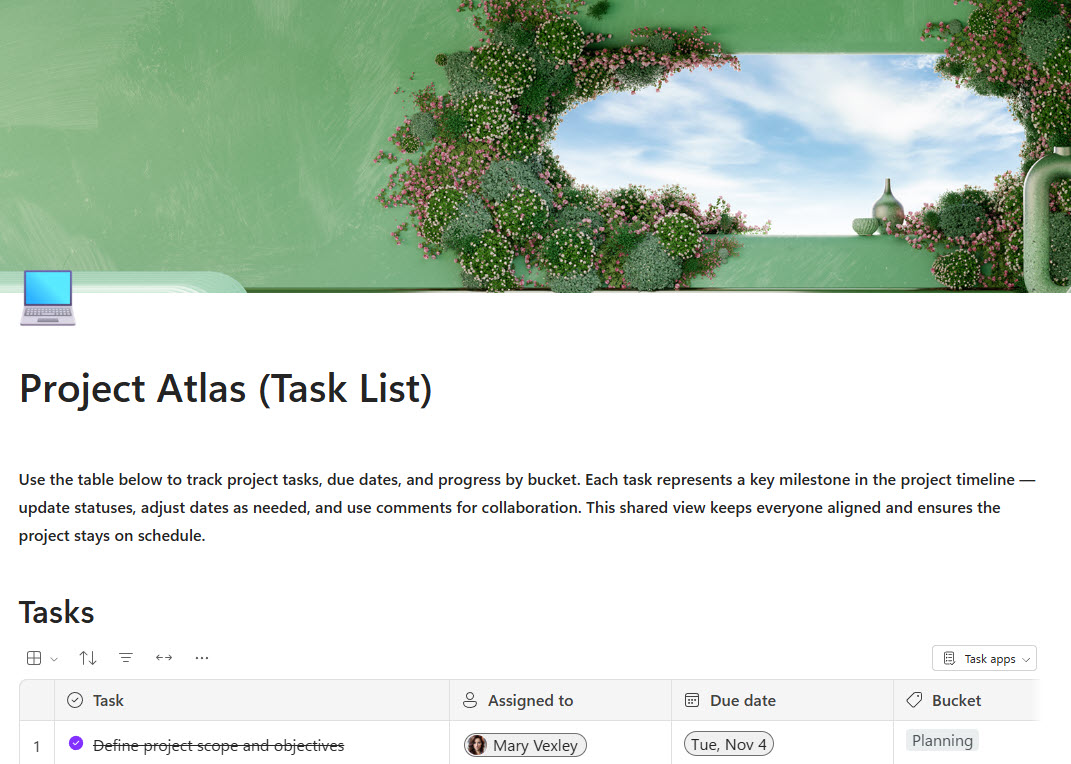
- Centralizes all project tasks, owners, due dates, and phases in one shared, real-time list
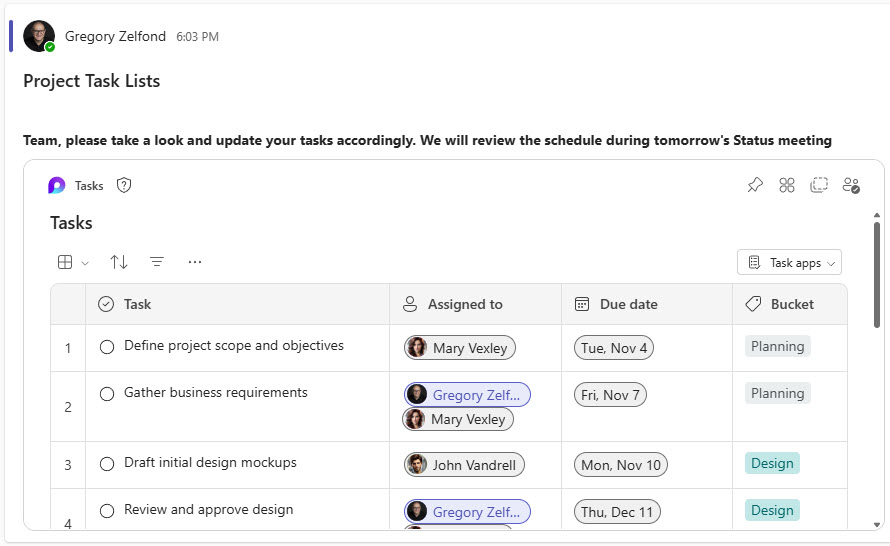
- Keeps everyone aligned with live updates that sync across Loop, Teams, Outlook, and other Microsoft 365 apps
- Allows teams to quickly assign tasks, update progress, and capture notes without switching tools
- Ideal for meetings, project kickoffs, and ongoing work where action items evolve frequently
- Eliminates scattered spreadsheets and email threads by providing a single source of truth
- Flexible enough to support simple checklists or more structured project task tables
Benefits
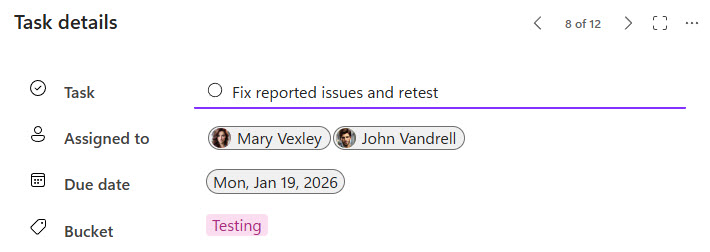
- Create and manage tasks with pre-built fields like Task Name, Assigned To, Due Date, and Bucket
- Real-time collaboration: updates appear instantly for everyone, no matter where the component is shared
- Seamlessly embed the Task List in Teams chats, Outlook emails, and Loop workspaces for broader visibility
- Sync Loop tasks with Planner for unified task management
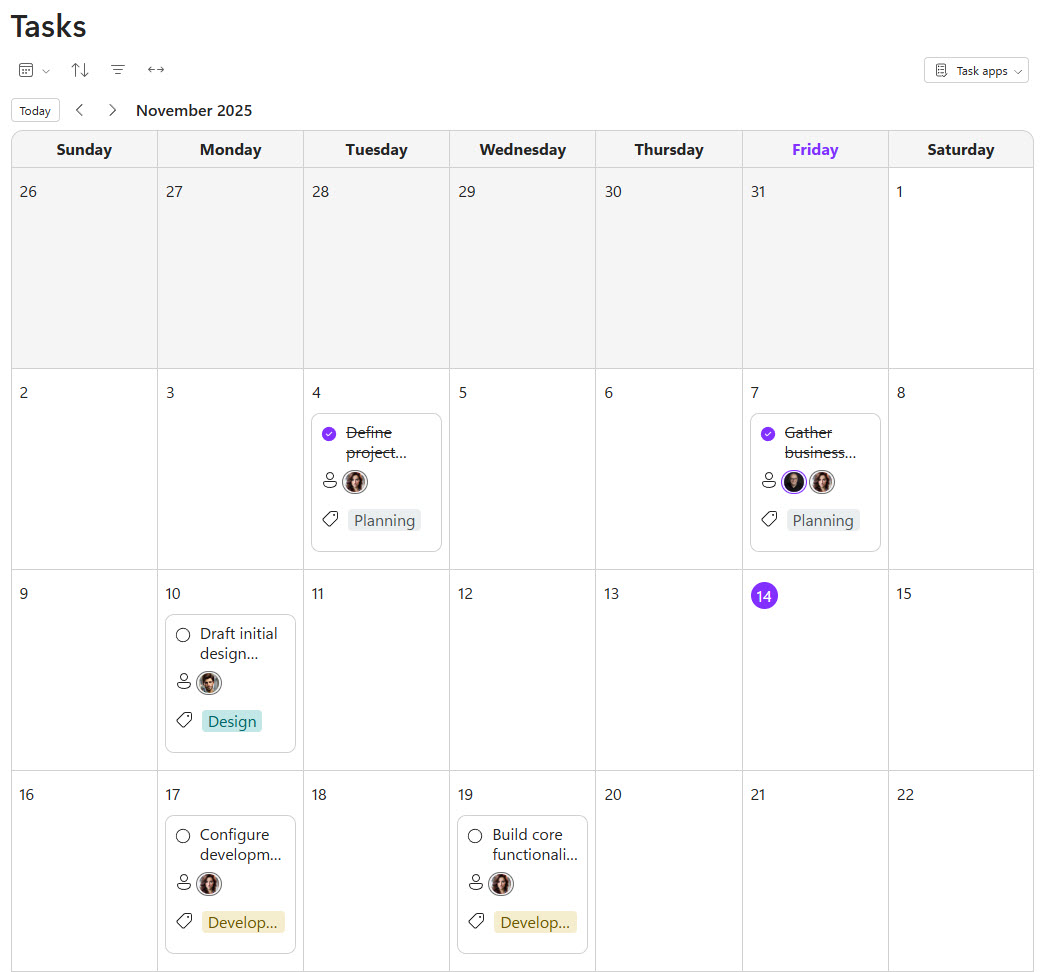
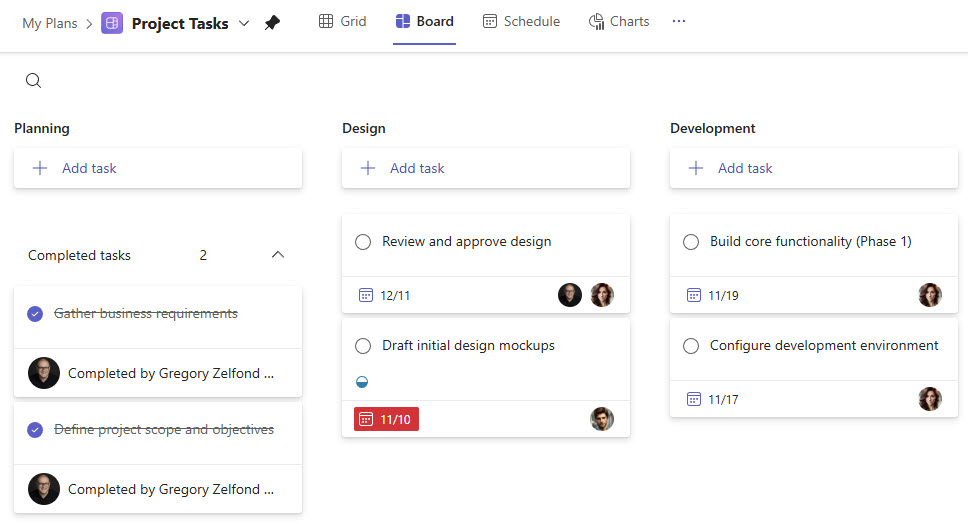
- Switch between three different views: Table, Kanban Board, and Calendar — to organize work the way your team prefers
Common Questions About This Task List (Loop)
What is this Task List built with?
It is built entirely with Microsoft Loop’s out-of-the-box task list component, using pre-built fields like Task Name, Assigned To, Due Date, and Bucket, plus three built-in views (Table, Kanban Board, and Calendar) and native Planner synchronization. There is no custom code and no third-party tools – just the clean, maintainable setup Greg Zelfond builds for project teams.
What’s included on this Task List?
The Task List centralizes project tasks, owners, due dates, and phases in one shared, real-time list. It offers Table, Board, and Calendar views, pre-built task fields, and task detail panels for capturing notes. It embeds in Teams chats, Outlook emails, and Loop workspaces, and syncs with Microsoft Planner – so everyone sees the same up-to-date information wherever they work.
Does this design use any custom code or third-party tools?
No. The Task List is built entirely with out-of-the-box Microsoft Loop and Planner, with no custom code and no third-party add-ins. That matters because out-of-the-box solutions stay stable, secure, and easy to maintain – nothing breaks when Microsoft ships an update. Out-of-the-box is the only way Greg builds.
Can this Task List be customized for our team?
Absolutely. Greg adapts the task fields, buckets, and phases to match how your team actually works, tailors the views (Table, Board, or Calendar) to your workflow, and sets up the Planner sync and Teams or Outlook embedding so the list shows up where your people already collaborate. The structure flexes to your projects, not the other way around.
Will this Task List work on mobile devices?
Yes. Microsoft Loop is fully responsive, so the Task List works in the Loop app and inside Teams and Outlook on phones and tablets. Team members can check assignments, update progress, and add notes on the go – handy for project teams who are often in meetings, on site, or away from their desks.
Can Greg build this Task List for our organization?
Yes – this is exactly the kind of work Greg Zelfond does. As an independent SharePoint and Microsoft 365 consultant and Microsoft MVP, he designs and builds out-of-the-box task and project-tracking solutions like this one, using Loop, Planner, and SharePoint the way they were meant to work. Reach out through the contact page to get started.