Markdown Web Part

Benefits
- Write at typing speed: formatting lives in the text itself, with no toolbar hunting
- Consistent output: the same syntax renders the same structure every time, which keeps documentation uniform
- Portable content: Markdown written for GitHub, wikis, or readme files drops onto a SharePoint page without reformatting
- Code-friendly: inline code and code blocks render cleanly inside the prose
- No custom code required: it is a standard out-of-the-box web part, just a different way to write
Settings
- Type Markdown, get a page: write syntax in the editing window and the page renders the formatted result
- Toolbar shortcuts: bold, italic, strikethrough, and link buttons cover the basics; everything else is typed syntax
- Preview on demand: show or hide a live preview while you write
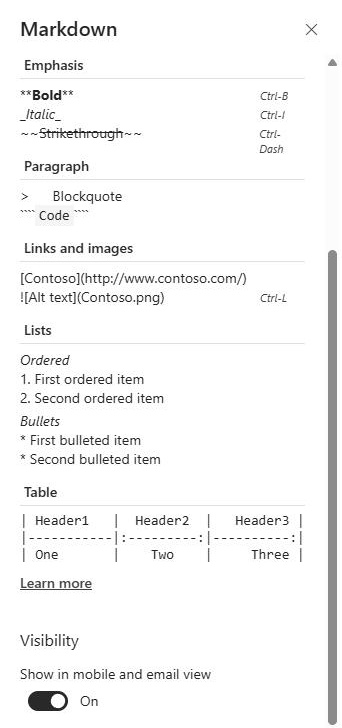
- Built-in syntax reference: a Markdown cheat sheet ships inside the web part for anything you forget
- Light or dark editing window: choose the theme that is comfortable to write in
Limits and Nuances
- A flavor, not the universe: rendering follows the widely used Marked.js implementation, so common Markdown works; exotic extensions from other tools may not
- Authors need to know Markdown: editors who do not write the syntax will be happier in the Text web part
- The theme styles the editor: the light or dark choice applies to the authoring window; the published content follows the page design
- Mix freely: Markdown and Text web parts coexist on the same page, so each section can use whichever fits its author
- Use the Image web part for visuals: SharePoint’s image handling, sizing, and focal points live there, not in markdown image syntax
Markdown Web Part vs. the Alternatives
- Markdown vs. Text web part: Text is WYSIWYG and friendly to everyone; Markdown is faster for those fluent in the syntax and keeps formatting in plain, portable text.
- Markdown vs. Code Snippet web part: Code Snippet is the dedicated display for code itself, with syntax highlighting and line numbers; Markdown is for prose that happens to include some code.
- Markdown vs. pasting from Word: pasted Word content carries unpredictable formatting onto the page; Markdown renders clean, predictable structure every time.
- Markdown vs. Microsoft Loop: Loop is for live co-authoring while content takes shape; the Markdown web part is for publishing finished content on a page.
Common Questions About the Markdown Web Part
What is the Markdown web part used for?
Writing page content in Markdown – the lightweight formatting syntax familiar from GitHub, wikis, and developer tools – and rendering it on a SharePoint page. Technical teams use it for documentation, runbooks, and knowledge articles because the formatting lives in the text itself: type the syntax, check the preview, publish. For teams that already write Markdown daily, it is simply the fastest way to author a page.
What Markdown syntax does the web part support?
The web part renders Markdown using Marked.js, one of the most widely used Markdown engines, so the common syntax works as expected: headings, bold, italic, strikethrough, lists, links, and code. A toolbar covers the basics with one click, a built-in syntax reference handles anything you forget, and a live preview shows the rendered result while you write.
Should I use the Markdown web part or the Text web part?
It depends on who is writing. The Text web part is WYSIWYG – anyone can format with its toolbar, no syntax required – which makes it the right default for most page authors. The Markdown web part wins when the author already thinks in Markdown or the content originates in tools like GitHub: pasting it in preserves the structure exactly. The two coexist happily on one page.
Can the Markdown web part display code?
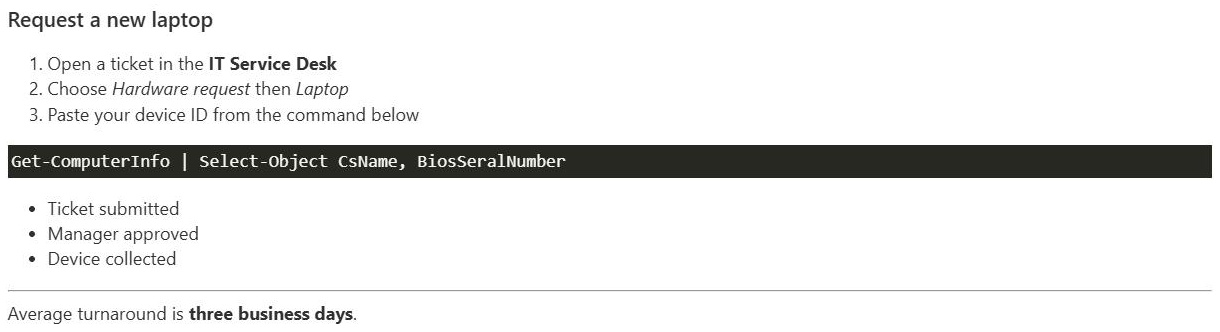
Yes – inline code and fenced code blocks are part of the supported syntax, and they render cleanly inside the prose. That makes Markdown a good fit for documentation where short commands appear mid-explanation. When the code itself is the star, a full script or configuration sample, the dedicated Code Snippet web part adds syntax highlighting, line numbers, and a code theme.
Do page visitors see the Markdown syntax or the formatted result?
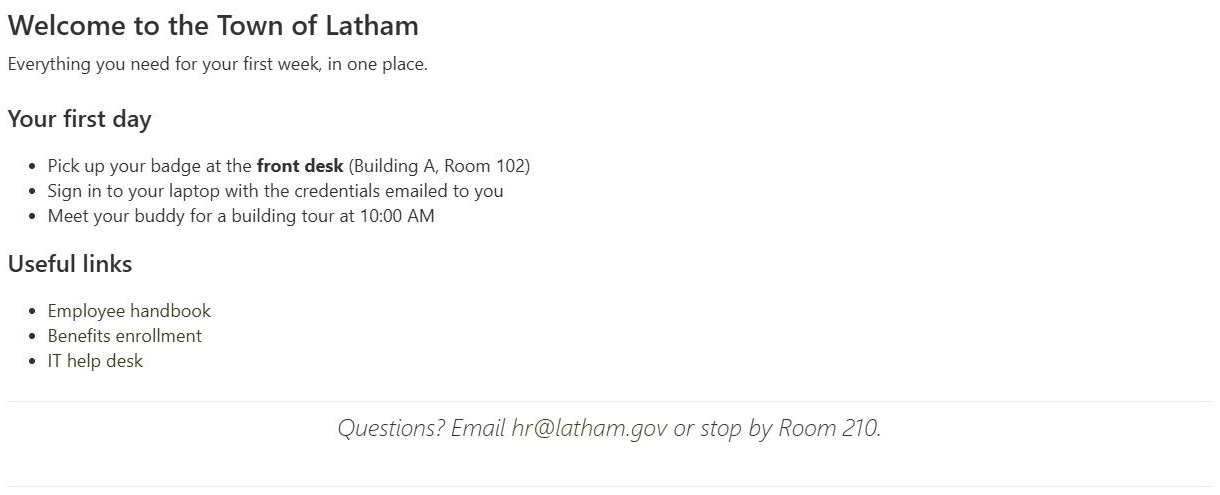
The formatted result. The Markdown syntax exists only in the editing experience – visitors see rendered headings, lists, links, and code, indistinguishable from content written any other way. While editing, authors can toggle a preview to check the rendering before publishing, and choose a light or dark theme for the editing window itself.
Can Greg build this for our organization?
Yes – this is exactly the kind of work Greg Zelfond does. As an independent SharePoint and Microsoft 365 consultant and Microsoft MVP, he builds documentation hubs, wikis, and knowledge bases where the authoring experience fits the team – Markdown for the technical writers, WYSIWYG for everyone else. Reach out through the contact page to get started.