Allow Past Dates Only
This column validation uses a SharePoint formula to require the date to be earlier than today. Applied as column validation, it checks the value the moment someone saves the item and blocks entries that do not pass.


How It Works
- What it does: Only lets the item save if the Birthdate is in the past.
- If it passes: The date is before today, so the item saves.
- If it fails: The save is blocked and your message appears, for example: The birthdate must be in the past.
Common Use Cases
- Birthdates or hire dates cannot be in the future
- Recording completed events
- Historical logs
- Preventing typos in past-only fields
Details
- Formula Type: Column Validation
- Formula Category: Dates & Time
Required Columns
| Display name | Column type |
|---|---|
| Birthdate | Date and Time |
Prerequisites
- Create the column the formula reads: Birthdate
- Add or edit a few items so there is data for the formula to work with
How to Apply the Formula
- Open the column you want to validate (Edit column, then More options)
- Expand Column validation
- Paste the formula below into the Formula box
- Add a user message that explains the rule, so people know why an entry was blocked
- Save. From now on, new or edited entries must pass the rule
Formula
=[Birthdate]Common Questions About Allow Past Dates Only Formula
What does this formula do?
e.g. birthdate can't be future. It runs as column validation, so it checks the value when the item is saved and blocks entries that do not pass.
Which columns do I need to set this up?
You need: Birthdate (Date). The formula reads these to produce its result.
Will it check items that are already in the list?
No. Validation applies only to new or edited entries. Existing items are not re-checked when you add the rule.
If LookBook 365 is code-free and out-of-the-box, why does this example use a formula?
A SharePoint formula is native, declarative configuration, not custom development. It only works with the item's own fields and simple logic - it cannot run scripts, reach external services, or change other data, and nothing is deployed to your tenant. It keeps working through Microsoft updates. If you would rather not set this up yourself, this is exactly the kind of thing I configure for clients.
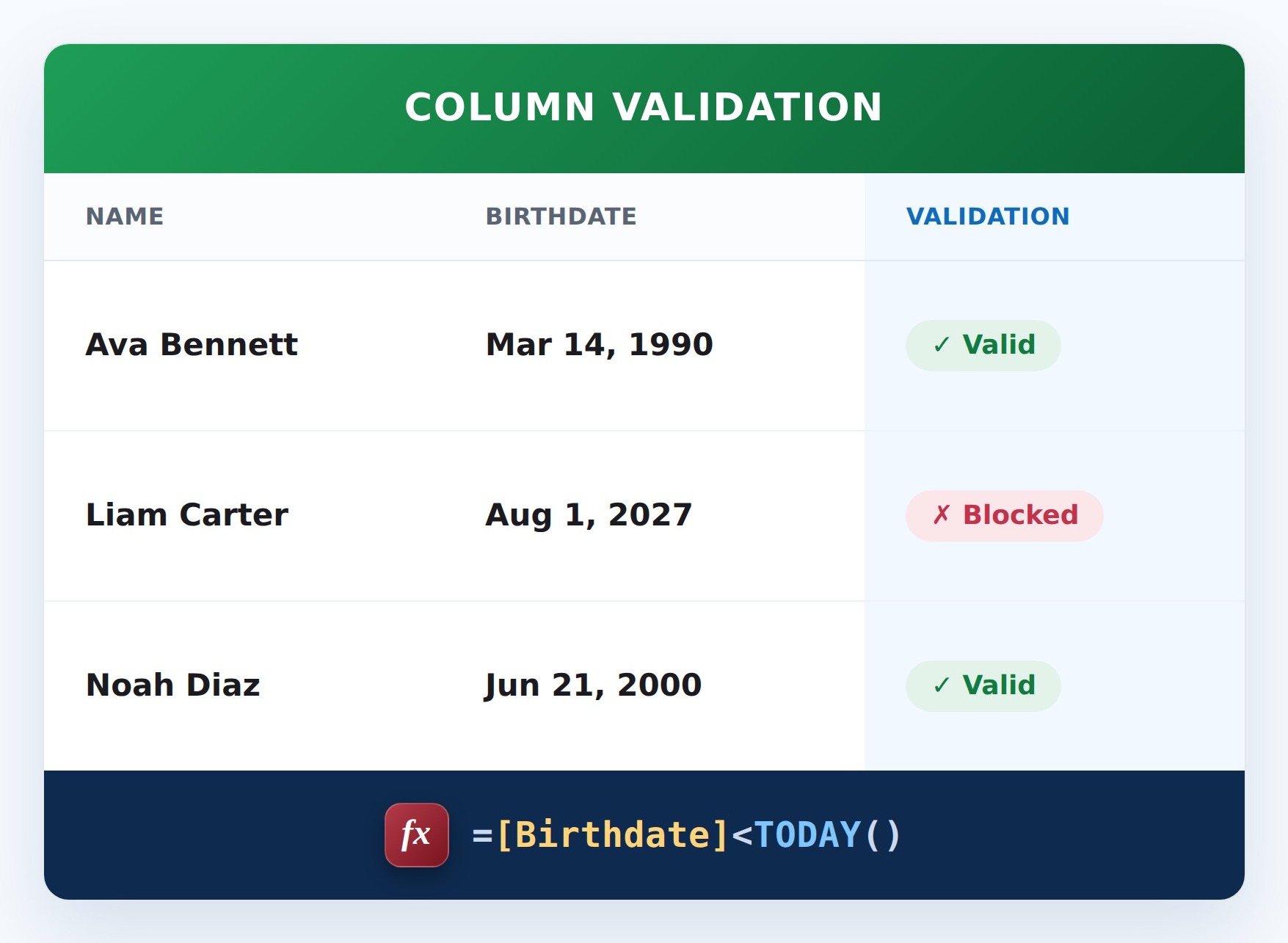
Allow Past Dates Only Formula Example