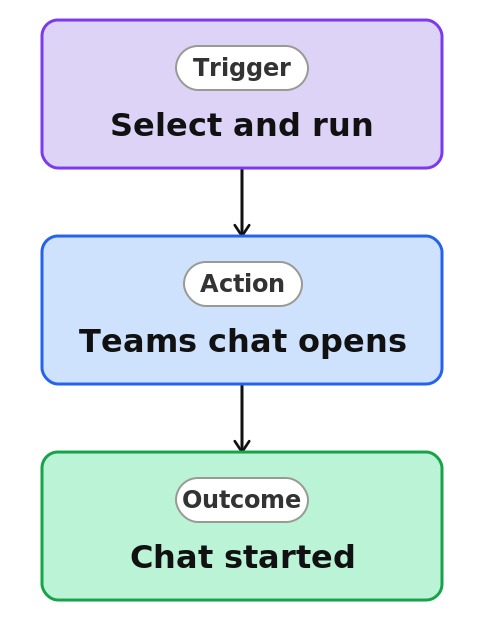
Chat About a Record in Teams



Overview
- Opens a Teams chat about a selected item in one click
- Attaches a link to the item automatically
- Configured once from the Automate menu, then reused by the team
- Bridges a document and a conversation instantly
- Works on a single file or item
- A native SharePoint feature, with no code and no Power Automate
Common Use Cases
- Asking a colleague a quick question about a file
- Looping a teammate into a document over Teams
- Kicking off a discussion about a specific item
- Sharing a file into a chat without copying the link
- Getting fast input on a draft
- Connecting a document to the people working on it
Common Questions About Chat About a Record in Teams
If LookBook 365 is code-free and out-of-the-box, why does it include this workflow example?
A Quick Step is a native SharePoint action you set up once from the Automate menu, then run in a single click – no code and nothing to build. It performs the action for you inside your Microsoft 365 tenant, turning a few repetitive clicks into one.
Does it post automatically?
No. It opens a Teams chat with the link ready, so you choose who to include and what to say before sending.
Where is it set up?
From the list or library under the three dots, then Automate, then Quick steps, then Create a quick step, and choose Start a Teams chat.
Who can use it?
Anyone with access to the item. Even read-only visitors can run a Start a Teams chat Quick Step, since it only shares a link.
Does it need anything extra?
No add-ons. It uses Microsoft Teams, which is part of Microsoft 365, so there is nothing to install.
Can you set this up and train my team?
Absolutely. I design the list or library, set up the automation, and show your team how to manage it. When your process grows beyond this, I can extend it into a full Power Automate flow that fits how you actually work.