Personal Task Management

Overview
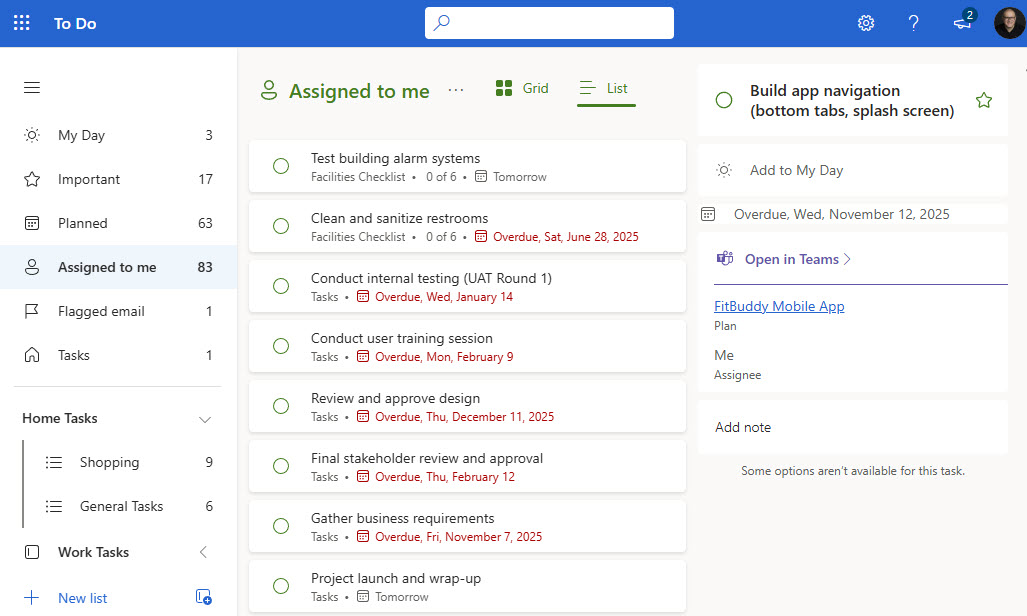
- Built in Microsoft To Do: the solution is managed entirely in To Do as part of Microsoft 365
- One central location: personal and work-related tasks live side by side
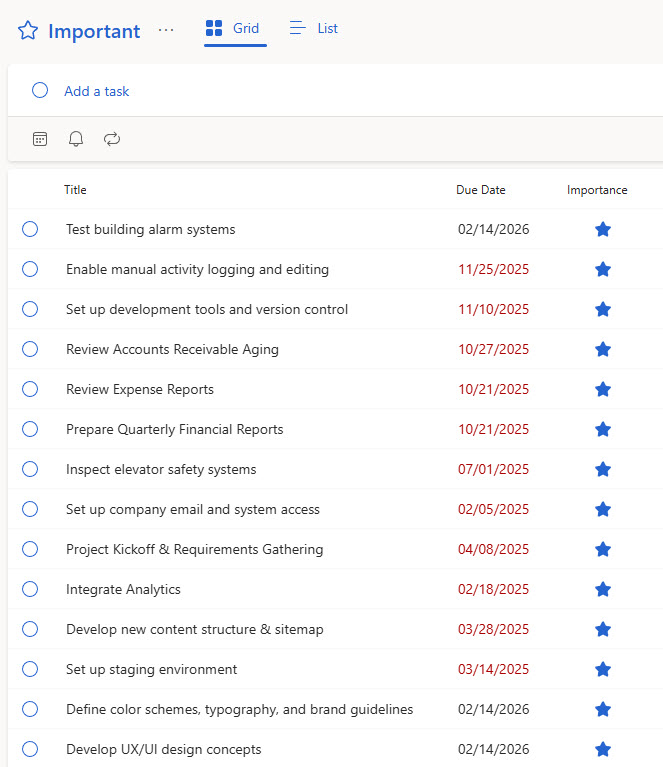
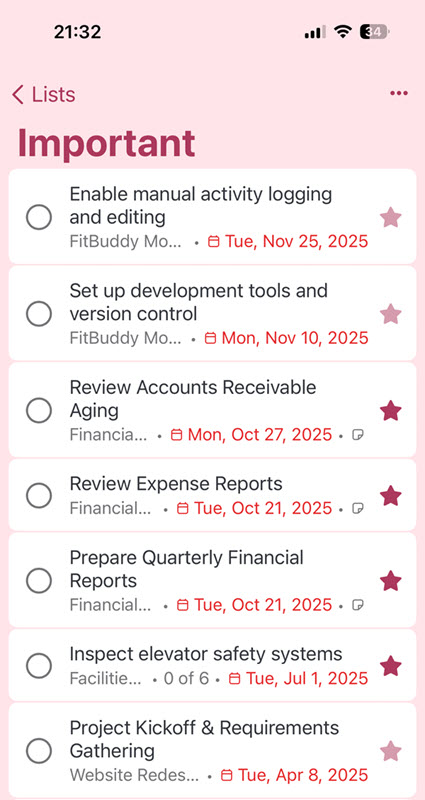
- Important view: flagged priority items are always one click away
- Assigned to Me view: tasks assigned in Planner flow in directly
- Flagged emails become tasks: emails flagged in Outlook automatically appear as tasks
- Aggregated task sources: tasks from Planner and Loop come together in one unified view
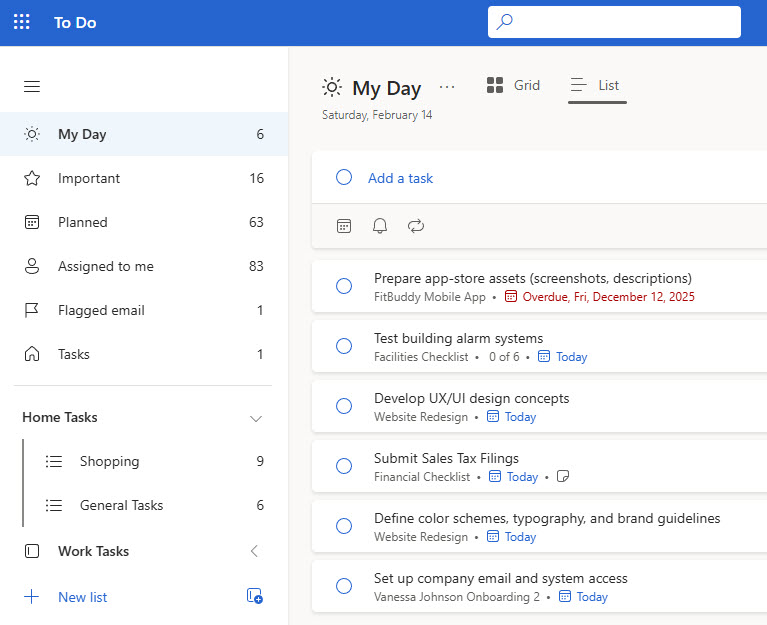
- My Day view: a structured daily focus list supports productivity
Benefits
- A single task hub: everything due across Microsoft 365 is consolidated in one place
- Clear priorities: upcoming deadlines and flagged items stay visible
- Personal meets collaborative: individual planning connects with team workstreams
- Better accountability: structured daily planning improves time management and follow-through
- Works everywhere: available on the desktop and in the mobile app
Common Questions About This Personal Task Management Setup
What is this Personal Task Management setup built with?
The setup is built entirely with Microsoft To Do, part of Microsoft 365, using its standard views – My Day, Important, Planned, and Assigned to Me – along with personal task lists and the automatic connection to flagged Outlook emails. There is no custom code and no third-party productivity apps involved. It is the kind of clean, maintainable task management setup Greg Zelfond builds for people working in Microsoft 365.
What’s included in the Personal Task Management setup?
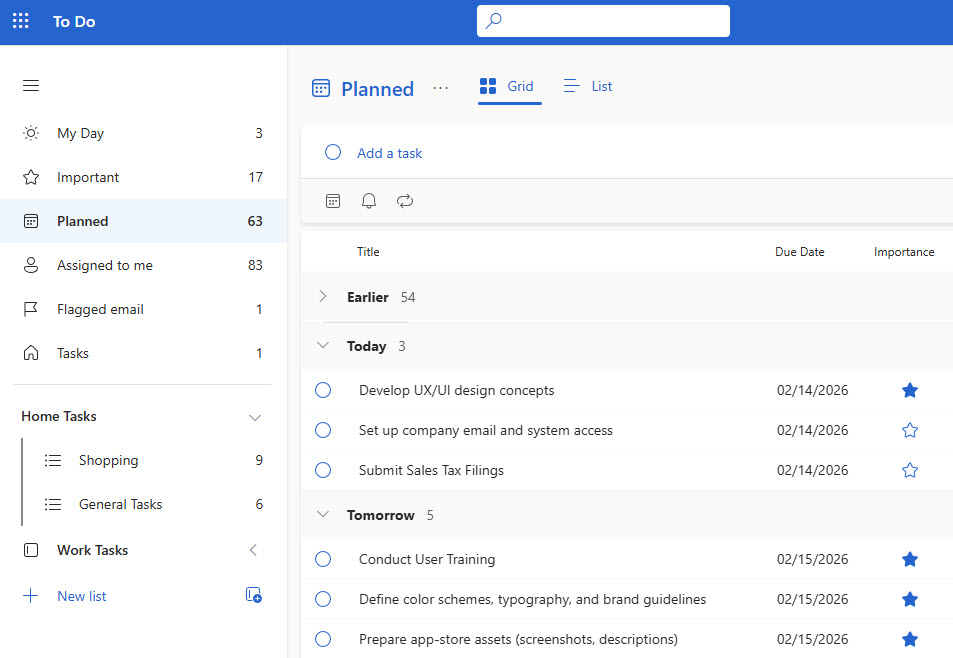
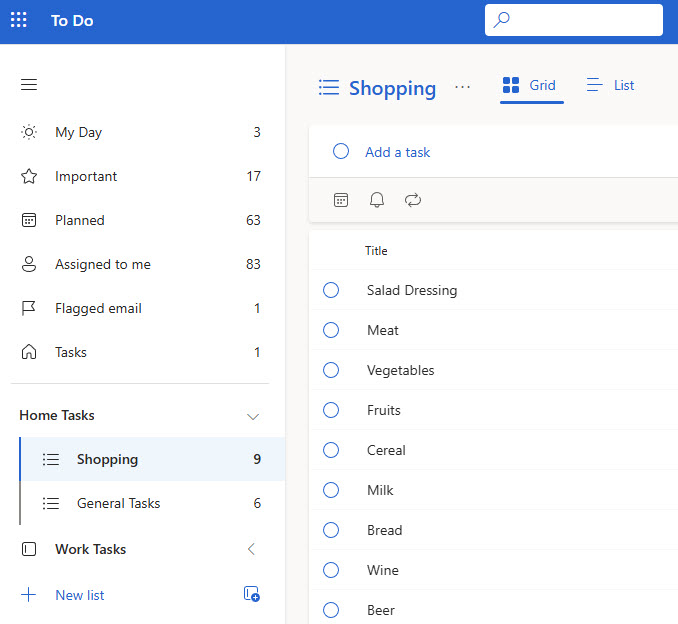
The design includes a My Day view for structured daily focus, an Important view for flagged priority items, a Planned view for upcoming deadlines, and an Assigned to Me view that pulls tasks directly from Planner. Personal lists keep home and work tasks organized, flagged Outlook emails automatically appear as tasks, and the same experience is available in the To Do mobile app.
Does this design use any custom code or third-party tools?
No. Everything in this setup uses standard Microsoft To Do functionality included with Microsoft 365. That matters because out-of-the-box solutions are stable, secure, and easy to maintain – nothing breaks when Microsoft rolls out updates, and there are no third-party licenses to manage. Out-of-the-box is the only way Greg builds.
Can this setup be customized for the way I work?
Absolutely. The task lists, the way priorities are flagged, and the daily routine around My Day can all be tailored to your role and workload. Greg adapts the setup to the way you and your team actually work – which lists exist, how Planner and Loop tasks flow in, and how flagged emails are handled – so the system supports real habits instead of fighting them.
Will my tasks sync across devices and Outlook?
Yes. Microsoft To Do syncs automatically across the desktop app, the browser, and the mobile app, so a task added on a phone appears everywhere within moments. To Do and Outlook also share the same task store – flagged emails show up as To Do tasks, and tasks created in To Do are visible in Outlook – keeping one consistent list across every device.
Can Greg set up task management like this for our organization?
Yes – this is exactly the kind of work Greg Zelfond does. As an independent SharePoint and Microsoft 365 consultant and Microsoft MVP, he designs out-of-the-box task management setups like this one and rolls them out across teams and organizations – connecting To Do, Planner, Loop, and Outlook so every employee has one reliable task list. To get started, reach out through the contact page.