User Tasks

Overview
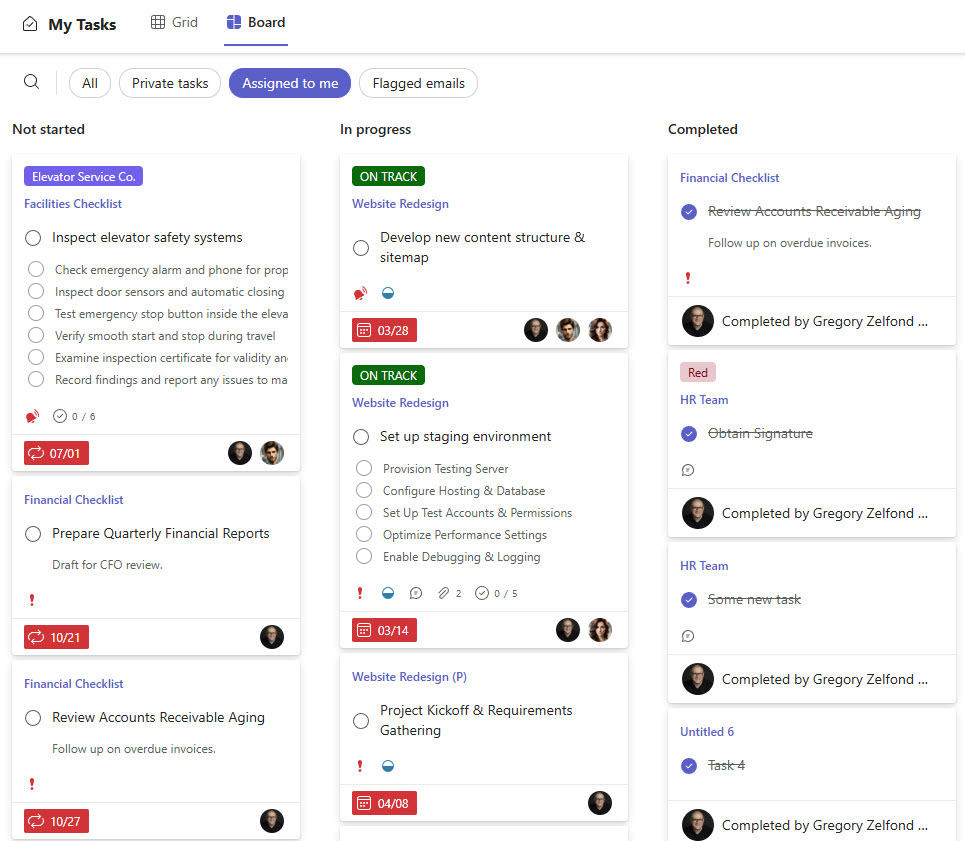
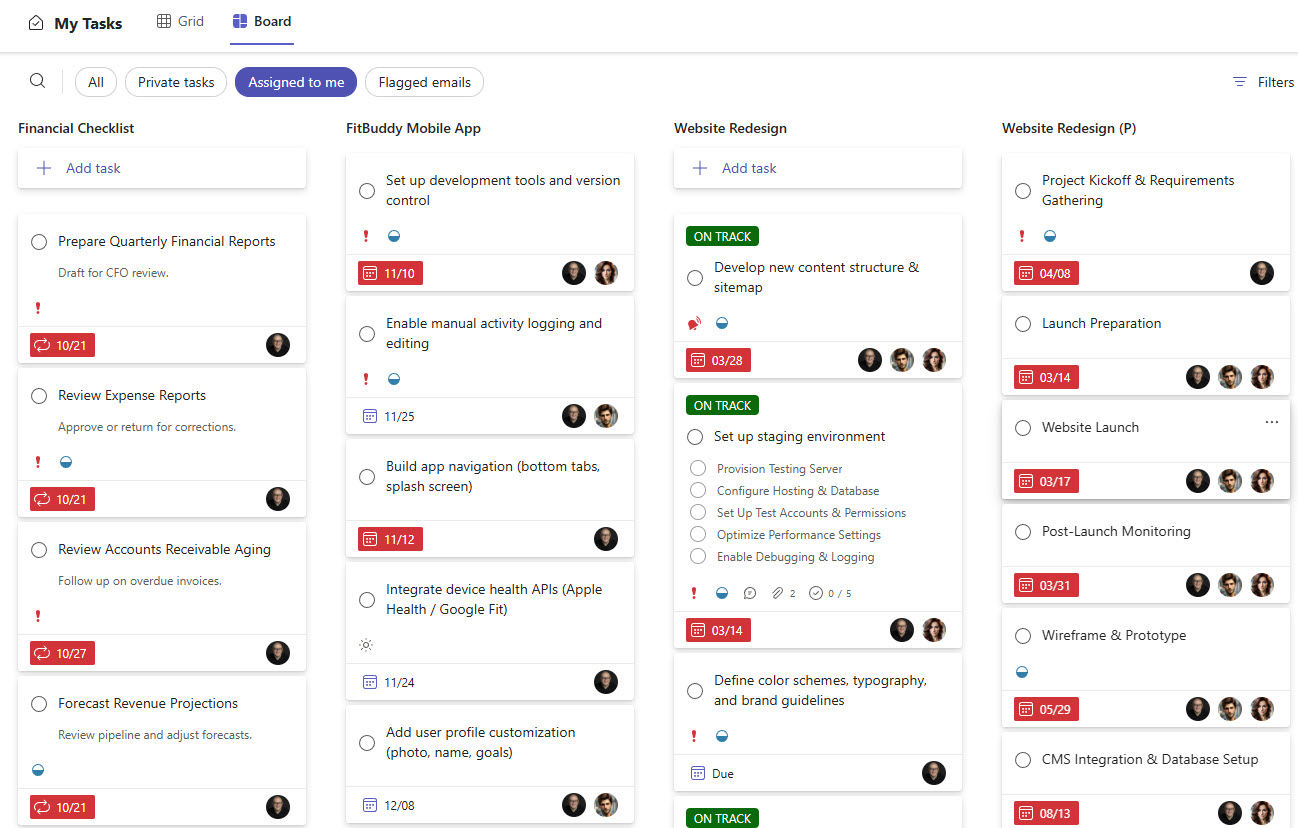
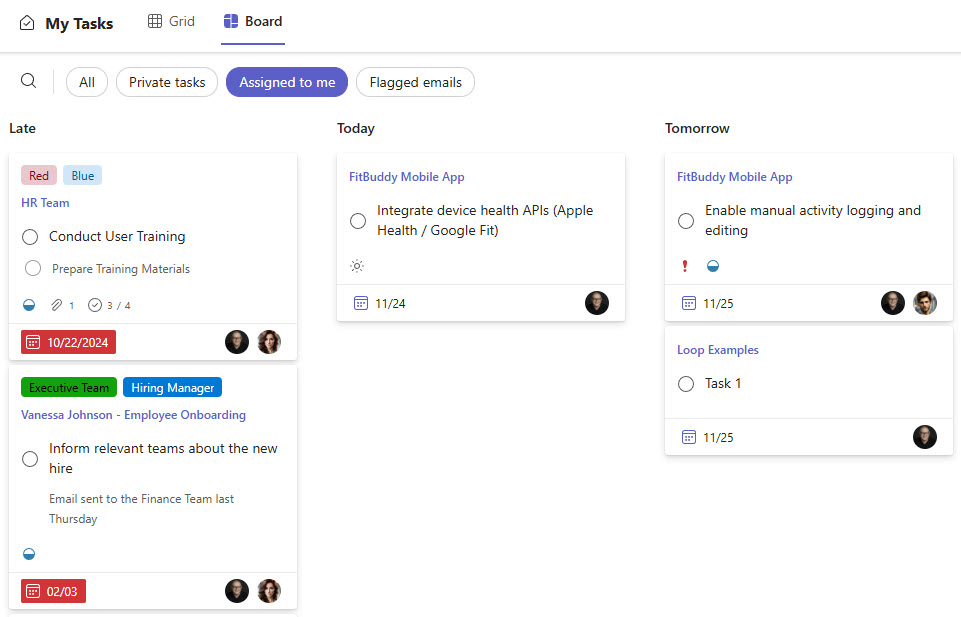
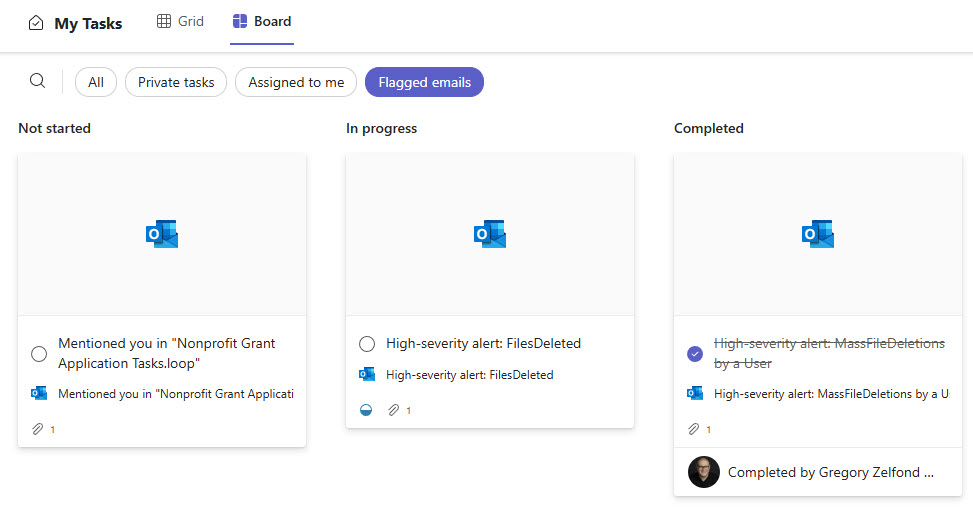
- Tasks from every source: all tasks assigned to the user appear inside the Teams app, pulled from basic Planner plans, Planner Premium plans, Loop tasks, Microsoft To Do, and flagged emails from Outlook
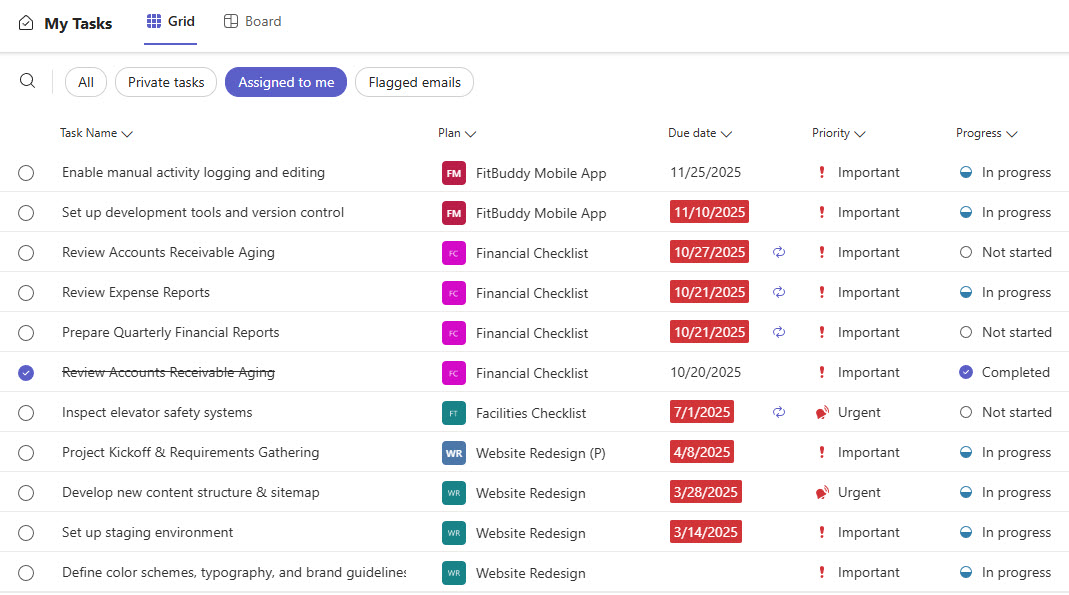
- Board and grid views: users switch between board and grid layouts without leaving Teams
- Focused filtering: tasks can be filtered by plan, due date, priority, and progress so users stay focused on what needs attention
- Quick edits in place: status, due dates, assignees, and buckets can be updated directly from the Tasks by Planner app pane
- Fully out-of-the-box: the entire experience is standard Microsoft 365, with no custom code or third-party add-ons required
Benefits
- Less context switching: users get one unified place to manage all their tasks, regardless of where they originated
- A single source of truth: everything due across Planner Basic, Planner Premium, Loop, To Do, and flagged emails is visible and organized in one view
- Clearer priorities: staff stay on track across multiple plans and apps
- Faster follow-ups: tasks can be adjusted while chatting or meeting in Teams
- Stronger adoption: Planner, Premium features, Loop tasks, and To Do are presented as one seamless experience
Common Questions About This User Tasks Hub
What is this User Tasks hub built with?
The hub is built entirely with the Planner app in Microsoft Teams, which consolidates tasks from basic Planner plans, Planner Premium plans, Loop, Microsoft To Do, and flagged Outlook emails. There is no custom code and no third-party task management software involved. It is the kind of clean, maintainable task hub Greg Zelfond builds for teams working in Microsoft 365.
What’s included in the User Tasks hub?
The design includes a consolidated view of every task assigned to the user, grouped by progress, by plan, or by date, plus a Grid view for fast scanning and editing. Flagged emails from Outlook appear as tasks alongside Planner, Loop, and To Do items. Filtering by plan, due date, priority, and progress keeps the list focused, and tasks can be edited directly from the app pane.
Does this design use any custom code or third-party tools?
No. Everything in this task hub uses the standard Planner app inside Microsoft Teams, available as part of Microsoft 365. That matters because out-of-the-box solutions are stable, secure, and easy to maintain – nothing breaks when Microsoft rolls out updates, and there are no third-party licenses to manage. Out-of-the-box is the only way Greg builds.
Can this task hub be customized for our organization?
Absolutely. The hub reflects the plans your organization actually runs, so the real tailoring happens in the underlying Planner plans, buckets, labels, and Loop workspaces that feed it. Greg adapts the whole task ecosystem to the way your teams work – which plans exist, how tasks are structured, and how the hub is rolled out in Teams – so every person sees a task list that makes sense.
Will these tasks be available on mobile devices?
Yes. The Planner app works inside Microsoft Teams on the desktop, in the browser, and on the Teams mobile app, and the dedicated Planner mobile app shows the same assigned tasks. That means people can review priorities, mark items complete, and adjust due dates from a phone or tablet – useful for staff who spend much of the day away from a desk.
Can Greg build this User Tasks hub for our organization?
Yes – this is exactly the kind of work Greg Zelfond does. As an independent SharePoint and Microsoft 365 consultant and Microsoft MVP, he designs and builds out-of-the-box task management experiences like this one, connecting Planner, Loop, To Do, and Outlook into one hub inside Teams. If you want your staff to have one reliable list of everything due, reach out through the contact page to get started.