Vendor Onboarding (Intake Form)

Overview
- Built in Microsoft Forms: a fast, no-code setup for vendor registration
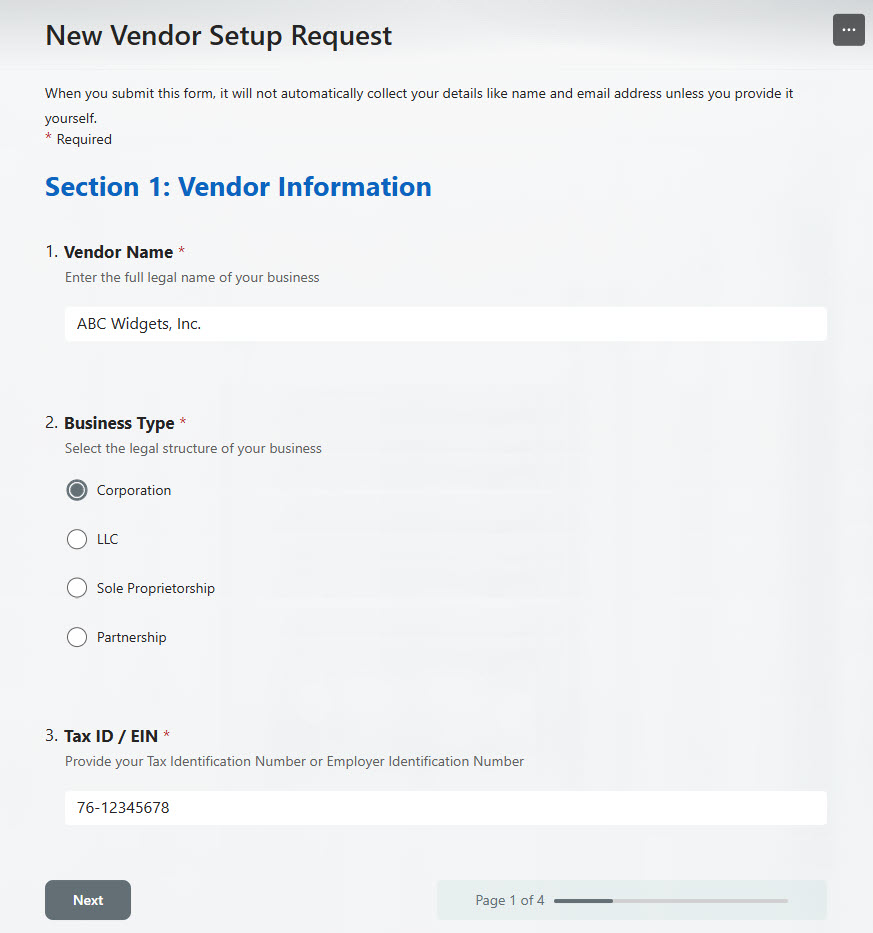
- Key details captured: vendor name, contact details, tax classification, and service type
- Complete responses every time: required fields and conditional logic ensure nothing is missed
- Branching logic: questions are tailored based on vendor type or service
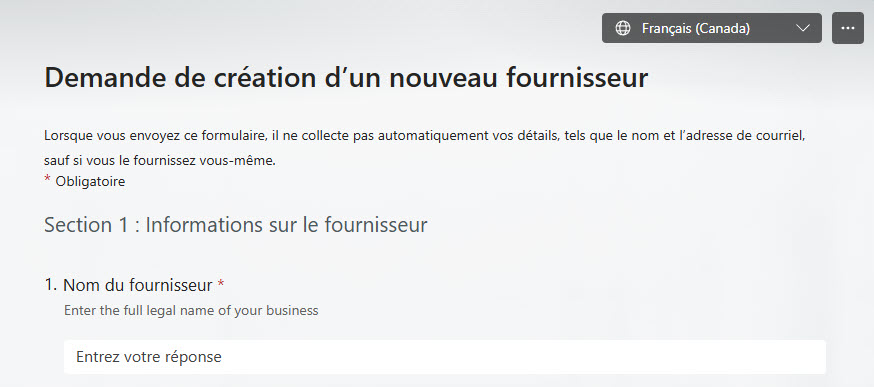
- Multilingual support: vendors can complete the form in their preferred language
- Excel export: vendor information can be exported to Excel for tracking
Benefits
- Streamlined Vendor Intake: Centralizes the onboarding process in a simple online form
- Consistency: Standardizes data collection across all new vendors
- Improved Accuracy: Required fields and validation reduce missing or incorrect entries
- Centralized Records: Integrates with Excel for easy management and reporting
- Easy Maintenance: Form fields can be updated as business requirements change
- User-Friendly Experience: Much easier for vendors to complete than complex Word or Excel forms
Common Questions About This Vendor Onboarding Form
What is this Vendor Onboarding Form built with?
The form is built entirely with Microsoft Forms, using standard capabilities – required fields, conditional and branching logic, multilingual support, and export to Excel. There is no custom code and no third-party form software involved. It is the kind of clean, maintainable form Greg Zelfond builds for finance teams inside Microsoft 365.
What’s included in the Vendor Onboarding Form?
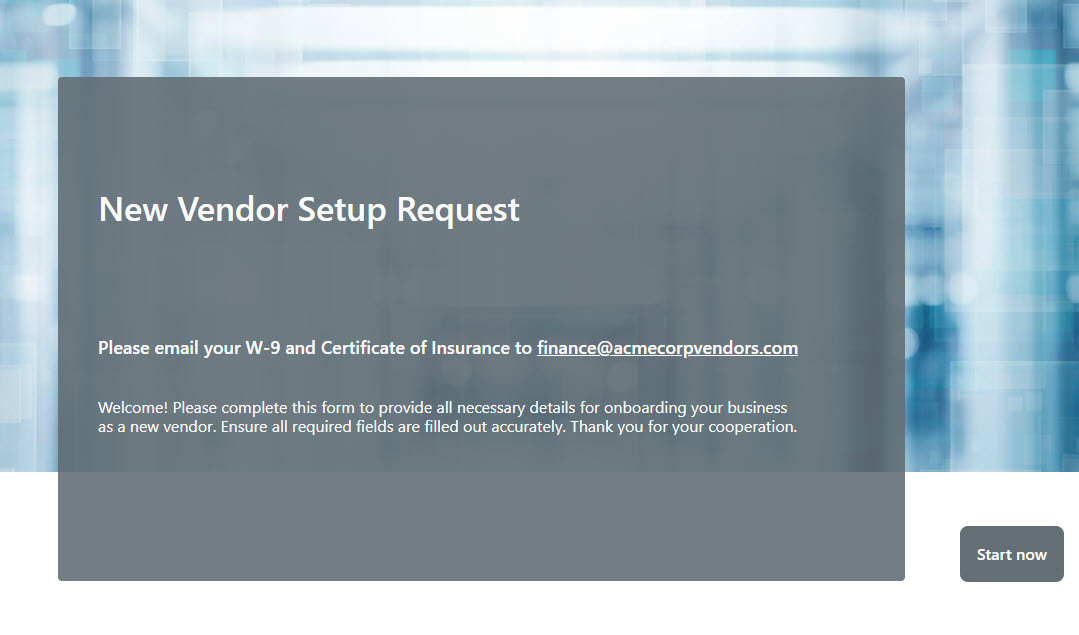
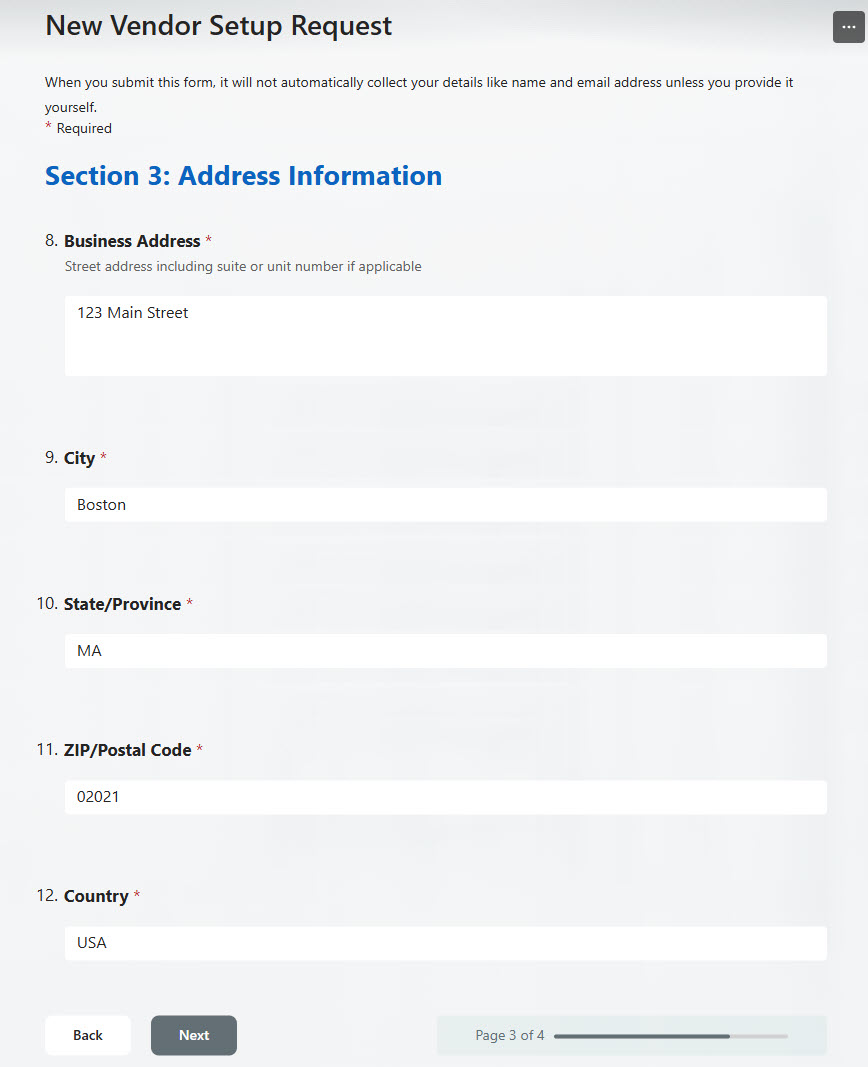
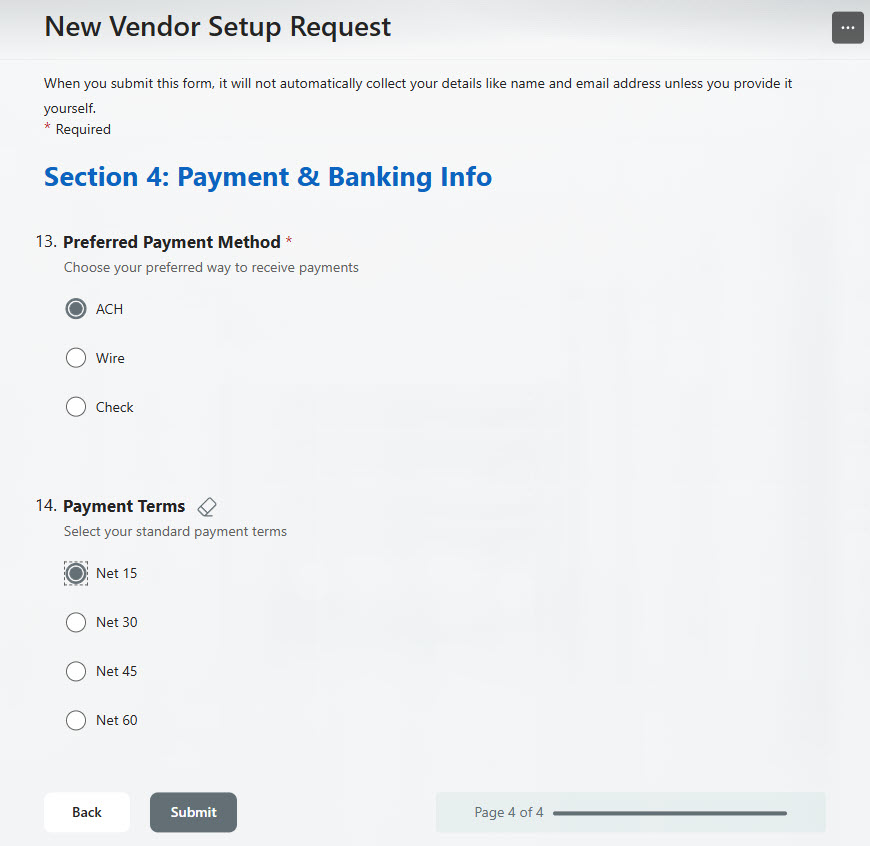
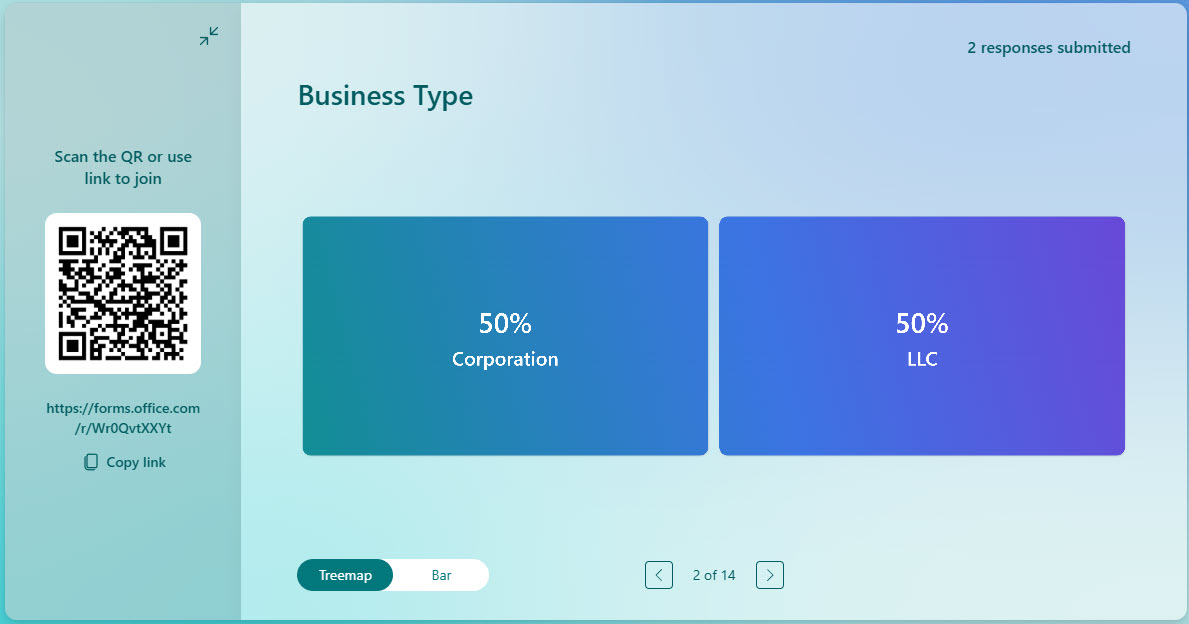
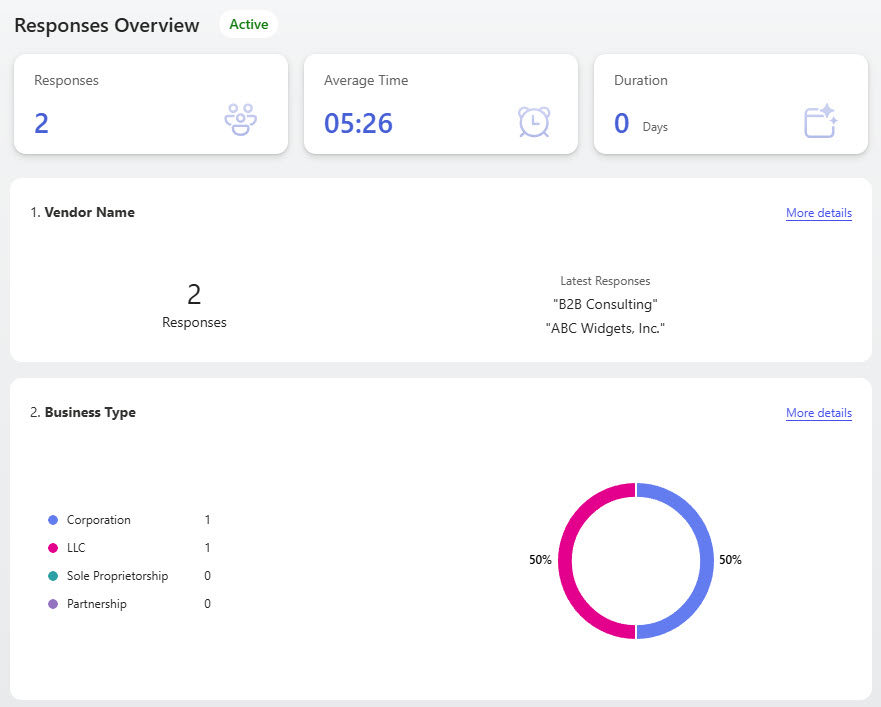
The design includes a branded cover page and four sections that walk vendors through the essentials – vendor information, contact details, address information, and payment and banking information. Branching logic tailors questions based on vendor type or service, multilingual support lets vendors respond in their preferred language, and built-in reporting plus Excel export give your team the records for tracking and analysis.
Does this design use any custom code or third-party tools?
No. Everything in this form uses standard Microsoft Forms functionality available in Microsoft 365. That matters because out-of-the-box solutions are stable, secure, and easy to maintain – nothing breaks when Microsoft rolls out updates, and there are no third-party licenses to manage. Out-of-the-box is the only way Greg builds.
Can this form be customized for our organization?
Absolutely. The sections, required fields, branching paths, and languages can all be tailored to your vendor intake requirements – tax classifications, service types, and the details your finance team needs before setting up a new vendor. Greg adapts the form to your onboarding process, and the fields can be updated as your business requirements change.
What happens after a vendor submits the form?
Every submission is stored with the form, where your team can review responses through the built-in report and response analysis views. Vendor information can be exported to Excel for tracking, management, and reporting – so every new vendor record follows the same standardized format, with required fields and validation reducing missing or incorrect entries.
Can Greg build this form for our organization?
Yes – this is exactly the kind of work Greg Zelfond does. As an independent SharePoint and Microsoft 365 consultant and Microsoft MVP, he designs and builds out-of-the-box forms like this one, tailored to your vendor intake process and the details your finance team needs. If you want vendor onboarding that vendors can actually complete, reach out through the contact page to get started.