Employee Skills (Directory)


Overview
- Maintain an up-to-date directory of employee skills across all departments
- Capture primary skills, secondary skills, languages, and certifications
- Improve resource allocation by quickly identifying internal expertise
- Support training and development planning with skill gap visibility
- Use views, filters, and grouping for fast talent discovery
- 100% out-of-the-box: no custom code or third-party tools
Benefits
- Centralizes all employee skills, languages, and certifications in one searchable list
- Helps managers quickly find the right person for projects, tasks, or emergencies
- Reduces reliance on Excel files, outdated documents, or tribal knowledge
- Supports training, upskilling, and professional development planning
- Improves workforce visibility for HR, IT, PMO, and department leads
- Enables better resource allocation across teams and departments
Common Questions About This Employee Skills Directory
What is this Employee Skills Directory built with?
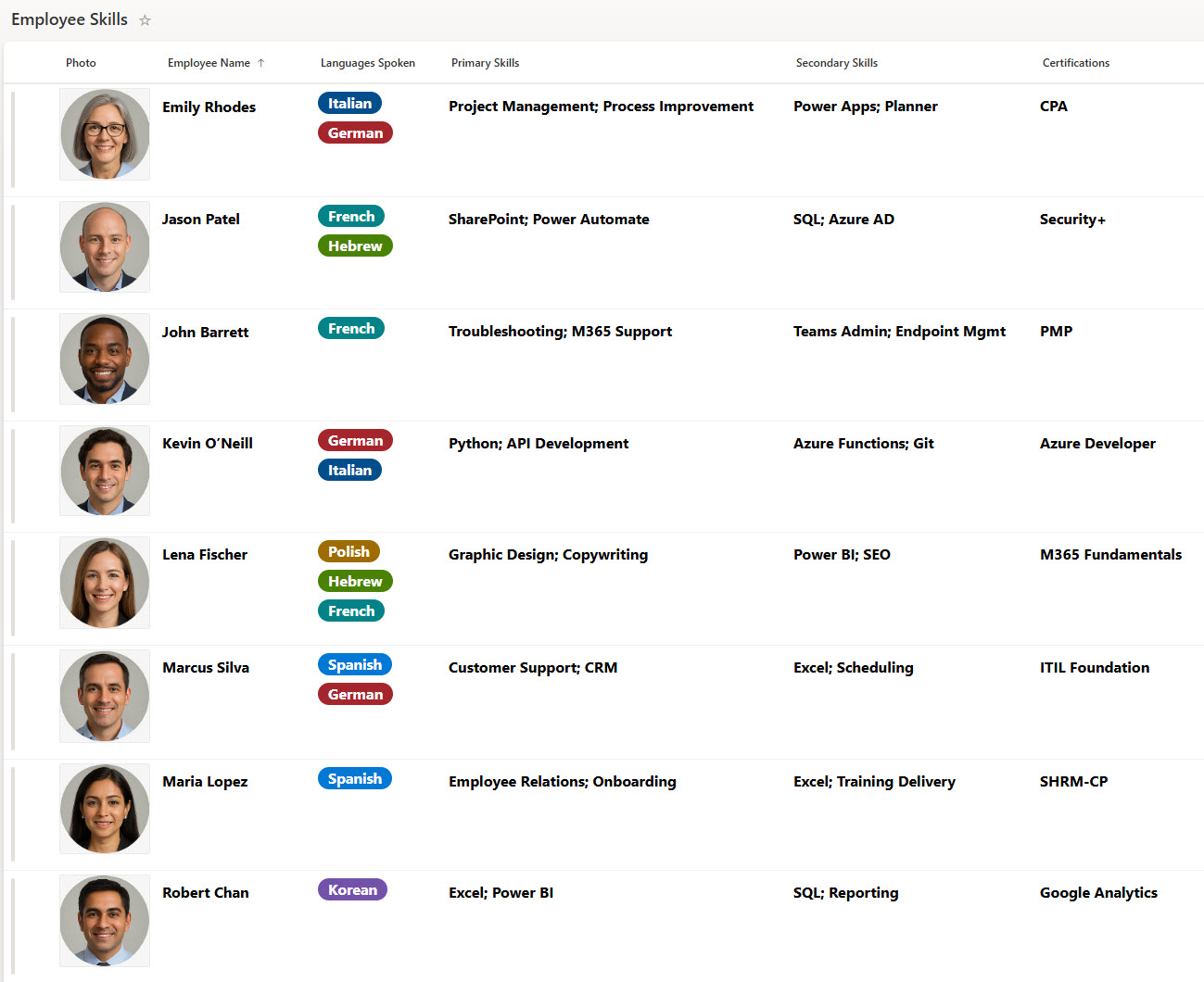
The Employee Skills Directory is built entirely in Microsoft Lists, the tracking app included with Microsoft 365, and lives right inside SharePoint. Each employee is a list item with columns for skills, certifications, and languages, displayed through grid and gallery views. There is no custom code and there are no third-party tools. It is the kind of clean, collaborative directory Greg Zelfond builds for HR teams and department leaders.
What’s included in the Employee Skills Directory?
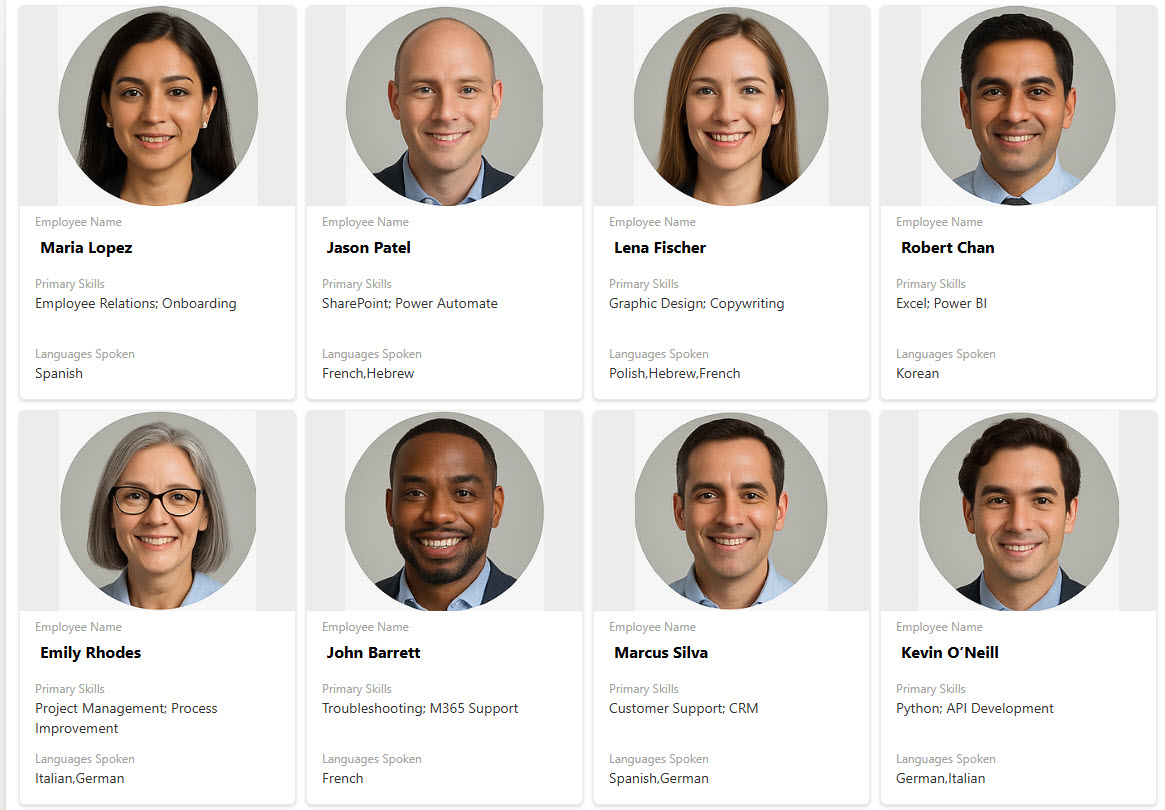
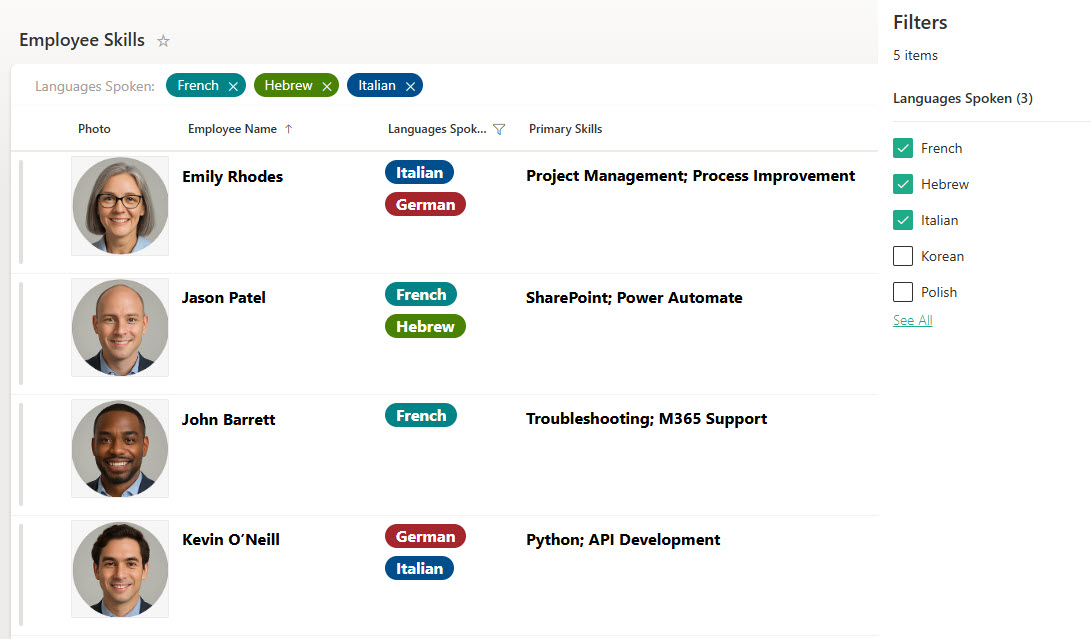
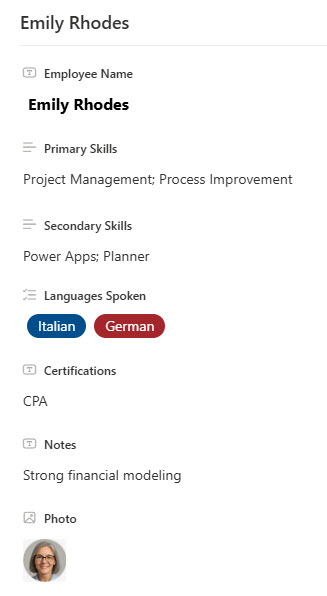
The directory captures primary skills, secondary skills, languages, and certifications for every employee across all departments. The design includes a main grid view, a gallery view that presents each person as a card, filtering for fast talent discovery, and a simple data entry screen for keeping records current. Views, filters, and grouping make it easy to spot internal expertise and skill gaps.
Does this design use any custom code or third-party tools?
No. The directory is built entirely with Microsoft Lists, which is included with most Microsoft 365 business and enterprise plans – 100% out-of-the-box, with no custom code and no third-party tools. That keeps it stable, secure, and easy to maintain, with employee skills data stored safely inside your Microsoft 365 environment. Out-of-the-box is the only way Greg builds.
Can this directory be customized for our organization?
Absolutely. The skill categories, certification fields, and views can all be tailored to your workforce – technical skills for IT, clinical certifications for healthcare, licenses for field services, or language proficiency for global teams. Greg adapts the structure to the skills your organization actually needs to track, so HR, PMO, and department leads get a directory that mirrors real roles.
How do managers find the right person in the directory?
Fast talent discovery is the whole point of the design. Managers can filter the list by skill, certification, or language, group employees by department or expertise, or browse the gallery view for a quick visual scan. Whether you need a Spanish speaker for a client call or a certified project manager for a new initiative, the right person surfaces in seconds.
Can Greg build this directory for our organization?
Yes – this is exactly the kind of work Greg Zelfond does. As an independent SharePoint and Microsoft 365 consultant and Microsoft MVP, he designs and builds directories and trackers like this one in Microsoft Lists, SharePoint, Loop, and Planner, tailored to the way your organization tracks skills and expertise. Reach out through the contact page to get started.