High-Value Flag
This calculated column uses a SharePoint formula to flag an item for review when its amount exceeds a set threshold. Because it lives in a calculated column, SharePoint fills the value in for every item automatically - no custom development and nothing for your users to type.


How It Works
- What it does: Flags an item for review when its Amount is over 10,000.
- What you get: The word Review when Amount is above 10,000, and a blank cell when it isn’t.
- If a value is missing: If Amount is blank, the cell stays blank and nothing is flagged.
Common Use Cases
- Flag high-value deals for review
- Approval-routing cues
- Risk-based review lists
- Threshold alerts
Details
- Formula Type: Calculated Column
- Formula Category: Status & Progress
Required Columns
| Display name | Column type |
|---|---|
| Amount | Currency |
| High-Value Flag | Calculated |
Prerequisites
- Create the column the formula reads: Amount
- Add or edit a few items so there is data for the formula to work with
How to Apply the Formula
- Add a column, choose More…, then select Calculated (calculation based on other columns)
- Set the data type returned from this formula to Single line of text
- Paste the formula below into the Formula box
- Click OK to create the column
Formula
=IF([Amount]>10000,"Review","")Common Questions About High-Value Flag Formula
What does this formula do?
Flag high-value items. It lives in a calculated column, so SharePoint fills the value in automatically for every item.
Which columns do I need to set this up?
You need: Amount (Currency). The formula reads these to produce its result.
Can I change the formula for my own columns?
Yes. Swap the column names in brackets for your own, and adjust any numbers or text.
If LookBook 365 is code-free and out-of-the-box, why does this example use a formula?
A SharePoint formula is native, declarative configuration, not custom development. It only works with the item’s own fields and simple logic – it cannot run scripts, reach external services, or change other data, and nothing is deployed to your tenant. It keeps working through Microsoft updates. If you would rather not set this up yourself, this is exactly the kind of thing I configure for clients.
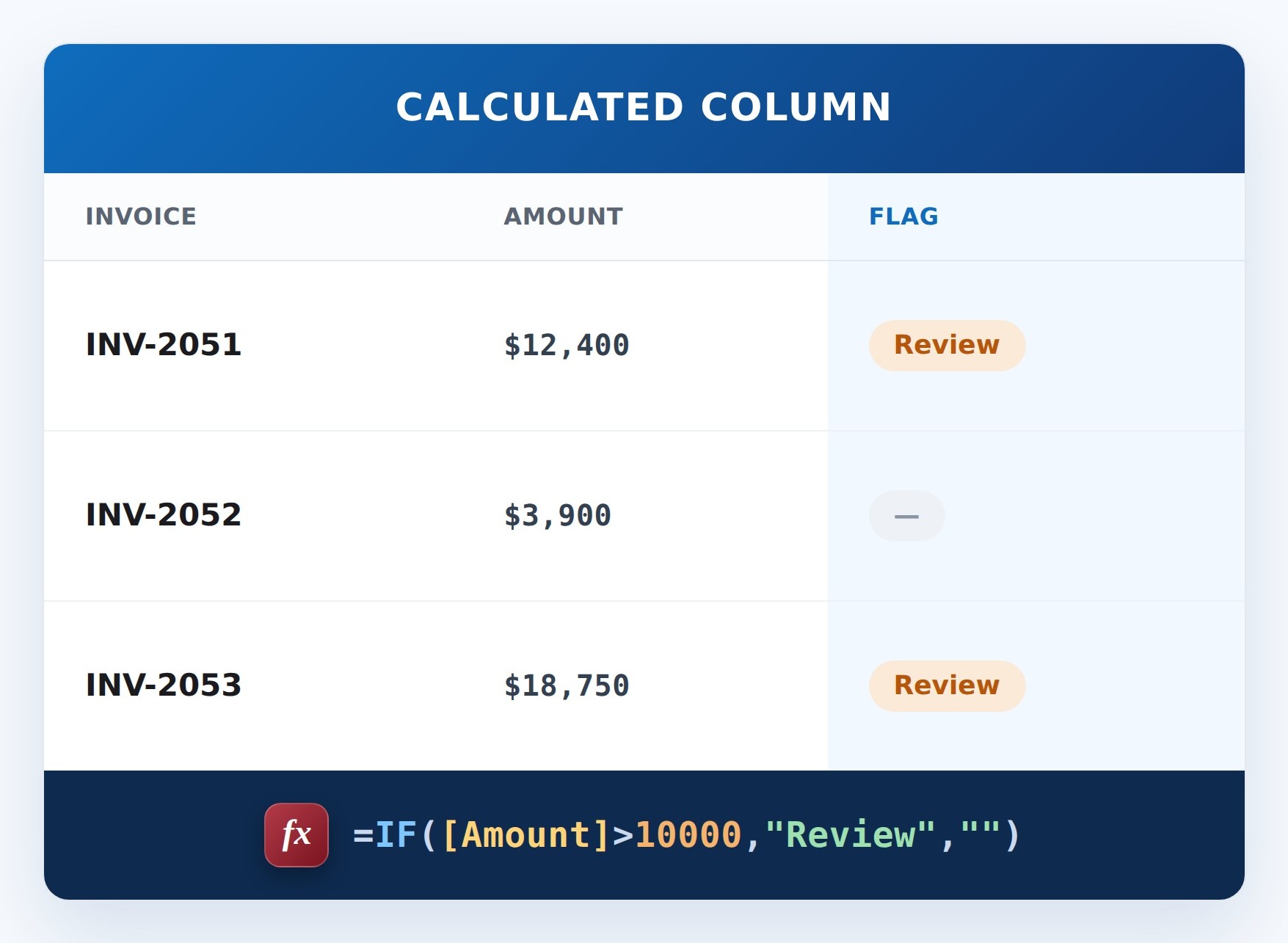
High-Value Flag Formula Example