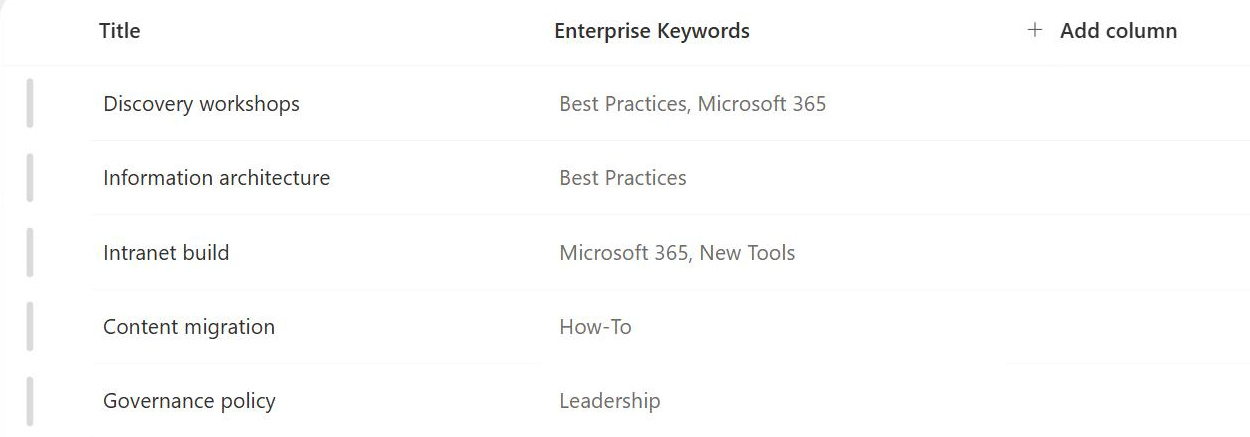
Enterprise Keywords
Common Use Cases
- User-driven tagging: end users tag documents with business-friendly terms that may not exist in the managed taxonomy
- Better search results: crowd-sourced keywords add meaningful terms that enhance search results
- Lightweight governance: supplements managed metadata when governance needs to stay light
- Cross-library findability: improves the findability of documents stored across multiple libraries and sites
- Captures new terminology: records evolving acronyms, project names, and language organically
- Knowledge management: supports knowledge initiatives without heavy upfront planning
Benefits
- Better discoverability: improves content discovery through consistent tagging
- User empowerment: lets users contribute to metadata without requiring admin access
- Less folder reliance: reduces dependence on rigid folder structures
- Works with search: integrates with search and refiners out of the box
- Central keyword store: new tags automatically feed the organization-wide keyword store
- Complements taxonomy: balances Managed Metadata for a healthier information architecture
Details
- Feature Category: Metadata & Taxonomy
How It Works
- Enable with a checkbox: add an Enterprise Keywords column to a list or library with a single checkbox, and users then tag items with one or more keywords, with type-ahead suggestions from terms already used anywhere in the organization
- Central storage: new keywords are saved automatically to a single, flat Keywords term set in the Term Store, shared across the whole tenant
- Shared vocabulary: the same tag typed in HR and in Finance resolves to one term, building consistency over time
- Search integration: keywords are indexed by search and work as refiners, so crowd-sourced tags directly improve findability
- Promotion: Term Store admins can review keywords and move the proven ones into a managed term set
Limits and Nuances
- One flat term set: all keywords live in a single tenant-wide Keywords set in the Term Store; there is no hierarchy and no per-site keyword list
- Uncontrolled by default: keywords are user-generated, and without light governance variants like invoice, invoices, and invoicing pile up fast
- Open or closed policy: the Keywords set can be switched from Open (users add new terms) to Closed (existing terms only) once the vocabulary matures
- Limited governance: even closed, keywords cannot be given hierarchy or structure the way managed metadata can
- Multiple values: the Enterprise Keywords column accepts several keywords per item by default
- Guide and supplement: publish tagging guidance early since over-tagging dilutes metadata quality, and keep structured managed metadata columns carrying the core classification
- Promotion path: move proven keywords into managed term sets; the intended lifecycle is crowd-source first, formalize later
- Cleanup in the Term Store: terms persist in the Keywords set even after tags are removed from items, so merge duplicates, fix misspellings, and retire outdated terms there periodically
Common Questions About Enterprise Keywords
What are enterprise keywords in SharePoint?
Enterprise keywords are free-form tags that users add to documents and list items through a special Enterprise Keywords column. Every keyword is stored centrally in a single Keywords term set in the SharePoint Term Store, so tags are shared tenant-wide. As users type, SharePoint suggests existing keywords, which gradually builds a consistent, crowd-sourced vocabulary that improves search.
How do I enable enterprise keywords on a list or library?
Open Settings, then Library settings (or List settings), and select Enterprise Metadata and Keywords Settings. Check the box to add an Enterprise Keywords column, and SharePoint adds it to the library and its content types automatically. From then on, users can tag items in the details pane or properties form, with type-ahead suggestions from existing keywords.
What is the difference between enterprise keywords and managed metadata?
Managed metadata is a controlled, hierarchical taxonomy built by administrators – users pick from predefined terms. Enterprise keywords are the opposite: flat, open, and user-generated. Keywords capture evolving language, project names, and acronyms organically, while managed metadata enforces consistency for formal classification. Most well-run intranets use both – structured columns for the core taxonomy, keywords for everything the taxonomy missed.
Can I stop users from adding new keywords?
Yes. In the Term Store, the Keywords set has a submission policy that admins can switch from Open to Closed. Closed means users can only choose from keywords that already exist – useful when the vocabulary has matured and you want to stop the flow of new variants. Open is the default and is what makes keywords crowd-sourced.
Do enterprise keywords improve SharePoint search?
Yes – that is their main job. Keywords are indexed by search, so a document tagged with a project name or acronym is found even when that word never appears in the file itself. Keywords can also surface as search refiners, letting users filter results by tag. The more consistently people tag, the better the payoff.
How do I keep enterprise keywords from becoming a mess?
Give it light, regular governance. Publish simple tagging guidance, review the Keywords term set in the Term Store periodically, merge duplicates and misspellings, and promote terms that prove valuable into a managed term set. Many organizations do a quarterly cleanup – enough to keep quality high without losing the spontaneity that makes keywords useful in the first place.