Org Explorer (Outlook)


Overview
- Ready out of the box: included in Microsoft 365 with no additional configuration or deployment needed
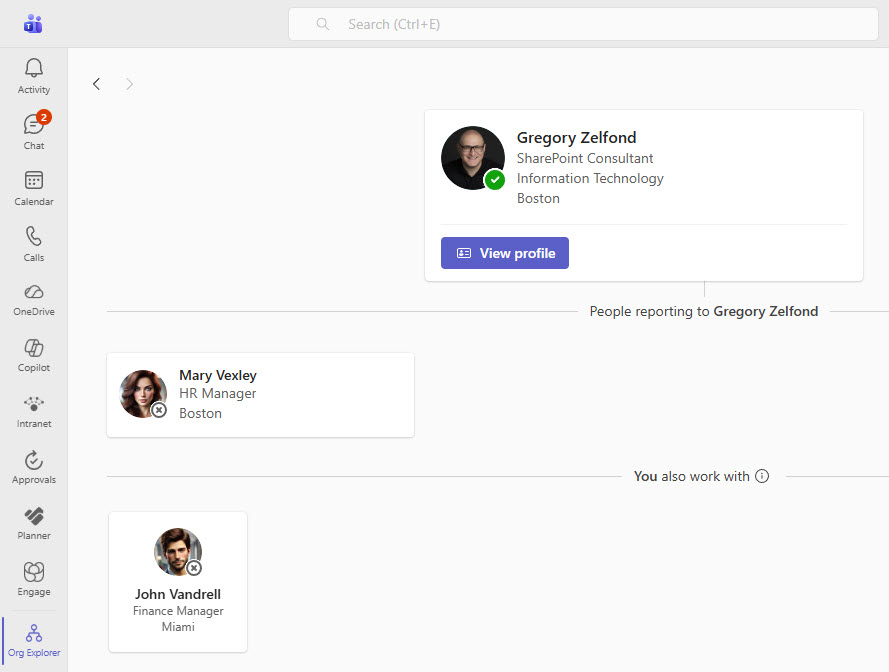
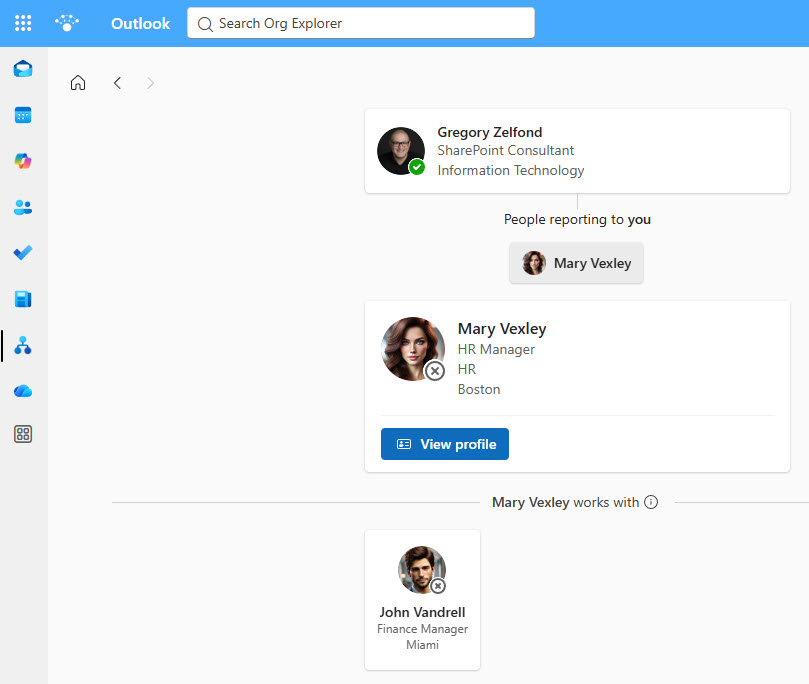
- Interactive org view: explore managers, peers, and extended reporting relationships across the organization
- Employee search: find anyone and instantly understand their position within the organization
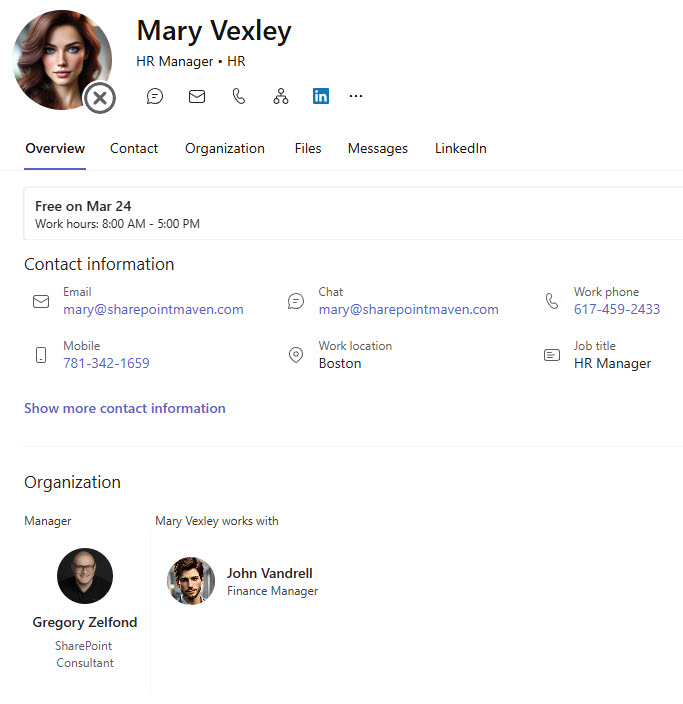
- Rich profile context: role, team, and reporting lines presented in one place
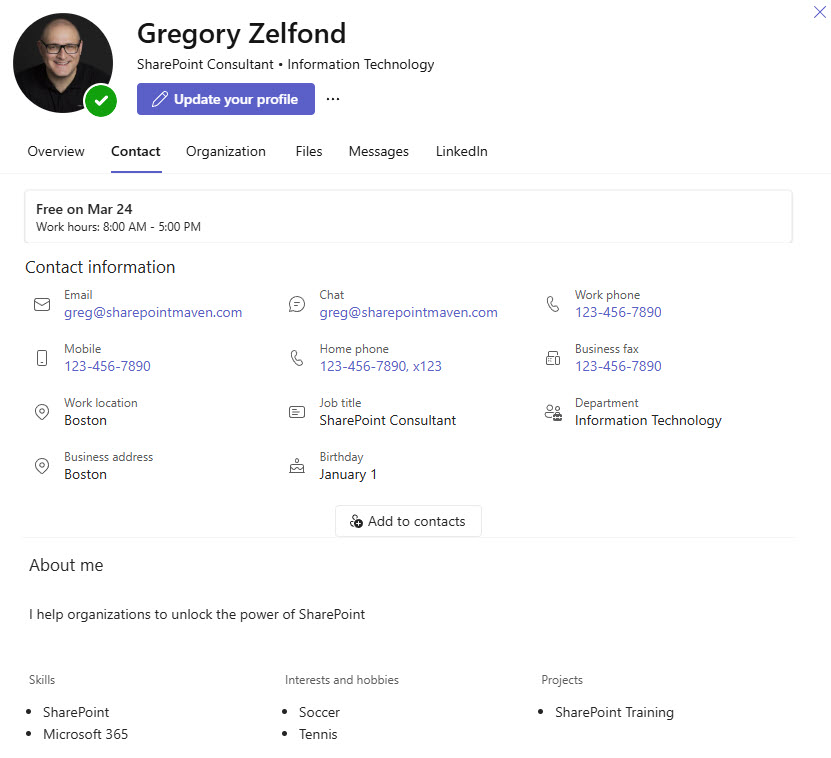
- Self-service profile updates: employees update their own details directly within the experience to keep information accurate and current
- Powered by Microsoft Entra ID: organizational data comes from one consistent, accurate source
Benefits
- No implementation effort: a ready-to-use experience available across Outlook and Teams
- The right people, faster: employees quickly find who they need and understand decision-making structures
- Better cross-team visibility: organizational relationships become easy to navigate
- Faster onboarding: new hires get clear insight into the company structure and key contacts
- Information that stays current: self-service profile updates keep employee details accurate
- One reliable source: information comes directly from Microsoft Entra ID, so it is always consistent and up to date
Common Questions About This Org Explorer
What is this Org Explorer built with?
The Org Explorer is a built-in Microsoft 365 experience that surfaces directly within Outlook and Microsoft Teams, powered by organizational data stored in Microsoft Entra ID. There is no custom code and no third-party org chart software involved. It is the kind of clean, maintainable employee experience Greg Zelfond sets up for organizations inside Microsoft 365.
What’s included in the Org Explorer?
The design includes an interactive org view showing managers, peers, and extended reporting relationships, employee search that instantly reveals where someone sits in the organization, and rich employee profiles with role, team, and reporting lines in one place. Employees can also update their own profile details directly within the experience, and the views work the same way in both Outlook and Microsoft Teams.
Does this design use any custom code or third-party tools?
No. The Org Explorer is a standard Microsoft 365 experience included out of the box, with no additional configuration or deployment needed. That matters because out-of-the-box solutions are stable, secure, and easy to maintain – nothing breaks when Microsoft rolls out updates, and there are no third-party licenses to manage. Out-of-the-box is the only way Greg builds.
Can this Org Explorer be customized for our organization?
Absolutely – and the key is the data behind it. The Org Explorer reflects the organizational information stored in Microsoft Entra ID, so reporting lines, job titles, and team details are only as good as that source. Greg helps organizations get the underlying employee data right, so the org view, search results, and profiles match your real structure instead of an outdated chart.
Where do employees access the Org Explorer?
Directly inside Outlook and Microsoft Teams – the two places most employees already spend their day. There is no separate application to open and nothing to install, because the experience is included in Microsoft 365 out of the box. An employee can search for a colleague, browse the org view, and open a full profile without ever leaving their email or chat window.
Can Greg set this up for our organization?
Yes – this is exactly the kind of work Greg Zelfond does. As an independent SharePoint and Microsoft 365 consultant and Microsoft MVP, he helps organizations roll out out-of-the-box employee experiences like this one, making sure the organizational data behind it is accurate and complete. If you want an org chart your employees will actually use, reach out through the contact page to get started.