Publish Date (Page Scheduling)


Overview
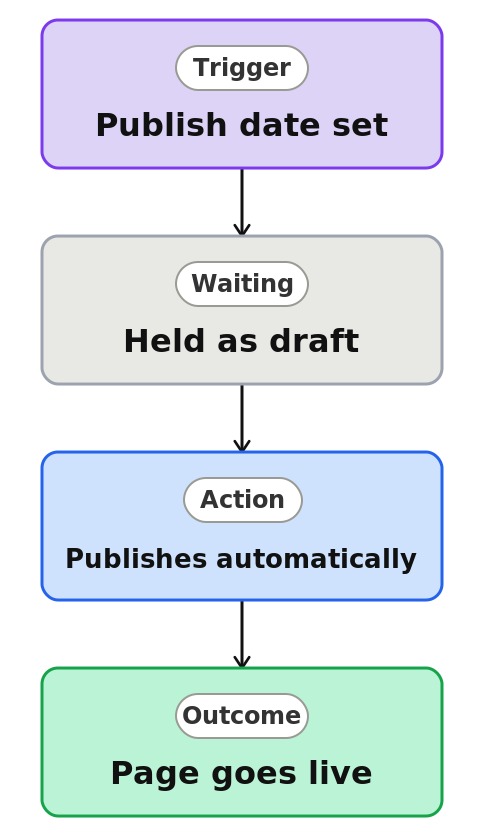
- Lets authors finish a page now and have it publish automatically at a chosen date and time
- Enabled by a site owner on the Site Pages library, then available to every author
- Each page or news post gets its own publish date and time in the page details
- Keeps the page a private draft, visible only to editors, until the scheduled moment
- Publishes the page automatically, even when the author is offline
- Native to SharePoint, with no third-party tools or extra licensing
Common Use Cases
- Timed announcements that go live exactly when the organization is ready
- Campaign and event pages that appear on their launch date, not before
- Queuing content ahead of vacations or holidays so publishing continues
- Posts timed to land at the start of the workday for a specific office
- Embargoed updates prepared early but held until the official moment
- A backlog of news scheduled across the week to keep the intranet fresh
Common Questions About Scheduled Page Publishing
If LookBook 365 is code-free and out-of-the-box, why does it include this workflow example?
Scheduled publishing is a native SharePoint capability a site owner switches on – not custom code, and it does not even need a Power Automate flow. SharePoint handles the timed publish itself, inside your Microsoft 365 tenant, with nothing to build or maintain. It automates a genuinely useful task, publishing at exactly the right moment, using only what SharePoint already provides.
Can people see a scheduled page before it goes live?
No. A scheduled page stays a draft until its publish time, visible only to people with edit rights on the site. Once the scheduled moment passes, it publishes automatically and becomes visible to everyone with access.
What happens if I edit a page after scheduling it?
You have to schedule it again. Editing a scheduled page cancels the queued publication, so it will not go live at any time unless you reapply the schedule. It is the one gotcha worth training authors on.
Does scheduling work with page approval?
Yes. On sites with page approval, a scheduled page must be approved first, then it publishes at the scheduled time. If approval arrives after the scheduled time has passed, the page publishes immediately. The two features are designed to work together.
Do scheduled news posts appear in news feeds early?
No. A scheduled news post behaves like a draft until its publish time, so it stays out of the News web part, the SharePoint start page, and mobile feeds until it goes live. Then it surfaces wherever that site’s news normally appears.
Can you set this up and train my team?
Absolutely. I enable scheduling on the right sites, show your authors how to queue pages and news, and set up the editorial workflow around it, including how scheduling works alongside approval. A consistent rollout across departments takes a bit of planning, and that is exactly the kind of thing I handle.