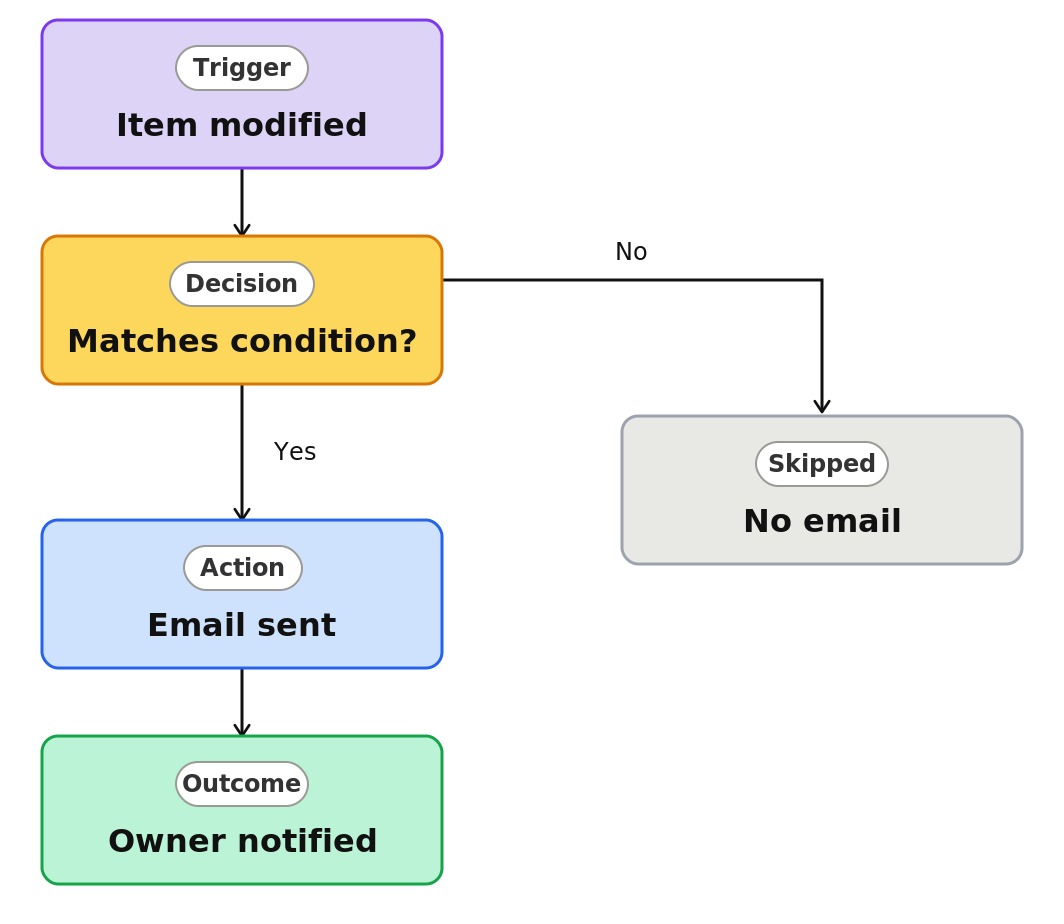
List Item Modified (Email Alert)


Overview
- Emails the right people when an item in a list is changed
- Built as a Rule, a no-code automation created right on the list
- Can fire on any change, or only when a column reaches a specific value
- Notifies a named person or whoever is in a column on the item
- Targets the changes that matter, such as Status becoming Approved
- Lives with the list, with nothing separate to build or maintain
Common Use Cases
- Notifying an owner when a status column changes to a final value
- Alerting a manager when a priority is raised to Critical
- Telling a reviewer when an item is updated
- Watching a key field for changes on a tracker
- Flagging when an item moves to a new stage
- Keeping a stakeholder posted on edits to important records
Common Questions About List Item Modified Alerts
If LookBook 365 is code-free and out-of-the-box, why does it include this workflow example?
A Rule is a native SharePoint automation you build by completing a plain-language sentence right on the list – no code and no Power Automate. It watches for the change you specify and sends the email itself, inside your Microsoft 365 tenant, with nothing to develop or maintain.
Does it fire on every change?
It can. Leave it unconditional to notify on any edit, or add a condition so it fires only when a specific column reaches a specific value, such as Status equals Approved.
Who gets the email?
A person you name, or the person in a column on the item, such as Assigned To. Recipients are inside your organization.
Can I watch a specific column?
Yes. The condition-based version fires only when the column and value you pick match, which keeps notifications focused.
Are there limits?
Up to 15 rules per list, and rules send email only. For updating items or multi-step logic, that is Power Automate.
Can you set this up and train my team?
Absolutely. I design the list or library, set up the automation, and show your team how to manage it. When your process grows beyond this, I can extend it into a full Power Automate flow that fits how you actually work.