Total Matches Quantity x Price
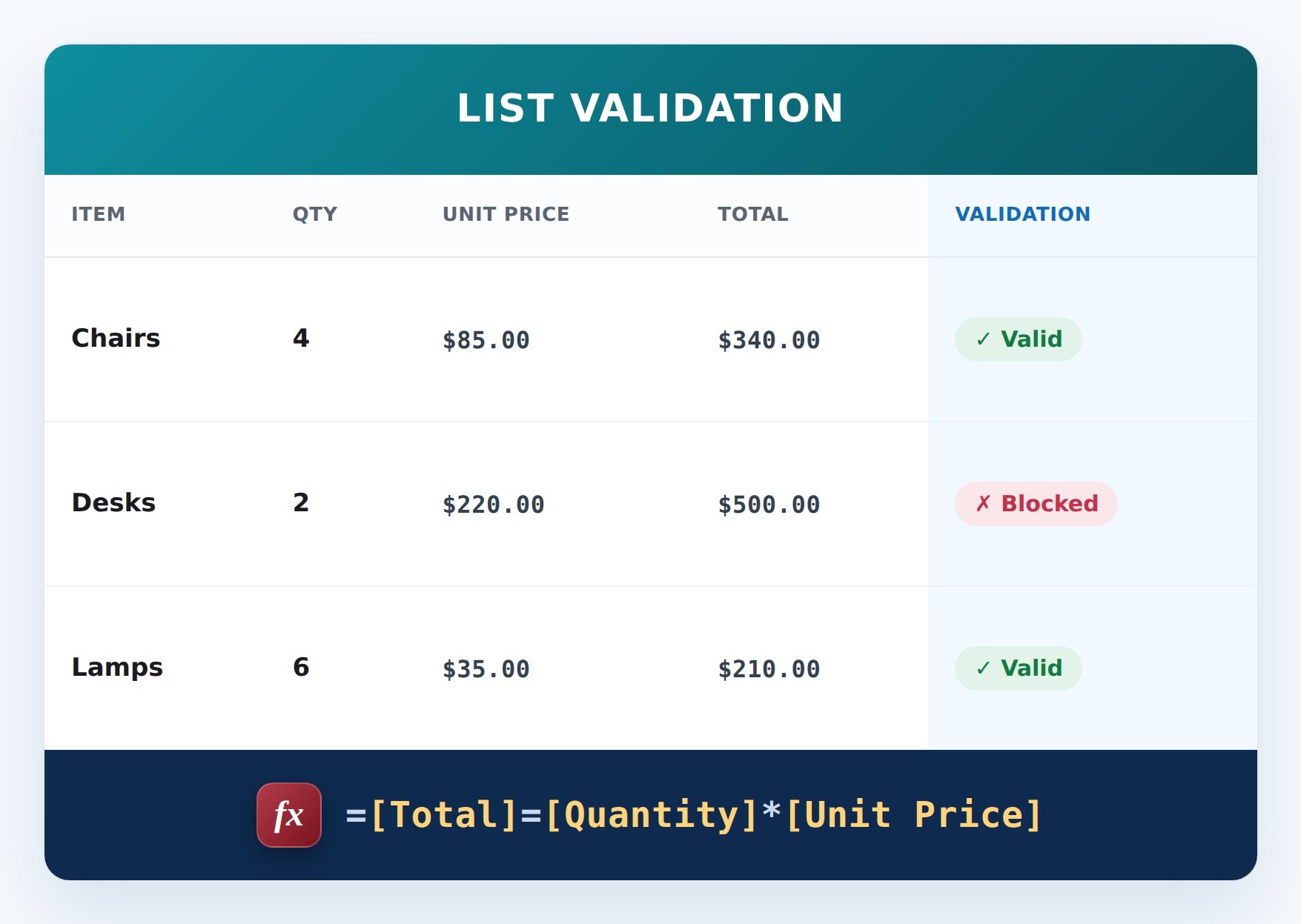
This list validation uses a SharePoint formula to require the total to equal quantity times unit price. Applied as list validation, it compares the columns when the item is saved and blocks the entry if the rule is not met.


How It Works
- What it does: Checks that Total equals Quantity times Unit Price and blocks the save if it doesn’t.
- If it passes: The total matches, so the item saves.
- If it fails: SharePoint stops the save and shows your message, for example: Total must equal quantity times unit price.
Common Use Cases
- Catching manual total errors
- Invoice integrity
- Order accuracy
- Preventing mismatched totals
Details
- Formula Type: List Validation
- Formula Category: Numbers & Money
Required Columns
Prerequisites
- Create the columns the formula reads: Total and Quantity and Unit Price
- Add or edit a few items so there is data for the formula to work with
How to Apply the Formula
- Go to List settings (or Library settings), then Validation settings
- Paste the formula below, which compares the columns
- Add a user message explaining the rule
- Save. New or edited items must satisfy the rule
Formula
=[Total]=[Quantity]*[Unit Price]Common Questions About Total Matches Quantity x Price Formula
What does this formula do?
Catch data-entry errors. It runs as list validation, comparing the columns when the item is saved.
Which columns do I need to set this up?
You need: Total (Currency), Quantity (Number), Unit Price (Currency). The formula reads these to produce its result.
Why use list validation instead of column validation?
List (or library) validation can compare several columns to each other in the same item, which column validation cannot do.
If LookBook 365 is code-free and out-of-the-box, why does this example use a formula?
A SharePoint formula is native, declarative configuration, not custom development. It only works with the item’s own fields and simple logic – it cannot run scripts, reach external services, or change other data, and nothing is deployed to your tenant. It keeps working through Microsoft updates. If you would rather not set this up yourself, this is exactly the kind of thing I configure for clients.
Total Matches Quantity x Price Formula Example