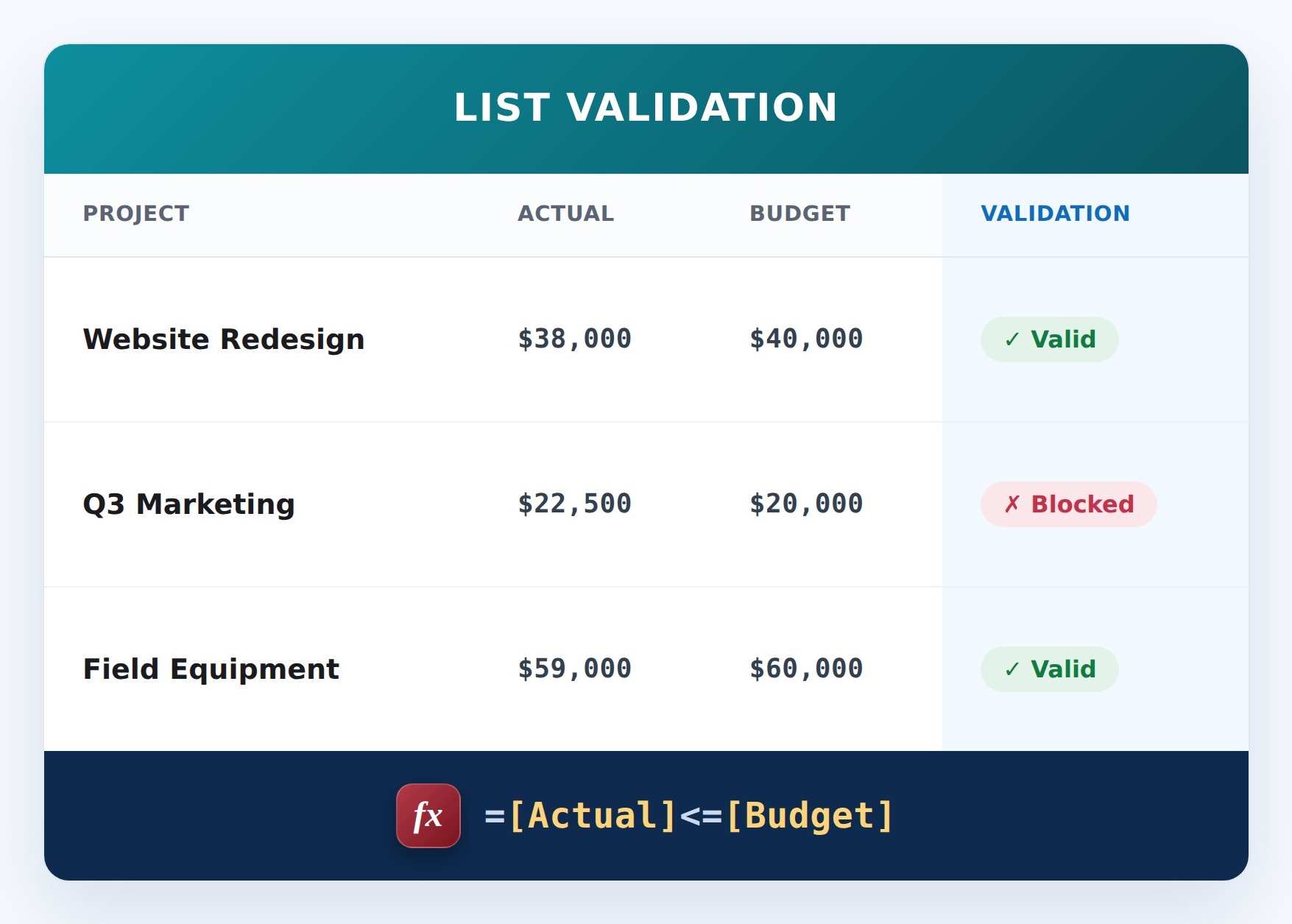
Keep One Number Under Another (Formula)


How It Works
- What it does: Compares Actual and Budget and blocks the save if Actual is over Budget.
- If it passes: Actual is at or under Budget, so the item saves.
- If it fails: The save is blocked and your message appears, for example: Actual cannot exceed the budget.
Common Use Cases
- Keeping spend within budget
- Cost control at entry
- Preventing overspend records
- Financial guardrails
Details
- Formula Type: List Validation
- Formula Category: Numbers & Money
Required Columns
Prerequisites
- Create the columns the formula reads: Actual and Budget
- Add or edit a few items so there is data for the formula to work with
How to Apply the Formula
- Go to List settings (or Library settings), then Validation settings
- Paste the formula below, which compares the columns
- Add a user message explaining the rule
- Save. New or edited items must satisfy the rule
Formula
=[Actual]<=[Budget]Variations
- Actual spend within budget:
=[Actual]<=[Budget] - Discount not greater than price:
=[Discount]<=[Price] - Strictly under, equal not allowed:
=[Actual]<[Budget] - Allow a tolerance:
=[Actual]<=[Budget]*1.1permits ten percent over.
Common Questions About Keep One Number Under Another Formula
What does this formula do?
Keep spend under budget. It runs as list validation, comparing the columns when the item is saved.
Which columns do I need to set this up?
You need: Actual (Currency), Budget (Currency). The formula reads these to produce its result.
Why use list validation instead of column validation?
List (or library) validation can compare several columns to each other in the same item, which column validation cannot do.
If LookBook 365 is code-free and out-of-the-box, why does this example use a formula?
A SharePoint formula is native, declarative configuration, not custom development. It only works with the item's own fields and simple logic - it cannot run scripts, reach external services, or change other data, and nothing is deployed to your tenant. It keeps working through Microsoft updates. If you would rather not set this up yourself, this is exactly the kind of thing I configure for clients.
How do I stop a discount being larger than the price?
Use =[Discount]<=[Price] in list validation. Both columns have to be on the same item, which is exactly what list validation is for.
Can I allow a small overage instead of a hard stop?
Yes. Multiply the cap: =[Actual]<=[Budget]*1.05 allows five percent over budget and blocks anything beyond that.