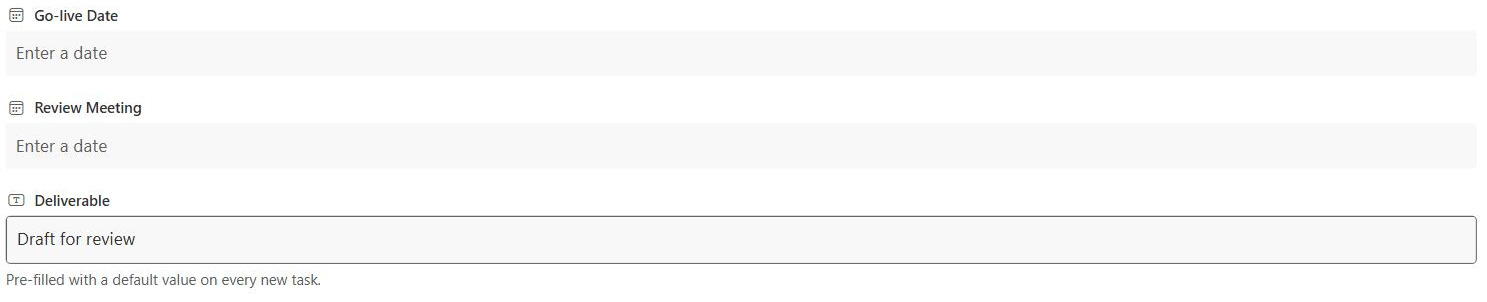
Default Column Value
Common Use Cases
- Starting status: new items begin as New or Not Started
- Folder-based tagging: files inherit metadata from the folder they land in
- Standard prefixes: a code or category that rarely changes
- Today as a default: stamping a created or received date automatically
- Consistent owners: pre-filling a default team or department
- Reduced data entry: fewer fields for users to fill in by hand
Benefits
- Less typing: common values are already there on new items
- Fewer blanks: columns stay populated without reminders
- Automatic metadata: folder defaults tag files with no user effort
- Consistency: everyone starts from the same baseline value
- Flexible sources: fixed text, a calculated value, or a folder rule
- Editable: users can still change the value when needed
Details
- Feature Category: Columns & Views
How It Works
- Set on the column: a default value entered in the column settings
- Applied at creation: the value fills in when a new item is made
- Folder defaults: libraries can set a different default per folder
- Calculated defaults: libraries support a formula-based default
- Still overridable: the default is a starting point, not a lock
- Per library or list: defaults are configured where the column lives
Limits and Nuances
- Applies to new items only: existing items are not changed
- Not all types: some column types cannot have a default
- Folder defaults are library-only: lists do not offer per-folder defaults
- Person columns: defaulting people is limited or unavailable
- Multi-line text: cannot carry a default value
- Editable by design: users can overwrite the default at any time
Common Questions About the Default Column Value
What is a default column value in SharePoint?
A default column value is the value that automatically fills a column when a new item or file is created. It saves users from starting with a blank field and keeps columns populated consistently. Defaults can be fixed text, a date, a choice, and in document libraries a calculated value or a different default for each folder.
How do folder-specific defaults work in a library?
In a document library, the column default value settings let you assign a different default to each folder. When a file is uploaded or created in a folder, it inherits that folder default automatically. This turns folders into a tagging system: a file dropped into the Invoices folder can be tagged Invoices without anyone setting the metadata by hand.
Can a default value be calculated?
In document libraries, yes. A library column can use a calculated default based on a formula, such as building a value from the date or other fixed inputs. Standard lists offer fixed defaults rather than calculated ones, so the richer calculated and folder-based defaults are a document-library capability.
Does setting a default change existing items?
No. A default value only applies to items created after it is set. Items already in the list or library keep whatever values they had, so adding a default is a forward-looking change. To update older items you would edit them directly or use a bulk edit, since the default itself will not reach back and fill them in.
Which column types support default values?
Common types such as single line of text, choice, number, currency, date and time, and yes or no support defaults. Multiple lines of text does not, and person columns are limited. The default value option only appears in the settings for columns that support it, so the settings page itself tells you what is available.
Are default values worth configuring?
For libraries that rely on metadata, they are one of the highest-value settings available. Greg Zelfond, the consultant behind LookBook 365, leans on folder defaults so that tagging happens automatically as people file documents the way they already do. The result is well-organized content without asking users to remember a single extra field.