Build Notes: Winery SharePoint
Posted on August 31, 2026
By Greg Zelfond, the SharePoint consultant behind LookBook 365.
One category of clients that I have helped transition to SharePoint and build Intranet portals for is wineries. I take great pleasure in assisting them. First of all, I love their products 😀. Second, they have a pretty hierarchical product category, which makes SharePoint metadata a perfect fit. Third, their Intranet portals are usually pretty fun and extensive in terms of design. In this edition of Build Notes, I want to explain some of my decision-making and demo work products for a typical winery, using the design set I published on LookBook 365 as Winery (Intranet).
Build at a glance
- Scope of work: Intranet homepage, Marketing assets library, Tasting room booking system, Approved vendor and supplier list, Maintenance checklist, SOP and compliance library
- Build time: 6-8 weeks
- Custom code: None. Standard SharePoint only, no SPFx and no third-party tools.
- Also good for: Breweries, distilleries, food manufacturing, and specialty food brands
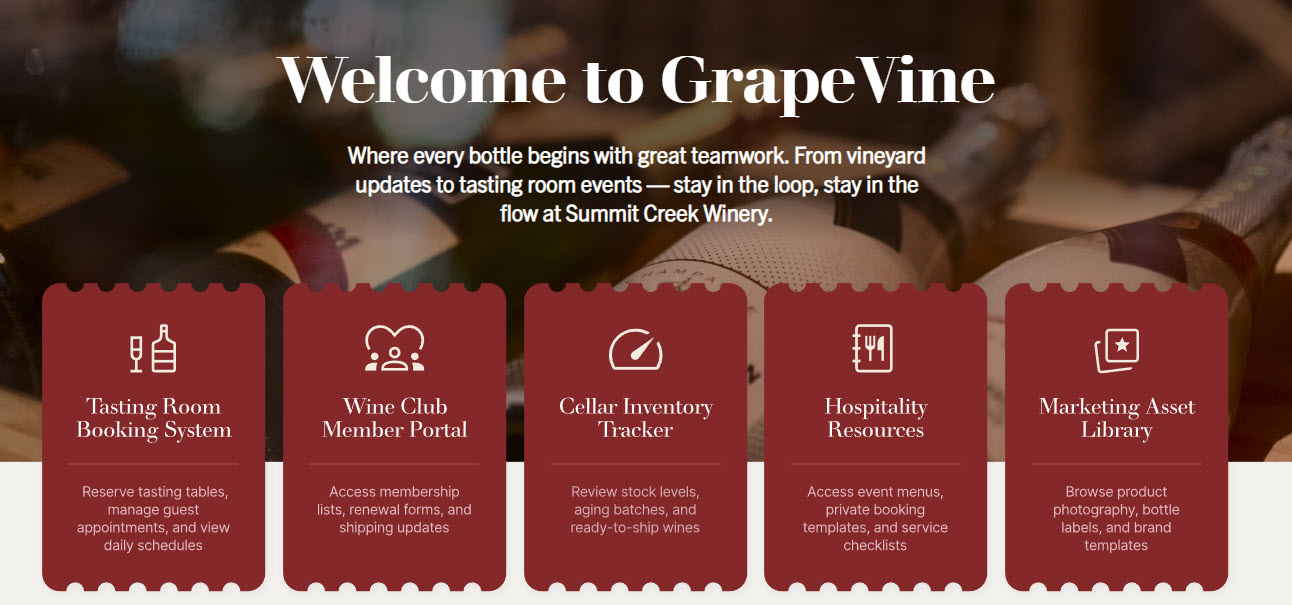
Hero with the Call to Action buttons
Wineries tend to have several areas that pretty much need to be readily accessible to most employees: things like Tasting Room Booking, Marketing Assets Library, and Inventory Tracker. Besides, wineries have some of the best, most mouthwatering imagery to display (photos of vineyards, wine bottles, cellars). So it is a no-brainer to build a custom hero instead of the out-of-the-box Hero web part: one full-width image with a text overlay and several call-to-action buttons for the above-mentioned resources, set in a full-width section. One big photo keeps the 3 most-used tools above the fold, where the Hero web part’s tiles would split the image into pieces.
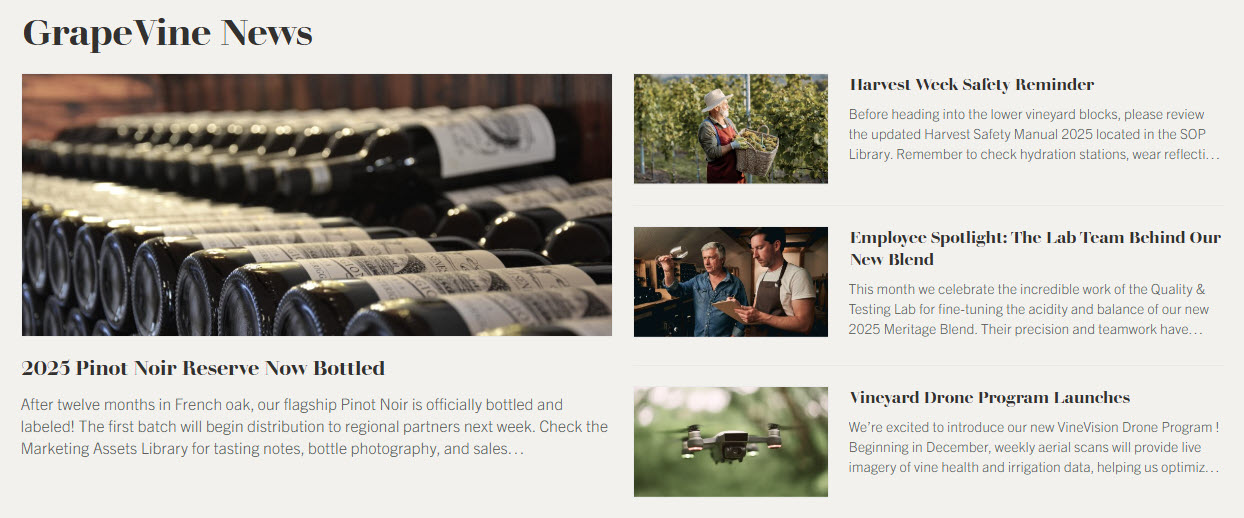
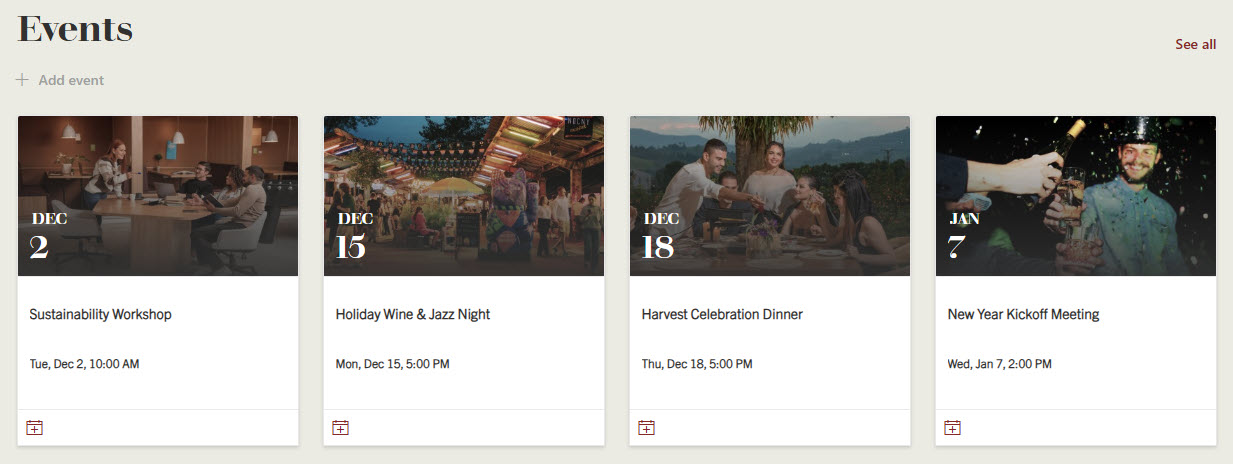
News & Events
A winery’s news and events are as much about the photos as the words: a new vintage release, harvest, a wine club dinner. So I picked the layouts that give images the most room: the News web part in Top story layout and the Events web part in Filmstrip layout. For a client with a lot of text-heavy announcements, I would go with a List layout instead, but that is rarely the case at a winery.
→ Learn More: News Web Part, Events Web Part
Marketing Asset Library
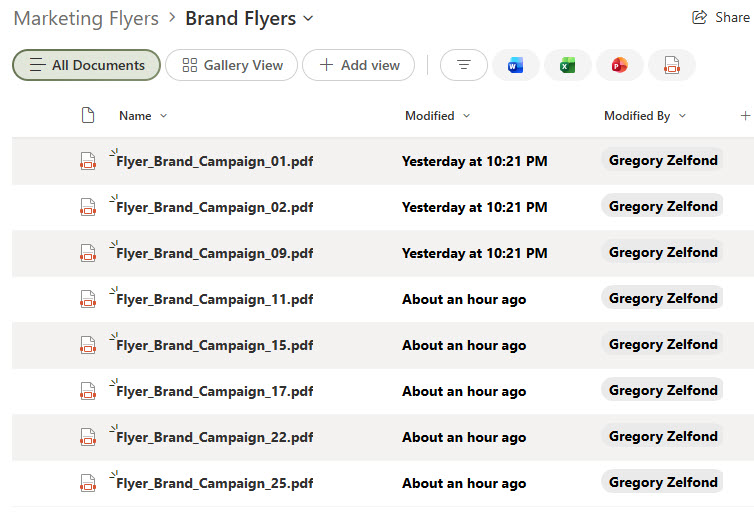
Wineries produce tons of marketing assets for their wines: bottle labels, shelf talkers, flyers, and postcards, for every varietal and every vintage. One winery I worked with had the same bottle label saved in several different folders, and the version that went to the printer was, of course, the old one. The temptation is to create a folder per wine, then a subfolder per year, until nobody can find last year’s label. Instead, I use a single document library with metadata columns for Varietal, Vintage, and Asset Type, and a view grouped by Asset Type. The same file can then be filtered by wine or by format, and this is exactly where the winery’s product hierarchy pays off.
→ Learn More: Marketing Flyers (Document Library)
Tasting Room Booking System
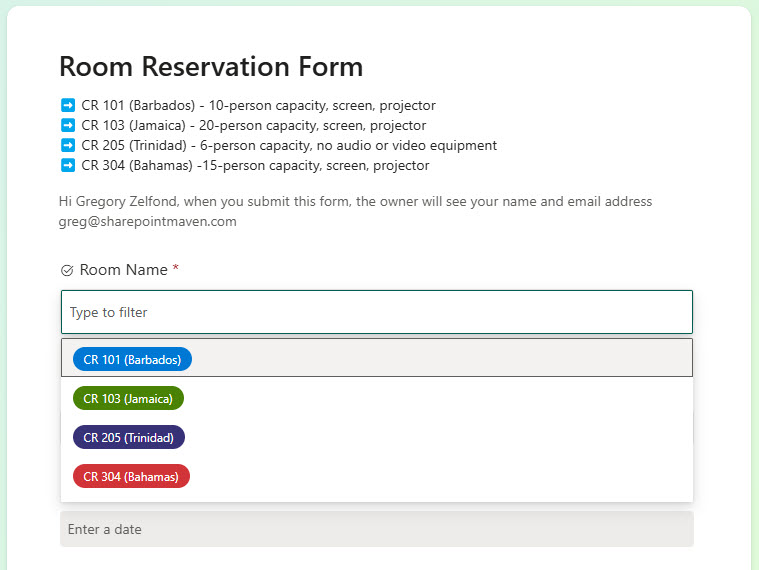
One thing that all wineries have is a tasting room. I worked with a winery in Napa Valley that had 3 tasting rooms in the region. And those tasting rooms might need to be booked for special events, etc. This is yet another thing that can be achieved easily out of the box with a SharePoint list in Calendar view and an integrated form. I chose a list over a separate booking app, because staff see all 3 rooms side by side and nobody has to learn a new tool.
→ Learn More: Meeting Room Reservation (Form)
Vendor & Supplier List
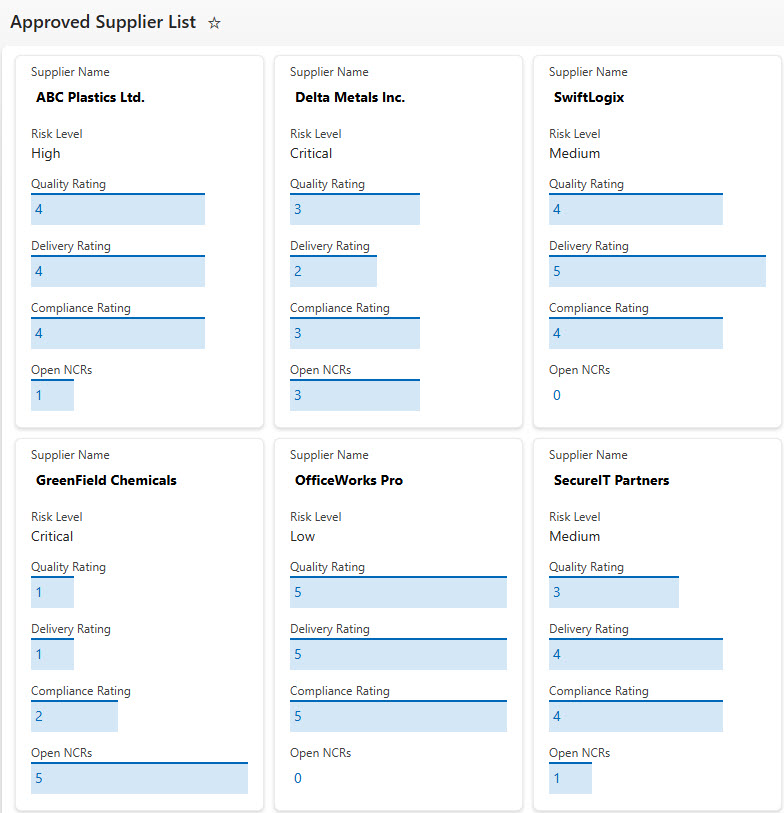
Wineries depend on a short list of outside suppliers: bottles, corks, labels, barrels, and often the grape growers themselves. When a bottling run is coming up, somebody needs to know right away who is approved and who to call. I built this as a SharePoint list in Card view rather than a spreadsheet in a shared folder, so anyone can see who is approved, for what, and how to reach them at a glance.
→ Learn More: Approved Suppliers (List)
Maintenance Checklist
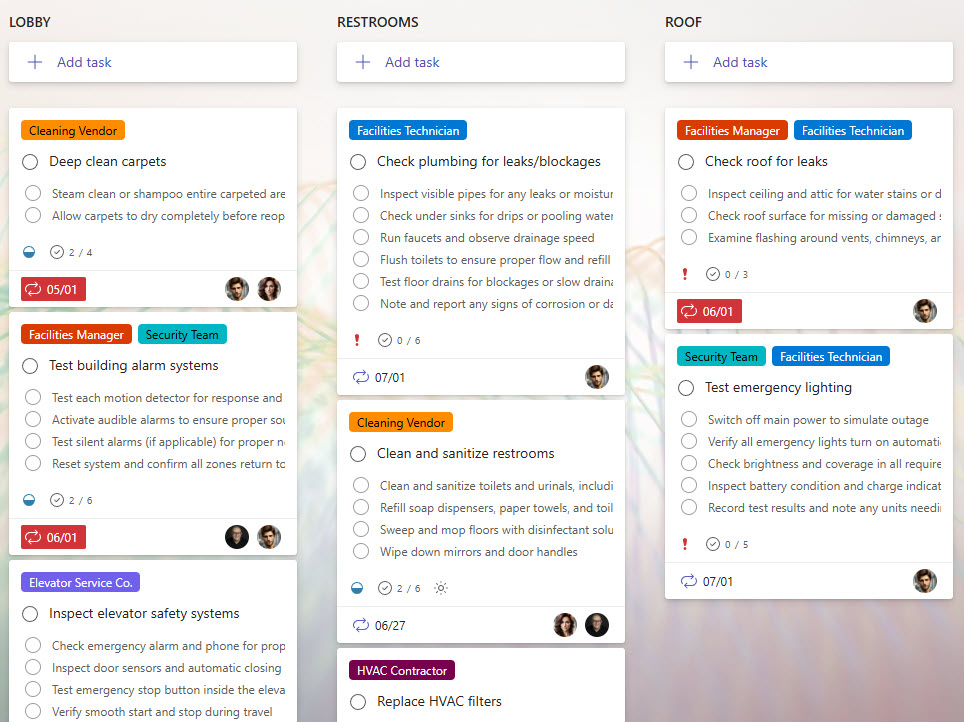
Wineries run on equipment: presses, pumps, tanks, and bottling lines, and most of it has to be ready before harvest. I set this up as a SharePoint list in Board view, so each request moves across the columns and the cellar crew can see where a repair stands without calling anyone. A Planner board would also work, but a list lets you add columns like equipment type and due date and filter on them.
→ Learn More: Facilities Maintenance (Checklist)
SOP & Compliance Library
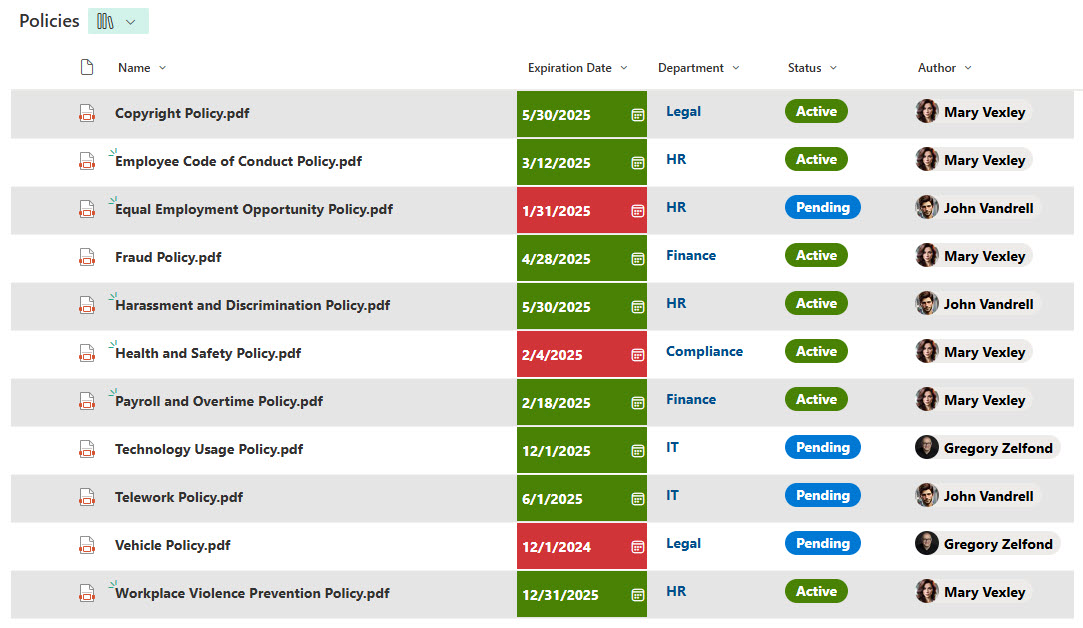
Being part of the food industry, wineries have a very long list of SOPs and regulations to adhere to. This is yet another place where a metadata-rich document library might help, with a view grouped by category so each regulation area sits under its own heading. Moreover, it allows for color coding, expiry or renewal date reminders, and conditional formatting. I prefer this over a page of links, because the renewal dates live on the files themselves.
→ Learn More: Processes & Procedures (Document Library)
→ Want a homepage like this for your winery, tasting room booking and all? I can build this design on your own SharePoint. Have this winery design built.