Employee Handbook (Agent)




Overview
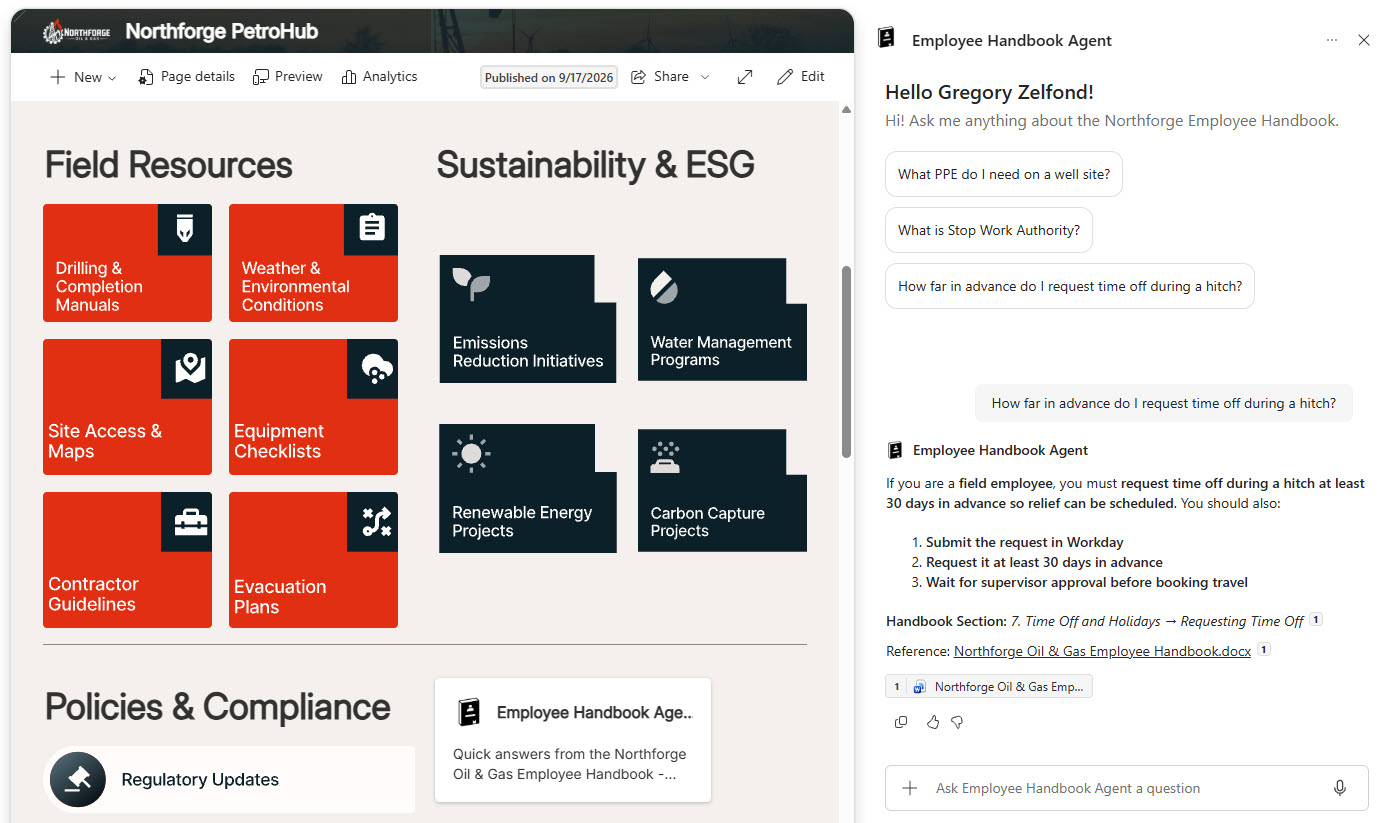
- Copilot Agent: Created directly from one file, the employee handbook, as its only source
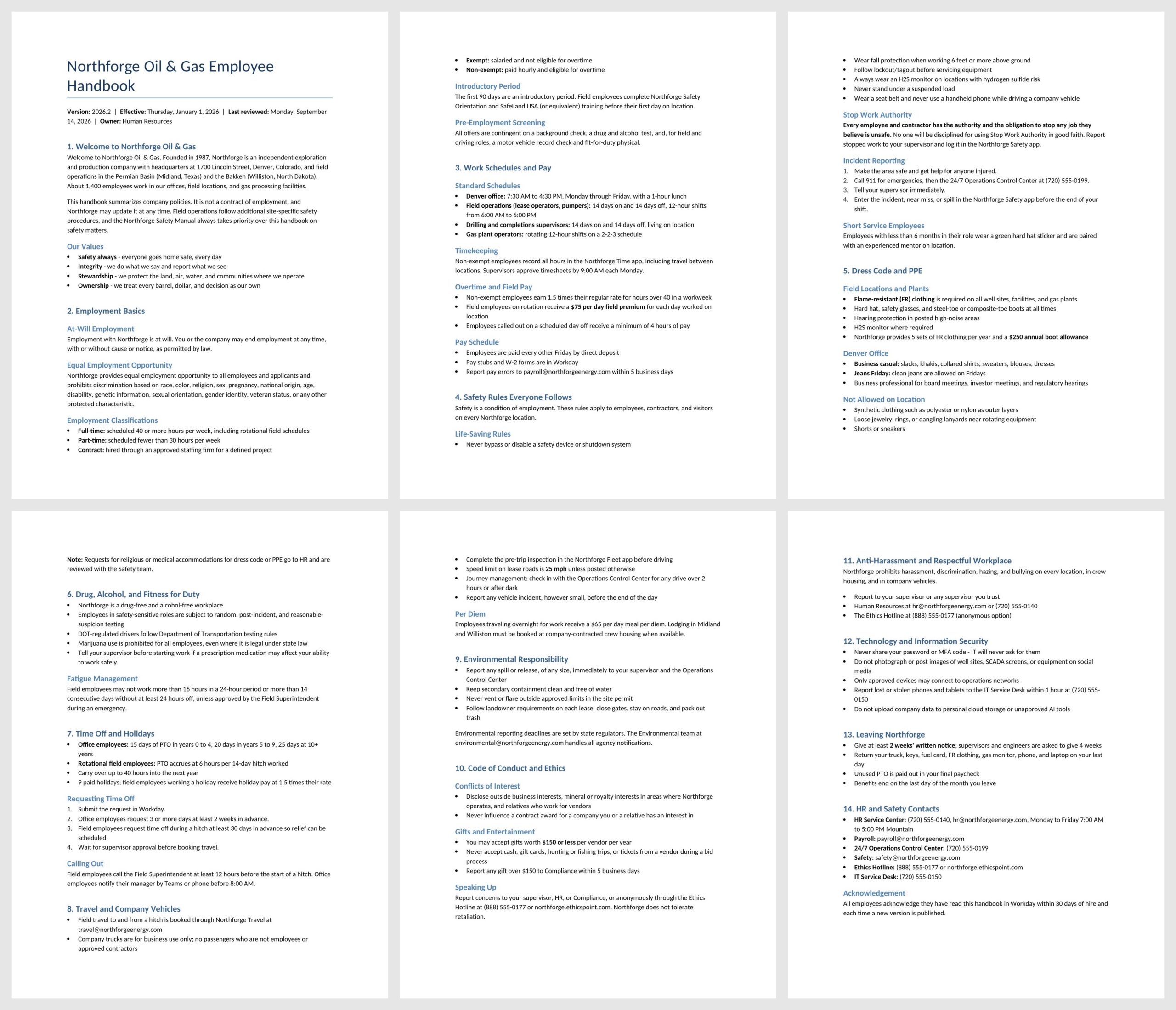
- Employee Handbook: Employment basics, schedules and pay, safety, dress code, time off, travel, conduct, and HR contacts
- Starter Prompts: Welcome message and prompts for the most common safety, conduct, and time off questions
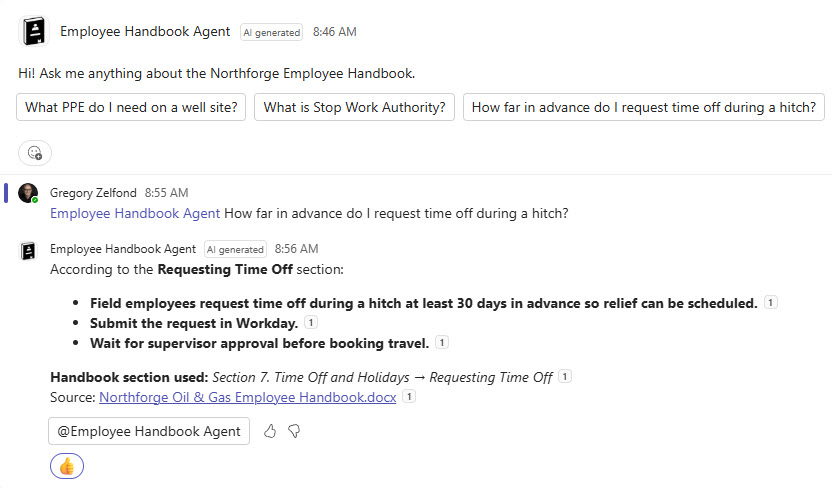
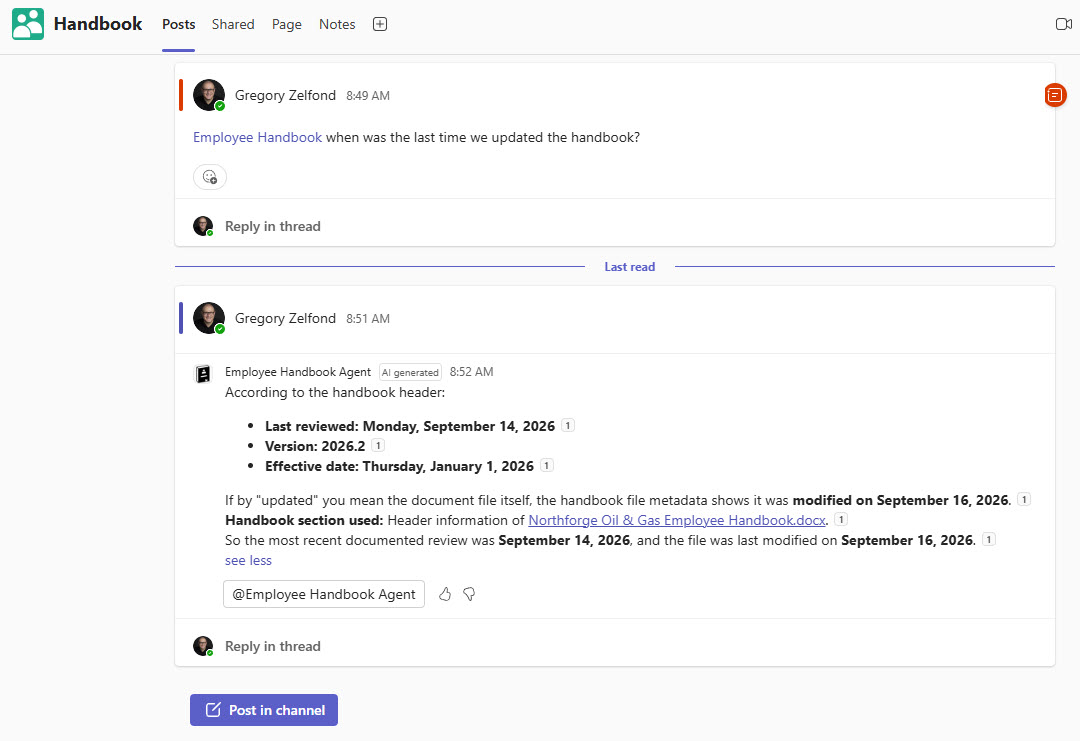
- Cited Answers: Exact numbers and limits quoted as written, with a link back to the handbook file
- Smart Redirects: Points employees to HR or the ethics hotline for personal decisions, exceptions, and sensitive issues
- Intranet and Teams: Opened from an agent card on the intranet homepage or by mentioning it in a Teams channel
Benefits
- Policies people actually use: employees get answers in seconds instead of scrolling a long document
- Fewer HR interruptions: routine questions about pay, time off, and dress code answer themselves
- Safer workplace: safety rules and reporting steps are one question away
- Accurate answers: responses come only from the current handbook, never from drafts or old versions
- Trust through citations: every answer names the section and links to the file
- Easy to maintain: HR replaces the handbook, and the agent’s answers update with it
- Available where people work: on the intranet and inside Teams channels
Common Questions About This Employee Handbook Agent
What is this Employee Handbook Agent built with?
It is built with Copilot in SharePoint and grounded in a single file – the company employee handbook stored in a SharePoint document library. The agent uses custom instructions, a welcome message, and starter prompts, and it opens from the intranet homepage and a Teams channel. There is no custom code and no third-party tools – the kind of clean, maintainable Copilot agent Greg Zelfond builds for HR teams.
What’s included in the Employee Handbook Agent?
The example includes an employee handbook covering employment basics, schedules and pay, workplace safety, dress code, time off, travel, conduct, technology use, and HR contacts. The agent offers starter prompts for common policy questions, answers in short bullets or steps, names the handbook section it used, and links back to the file. It also answers when mentioned in a Teams channel.
Does this design use any custom code or third-party tools?
No. The agent is created entirely with out-of-the-box Copilot in SharePoint, straight from the handbook file – no Copilot Studio development, no custom code, and no add-ons. That keeps it stable, secure, and easy to maintain, and nothing breaks when Microsoft releases updates. Out-of-the-box is the only way Greg builds, so HR can manage the handbook and the agent on their own.
Can this agent be customized for our organization?
Absolutely. The handbook itself, agent name, description, welcome message, starter prompts, and instructions are all tailored to your organization, including which HR, safety, or ethics contacts the agent points people to. Greg adapts the agent to any industry and any handbook, from professional services and healthcare to manufacturing, education, and nonprofits, so employees get answers that match how your company actually works.
Why scope the agent to a single handbook file?
Most organizations have one handbook everyone is supposed to read and few people do. Pointing the agent at just that file means answers never come from drafts, old versions, or unrelated documents sitting in the same library. It is also the fastest kind of agent to set up. When HR publishes a new version, they replace the file under the same name and the agent keeps working.
Can Greg build this Employee Handbook Agent for our organization?
Yes – this is exactly the kind of work Greg Zelfond does. As an independent SharePoint consultant and Microsoft MVP, he designs and builds out-of-the-box Copilot agents like this one, including preparing the handbook so the agent finds the right sections, writing the instructions and starter prompts, and adding the agent to your intranet and Teams. Reach out through the contact page to get started.