IT Help Desk (Agent)



Overview
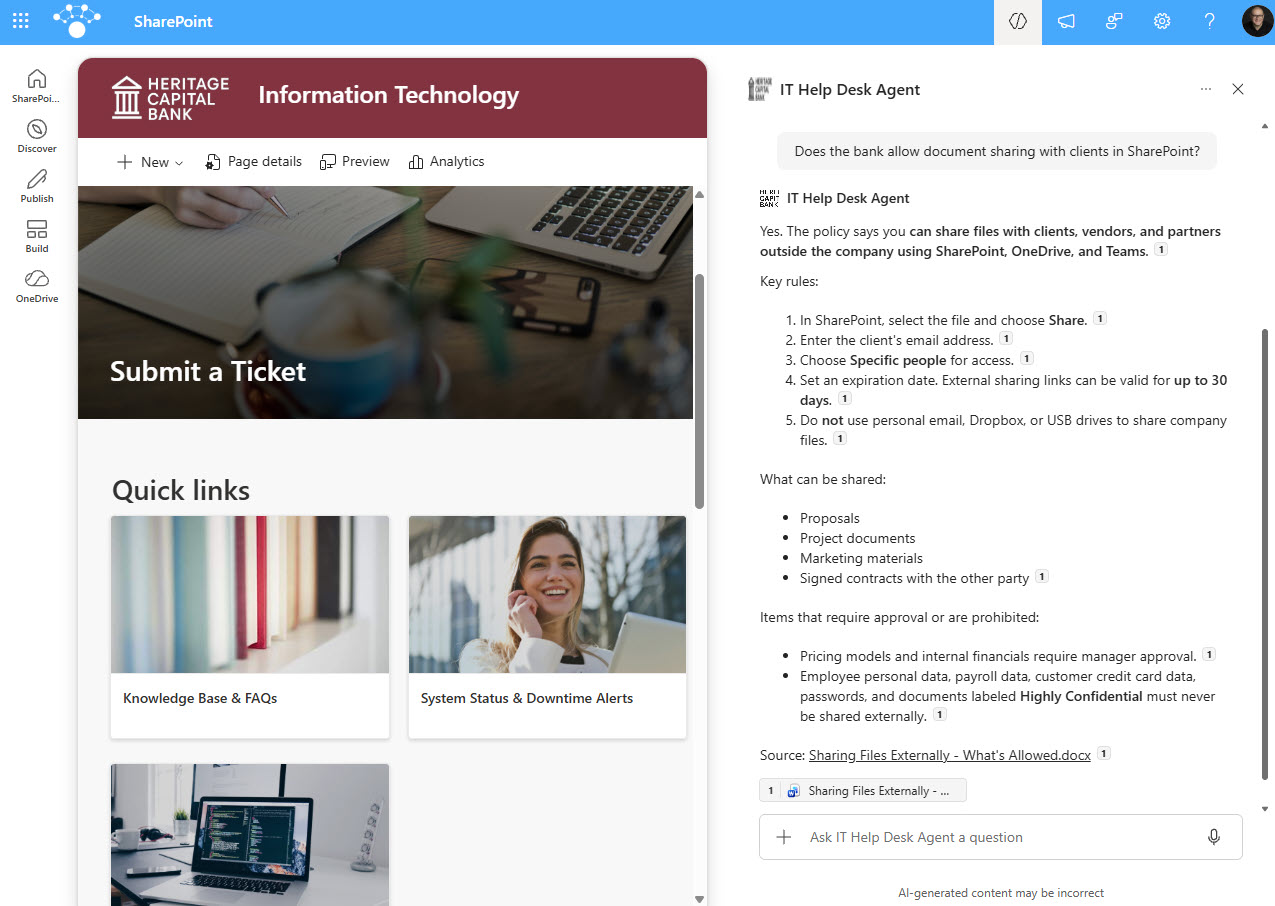
- Copilot Agent: Created directly in SharePoint and scoped to one IT Knowledge Base document library
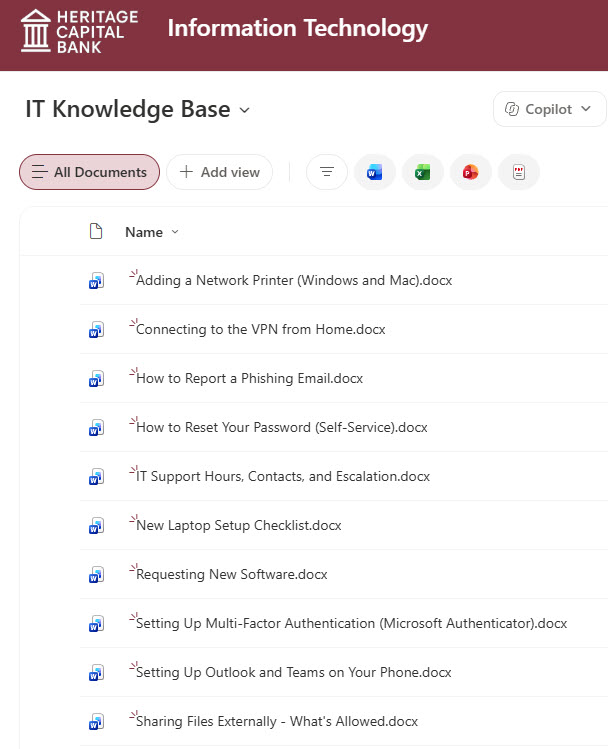
- IT Knowledge Base: Practical articles on password reset, MFA setup, VPN, printers, mobile email, external sharing, phishing, and support contacts
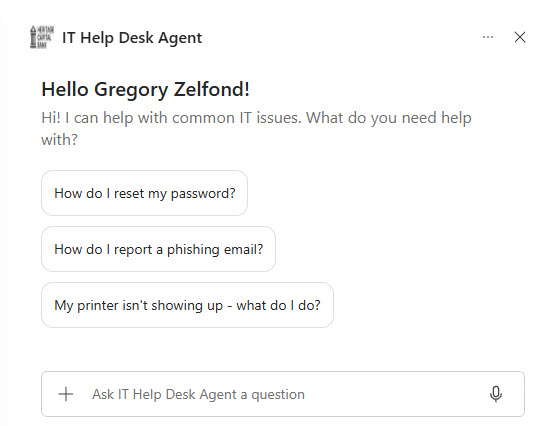
- Starter Prompts: A welcome message and one-click prompts for the most common requests, such as password resets and printer issues
- Cited Answers: Responses include numbered steps and citations that link back to the source article
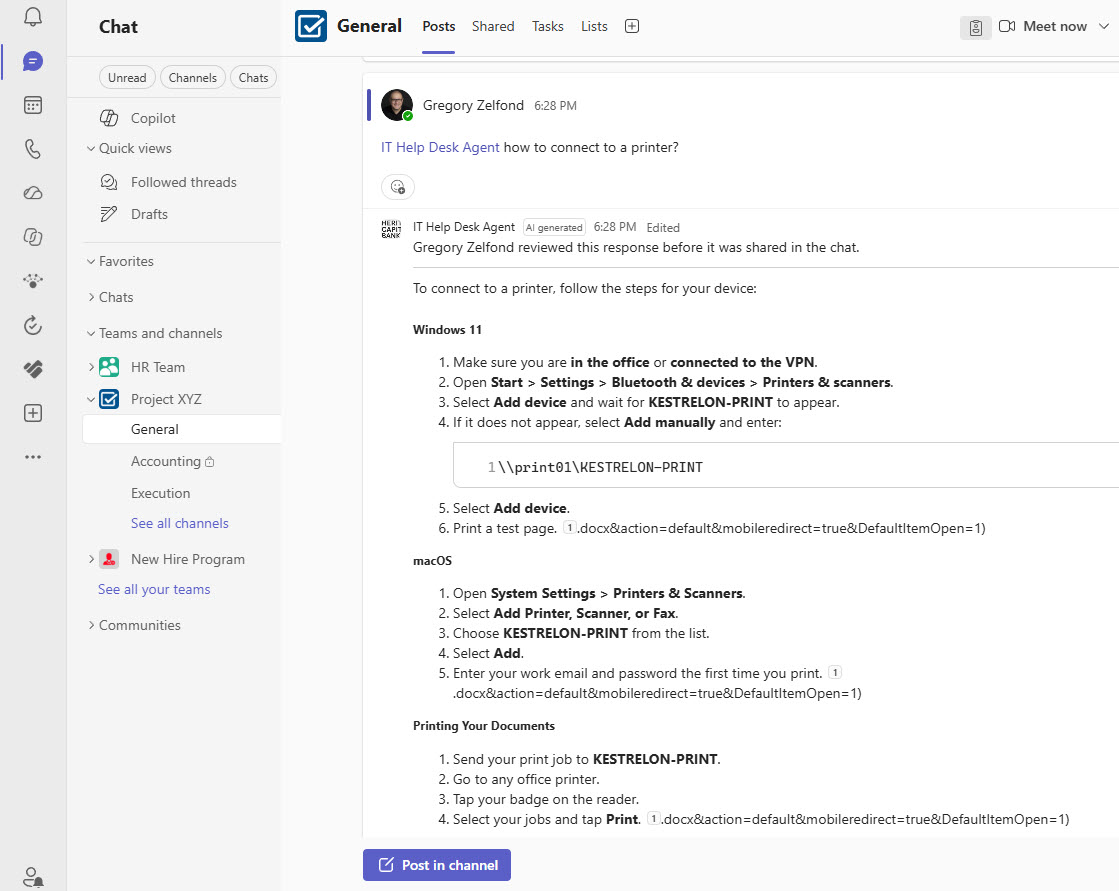
- SharePoint and Teams: Available from the Copilot pane on the IT site and in Teams channels by @mentioning the agent
Benefits
- Fewer Tickets: employees solve routine issues like password resets and printer setup on their own
- Faster Answers: step-by-step instructions in seconds instead of searching through documents
- Accurate Responses: answers come only from the approved IT knowledge base, not the open internet
- Trust Through Citations: every answer links to the source article so users can verify it
- Meets People Where They Work: the same agent answers in SharePoint and in Teams channels
- Easy to Maintain: update an article in the library and the agent’s answers update with it
- Respects Permissions: the agent only uses content each person already has access to
Common Questions About This IT Help Desk Agent
What is this IT Help Desk Agent built with?
It is built with Copilot in SharePoint, grounded in a single IT Knowledge Base document library of Word articles. The agent uses custom instructions, a welcome message, and starter prompts, and it is shared to Teams channels. There is no custom code and no third-party tools – the kind of clean, maintainable Copilot agent Greg Zelfond builds for IT teams.
What’s included in the IT Help Desk Agent?
The example includes an IT Knowledge Base library with articles on password reset, multi-factor authentication, VPN, network printers, mobile email and Teams, external file sharing, phishing, new laptop setup, software requests, and support hours. The agent offers starter prompts, answers with numbered steps and citations, and responds in Teams channels when someone @mentions it.
Does this design use any custom code or third-party tools?
No. The agent is created entirely with out-of-the-box Copilot in SharePoint – no Copilot Studio development, no custom code, and no add-ons. That keeps it stable, secure, and easy to maintain, and nothing breaks when Microsoft releases updates. Out-of-the-box is the only way Greg builds, so the IT team can manage the agent and its content on their own.
Can this agent be customized for our organization?
Absolutely. The knowledge base articles, agent name, welcome message, starter prompts, and instructions are all tailored to your environment, whether that means your VPN client, printers, security policies, or escalation process. Greg adapts the agent to your IT team’s real support requests so employees get answers that match how your organization actually works.
What licensing does the IT Help Desk Agent need?
Anyone who creates or uses a SharePoint Copilot agent needs a Microsoft 365 Copilot license, or the organization can enable pay-as-you-go billing for SharePoint agents. The agent only answers from content each user already has permission to see, and in Teams it works in channels and group chats that do not include guest users.
Can Greg build this IT Help Desk Agent for our organization?
Yes – this is exactly the kind of work Greg Zelfond does. As an independent SharePoint consultant and Microsoft MVP, he designs and builds out-of-the-box Copilot agents like this one, including organizing the knowledge base, writing the instructions and starter prompts, and rolling the agent out to SharePoint and Teams. Reach out through the contact page to get started.