Partners (Directory)


Overview
- Central repository for approved partners the organization works with or may engage in the future
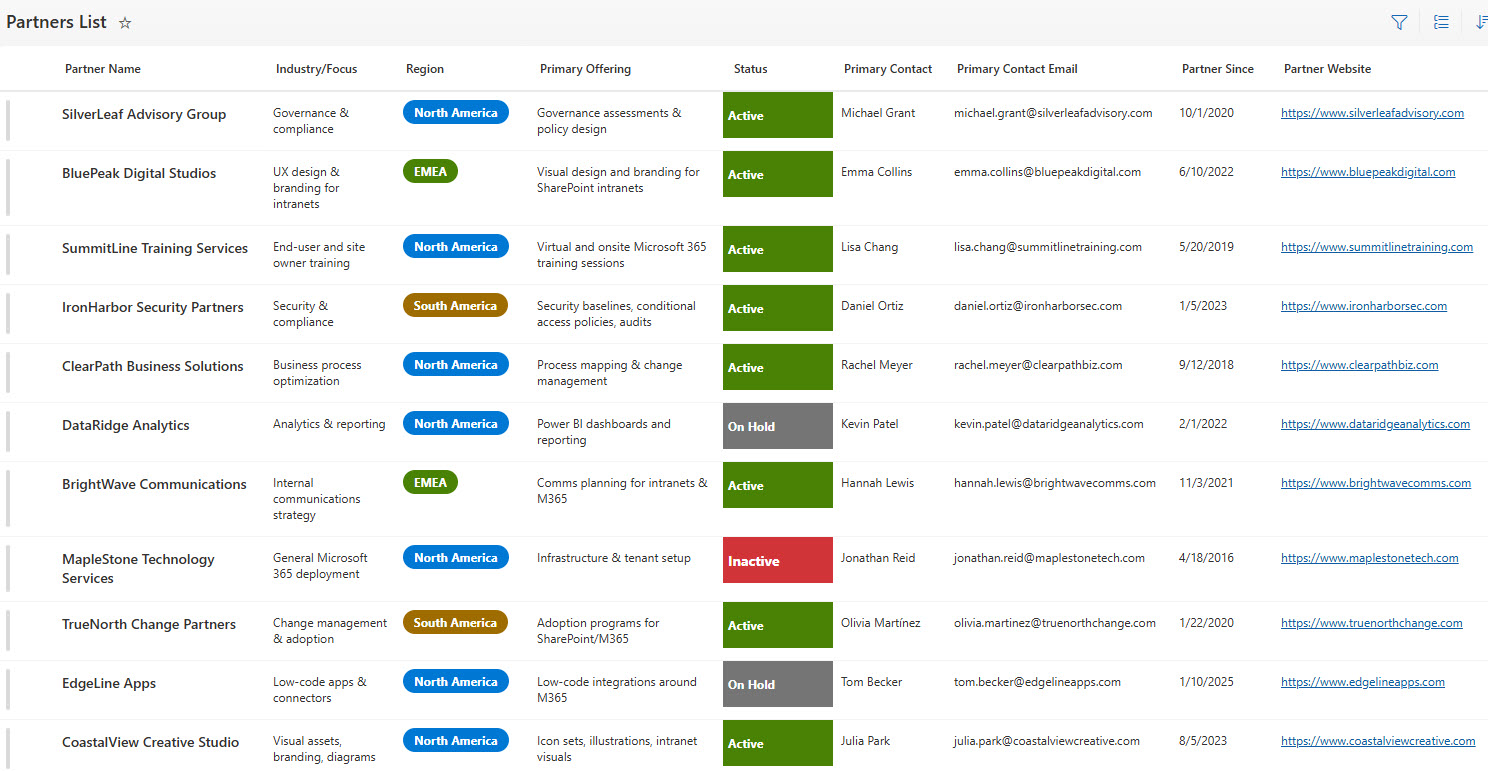
- Each partner profile stores key information such as primary offerings, services, and areas of expertise
- Provides clear visibility into partner contact details, account owners, and escalation paths
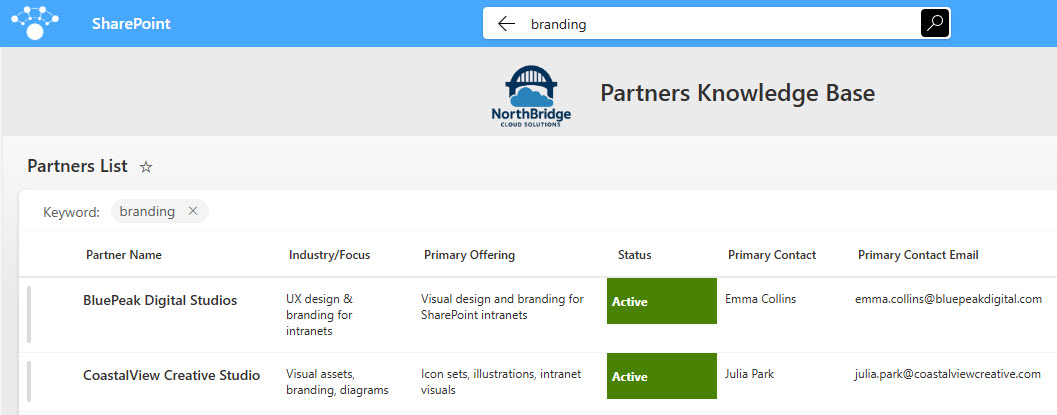
- Supports filtering and search by partner type, service category, or business area
- Ideal for procurement, IT, legal, finance, and business teams who regularly work with external partners
Benefits
- Eliminates scattered vendor and partner information across emails, spreadsheets, and shared drives
- Makes it easy for employees to identify the right partner for a specific business need
- Improves consistency and governance around approved vendors and partner relationships
- Reduces onboarding time for new employees and project teams
- Creates a single source of truth for partner and vendor data
Common Questions About This Partner Directory
What is this Partner Directory built with?
The Partner Directory is built entirely in Microsoft Lists, the tracking app included with Microsoft 365, and presented through a clean SharePoint homepage. Each partner is a list item with columns for offerings, expertise, and contacts, displayed in list and card views. There is no custom code and there are no third-party tools. It is the kind of clean, collaborative directory Greg Zelfond builds for procurement and business teams.
What’s included in the Partner Directory?
Each partner profile stores key information such as primary offerings, services, and areas of expertise, along with contact details, account owners, and escalation paths. The design includes a directory homepage, the main partner list, a card view, filtering by partner type, service category, or business area, and full search – everything employees need to find the right approved partner fast.
Does this design use any custom code or third-party tools?
No. The directory is built entirely with Microsoft Lists, which is included with most Microsoft 365 business and enterprise plans – no custom code, no Power Apps, and no third-party add-ons. That keeps it stable, secure, and easy to maintain, with all partner and vendor data stored safely inside your Microsoft 365 environment. Out-of-the-box is the only way Greg builds.
Can this directory be customized for our organization?
Absolutely. The partner types, service categories, profile fields, and views can all be tailored to how your organization manages vendor and partner relationships – procurement-led, IT-led, or distributed across business units. You can add fields for contract status, renewal dates, or preferred-vendor tiers. Greg adapts the structure to your real vendor governance process, not a generic template.
How do employees find the right partner in the directory?
The directory is built for fast discovery. Employees can browse the card view for a visual overview, filter by partner type, service category, or business area, or simply search by name or keyword to jump straight to a profile. Because every profile shows the account owner and escalation path, employees know exactly who to contact once they find the right partner.
Can Greg build this directory for our organization?
Yes – this is exactly the kind of work Greg Zelfond does. As an independent SharePoint and Microsoft 365 consultant and Microsoft MVP, he designs and builds directories and trackers like this one in Microsoft Lists, SharePoint, Loop, and Planner, tailored to the way your organization manages vendors and partners. Reach out through the contact page to get started.