Non-Conformances (Register)



Overview
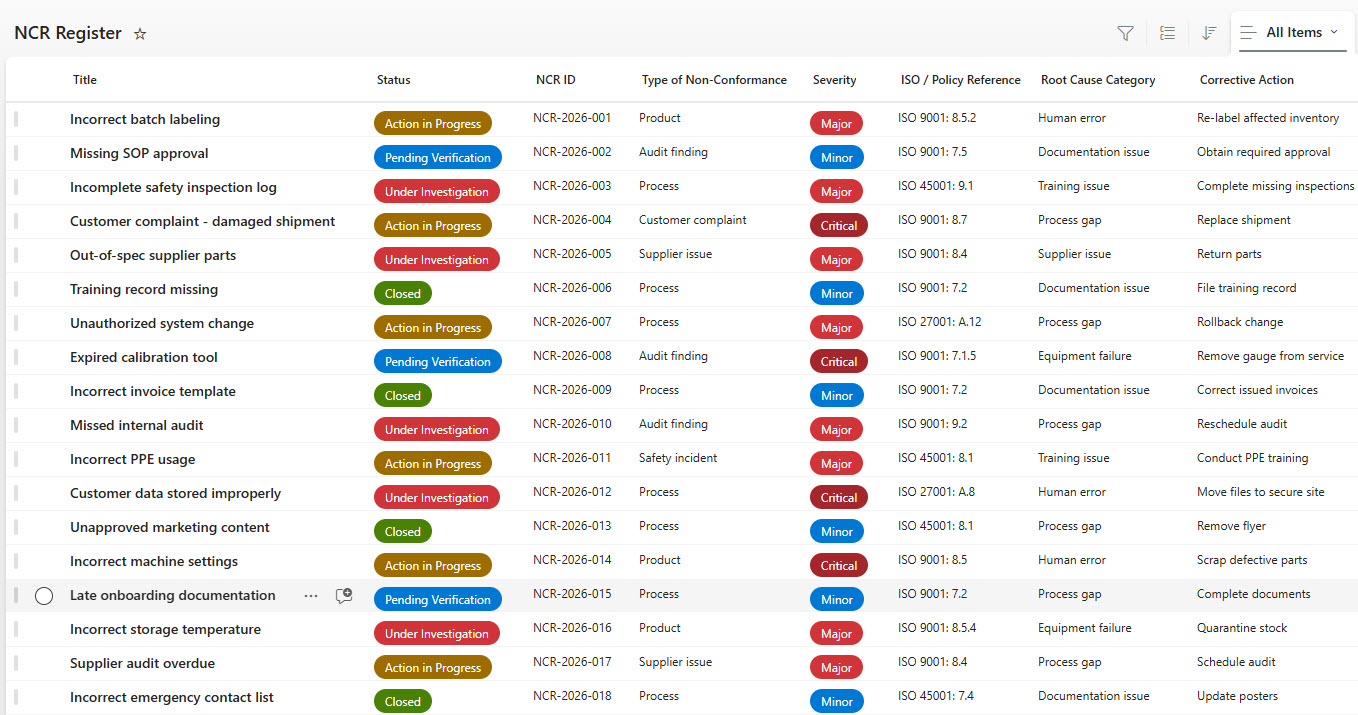
- Centralized NCR register built using Microsoft Lists for easy access and collaboration
- Structured columns based on predefined NCR data fields with sample data
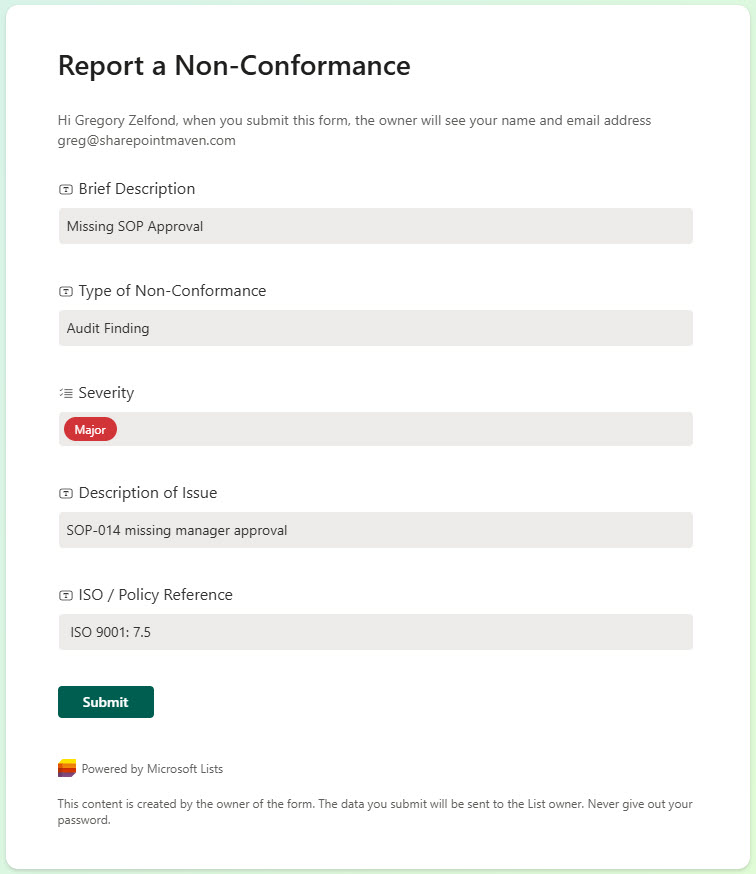
- Integrated Non-Conformance Form for simple issue reporting and submissions
- Standardized data capture to improve consistency and traceability
- Designed for scalability across teams, departments, or projects
- Seamlessly integrates with the Microsoft 365 ecosystem
Benefits
- Improves visibility and control over non-conformance issues
- Reduces manual tracking and fragmented spreadsheets
- Accelerates NCR reporting with a user-friendly submission form
- Enhances data accuracy through standardized fields and validations
- Supports trend analysis and corrective action tracking
- Enables faster decision-making and compliance reporting
Common Questions About This Non Conformance Register
What is this Non Conformance Register built with?
The register is built entirely with Microsoft Lists and Microsoft Forms, both included with Microsoft 365 – a structured list with predefined NCR data fields paired with an intuitive submission form for reporting issues. There is no custom code and there are no third-party tools. It is the kind of clean, collaborative tracker Greg Zelfond builds for quality and compliance teams.
What’s included in the Non Conformance Register?
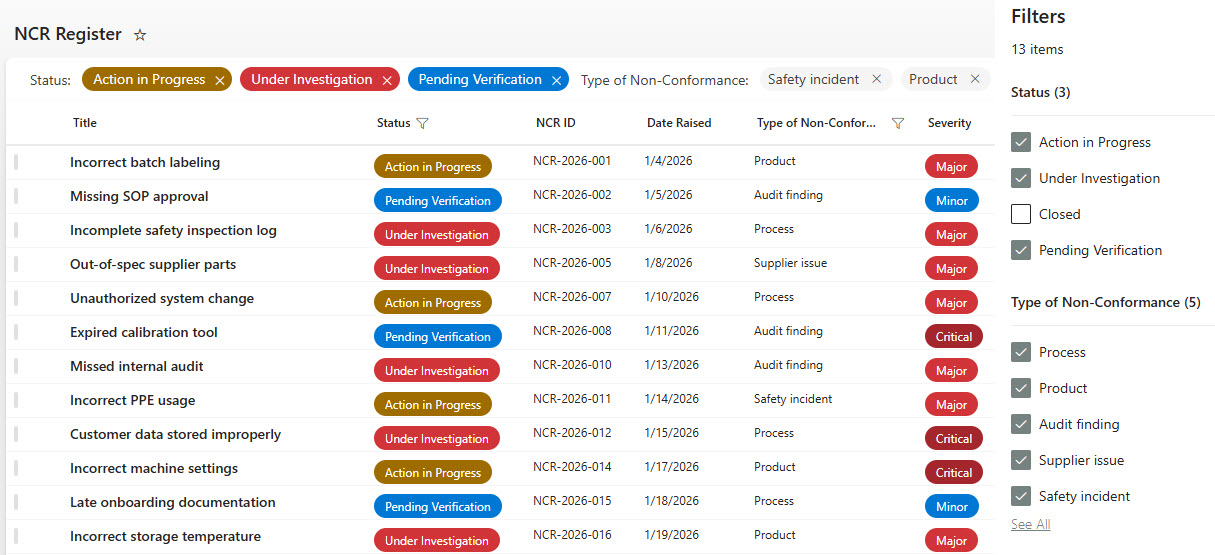
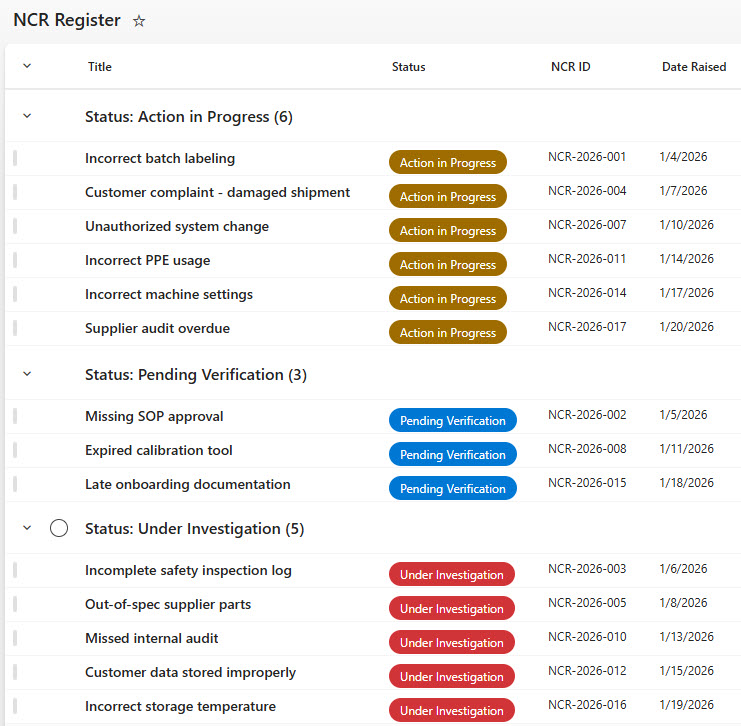
The register includes structured columns based on predefined NCR data fields, loaded with sample data so you can see how real records look. An integrated Non-Conformance Form makes issue reporting simple for anyone in the organization, and standardized data capture keeps every record consistent and traceable. Built-in views round it out – the main list view, filtering to narrow results, and a grouped-by-status view for working the open queue.
Does this design use any custom code or third-party tools?
No. The register is built entirely with Microsoft Lists and Microsoft Forms, both included with most Microsoft 365 business and enterprise plans – no custom code, no third-party add-ons, and nothing extra to buy. That keeps it stable, secure, and easy to maintain, with everything stored safely inside your Microsoft 365 environment. Out-of-the-box is the only way Greg builds.
Can this NCR register be customized for our quality management system?
Absolutely. The NCR fields, status choices, form questions, and views can all be tailored to your quality management system – ISO clause references, severity classifications, disposition codes, or your corrective action workflow. Greg adapts the register and the submission form to the way your quality team actually documents and resolves non-conformances.
How do new non-conformances get submitted to the register?
Through the integrated Non-Conformance Form built with Microsoft Forms. Anyone reporting an issue fills out a short, guided form instead of editing the list directly, which keeps submissions simple and the data standardized. Each submission lands in the register as a structured record, ready for the quality team to review, filter, and track through to resolution in the grouped-by-status view.
Can Greg build this NCR register for our organization?
Yes – this is exactly the kind of work Greg Zelfond does. As an independent SharePoint and Microsoft 365 consultant and Microsoft MVP, he designs and builds trackers like this one in Microsoft Lists, Forms, SharePoint, and Loop, tailored to the way your quality team manages non-conformances. Reach out through the contact page to get started.