Communication Site
Common Use Cases
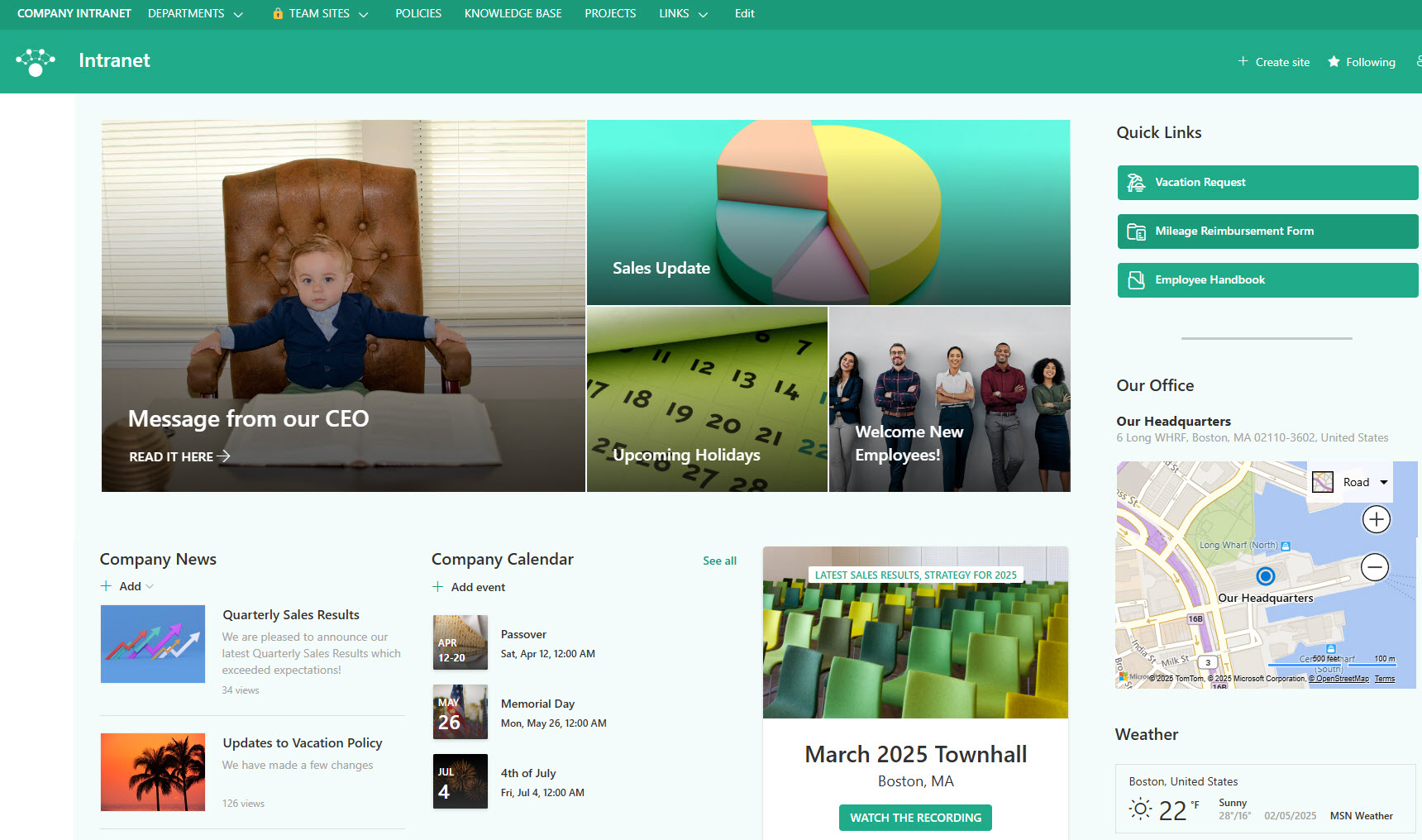
- Intranet homepages: central landing page for organizational news and resources
- Corporate communications: leadership messages, announcements, and company updates
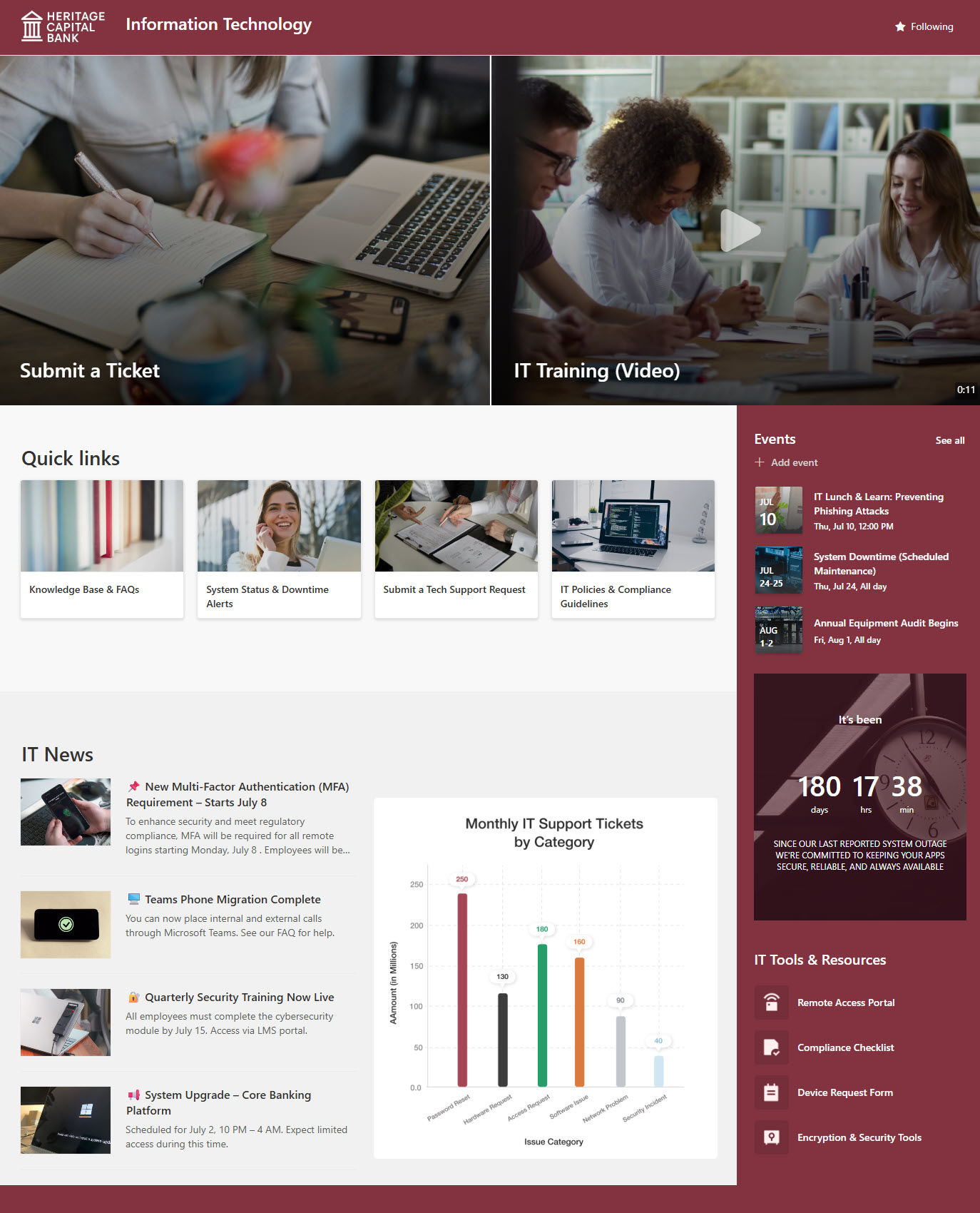
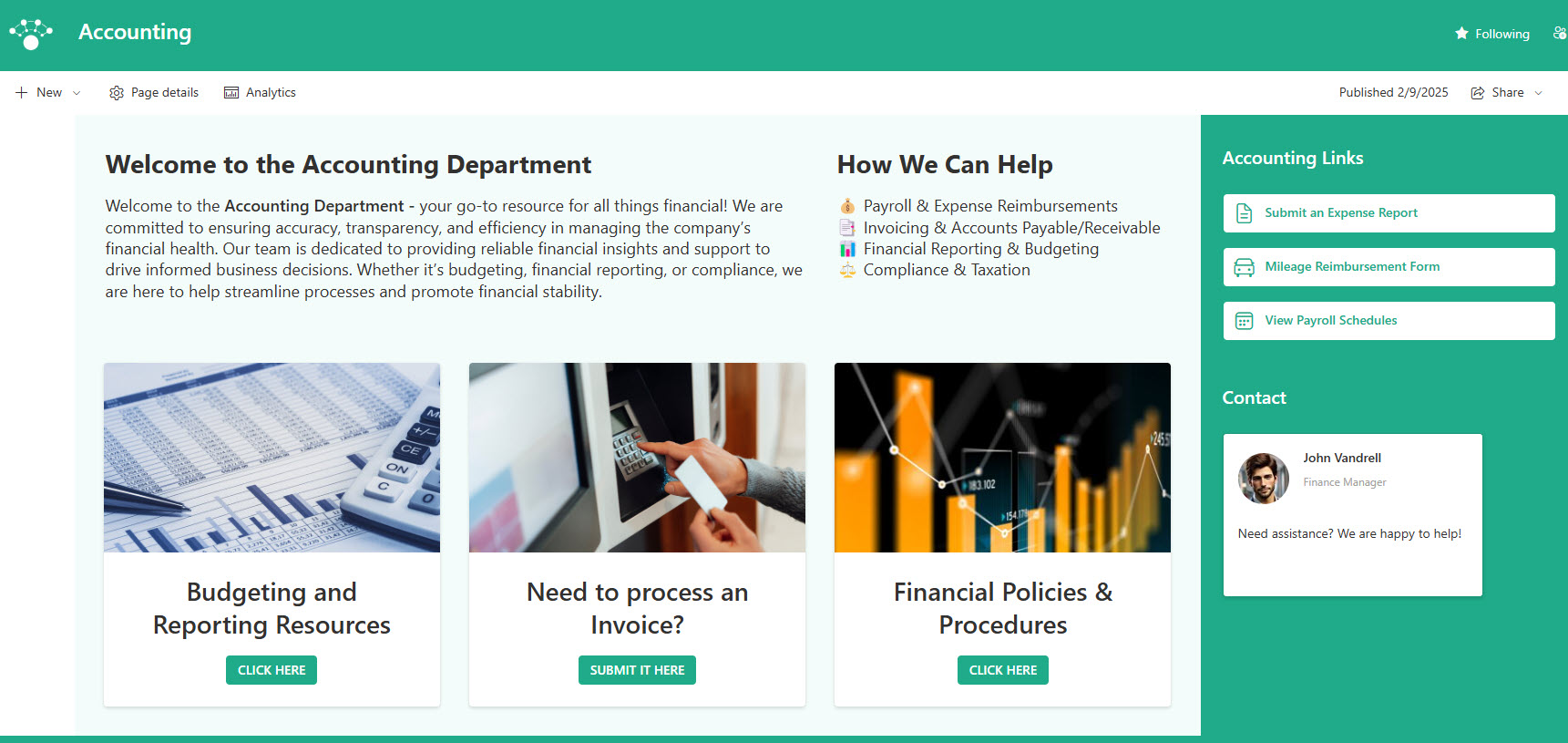
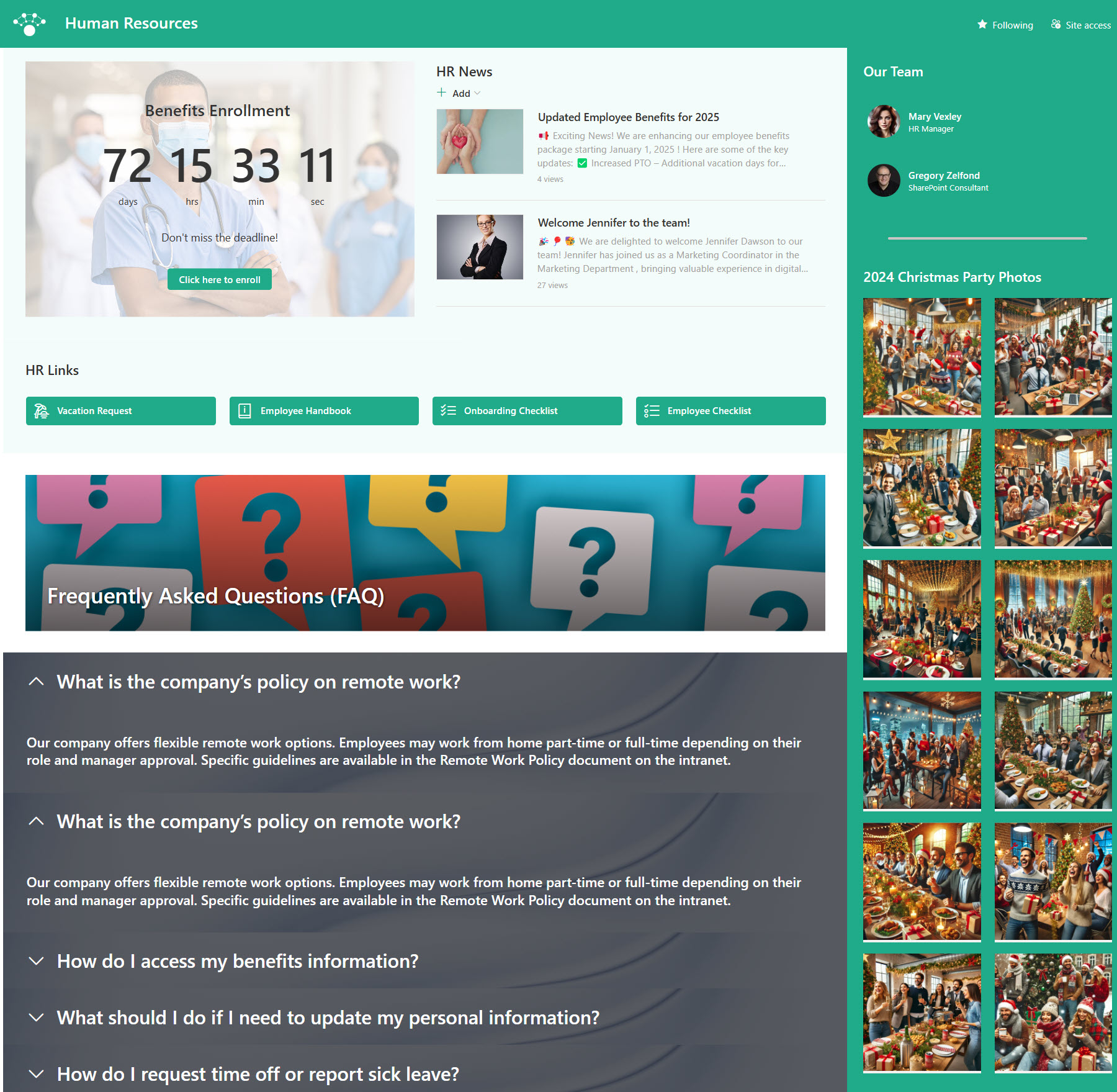
- Department portals: HR, IT, or Finance portals for policies, benefits, and guidance
- Knowledge hubs: curated content, FAQs, and reference materials for large audiences
- Campaign and initiative sites: change management, product launches, or internal programs
- News publishing: visually rich news posts targeted to specific audiences
Benefits
- Optimized for broadcasting: built to communicate to many, not collaborate with few
- Visually engaging layouts: full-width sections, hero web parts, and flexible page design
- No Microsoft 365 Group dependency: cleaner permission model without Teams or mailboxes
- Easy content consumption: read-only experience for most users improves clarity
- Hub site ready: ideal candidate for hub site association
Details
- Feature Category: Sites & Navigation
Limits and Nuances
- No Microsoft 365 Group connection: a Communication Site cannot be connected to a Microsoft 365 Group; if you need Teams, Planner, or a shared mailbox, create a Team Site instead
- No conversion path: after creation, a Communication Site cannot become a Team Site, and a Team Site cannot become a Communication Site
- One-way by design: a few authors publish and many readers consume; it is the wrong choice for heavy co-authoring and day-to-day teamwork
- Language is locked: the default site language is set at creation and cannot be changed later, while the site name and logo can be updated at any time
- Audience targeting is not security: it hides links and news from view, but anyone with read permission who gets a direct link can still open the page
- Full-width sections are exclusive: they work only on Communication Site pages, a key reason intranet homepages should not be built on Team Sites
- Hub roles are flexible: a Communication Site can associate with a hub or be registered as a hub itself, and it is usually a better hub candidate than a Team Site
- Plan and govern up front: decide who belongs in Members (authors) versus Visitors (readers) before launch, and assign owners and review cycles so news and pages do not go stale
Common Questions About Communication Sites
What is a Communication Site in SharePoint?
A Communication Site is one of the two site types in SharePoint Online, designed for publishing information to a broad audience rather than collaborating within a small team. A handful of authors create pages and news posts, and everyone else consumes them as readers. It is the standard choice for intranet homepages, department portals, knowledge hubs, and corporate communications.
What is the difference between a Communication Site and a Team Site?
A Team Site is for collaboration – it connects to a Microsoft 365 Group, which brings Teams, Planner, and a shared mailbox, and every member can contribute. A Communication Site is for broadcasting – it has no Microsoft 365 Group, uses the standard Owners, Members, and Visitors permission groups, and offers full-width page layouts that Team Sites do not. Pick based on whether the audience contributes or just reads.
Can I convert a Communication Site to a Team Site later?
No. SharePoint does not support converting between site types in either direction once a site is created. If you discover you chose the wrong type, the practical fix is to create a new site of the correct type and move the content over. That is why deciding between collaboration and communication up front is the single most important step in site planning.
Who can see a Communication Site?
Only the people you grant access to. By default a new Communication Site is visible just to its creator and the Owners group, so most organizations add a group such as Everyone except external users to the Visitors group to open it up for company-wide reading. Authors go into Members, and full control stays with a small Owners group.
Should my intranet homepage be a Communication Site?
Yes, in almost every case. Communication Sites support full-width sections, the Hero web part, and top navigation – the visual ingredients of a modern intranet landing page – and their author-versus-reader permission model fits how intranets actually work. Every intranet homepage example in the LookBook 365 gallery that Greg builds starts from an out-of-the-box Communication Site.
What do you get when you create a Communication Site?
A Communication Site starts from a template – Standard communication, Showcase, or Blank – each preloading a different set of web parts. You get a Documents library, an Events list, and a Site Pages library where pages and news posts live, plus layouts unavailable on Team Sites such as full-width sections and the Hero web part. Navigation runs along the top rather than the left, and three standard groups (Owners, Members as authors, Visitors as readers) control access. No Microsoft 365 Group is attached, so there is no Teams team, Planner, or shared mailbox.
Can a Communication Site be a hub site?
Yes. A Communication Site can be registered as a hub site by a SharePoint admin, and it is usually the better candidate than a Team Site because hubs exist to share navigation, branding, and news across related sites – a broadcasting job. Other Communication Sites and Team Sites can then associate with the hub while keeping their own permissions.