Project Site (Agent)



Overview
- Copilot Agent: Using the whole site as its source so new documents are picked up automatically
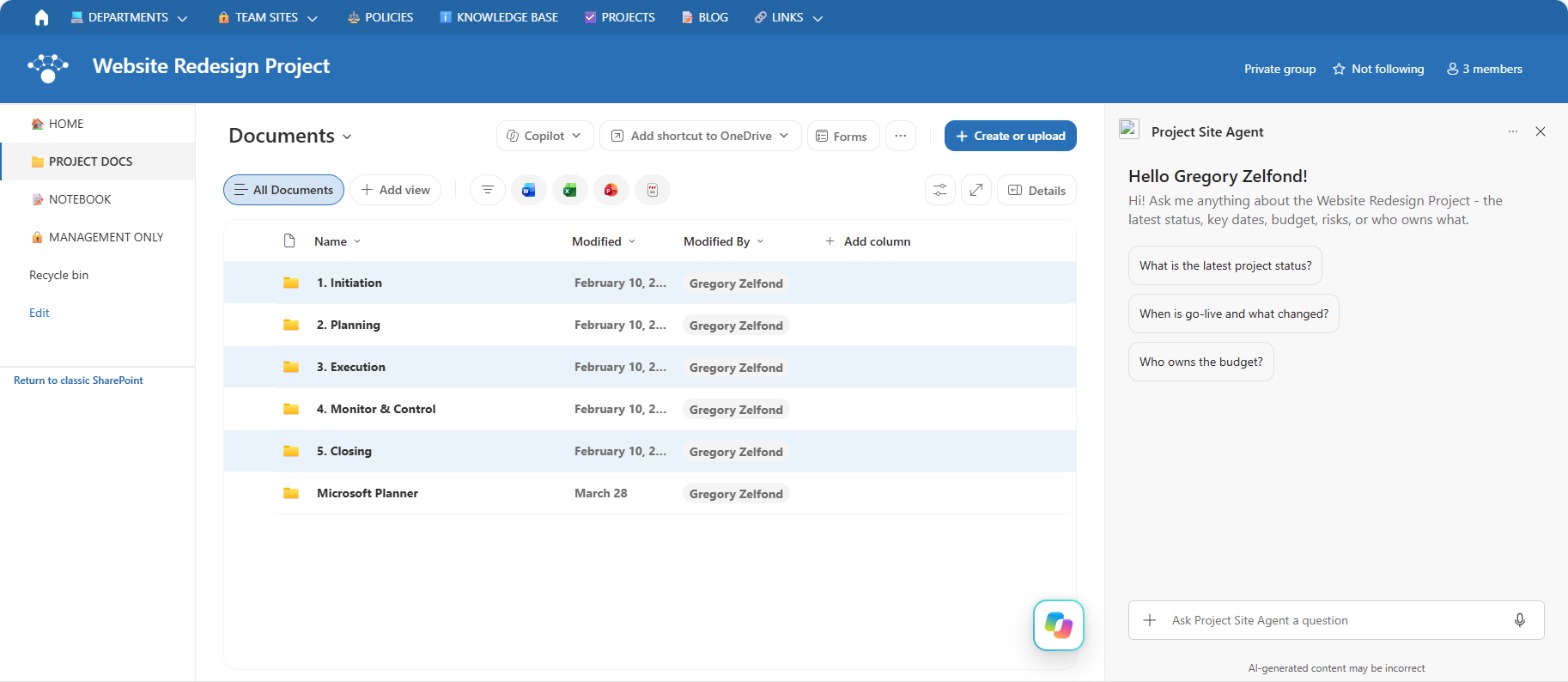
- Starter Prompts: A welcome message and three starter prompts for the latest status, the go-live date and what changed, and who owns the budget
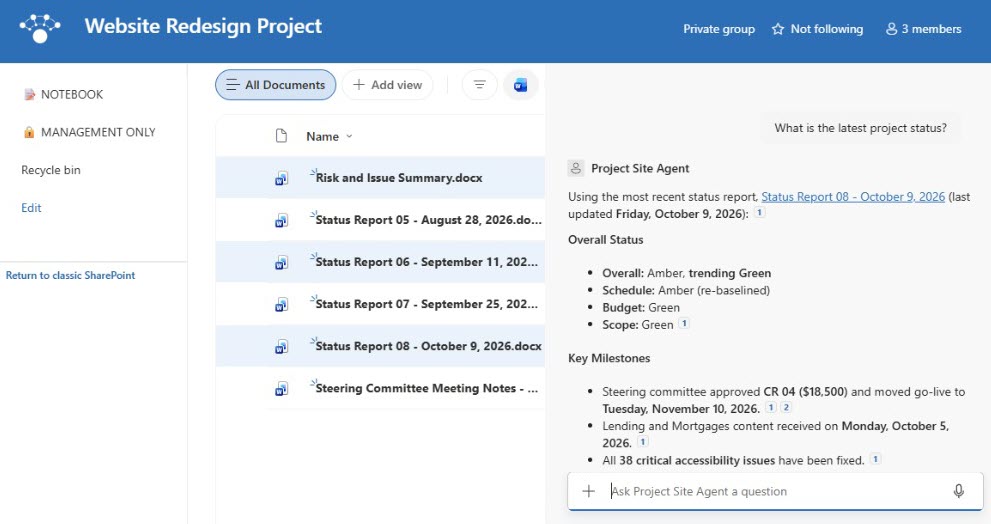
- Agent Instructions: Always use the newest status report, cite the document, keep exact dates and amounts, and decline to predict how the launch will go
- Where It Works: The SharePoint chat pane and the Microsoft 365 Copilot app
Benefits
- Status on demand: sponsors get the current status without waiting for the next report or meeting
- Always current: each new status report is used automatically, with no source list to maintain
- Fewer status emails: team members and content owners look up dates, owners, and decisions themselves
- Trends, not just snapshots: answers compare the latest report with earlier ones to show progress
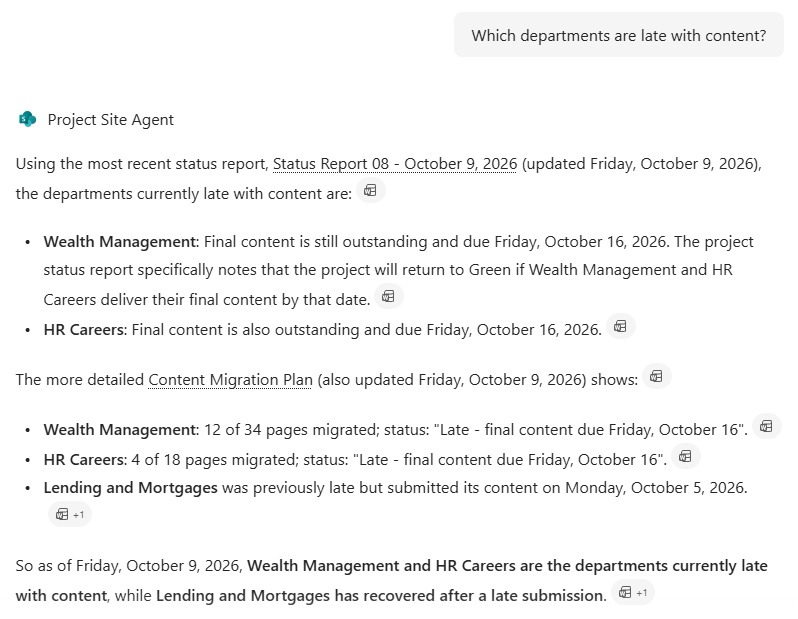
- Cited answers: every response links to the document it came from, so people can check the source
Common Questions About This Project Site Agent
What is this Project Site Agent built with?
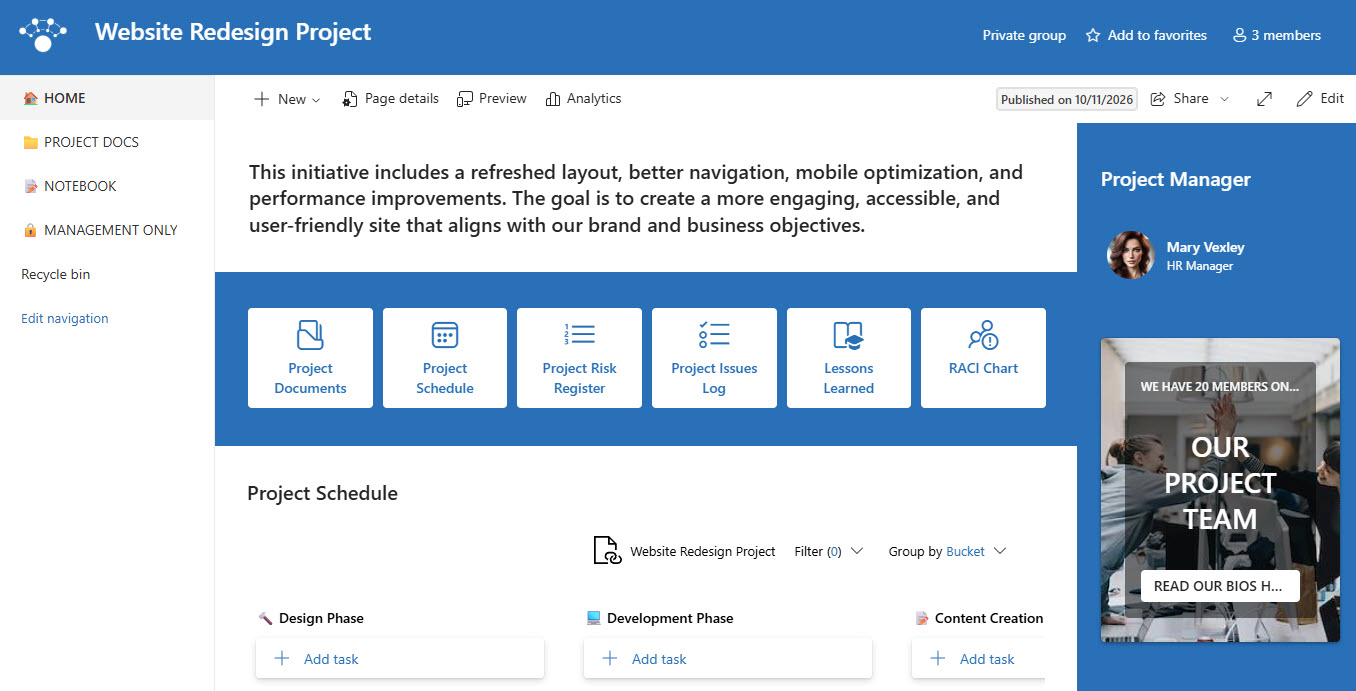
It is built with Copilot in SharePoint and grounded in the whole project site, including a documents library organized into phase folders for the charter, schedule, budget, RACI, status reports, and meeting notes. The agent has a welcome message, three starter prompts, and custom instructions. There is no custom code and no third-party tools – the kind of clean, maintainable Copilot agent Greg Zelfond builds for project teams and PMOs.
What’s included in the Project Site Agent?
The example includes a bank’s website redesign project site with a charter, schedule and milestones, budget summary, RACI, communication plan, design decisions log, content migration plan, biweekly status reports, steering committee notes, a risk and issue summary, and a go-live checklist. The agent answers questions like what the latest status is, when go-live is and why it moved, which departments are late with content, and who owns the budget.
Why use the whole project site as the source?
A project site is small and exists for one purpose, so nearly everything on it is relevant. Using the site as the source means each new status report or meeting note is picked up automatically, with no source list to update. The instructions tell the agent to prefer the newest status report, and folder permissions still decide which files each person can get answers from.
Does this design use any custom code or third-party tools?
No. The site and the agent are created entirely with out-of-the-box SharePoint and Copilot in SharePoint – no Copilot Studio development, no custom code, and no add-ons. That keeps it stable, secure, and easy to maintain, and nothing breaks when Microsoft releases updates. Out-of-the-box is the only way Greg builds.
Can this agent be customized for our organization?
Absolutely. The folder structure, project documents, agent name, welcome message, starter prompts, and instructions are all tailored to your organization, whether you run IT rollouts, construction projects, product launches, or a full PMO portfolio. Greg sets up the project site and writes the agent instructions so sponsors and team members get answers in the format your project reports already use.
Can Greg build this Project Site Agent for our organization?
Yes – this is exactly the kind of work Greg Zelfond does. As an independent SharePoint consultant and Microsoft MVP, he designs and builds out-of-the-box Copilot agents like this one, including the project site, document library and phase folders, permissions, the agent instructions and starter prompts, and the rollout to SharePoint and the Microsoft 365 Copilot app. Reach out through the contact page to get started.