Contracts (Agent)



Overview
- Agent from one library: A Copilot agent created from a SharePoint Contracts library, with that library as its only source so answers come from executed agreements and never from drafts, policies, or news
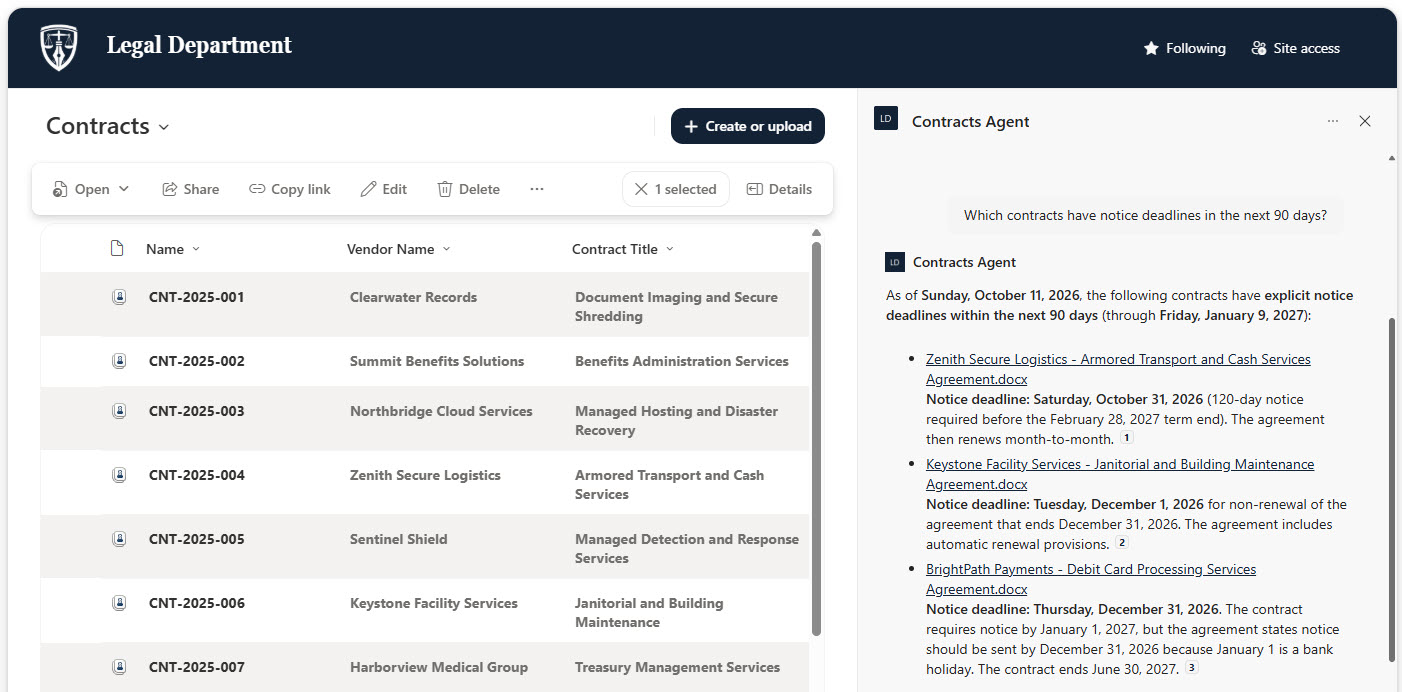
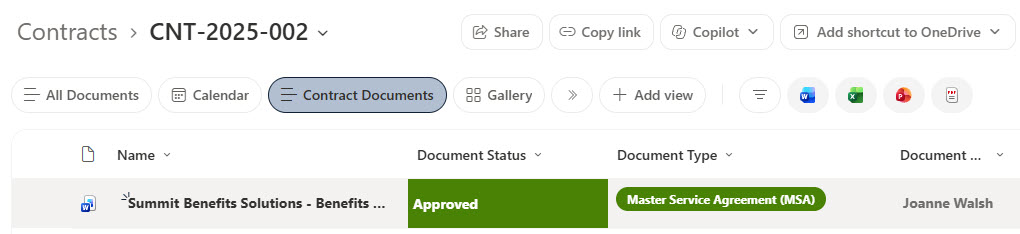
- Contract document sets: Each contract stored as a document set with a contract number, vendor name, and contract title, holding the agreement plus supporting documents tagged with status and document type
- Consistent contract sections: Agreement summaries written in the same sections – overview, term and renewal, payment terms, service levels, termination, and contacts – so the agent can compare contracts side by side
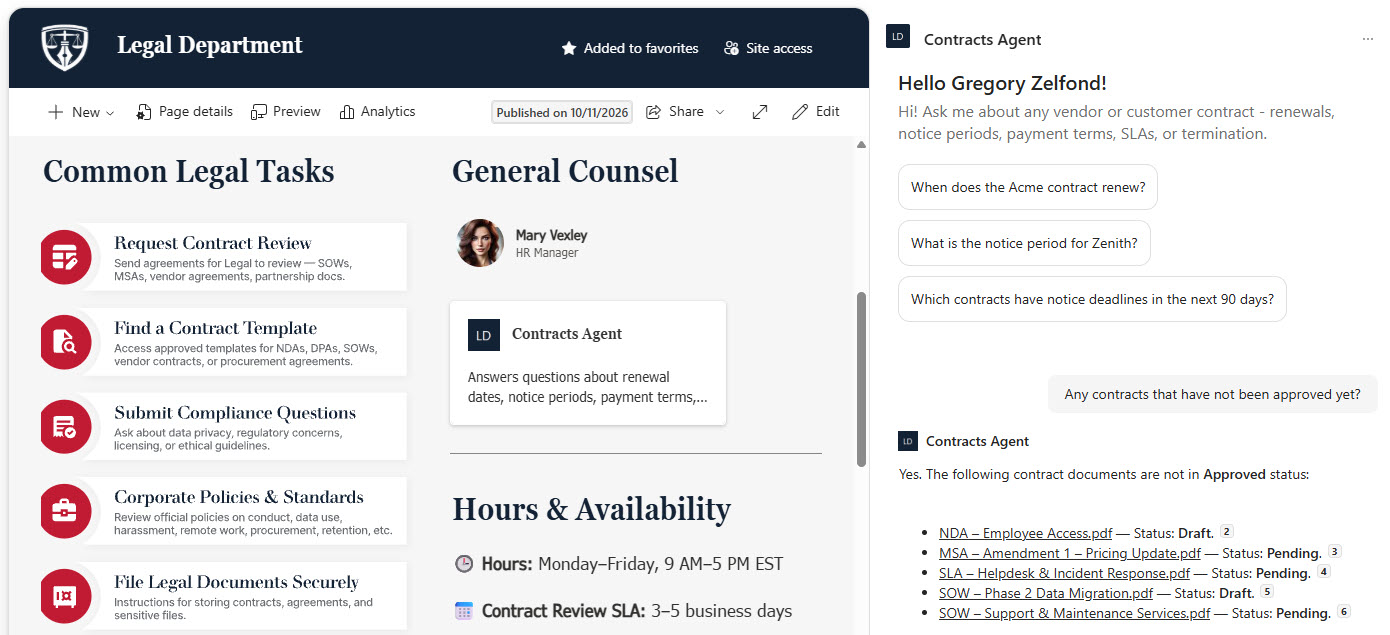
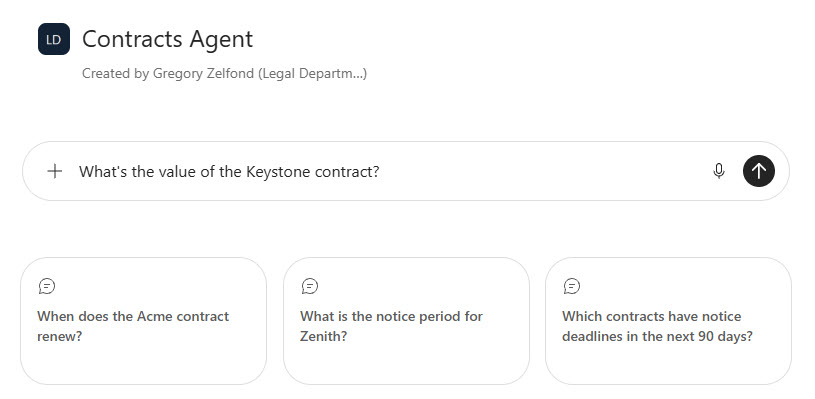
- Welcome message and starter prompts: A welcome message and three starter prompts for renewal dates, notice periods, and notice deadlines coming up in the next 90 days
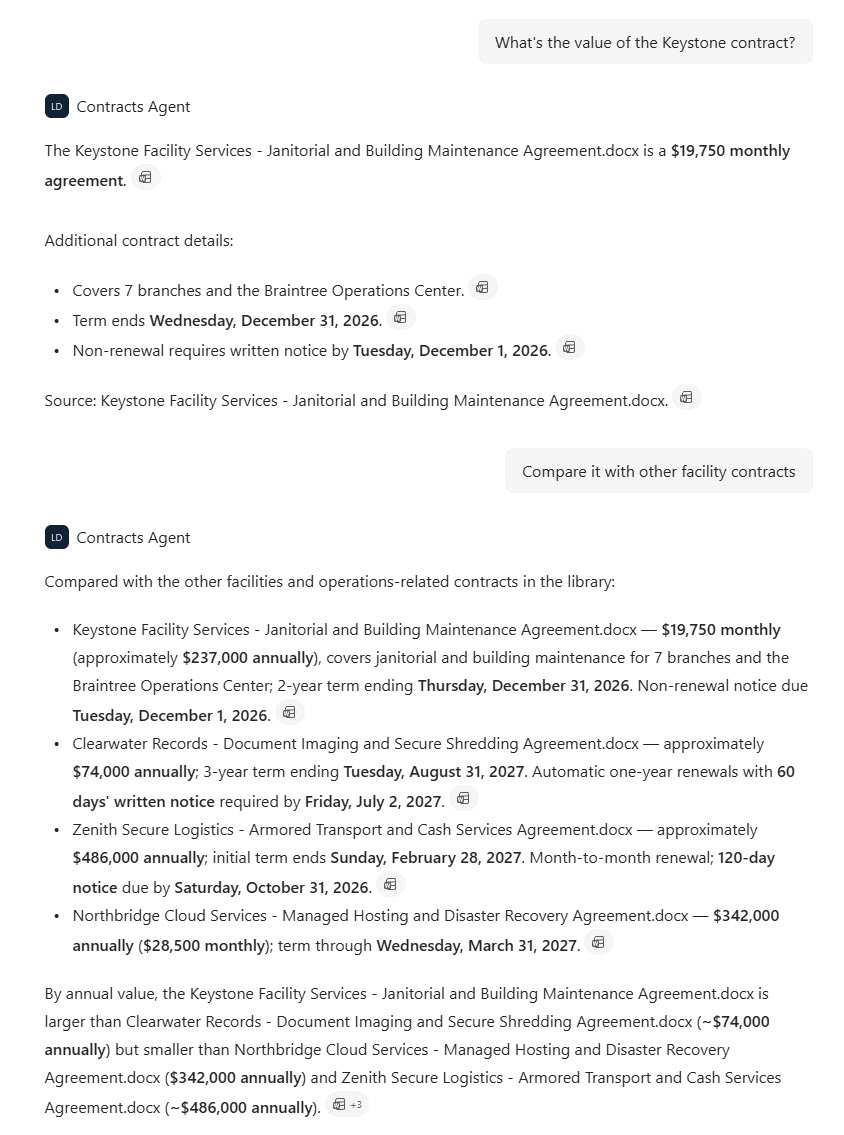
- Custom instructions: Custom instructions that return exact dates with the weekday, exact dollar amounts, and a citation to the contract used, and that decline to give legal advice
- Agent Link on the home page: Set as the site’s main agent and promoted on the Legal Department home page with an Agent Link web part next to common legal tasks
- Works where people already are: Works in the SharePoint chat pane and the Microsoft 365 Copilot app
Benefits
- No missed renewals: notice deadlines surface in a plain answer before an agreement rolls over automatically
- Faster answers for Legal: procurement, finance, and department heads look up terms themselves instead of emailing the contracts team
- Easy comparisons: contract values, terms, and service levels line up side by side across vendors in seconds
- Approval visibility: documents still in draft or pending status are easy to find before a contract goes forward
- Trustworthy answers: every response cites the contract it came from, so people can open the source and check
- Respects permissions: people only get answers from contracts they already have access to
- Easy upkeep: new agreements added to the library are picked up by the agent with no changes to the agent itself
Common Questions About This Contracts Agent
What is this Contracts Agent built with?
It is built with Copilot in SharePoint and grounded in one SharePoint Contracts library, where each contract is a document set tagged with a contract number, vendor name, and contract title. The agent has a welcome message, three starter prompts, and custom instructions, and an Agent Link web part puts it on the home page. There is no custom code and no third-party tools – the kind of clean, maintainable Copilot agent Greg Zelfond builds for legal and procurement teams.
What’s included in the Contracts Agent?
The example includes a Contracts library of vendor and customer agreements for a bank, from software licensing and cloud hosting to facilities, security, and treasury services, plus a contract contacts and renewal process document. The agent answers questions like when a contract renews, what the notice period is, which notice deadlines fall in the next 90 days, what a contract is worth, and which documents are not yet approved, with every answer cited.
Why point the agent at one library instead of the whole Legal site?
A Legal site usually holds drafts, templates, policies, and news alongside signed agreements. Scoping the agent to the Contracts library keeps its answers limited to executed contracts and their summaries, so it never mixes in a draft clause or an old template. New contracts added to the library are picked up automatically, and the library’s permissions decide who can get answers about each agreement.
Does this design use any custom code or third-party tools?
No. The library and the agent are created entirely with out-of-the-box SharePoint and Copilot in SharePoint – no Copilot Studio development, no custom code, and no add-ons. That keeps it stable, secure, and easy to maintain, and nothing breaks when Microsoft releases updates. Out-of-the-box is the only way Greg builds.
Can this agent be customized for our organization?
Absolutely. The library structure, document set metadata, agent name, welcome message, starter prompts, and instructions are all tailored to your organization, whether you manage vendor agreements, customer contracts, leases, or grant agreements. Greg structures the library and writes the agent instructions so your team gets answers in the format your legal and procurement staff actually use.
Can Greg build this Contracts Agent for our organization?
Yes – this is exactly the kind of work Greg Zelfond does. As an independent SharePoint consultant and Microsoft MVP, he designs and builds out-of-the-box Copilot agents like this one, including the Contracts library, document sets and metadata, permissions, the agent instructions and starter prompts, and the rollout to SharePoint and the Microsoft 365 Copilot app. Reach out through the contact page to get started.