Lessons Learned (Log)


Overview
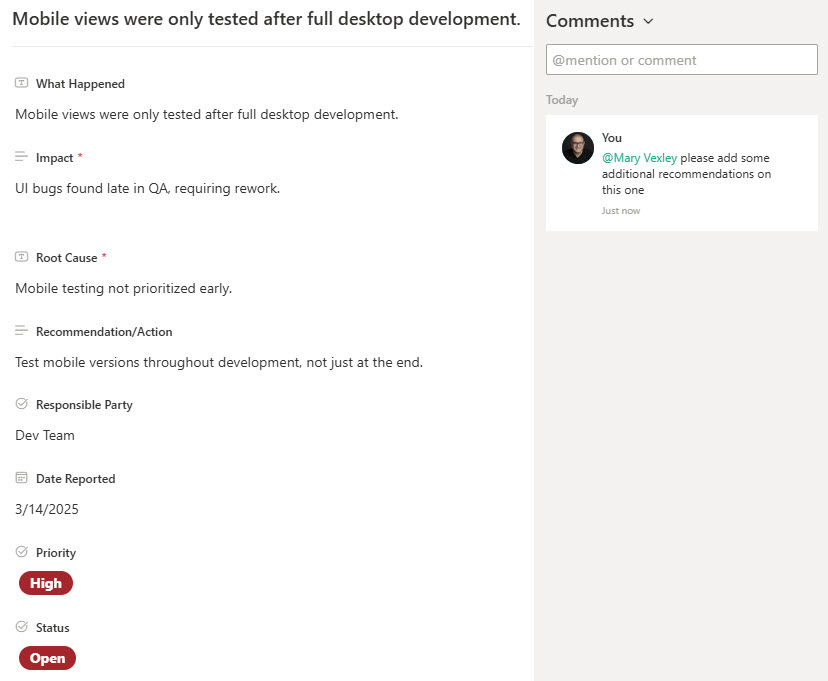
- Standardized entry form: a consistent intake form ensures lessons are captured the same way across all projects
- Search and filter views: past lessons are easy to find when planning new work
- Exportable data: lessons can be pulled into retrospectives and future planning sessions
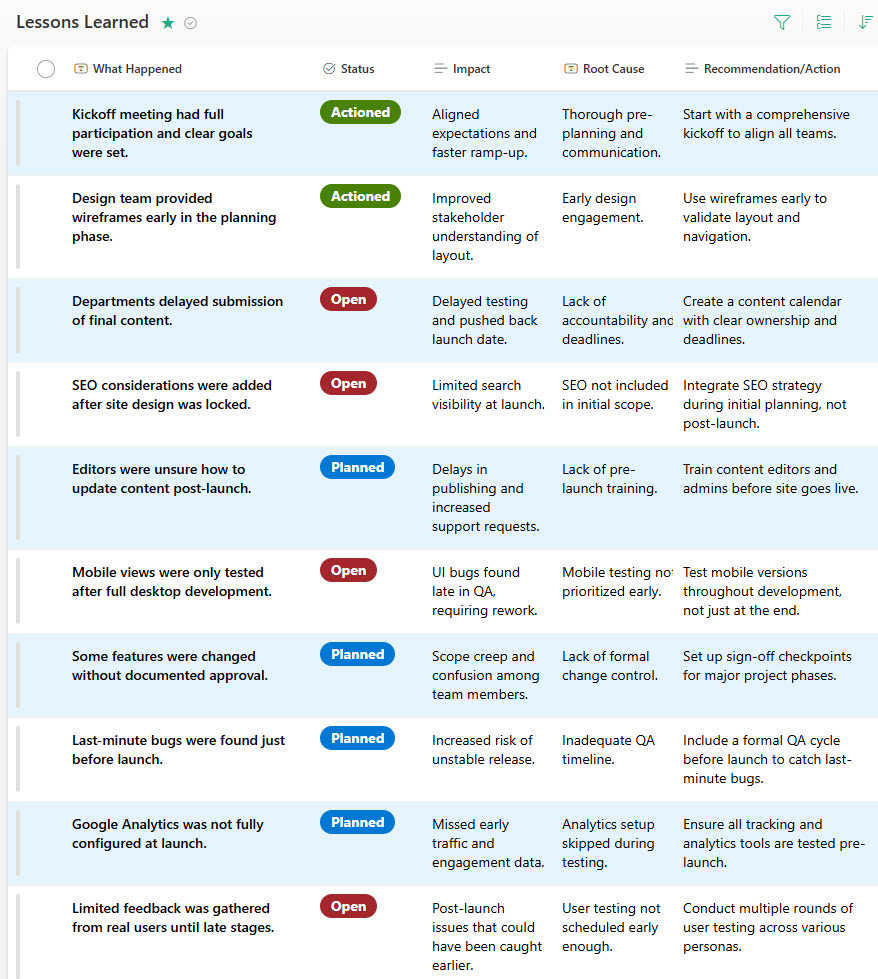
- Status and priority fields: high-impact lessons stand out from routine notes
- Version history tracking: a full record of edits and updates is maintained automatically
- Project-specific or global lessons: the log accommodates different use cases and visibility needs
Benefits
- Continuous improvement: key takeaways are captured and carried into future projects
- Fewer repeat mistakes: past challenges and how they were resolved stay visible to everyone
- Streamlined knowledge sharing: lessons flow across teams, departments, and projects
- Better project planning: real-world insights from previous efforts inform new work
- Stronger team accountability: reflection and documentation become part of how projects close
- Easy access and reporting: customizable views, filters, and export options keep lessons usable
Common Questions About This Lessons Learned Log
What is this Lessons Learned Log built with?
The log is built entirely with Microsoft Lists and Microsoft Forms, both part of Microsoft 365. Forms provides the standardized intake form, and Lists stores the lessons with status and priority fields, multiple views, and version history. There is no custom code and no third-party tools. It is the kind of clean, maintainable tracker Greg Zelfond builds for project teams serious about continuous improvement.
What’s included in the Lessons Learned Log?
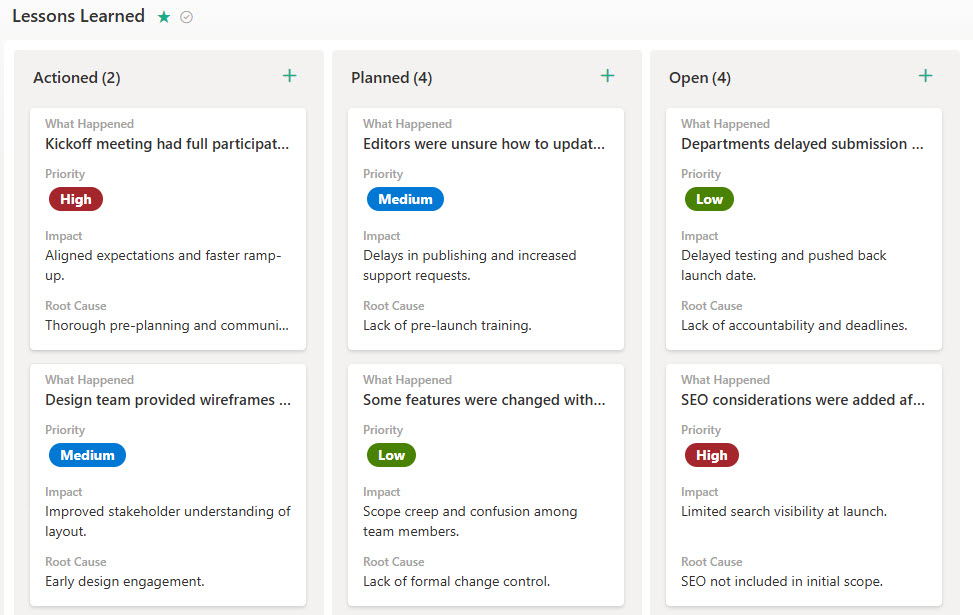
The design includes a standardized intake form for submitting lessons, a board view for working through them visually, a standard list view, and views grouped by priority and by status. Each lesson carries status and priority fields so high-impact items stand out, version history tracks every edit, and the data can be exported for retrospectives and future planning.
Does this design use any custom code or third-party tools?
No. Everything in this Lessons Learned Log uses standard Microsoft Lists and Microsoft Forms functionality available in Microsoft 365. That matters because out-of-the-box solutions are stable, secure, and easy to maintain – nothing breaks when Microsoft rolls out updates, and there are no third-party licenses to manage. Out-of-the-box is the only way Greg builds.
Can this Lessons Learned Log be customized for our organization?
Absolutely. The intake form questions, lesson categories, status and priority choices, and views can all be tailored to your project methodology. Greg adapts the log to the way your organization actually closes projects – whether lessons are captured per project, rolled up globally, or reviewed in formal retrospectives – so the design fits your real process rather than a generic template.
Can we create different views of the lessons for different teams?
Yes. Microsoft Lists supports multiple saved views of the same data, so one log can serve every audience. The board view works well for retrospective sessions, the grouped-by-priority view surfaces high-impact lessons for leadership, and filtered views can show only the lessons relevant to a specific department or project type. Grouping, filtering, and sorting all work out of the box.
Can Greg build this Lessons Learned Log for our organization?
Yes – this is exactly the kind of work Greg Zelfond does. As an independent SharePoint and Microsoft 365 consultant and Microsoft MVP, he designs and builds out-of-the-box project trackers like this one, tailored to your projects, teams, and review process. If you want a lessons learned log your organization will actually use, reach out through the contact page to get started.