QR Codes (Tracker)


Overview
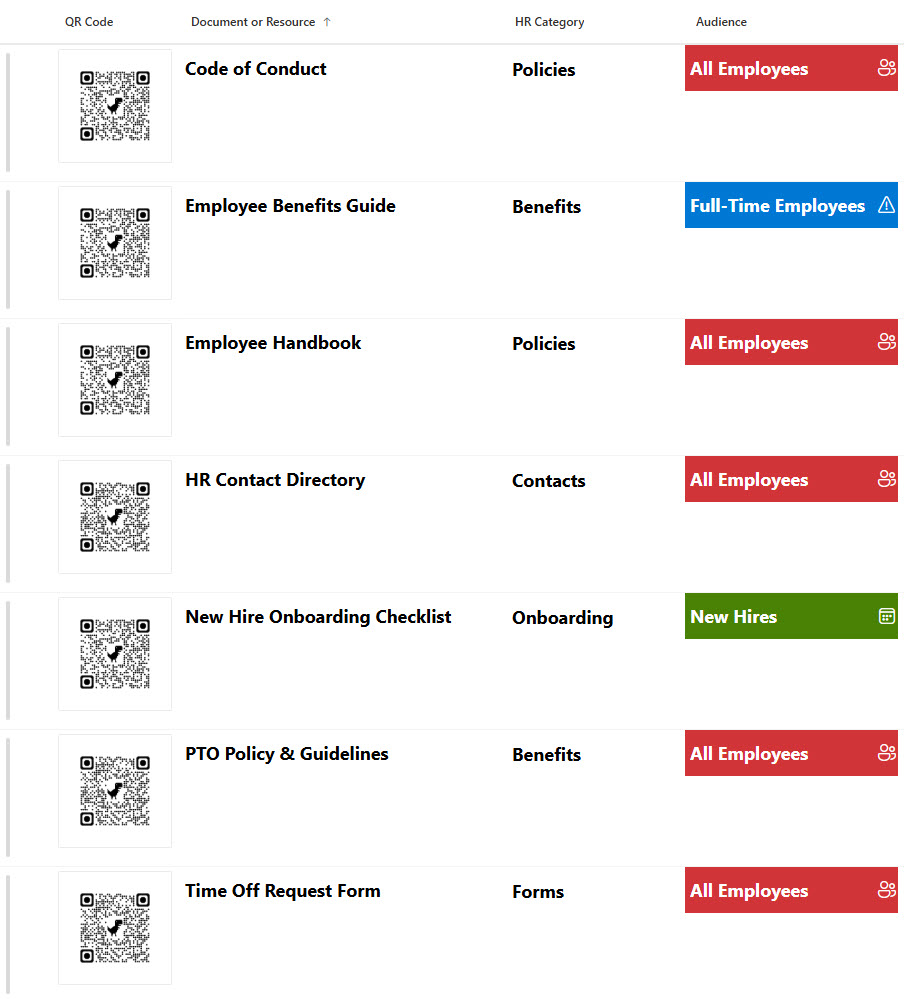
- Centralized Microsoft List for storing QR codes that link to company resources such as the employee handbook, code of conduct, forms, and guides
- Uses an image column to display each QR code directly inside the list for quick scanning and visual reference
- Includes metadata columns like Category and Audience to classify each resource clearly
- Audience tagging can identify who each QR code is intended for, such as All Employees, New Hires, or Full-Time staff
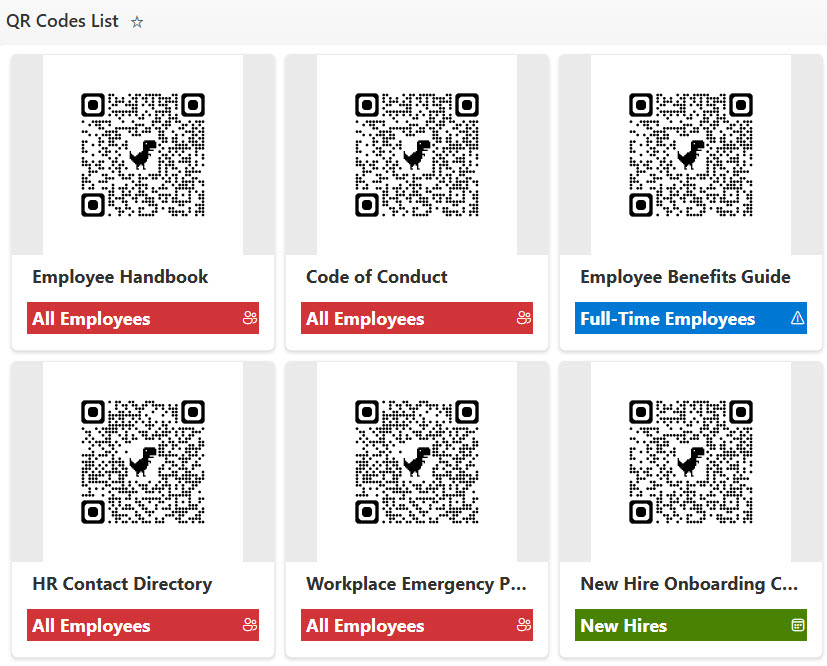
- Supports both List and Gallery views for flexible browsing, depending on whether users prefer structured data or visual cards
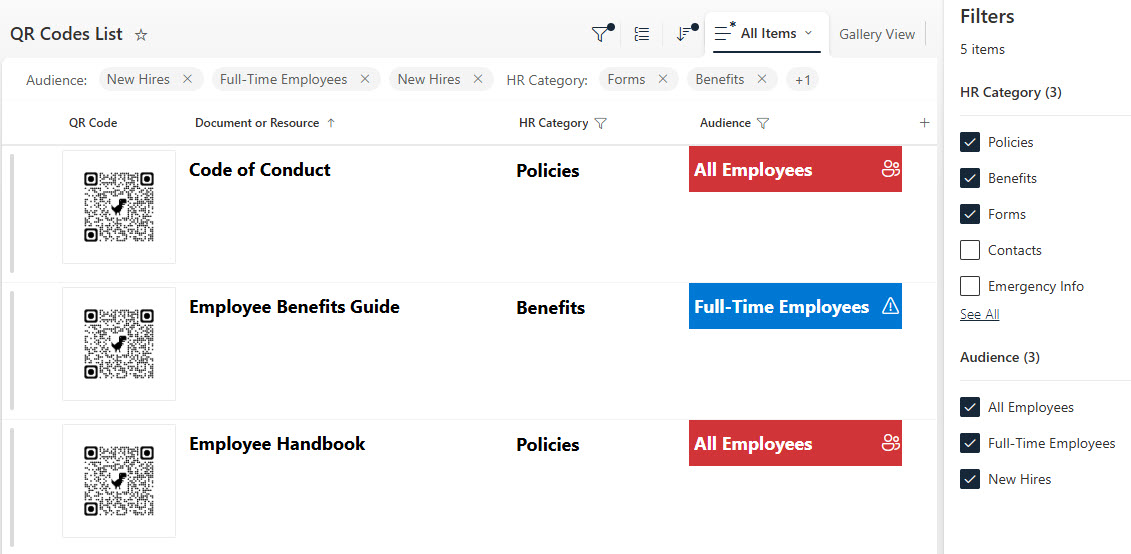
- Built-in filtering makes it easy to narrow resources by category, audience, or other metadata fields
Benefits
- Creates one easy-to-manage location for all QR-based company resources
- Helps employees quickly find the right resource without searching through emails, folders, or scattered links
- Improves usability by combining visual QR code display with structured metadata
- Makes onboarding easier by allowing New Hires to filter and access only the resources relevant to them
- Supports better content governance by organizing resources by type, audience, and purpose
- Fully out-of-the-box with Microsoft Lists, making it simple to maintain and update over time
Common Questions About This QR Code Tracker
What is this QR Code Tracker built with?
The tracker is built entirely in Microsoft Lists, the app included with Microsoft 365 – structured with an image column that displays each QR code, metadata columns like Category and Audience, and both List and Gallery views. There is no custom code and there are no third-party tools. It is the kind of clean, collaborative tracker Greg Zelfond builds for internal communications and HR teams.
What’s included in the QR Code Tracker?
The tracker is a centralized Microsoft List for QR codes that link to company resources such as the employee handbook, code of conduct, forms, and guides. Each entry shows the QR code itself through an image column, alongside Category and Audience metadata – tagging resources for All Employees, New Hires, or Full-Time staff. List and Gallery views plus built-in filtering make every resource easy to find.
Does this design use any custom code or third-party tools?
No. The tracker is built entirely with Microsoft Lists, which is included with most Microsoft 365 business and enterprise plans – no custom code, no third-party add-ons, and nothing extra to buy. That keeps it stable, secure, and easy to maintain, with everything stored safely inside your Microsoft 365 environment. Out-of-the-box is the only way Greg builds.
Can this tracker be customized for our organization?
Absolutely. The categories, audience tags, and metadata columns can all be tailored to the resources your organization actually shares – policies, safety guides, event links, or training materials. Greg adapts the structure to the way your teams publish and consume content, so the tracker reflects your real resource library rather than a generic template.
Can we see this tracker in different views?
Yes. The tracker supports both a structured List view for scanning metadata in rows and a visual Gallery view that presents each QR code as a card – so users can browse whichever way they prefer. Built-in filtering narrows resources by category, audience, or other metadata fields, which makes it easy for a New Hire to pull up only the resources relevant to them.
Can Greg build this tracker for our organization?
Yes – this is exactly the kind of work Greg Zelfond does. As an independent SharePoint and Microsoft 365 consultant and Microsoft MVP, he designs and builds trackers like this one in Microsoft Lists, SharePoint, Loop, and Planner, tailored to the way your organization shares its resources. Reach out through the contact page to get started.