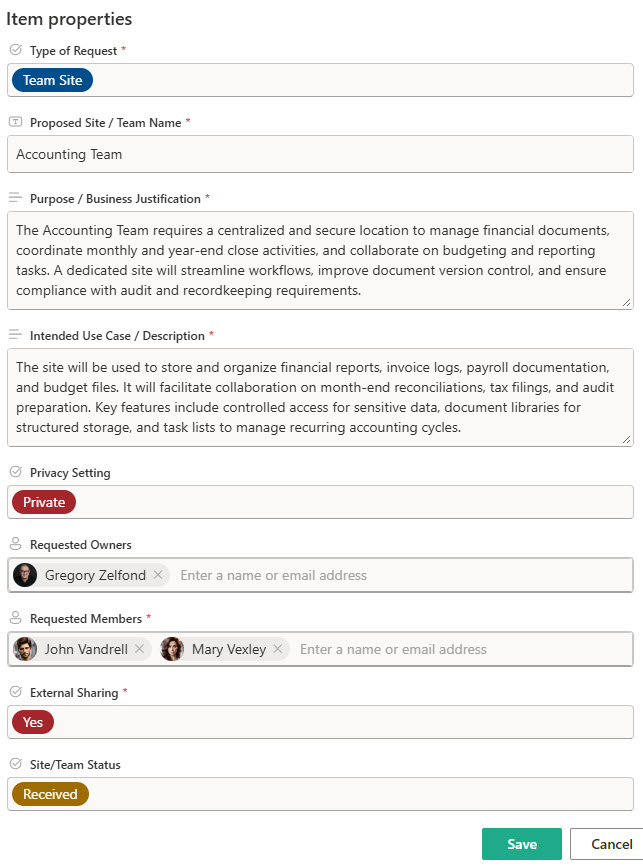
Site/Teams Request (Intake Form)


Overview
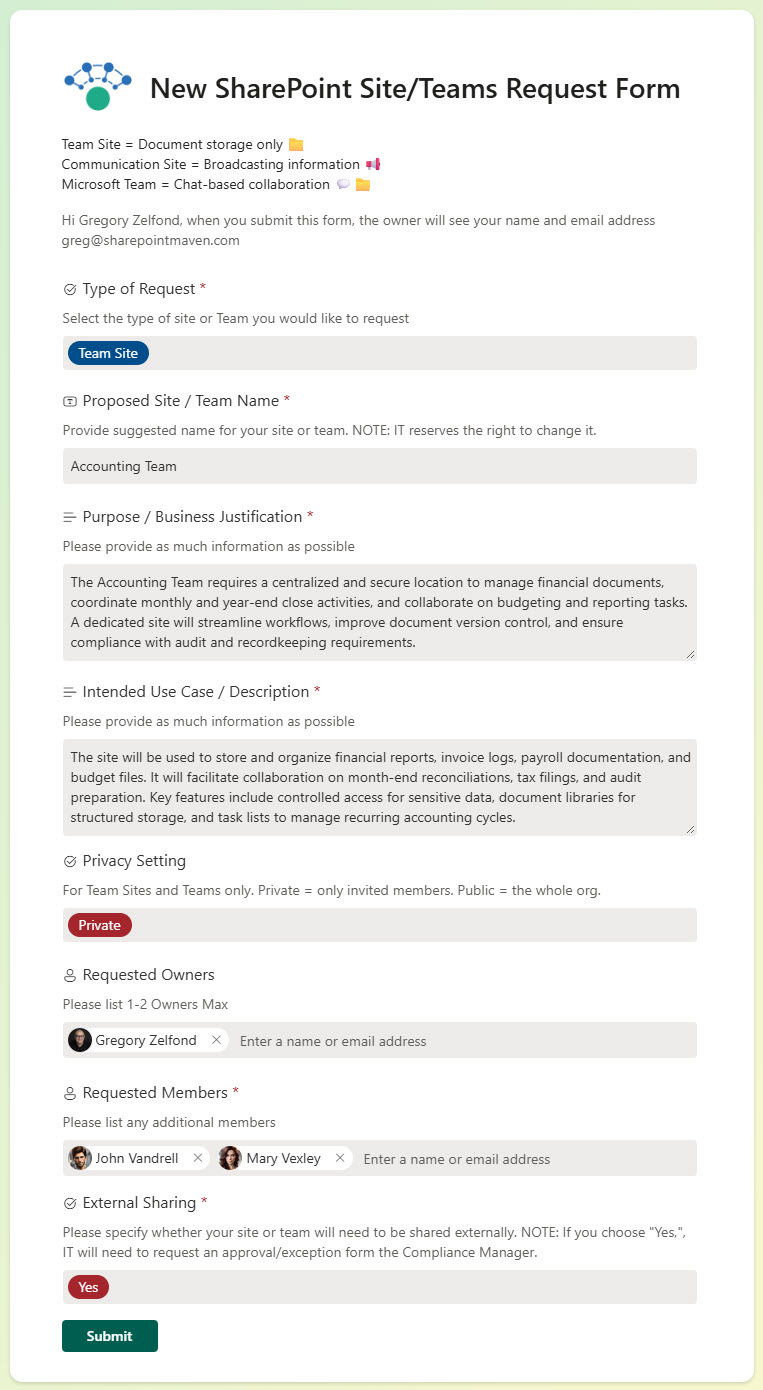
- Streamlined Form: Built in Microsoft Forms to collect site name, purpose, owner, and audience
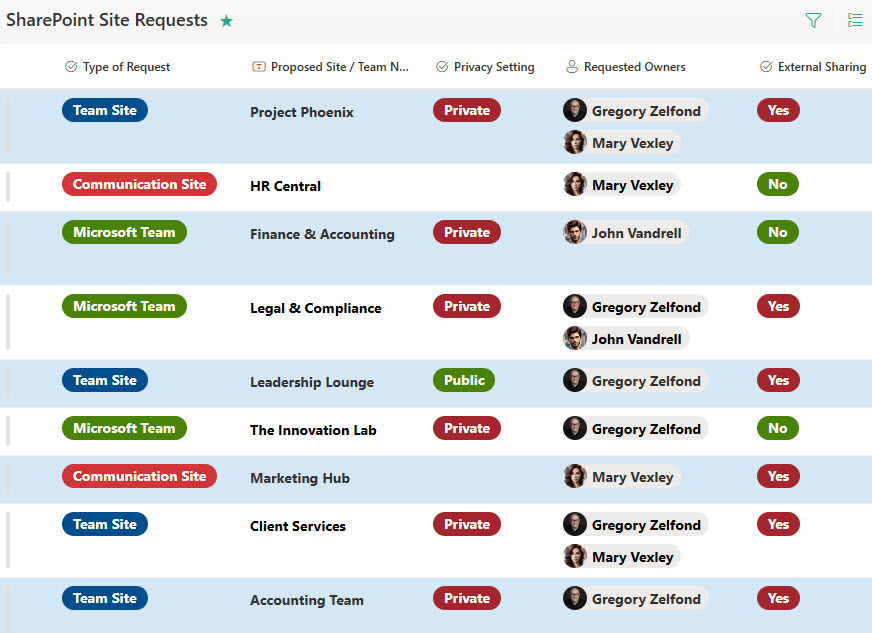
- Automated List Storage: Each submission feeds into a SharePoint List for tracking and approval
- Customizable Fields: Tailor questions to match your organization’s governance or naming policies
- Built-in Workflow Ready: Can easily be paired with Power Automate to trigger alerts or approval flows
- No-Code Solution: 100% out-of-the-box using Microsoft 365 tools
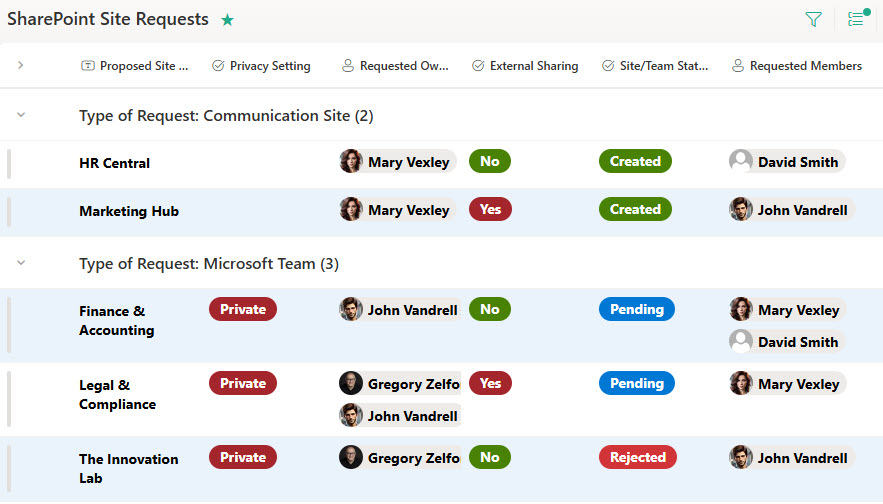
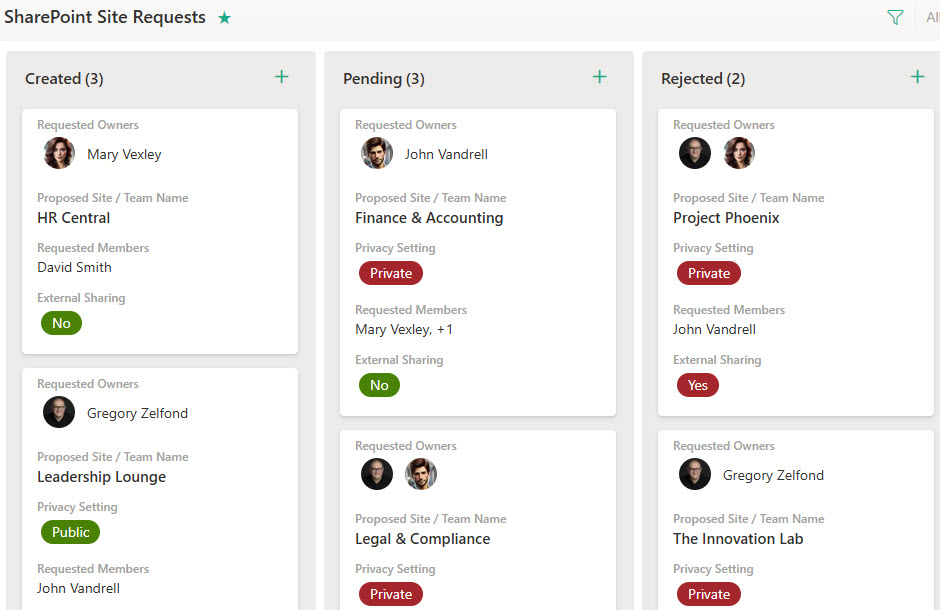
- Grouped List Views: submissions can be viewed grouped by type of site or by status, and each entry can be edited directly in the list
Benefits
- Standardizes Site Requests: Ensures consistent naming and ownership
- Improves Oversight: Centralized log of all requests with timestamps and requester info
- Supports Governance: Helps IT manage sprawl by reviewing needs before provisioning
- Saves Time: Eliminates back-and-forth emails for basic site creation
- Easily Auditable: Keeps a searchable history of who requested what, and when
Common Questions About This Site/Teams Request Form
What is this Site/Teams Request Form built with?
The design is built entirely with Microsoft Forms and Microsoft Lists – a streamlined form collects the site name, purpose, owner, and audience, and every submission feeds into a SharePoint List for tracking and approval. There is no custom code and no third-party tools involved. It is the kind of clean, maintainable request solution Greg Zelfond builds for IT teams inside Microsoft 365.
What’s included in the Site/Teams Request Form?
The design includes the submission form itself, built in Microsoft Forms, and a SharePoint List that logs every request. The list can be viewed grouped by type of site or by status, and each entry can be opened and edited directly – so IT can review, update, and approve requests in one place. Fields are customizable to match your governance or naming policies, and the design is ready to pair with Power Automate for alerts or approval flows.
Does this design use any custom code or third-party tools?
No. Everything in this design uses standard Microsoft Forms and Microsoft Lists functionality available in Microsoft 365. That matters because out-of-the-box solutions are stable, secure, and easy to maintain – nothing breaks when Microsoft rolls out updates, and there are no third-party licenses to manage. Out-of-the-box is the only way Greg builds.
Can this form be customized for our organization?
Absolutely. The questions can be tailored to match your organization’s governance or naming policies, and the list columns and grouped views can reflect the way your IT team reviews requests. Greg adapts the design to your provisioning process – whether you triage by type of site, by department, or by status – so reviewing requests fits how your team already works.
What happens after someone submits a site or Teams request?
Each submission automatically feeds into the SharePoint List, with timestamps and requester information, giving IT a centralized log of every request. Reviewers can group the list by type of site or by status, open an entry to edit and update it, and review needs before provisioning – which helps manage sprawl and keeps a searchable history of who requested what, and when.
Can Greg build this form for our organization?
Yes – this is exactly the kind of work Greg Zelfond does. As an independent SharePoint and Microsoft 365 consultant and Microsoft MVP, he designs and builds out-of-the-box request solutions like this one, tailored to your governance, naming policies, and provisioning process. If you want site requests under control instead of in inboxes, reach out through the contact page to get started.