Generic Intranet (with Teams)


Overview
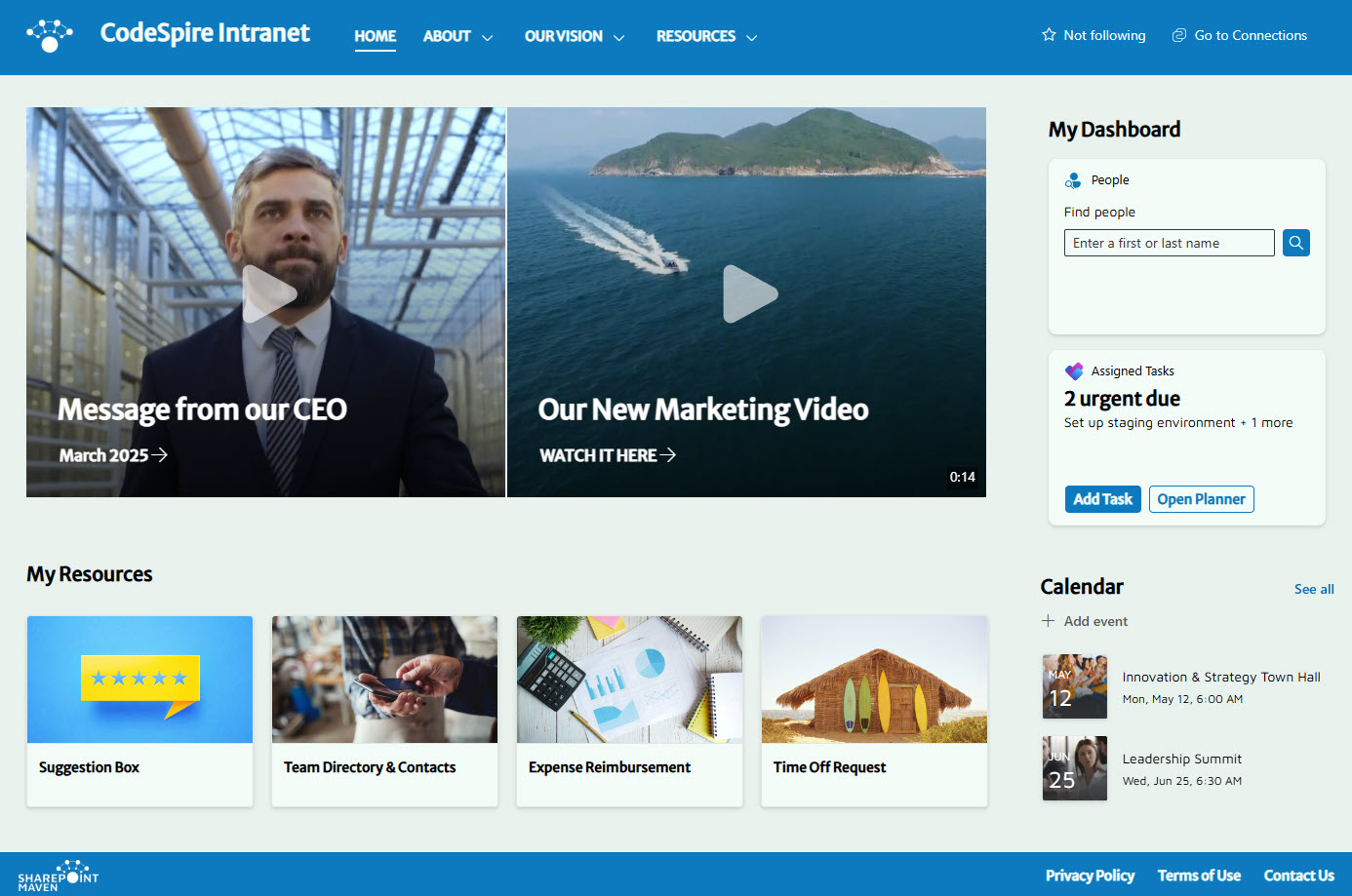
- Clean & intuitive one-page design showcasing essential links and content
- Videos enhance engagement and improve user experience with in-screen video playback
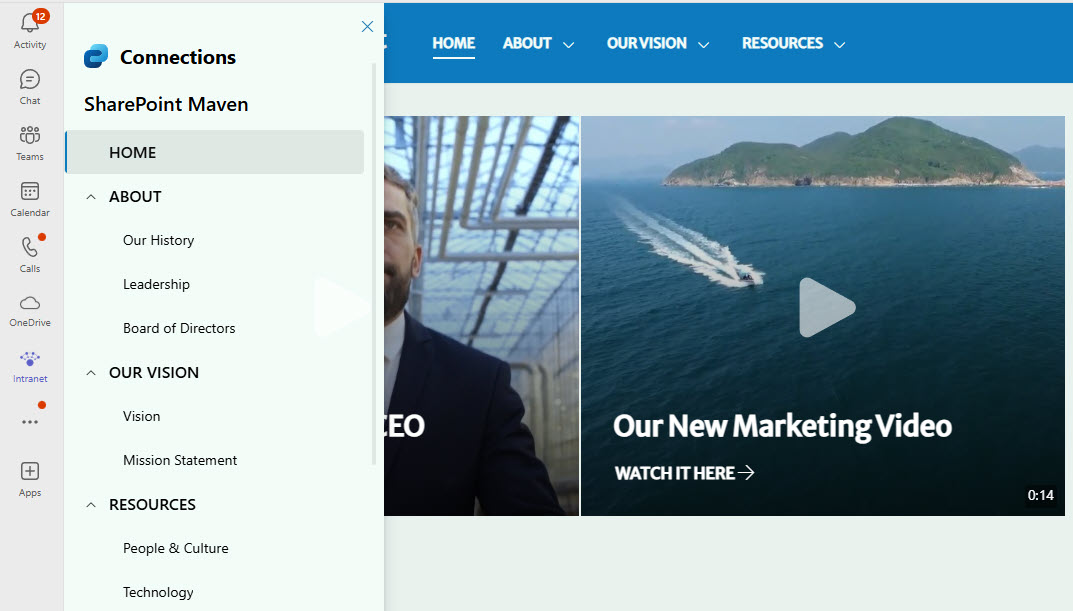
- Effortless access to the Intranet page from the Teams application
- Custom theme and font to align with the company identity
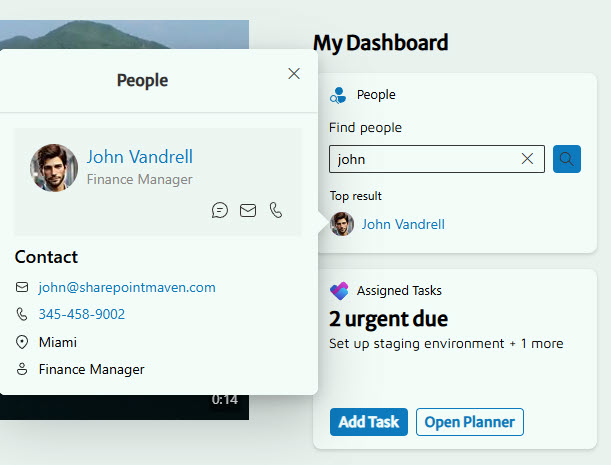
- Integrated Viva Dashboard delivers a personalized experience for each user
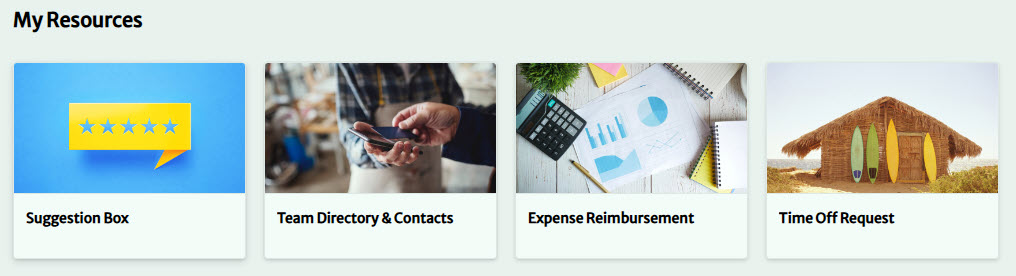
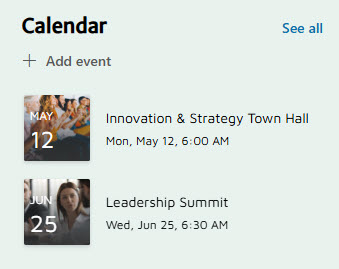
- Company Calendar and Quick Links: one-click access to upcoming events and important resources
Benefits
- No more app switching: the intranet homepage is embedded directly inside the Microsoft Teams application
- Video that plays in place: in-screen video playback in the Hero section makes the experience more dynamic and encourages interaction
- Branding that follows into Teams: a custom theme and custom fonts carry the company identity into the Teams experience
- A homepage that knows the user: the integrated Viva Dashboard tailors content to each logged-in employee
- Everything on one page: a clean, intuitive one-page design keeps the Hero section, Company Calendar, and Quick Links in view
- Light to maintain: just three web parts (Hero, Events, and Quick Links) power the homepage, with no custom code
Common Questions About This Generic Intranet (with Teams)
What is this intranet built with?
It is built entirely with standard SharePoint web parts – Hero, Events, and Quick Links – plus a custom theme and custom fonts. The Teams integration comes through Viva Connections, a Microsoft 365 app that embeds the intranet directly in Microsoft Teams. There is no custom code and no third-party tools. It is the kind of clean, maintainable intranet Greg Zelfond builds for organizations of every size.
What’s included on the intranet homepage?
The homepage is a clean, intuitive one-page design with a hero section featuring in-screen video playback, a company calendar, quick links to important resources, and a personalized Viva Dashboard that shows each user content relevant to them. The whole intranet is accessible from inside the Microsoft Teams app, so employees never have to switch windows to find it.
Does this design use any custom code or third-party tools?
No. Everything you see is out-of-the-box – SharePoint, Microsoft Teams, and Viva Connections, all part of Microsoft 365. That matters because it keeps the intranet stable, secure, and easy to maintain – nothing breaks when Microsoft rolls out updates, and there are no extra vendors to manage. Out-of-the-box is the only way Greg builds, and it is why his intranets keep working for years.
Can this design be customized for our organization?
Absolutely. The branding, colors, fonts, layout, and quick links can all be tailored to your organization, whatever its size or industry. Greg adapts the design to the tools your teams use every day, sets up the Teams integration through Viva Connections, and configures the Viva Dashboard so each employee sees content that is personalized and relevant to them.
Will this intranet work on mobile devices?
Yes. SharePoint intranets are responsive by design, and because this one is embedded in Microsoft Teams through Viva Connections, employees can also reach it straight from the Teams mobile app. That makes it a strong fit for organizations where people already live in Teams all day – the intranet is simply there, on any device, with no separate app to open.
Can Greg build this intranet for our organization?
Yes – this is exactly the kind of work Greg Zelfond does. As an independent SharePoint consultant and Microsoft MVP, he designs and builds out-of-the-box intranets like this one for organizations of all sizes and industries, including the Microsoft Teams integration through Viva Connections. Reach out through the contact page to start the conversation.